
1. Introduction
This manual provides essential information for the installation, operation, and maintenance of your Ajax Hub GPRS/LAN 868 MHz Alarm System. The Ajax Hub is a central control panel for a wireless security system, designed to protect your property from intruders. It communicates with connected devices using the secure Jeweller radio protocol at 868 MHz and transmits alarms and events via GPRS and LAN connections.
The system is suitable for both home and business applications, offering robust security features and smart home compatibility.
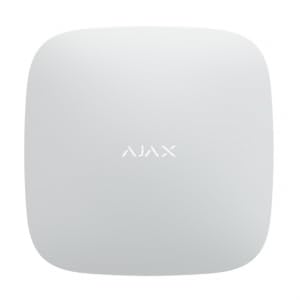
Image 1.1: The Ajax Hub GPRS/LAN 868 MHz Alarm System. This image displays the front view of the white Ajax Hub, highlighting its compact and modern design, along with icons indicating its features like alarm panel functionality, 868MHz Jeweller protocol, Ethernet/GPRS connectivity, and support for up to 100 devices.
2. Safety Information
- Indoor Use Only: The Ajax Hub is designed for indoor use. Do not expose it to moisture, extreme temperatures, or direct sunlight.
- Power Supply: Use only the specified power adapter. Ensure the power outlet is easily accessible.
- Installation: Installation should be performed by qualified personnel or strictly according to the instructions to avoid damage or malfunction.
- Tampering: Do not attempt to open or modify the device. Unauthorized modifications will void the warranty and may compromise security.
- Interference: Keep the hub away from strong electromagnetic fields or other radio interference sources.
- Disposal: Dispose of the device and its components according to local regulations for electronic waste.
3. Package Contents
Please check the package for the following items:
- Ajax Hub (Model 38237)
- Mounting bracket
- Installation kit (screws, wall plugs)
- Power cable
- Ethernet cable
- Quick Start Guide

Image 3.1: Mounting hardware for the Ajax Hub. This image shows the mounting plate, screws, and wall plugs, alongside the back of the Ajax Hub, illustrating how the device is secured to a wall.
4. Product Overview
The Ajax Hub is the core of your security system, providing communication and control for all connected devices. It features an internal antenna for reliable wireless communication with sensors and detectors.
Key Features:
- Wireless Bidirectional Communication: Utilizes the Jeweller 868 MHz radio protocol for secure and efficient communication with up to 100 wireless devices.
- Dual Connectivity: Supports both GPRS (via SIM card) and LAN (Ethernet cable) for reliable alarm transmission and remote control.
- Anti-Tampering: Equipped with anti-stamping (anti-tampering) features to detect unauthorized attempts to open or move the device.
- Internal Antenna: Ensures a clean and compact design without external antennas.
- Smart Home Compatibility: Integrates with smart home systems for enhanced automation and control.
- Remote Control: Manage your security system from anywhere using a mobile application.
5. Setup
5.1. Choosing an Installation Location
Select a location that is central within your property to ensure optimal signal strength for all wireless devices. Avoid placing the hub near large metal objects, electrical wiring, or sources of radio interference. The hub should be mounted indoors, away from direct sunlight and moisture.
5.2. Mounting the Hub
- Remove the mounting bracket from the back of the hub by sliding it downwards.
- Place the bracket against the wall at your chosen location and mark the screw holes.
- Drill holes at the marked positions and insert the wall plugs (if necessary).
- Secure the mounting bracket to the wall using the provided screws.
- Attach the Ajax Hub to the mounted bracket by aligning it and sliding it upwards until it clicks into place.
5.3. Connecting Power and Network
- Power: Connect the power cable to the hub and then to a power outlet. The hub will power on automatically.
- LAN (Ethernet): Connect one end of the Ethernet cable to the LAN port on the hub and the other end to your router or network switch.
- GPRS (SIM Card): If using GPRS as a primary or backup communication channel, insert a valid SIM card into the designated slot on the hub. Ensure the SIM card has an active data plan.
5.4. Initial Configuration and Device Pairing
- Download the official Ajax Security System mobile application from your device's app store.
- Create an account and log in.
- Add your Ajax Hub to the application by scanning the QR code located on the hub or its packaging.
- Follow the in-app instructions to complete the initial setup, including naming your hub and setting up user permissions.
- To add wireless devices (sensors, keypads, etc.), navigate to the 'Devices' section in the app and follow the pairing instructions for each specific device. The hub supports up to 100 wireless devices.

Image 5.1: The Ajax Hub discreetly installed on a wall in a modern home office setting, demonstrating its aesthetic integration into an interior space.
6. Operating the System
6.1. Arming and Disarming
The Ajax security system can be armed or disarmed using the mobile application, a connected keypad, or a key fob. Refer to the specific device manuals for detailed instructions on their operation.
- Arming: Activates all security sensors. Any detected intrusion will trigger an alarm.
- Disarming: Deactivates all security sensors, allowing free movement within the protected area.
- Night Mode: A special mode that arms only perimeter sensors or specific zones, allowing movement inside while maintaining security.
6.2. Notifications
The Ajax Hub sends notifications to your mobile device via push notifications, SMS, or calls (depending on your settings and SIM card plan) in case of:
- Alarm events (e.g., motion detection, door opening, fire).
- System status changes (e.g., arming/disarming, power loss, low battery).
- Tampering attempts on the hub or connected devices.
6.3. Managing Devices
Through the Ajax mobile application, you can:
- View the status of all connected sensors and devices.
- Adjust settings for individual devices.
- Add or remove devices from the system.
- Create automation scenarios (e.g., turn on lights when an alarm is triggered).
7. Maintenance
7.1. Cleaning
Clean the hub regularly with a soft, dry cloth. Do not use abrasive cleaners, solvents, or aerosol sprays, as these can damage the device.
7.2. Software Updates
The Ajax Hub receives regular software updates to improve performance, add new features, and enhance security. Ensure your hub is connected to the internet (LAN or GPRS) to receive these updates. Updates are typically managed automatically through the mobile application.
7.3. Battery Backup
The Ajax Hub includes an internal backup battery to ensure continuous operation during power outages. The mobile application will notify you if the hub switches to battery power or if the battery level is low. Ensure the hub is always connected to a reliable power source for optimal battery health.
8. Troubleshooting
| Problem | Possible Cause | Solution |
|---|---|---|
| Hub is offline | No power, LAN cable disconnected, GPRS signal weak, SIM card issue. | Check power connection. Verify LAN cable is securely connected to router. Check GPRS signal strength in app. Ensure SIM card is active and correctly inserted. |
| Devices not pairing | Device too far from hub, low device battery, incorrect pairing procedure. | Move device closer to hub. Replace device battery. Follow specific pairing instructions for the device in the app. |
| Alarms not received on phone | App notifications disabled, phone not connected to internet, hub offline. | Check app notification settings. Ensure your phone has internet access. Verify hub is online in the app. |
| Hub LED indicator is not as expected | System status change, error. | Refer to the Quick Start Guide or the Ajax app for a detailed explanation of LED indicators and their meanings. |
9. Specifications
- Model Number: 38237
- Manufacturer: Ajax
- Color: White
- Dimensions (L x W x H): 16.3 x 16.3 x 3.6 cm
- Connectivity Technology: GPRS, LAN (Ethernet)
- Wireless Protocol: Jeweller 868 MHz
- Max. Wireless Devices: Up to 100
- Antenna Type: Internal
- Security Protocols: Jeweller 868 MHz, WPA3 (for compatible Wi-Fi devices, if applicable)
- Max. Upstream Data Transfer Rate (GPRS): 128 Kbps
- Smart Home Compatibility: Yes
- Software Updates: Yes
- Recommended Use: Home, Business
10. Warranty and Support
For warranty information and technical support, please refer to the documentation provided with your purchase or visit the official Ajax website. Keep your proof of purchase for warranty claims.
If you encounter any issues not covered in this manual, please contact your dealer or Ajax customer support for assistance.


