
1. Introduction
Thank you for choosing the navfalcon Hidden Camera Detector TX07B. This device is designed to help protect your privacy by detecting various hidden surveillance equipment, including wireless/wired cameras, listening devices, magnetic trackers, and night vision cameras. Please read this manual carefully to ensure proper use and optimal performance.
2. Safety Information
- Keep the device away from water and moisture.
- Do not attempt to disassemble or repair the device yourself. Contact support if issues arise.
- Use only the provided charging cable or a compatible Type-C cable.
- Avoid exposing the device to extreme temperatures.
3. Package Contents
- navfalcon Hidden Camera Detector TX07B
- USB Type-C Charging Cable
- Magnetic Probe Antenna (for magnetic detection)
- RF Antenna (for signal detection)
- User Manual
4. Product Overview
Familiarize yourself with the components of your navfalcon detector:

Image: Front and side view of the navfalcon TX07B detector, highlighting the optical filter, charge indicator, screen, function key, confirm key, charging interface, signal conditioning switch, power switch, and rope hole.

Image: The main product image of the navfalcon TX07B Hidden Camera Detector.
5. Setup
5.1 Charging the Device
The device comes with a built-in rechargeable battery. If the device does not power on or has low battery, please charge it first.
- Locate the Type-C charging port on the right side of the device.
- Connect the provided USB Type-C cable to the device and a power source.
- During charging, a red indicator light will illuminate. The light will automatically turn off once charging is complete.
Video: Demonstrates how to charge the K18+ detector using the Type-C port and observing the indicator light.
5.2 Initial Power On
Upon receiving the product, it generally comes with some power and can be used immediately. If not, charge it as described above.
6. Operating Instructions
6.1 Power On and Sensitivity Adjustment
- To power on the device, rotate the power switch knob located on the top.
- The same knob is used to adjust sensitivity. Rotate counter-clockwise to decrease sensitivity and clockwise to increase it.
- For initial detection, it is recommended to start with a higher sensitivity and gradually decrease it to pinpoint the source.
Video: Demonstrates how to power on the device and adjust its sensitivity using the knob.
6.2 RF Signal Detection Mode
This mode detects wireless signals from hidden cameras, listening devices, and other transmitting bugs.
- Install the RF antenna into the left side port of the detector.
- Rotate the power switch knob to turn on the detector. By default, it will be in RF signal detection mode.
- The red indicator light will be on.
- When the detector approaches an RF source, it will emit continuous alarms or vibrations, and the signal strength LED bar will increase.
- To toggle between sound and vibration alerts, short press the 'M' button.
- For accurate detection, turn off or move away from known wireless signals (e.g., Wi-Fi routers, mobile phones) and adjust the sensitivity to the lowest 2-3 levels.

Image: The navfalcon detector being used in a bedroom to identify potential hidden cameras by detecting their signals.
Video: Demonstrates installing the RF antenna, activating RF detection, and how the device responds to a Wi-Fi router.
6.3 Magnetic Field Detection Mode
This mode is used to locate magnetic tracking tools, often found attached to vehicles.
- Install the magnetic probe antenna into the top middle port of the detector.
- Rotate the power switch knob to turn on the detector.
- Press and hold the 'M' button for 3 seconds to activate magnetic detection mode. The white LED light at the end of the magnetic antenna and the blue indicator light will turn on.
- When approaching a magnetic object, the detector emits an alarm sound to alert you of the presence of suspicious magnetic objects nearby.
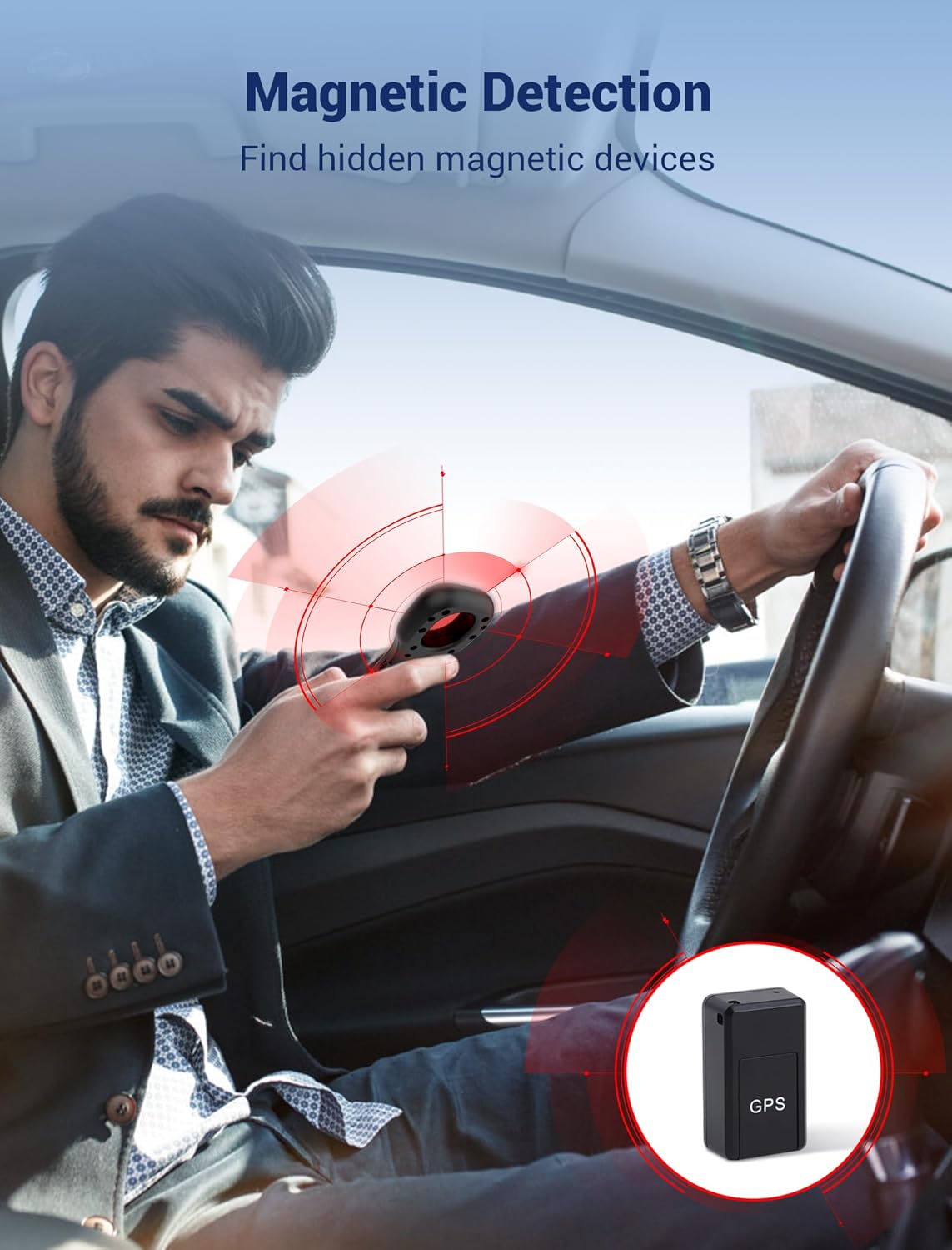
Image: The navfalcon detector being used inside a car to detect magnetic fields, indicating the presence of a GPS tracker.
Video: Demonstrates installing the magnetic probe and using it to detect magnetic objects.
6.4 Camera Lens Finder (Infrared Scan)
This feature helps uncover hidden camera lenses, including night vision cameras, by reflecting red light off their optics.
- Briefly press the double arrow button on the panel to activate the red LED lights on the back of the detector.
- Look through the optical filter (viewfinder) on the front of the device.
- Scan the area. Hidden camera lenses will appear as bright red reflective spots.
- You can adjust the LED flashing frequency by pressing and holding the button to suit your preference.
Video: Demonstrates the red LED light feature for detecting hidden camera lenses.
6.5 Protection Mode (Guard Mode)
This mode provides an instant touch-triggered warning, acting as an anti-theft alarm.
- Activate the Protection Mode as per the device's specific instructions (refer to the product's quick start guide if available, as this mode's activation is not detailed in the provided data).
- The device will alert you to disturbances or movement, suitable for securing doors, luggage, or other personal items.

Image: The navfalcon detector in Guard Mode, attached to a door handle, indicating an alarm triggered by an attempted break-in.
7. Signal Strength Indicator
The LED indicator lights on the device provide visual feedback on signal strength:
- Green LEDs (1st to 4th): Indicate a safe signal strength range.
- Yellow LEDs (5th to 8th): Light up when suspicious signals are detected nearby.
- Red LEDs (9th and 10th): Indicate a high-intensity signal range, suggesting a strong signal source is very close.
Video: Explains the LED indicator lights and their meaning for different signal strengths.
8. Maintenance
- Clean the device regularly with a soft, dry cloth.
- Do not use harsh chemicals or abrasive cleaners.
- Store the device in a cool, dry place when not in use.
9. Troubleshooting
- Device not turning on: Ensure the device is fully charged.
- False alarms in RF detection: Reduce sensitivity using the knob. Move away from known electronic devices like Wi-Fi routers, mobile phones, and Bluetooth devices.
- Difficulty locating camera lenses: Ensure the red LED lights are active and you are looking through the optical filter. Scan slowly and thoroughly.
- Magnetic detection not working: Ensure the magnetic probe is securely attached and the mode is activated by pressing and holding the 'M' button for 3 seconds.
10. Specifications
| Feature | Detail |
|---|---|
| Model Number | TX07B |
| Dimensions (L x W x H) | 8.6 x 2.9 x 33 Centimetres |
| Item Weight | 100 g |
| Battery | 1 Lithium Ion battery (included) |
| Power Source | Battery Powered |
| Wireless Communication | Wi-Fi |
| Special Features | Night Vision, 5 Adjustable Sensitivity Levels, 4 Professional Modes |
| Recommended Use | Indoor Security |
11. Warranty and Support
The navfalcon Hidden Camera Detector TX07B comes with a 365-day warranty and lifetime manufacturer support. If you have any questions or require assistance, please contact our customer support team for prompt service.


