
1. Product Overview
The Varghesyla TV Stand Base Legs provide a stable and durable solution for supporting compatible Panasonic televisions. These replacement legs are designed to offer enhanced stability and anti-slip protection, ensuring your television is securely placed on various surfaces.
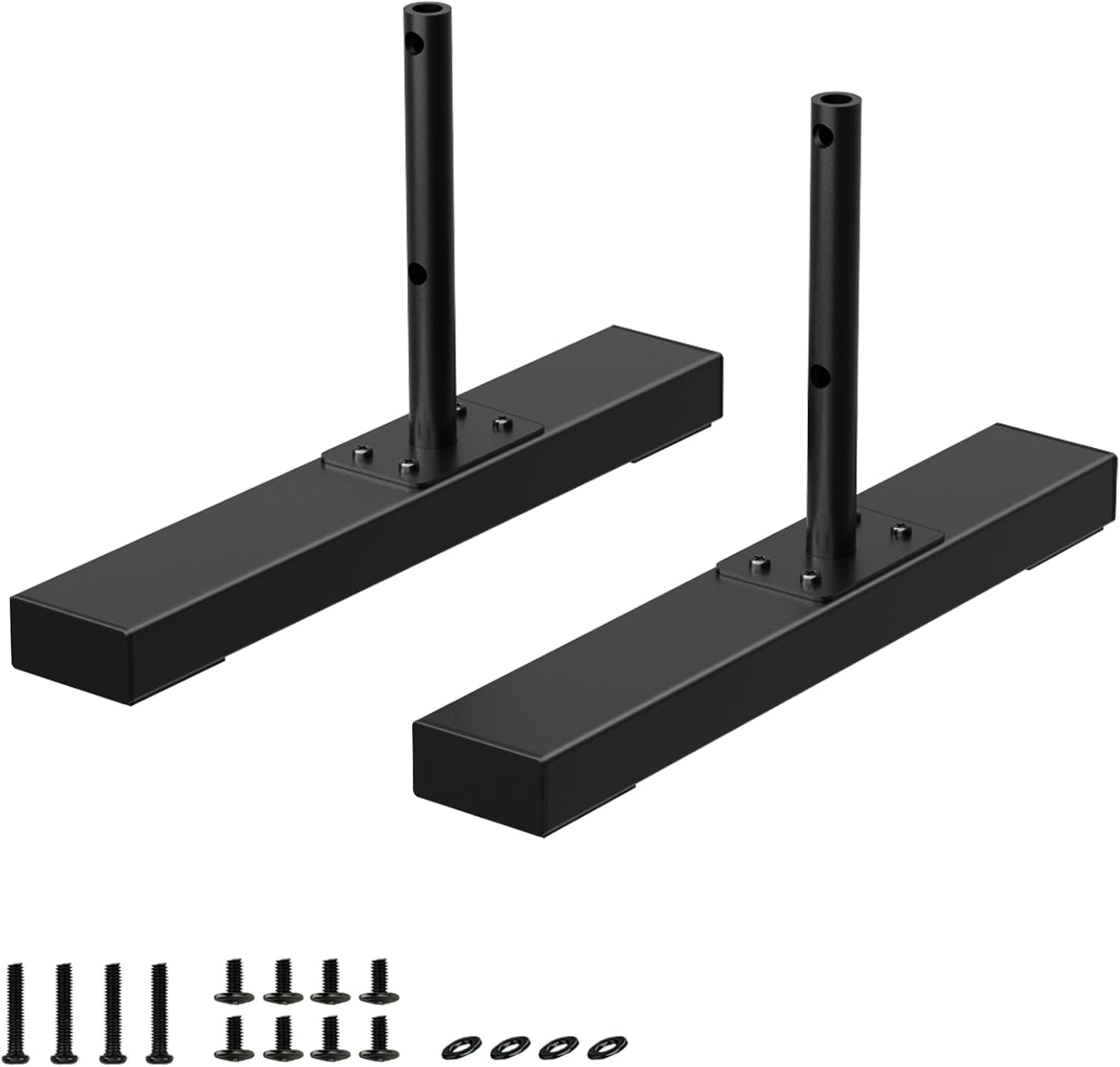
Image 1.1: Varghesyla TV Stand Base Legs with mounting hardware.
2. Compatibility and Important Considerations
Before installation, it is crucial to verify the compatibility of these TV stand legs with your specific television model. These legs are designed exclusively for televisions with a hole spacing of 80mm (3.15 inches) center-to-center. Using these legs with a TV that has different hole spacing may result in instability or improper fit.
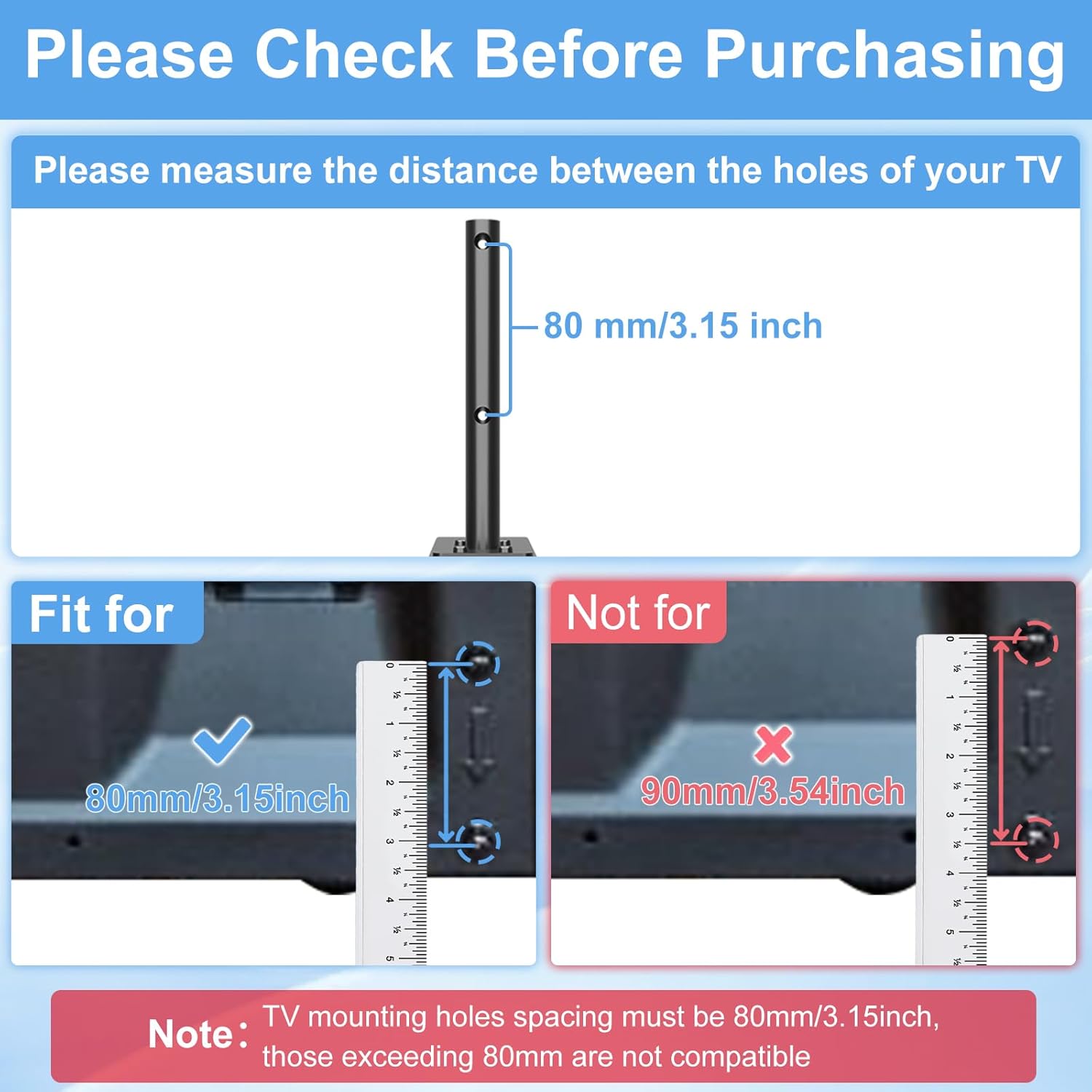
Image 2.1: Guide for measuring TV mounting hole spacing. Ensure your TV's hole spacing is 80mm (3.15 inches).
2.1 Compatible Panasonic TV Models (80mm Hole Spacing Required):
- 37-inch models: TH-37PX60U, TH-37PV60, TH-37PV600
- 42-inch models: TH-42PC77U, TH-42PE7U, TH-42PX60U, TH-42PX75U, TH-42PX77U, TH-42PX600U, TH-42PX80U, TH-42PX80E, TH-42PX80UA, TH-42PX500U, TH-42PZ77U, TH-42PZ80Q, TH-42PZ80U, TH-42PZ80UA, TH-42PZ85U, TH-C42FD18, TH-C42FD18A, TH-C42HD18, TH-42PV45, TH-42PV60, TH-42PV600, TH-42PY700, TH-42PZ700U
- 46-inch models: TH-46PZ80UA, TH-46PZ80U, TH-46PZ85U, TH-46PZ85UA, TH-46PZ850U
- 50-inch models: TH-50PC77U, TH-50PE8U, TH-50PE77U, TH-50PX60U, TH-50PX60X, TH-50PX75U, TH-50PX77U, TH-50PX80U, TH-50PX80X, TH-50PX80UA, TH-50PX500U, TH-50PX600U, TH-50PZ77U, TH-50PZ80UA, TH-50PZ80Q, TH-50PZ80U, TH-50PZ800U, TH-50PZ85U, TH-50PZ85UA, TH-50PZ850U, TH-C50HD18, TH-C50FD18, TH-C50FD18A, TH-M50HD18, TH-50PE700U, TH-50PY700P, TH-50PZ700U, TH-50PZ750U
- 58-inch models: TH-58PH10UK, TH-58PE75U, TH-58PF11UK, TH-58PX60U, TH-58PZ800U, TH-58PZ850U, TH-58PZ700U, TH-58PZ750U
Note: If your TV model is listed above but its hole spacing is not 80mm (3.15 inches), these legs are not applicable.
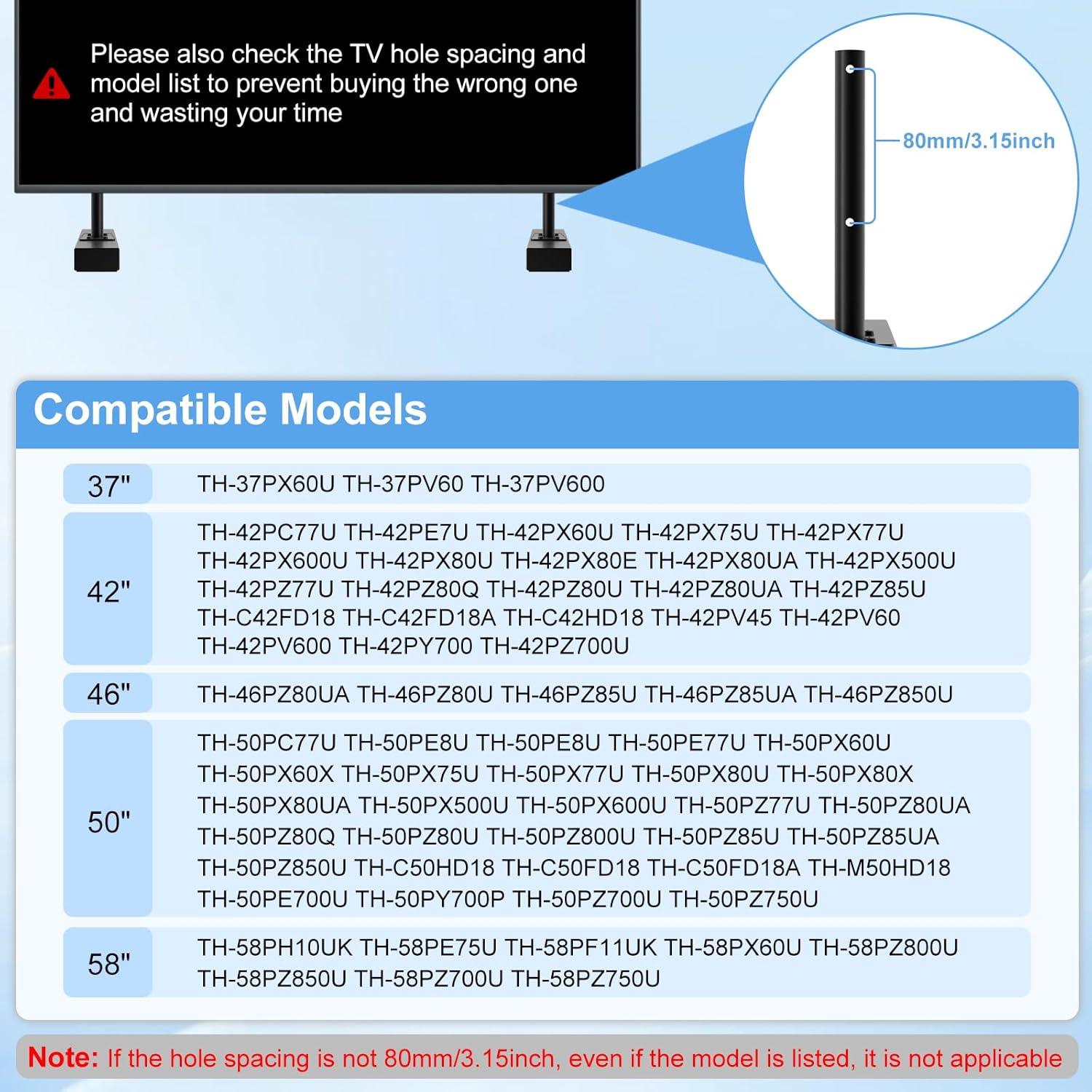
Image 2.2: Visual representation of compatible TV models.
3. Package Contents
Please ensure all components are present before beginning installation:
- 2 x TV Stand Legs (Base and Vertical Support)
- 1 x Set of Mounting Screws and Washers
- 1 x Instruction Manual (this document)

Image 3.1: Contents included in the Varghesyla TV Stand Base Legs package.
4. Installation Guide
Follow these steps to correctly install the TV stand base legs. It is recommended to have a second person assist with lifting and positioning the television.
- Step 1: Assemble the Stand Bases. Attach the vertical support posts to the rectangular base plates using the provided screws. Ensure the hole on the vertical support faces the short edge of the base plate. Tighten all screws securely.
- Step 2: Attach to TV. Carefully lay your television screen-down on a soft, clean surface to prevent scratches. Align the assembled stand legs with the 80mm mounting holes on the back of your TV. Insert the appropriate screws and washers (if applicable) and tighten them firmly. Do not overtighten.
- Step 3: Position the TV. With assistance, carefully lift the television and place it upright on your desired surface. Gently check the stability of the TV. If there is any wobbling, re-check all screw connections.
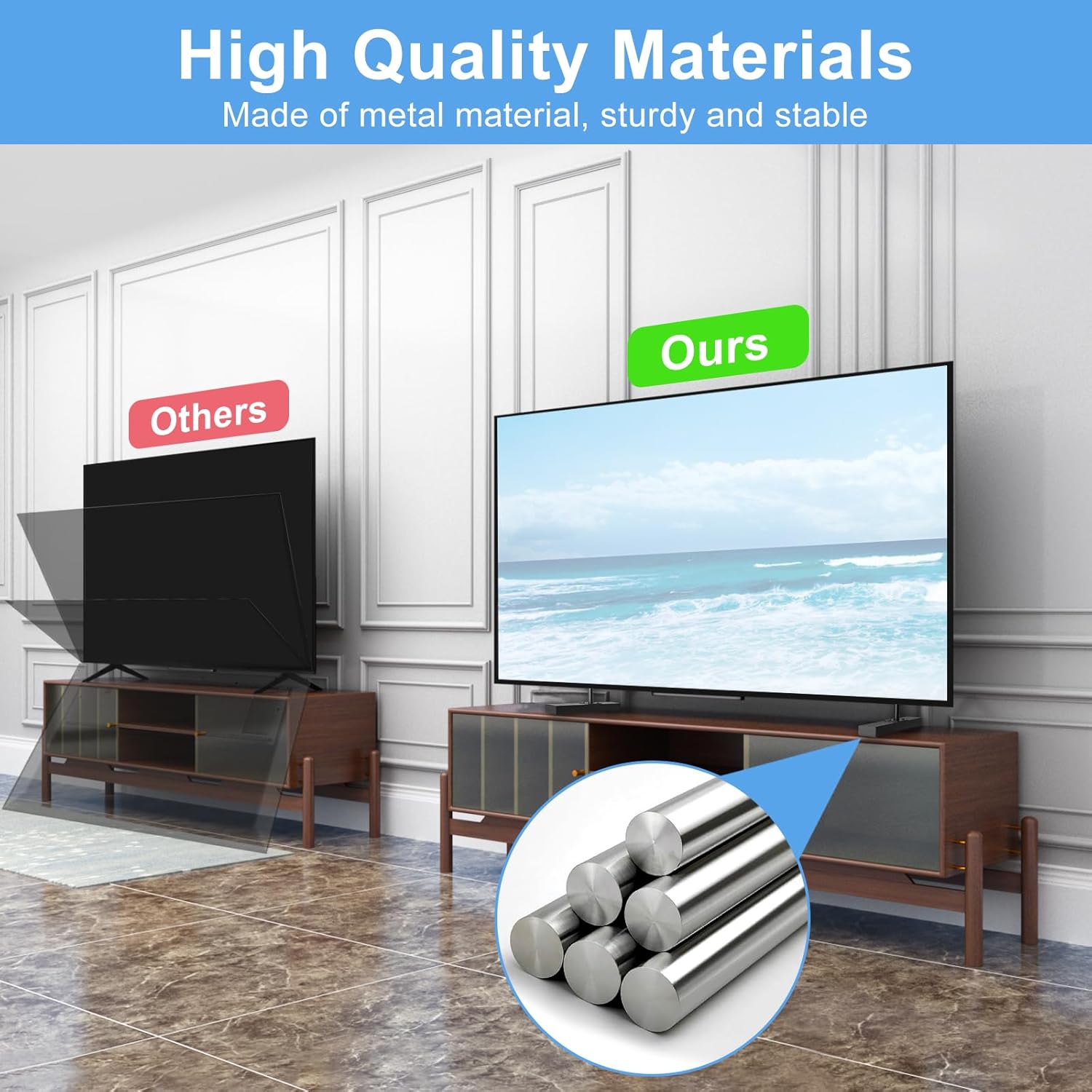
Image 4.1: Step-by-step installation process for the TV stand legs.
5. Product Features and Design
5.1 Enhanced Stability and Durable Construction
These TV stand legs are constructed from high-quality steel, providing a robust and stable foundation for your television. The design aims to minimize wobbling and ensure secure placement.

Image 5.1: Illustration of the high-quality metal construction for enhanced stability.
5.2 Anti-Slip Protection
The bottom of each stand leg is equipped with a 4mm gasket. This feature provides superior anti-slip protection, preventing the TV from sliding and safeguarding your desktop or furniture surface from scratches.

Image 5.2: Detail of the anti-slip foot pad design for various surface types.
5.3 Space-Saving Design
The minimalist design of these legs helps maintain a clean and organized desktop or entertainment area. The elevated design also allows for placement of soundbars or other accessories beneath the television.
6. Troubleshooting
- Issue: The TV stand legs do not align with the TV mounting holes.
Solution: Re-verify the hole spacing on your television. These legs are designed for an exact 80mm (3.15 inch) center-to-center spacing. If your TV's spacing is different, these legs are not compatible. Refer to Section 2 for compatibility details. - Issue: The TV feels unstable or wobbles after installation.
Solution: Ensure all screws connecting the stand legs to the TV are securely tightened. Confirm that the TV's weight does not exceed the stand's load-bearing capacity (while specific capacity is not provided, these are designed for the listed Panasonic models). Ensure the TV is placed on a flat, stable surface. - Issue: The vertical support posts appear too long, preventing proper alignment.
Solution: This issue has been reported by some users. While the product is designed for specific models, slight variations in TV manufacturing or user expectations can occur. If you encounter this, ensure the legs are fully inserted and screws are tightened. If the issue persists, professional assistance may be required for assessment, or consider contacting customer support. - Issue: Screws provided are too small or do not fit.
Solution: The package includes a standard set of screws. If the provided screws do not fit your specific TV model, you may need to acquire compatible screws separately. Always ensure screws are of appropriate length and thread type for your TV to avoid damage.
7. Specifications
| Brand | Varghesyla |
| Color | Black |
| Material | Metal (Steel) |
| Leg Style | Straight |
| TV Hole Spacing | 80mm (3.15 inches) Center-to-Center |
| Item Weight | 3.27 pounds (approx. 1.48 kg) |
| Package Dimensions | 13.94 x 3.86 x 2.24 inches |
8. Care and Maintenance
To maintain the appearance and integrity of your TV stand legs, wipe them with a soft, dry cloth. Avoid using abrasive cleaners or harsh chemicals, as these may damage the finish. Regularly check that all screws remain tight to ensure continued stability.
9. Warranty and Support
Specific warranty information for this product is not provided in the available details. For any product-related inquiries, technical support, or assistance with installation, please refer to the seller's contact information or the platform where the product was purchased.