1. Introduction
Thank you for choosing the Takywep Portable Air Conditioner Model ACunit-01. This versatile 3-in-1 unit provides efficient cooling, effective dehumidification, and powerful fan circulation to enhance your indoor comfort. Designed for ease of use and portability, this manual will guide you through the setup, operation, and maintenance of your new appliance.
Please read this manual thoroughly before operating the unit and retain it for future reference.
2. Important Safety Instructions
To reduce the risk of fire, electrical shock, or injury, always follow basic safety precautions when using this appliance:
- Read all instructions before using the appliance.
- Ensure the power supply matches the voltage specified on the unit's rating label.
- Do not operate the unit with a damaged cord or plug.
- Always plug the unit into a grounded 3-prong outlet.
- Do not block the air intake or exhaust vents.
- Keep the unit on a flat, stable surface to prevent tipping.
- Unplug the unit before cleaning or performing any maintenance.
- Do not use the unit near water or in excessively humid environments (e.g., bathrooms).
- This appliance is not intended for use by persons (including children) with reduced physical, sensory, or mental capabilities, or lack of experience and knowledge, unless they have been given supervision or instruction concerning use of the appliance by a person responsible for their safety.
3. Package Contents
Verify that all items listed below are included in your package:
- Portable Air Conditioner Unit
- Remote Control
- Window Kit (adjustable panels)
- Ventilation Duct (Exhaust Hose)
- Drainage Pipe

4. Product Overview
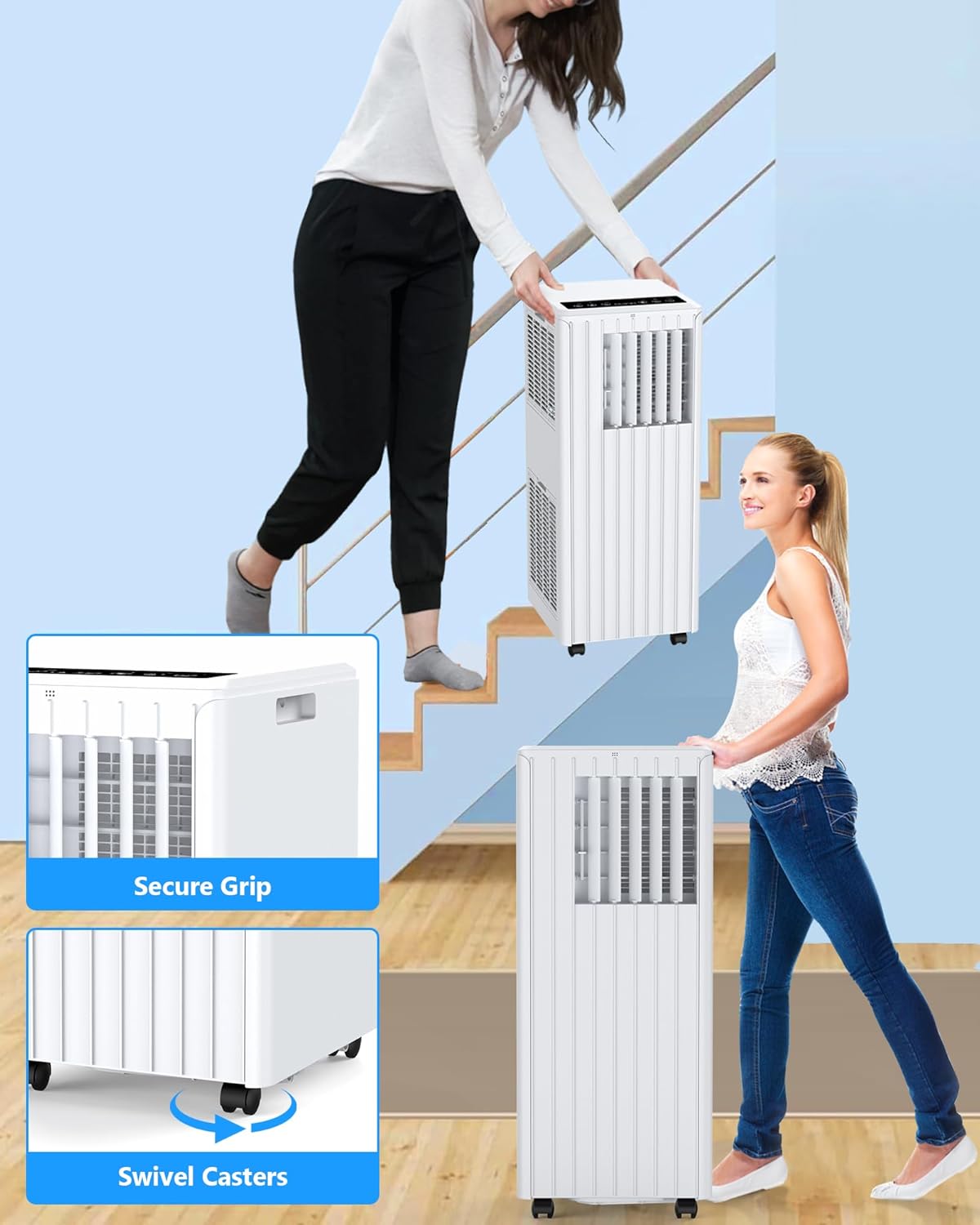
The Takywep Portable Air Conditioner is designed for optimal performance and user convenience. It features a compact design with integrated handles and swivel casters for easy mobility.

Control Panel
The intuitive control panel located on the top of the unit allows for easy operation. It features a digital display and touch-sensitive buttons for various functions.
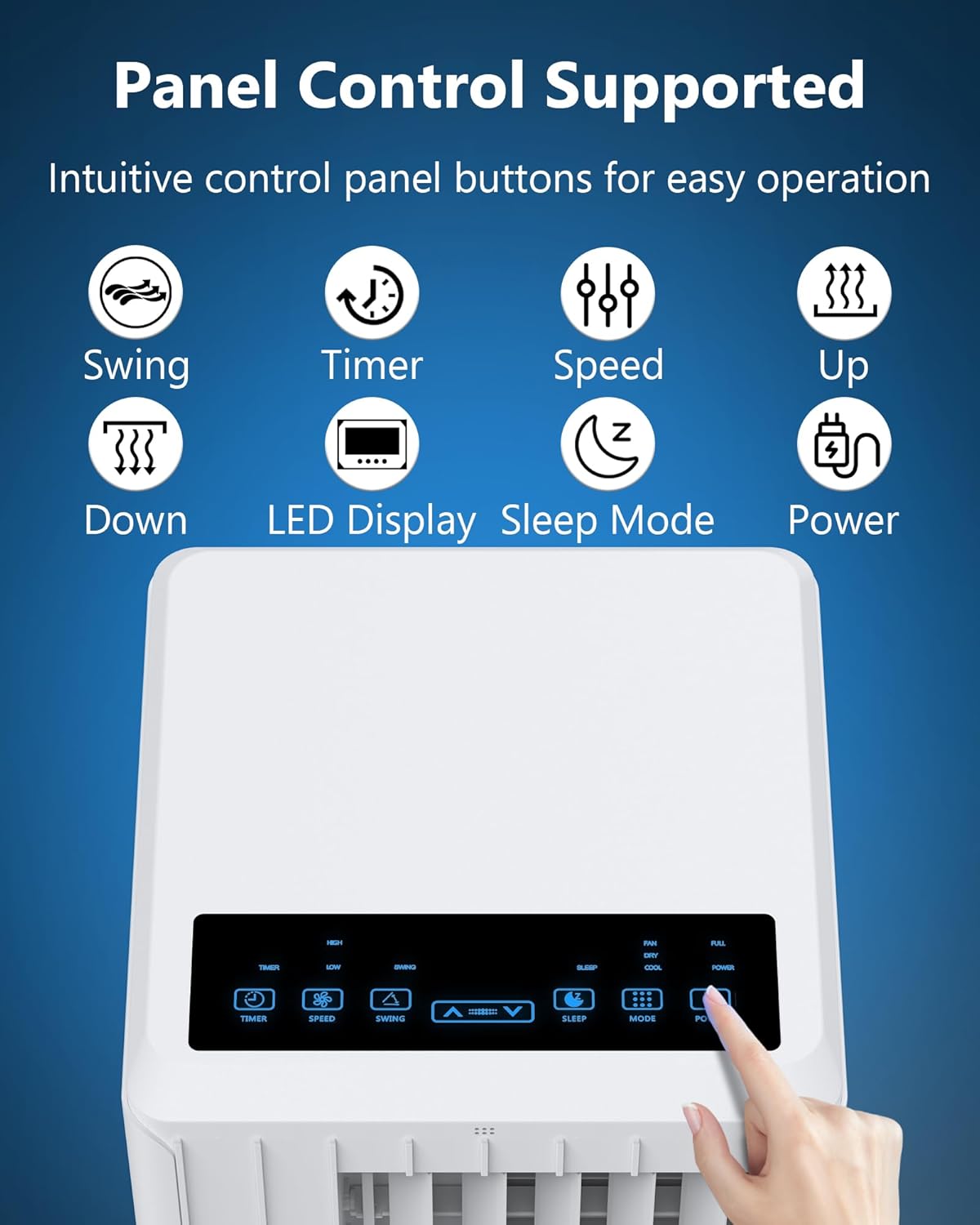
- Power Button: Turns the unit On/Off.
- Mode Button: Cycles through Cool, Dehumidify, and Fan modes.
- Up/Down Arrows: Adjusts temperature settings.
- Speed Button: Selects High or Low fan speed.
- Timer Button: Sets the auto On/Off timer.
- Sleep Button: Activates sleep mode for quiet operation.
- LED Display: Shows current temperature and settings.
5. Setup
5.1 Unit Placement
Place the portable air conditioner on a flat, stable surface in your desired room. Ensure there is at least 20 inches of space around the unit for proper airflow.
5.2 Window Kit Installation
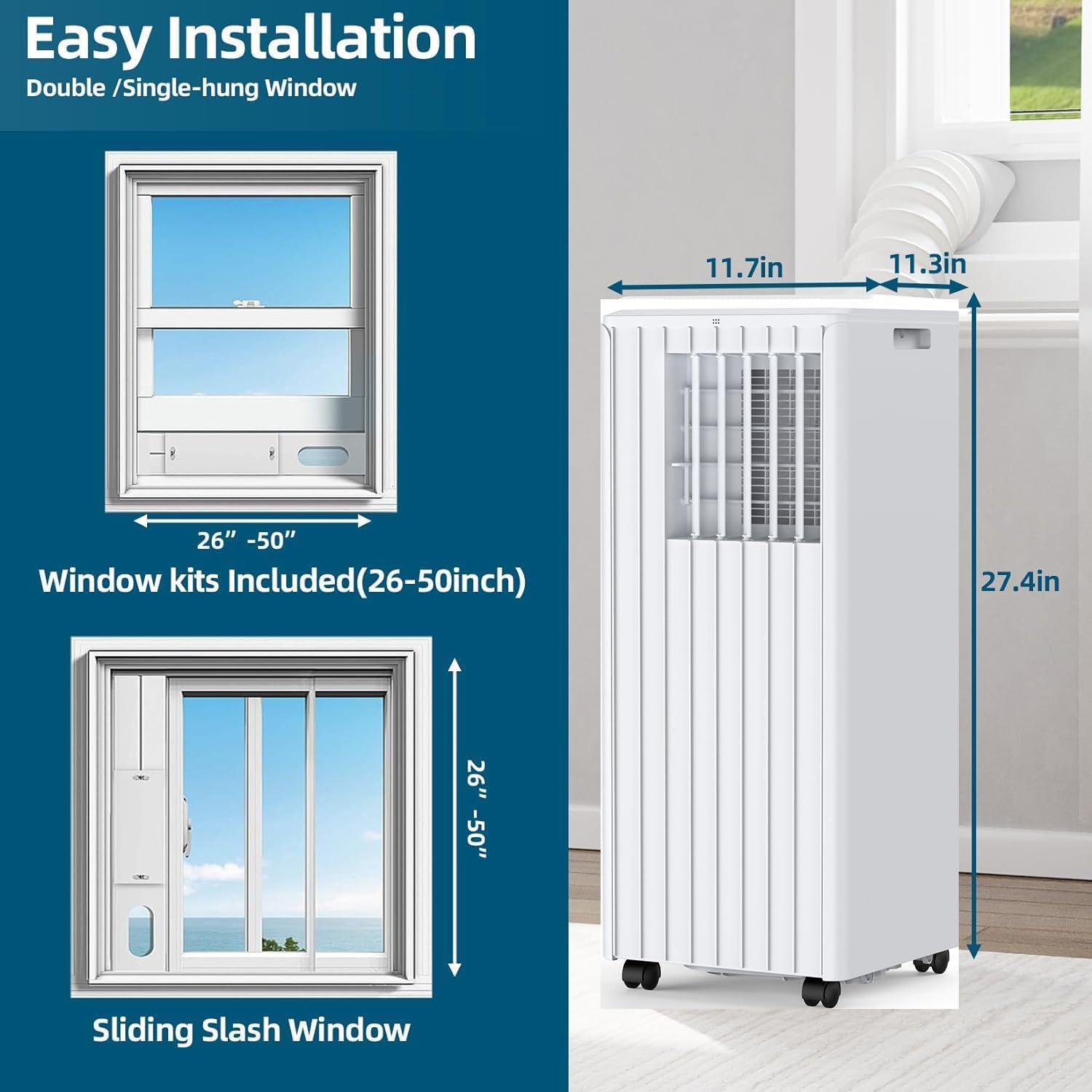
The window kit is essential for exhausting hot air outside. This unit requires an exhaust hose and window kit for proper function.
- Open your window (double-hung or sliding sash) to the desired width.
- Adjust the window kit panels to fit snugly within the window opening. The kit is designed for windows between 26 and 50 inches.
- Secure the window kit in place, ensuring no gaps for air leakage.
5.3 Exhaust Hose Connection
- Attach one end of the ventilation duct (exhaust hose) to the exhaust port on the back of the air conditioner unit.
- Attach the other end of the exhaust hose to the opening in the installed window kit.
- Ensure all connections are secure to prevent hot air from re-entering the room. The hose should be extended relatively straight to avoid blocking airflow.
5.4 Power Connection
Plug the power cord into a standard 115V grounded electrical outlet.
5.5 Setup Video Guide
For a visual guide on setting up the unit and connecting the exhaust hose, please watch the video below:
6. Operating Instructions
Your Takywep Portable Air Conditioner offers three primary functions: Cooling, Dehumidification, and Fan. You can control the unit using either the top control panel or the included remote control.
6.1 Power On/Off
Press the Power button on the control panel or remote control to turn the unit On or Off.
6.2 Mode Selection
Press the Mode button repeatedly to cycle through the available operating modes:
- Cool Mode: Provides powerful cooling for rooms up to 300 sq.ft. Adjust the temperature using the Up/Down arrows.
- Dehumidify Mode: Reduces humidity levels in the room.
- Fan Mode: Circulates air without cooling.

6.3 Temperature Adjustment
In Cool Mode, use the Up and Down arrow buttons to set your desired temperature between 61°F (16°C) and 88°F (31°C).

6.4 Fan Speed
Press the Speed button to toggle between High and Low fan speeds.
6.5 Timer Function
Use the Timer button to set a delay for the unit to automatically turn On or Off. Refer to the full instruction manual for detailed timer programming.
6.6 Sleep Mode
Activate Sleep Mode for quieter operation, ideal for nighttime use. The unit operates at approximately 50 decibels in this mode.

6.7 Remote Control
The remote control allows you to operate all functions from a distance, providing ultimate convenience.
7. Maintenance
Regular maintenance ensures optimal performance and longevity of your air conditioner.
7.1 Filter Cleaning
The unit features removable and washable air filters. Clean the filters every two weeks or more frequently if the unit is used in a dusty environment. Refer to the full manual for detailed filter removal and cleaning instructions.
7.2 Water Drainage
When operating in Dehumidify mode or in very humid conditions, the internal water tank may fill up. The unit will indicate when the tank is full and may stop operating until drained. Use the provided drainage pipe to empty the water tank. Connect the pipe to the drainage port and direct the water into a suitable container or drain.
8. Troubleshooting
If you encounter issues with your Takywep Portable Air Conditioner, refer to the following common problems and solutions:
- Unit does not turn on: Check if the power cord is securely plugged into a grounded outlet. Ensure the power button is pressed.
- Unit is not cooling effectively: Verify that the unit is in Cool Mode and the temperature setting is lower than the room temperature. Check if the exhaust hose is properly installed and not blocked. Clean the air filters if they are dirty. Ensure windows and doors are closed.
- Water leakage: Check if the drainage pipe is securely connected and not clogged. Ensure the unit is on a level surface.
- Unusual noise: Some operating noise is normal. If the noise is excessive or unusual, ensure the unit is on a flat surface and not vibrating against other objects.
For more detailed troubleshooting or persistent issues, please contact customer support.
9. Specifications
| Feature | Specification |
|---|---|
| Model Number | ACunit-01 |
| Brand | Takywep |
| Cooling Power | 8000 BTU (ASHRAE) |
| Cooling Area | Up to 300 Sq.Ft |
| Product Dimensions | 11.8"D x 11.4"W x 27.4"H |
| Item Weight | 43 pounds |
| Voltage | 115 Volts |
| Noise Level | 50 Decibels |
| Refrigerant | R-32 |
| Special Features | Dehumidifier, Fast Cooling, Remote Controlled |
10. Warranty & Support
10.1 Warranty Information
The Takywep Portable Air Conditioner Model ACunit-01 comes with a Two-Year Warranty from the date of purchase. This warranty covers defects in materials and workmanship under normal use. Please retain your proof of purchase for warranty claims.
10.2 Customer Support
For any questions, technical assistance, or warranty claims, please contact Takywep customer support. You can find contact information on the official Takywep website or through your retailer.
If the provided window kit is not suitable for your window type, please contact the seller directly via email for assistance.