
1. Introduction
Thank you for choosing the Ttbesmi JM13 Open Ear Wireless Bluetooth Headphones. These headphones feature an open-ear design and utilize air bone conduction technology to provide a comfortable listening experience while keeping you aware of your surroundings. With Bluetooth 5.3 connectivity and IPX5 water resistance, they are suitable for various activities including workouts and daily use. This manual provides detailed instructions for setup, operation, and maintenance to ensure optimal performance and longevity of your device.

Image 1.1: Ttbesmi JM13 Open Ear Wireless Bluetooth Headphones and their charging case.
2. Package Contents
Please check the package contents to ensure all items are present:
- 1 x Ttbesmi JM13 Open Ear Headphones
- 1 x USB-C Charging Cable
- 1 x User Manual (this document)
- 1 x Exquisite Packaging Box
3. Product Features
- Open-Ear Design: The design allows you to remain aware of your surroundings, enhancing safety during outdoor activities.
- Comfortable & Lightweight: Constructed from skin-friendly ABS material, weighing approximately 0.3 oz, designed for extended wear without discomfort.
- Advanced Audio Technology: These open ear earbuds utilize directional sound transmission technology, which transmits audio clearly. Combined with digital sound enhancement, they deliver a comprehensive audio experience. The bone conduction technology allows for sound transmission without blocking the ear canal.
- Crystal-Clear Calls: Equipped with dual noise-canceling microphones and ENC algorithm for clear communication in noisy environments.
- Waterproof & Sweatproof: IPX5 nano-coating provides protection against sweat and rain, making them suitable for workouts and outdoor use.
- Bluetooth 5.3: Ensures a faster and more stable wireless connection with compatible devices.
- Extended Battery Life: Up to 4 hours of playtime on a single charge, with the charging case providing additional charges for a total of up to 24 hours.

Image 3.1: The compact and lightweight design of the Ttbesmi JM13 headphones and charging case.
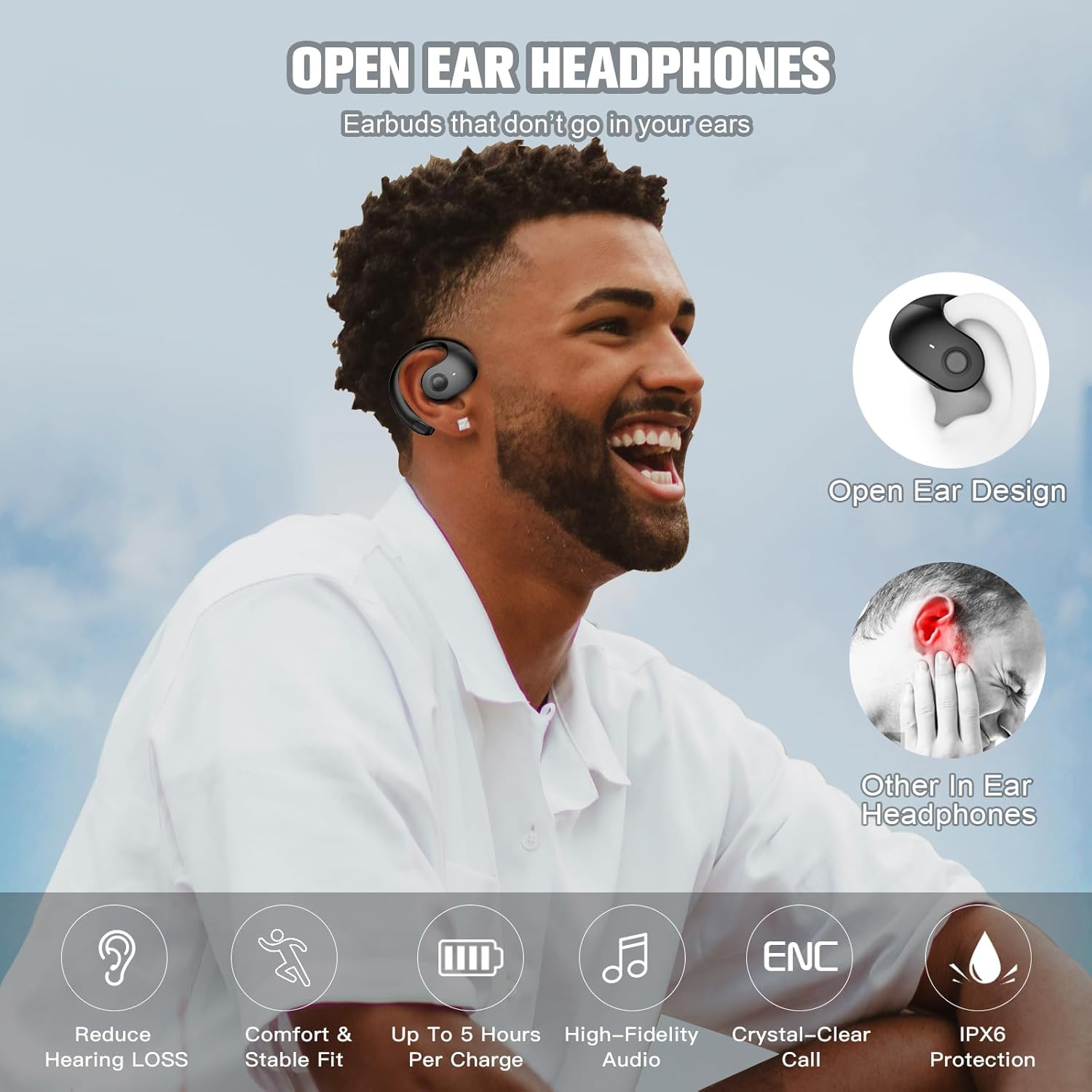
Image 3.2: Key features of the Ttbesmi JM13 headphones, highlighting the open-ear design and benefits.

Image 3.3: The open-ear design allows users to enjoy music while remaining aware of their environment, ideal for outdoor sports.

Image 3.4: The open-ear design ensures comfortable wear for extended periods.
4. Setup
4.1. Charging the Headphones and Case
Before first use, fully charge the headphones and the charging case.
- Place the headphones into the charging case, ensuring they are correctly seated.
- Connect the provided USB-C cable to the charging port on the case and the other end to a USB power source (e.g., wall adapter, computer USB port).
- The indicator light on the charging case will show charging status. Refer to the specific light indicators for full charge (usually solid light or off).
- A full charge for the case and headphones typically takes approximately 1 hour. The headphones themselves provide about 4 hours of playtime on a single charge. The charging case holds enough power for multiple recharges, extending total playtime to about 24 hours.

Image 4.1: Battery life indication for the headphones and charging case.
4.2. Pairing with a Bluetooth Device
Follow these steps to pair your headphones with your smartphone or other Bluetooth-enabled device:
- Ensure the headphones are charged.
- Open the charging case. The headphones will automatically enter pairing mode (indicated by a flashing LED light on the headphones).
- On your device, go to Bluetooth settings and turn Bluetooth on.
- Search for available devices. You should see "JM13" or a similar name appear in the list.
- Select "JM13" to connect. Once connected, the headphone LED light will stop flashing, and you may hear a confirmation tone.
- The headphones will automatically reconnect to the last paired device when taken out of the case, if Bluetooth is enabled on the device.
5. Operating Instructions
5.1. Wearing the Headphones
The JM13 headphones are designed to hang comfortably over your ears.
- Gently place the earhook over your ear.
- Adjust the headphone to a comfortable position so that the speaker rests near your ear canal without entering it.

Image 5.1: Proper wearing technique for the Ttbesmi JM13 headphones.
5.2. Basic Controls
The headphones feature touch-sensitive controls for easy management of audio and calls. Specific touch gestures may vary slightly; refer to the quick start guide included in the box for precise details if available. Common controls include:
- Play/Pause: Single tap on either earbud.
- Next Track: Double tap on the right earbud.
- Previous Track: Double tap on the left earbud.
- Answer/End Call: Single tap on either earbud during an incoming call.
- Reject Call: Press and hold either earbud for 2 seconds during an incoming call.
- Activate Voice Assistant: Triple tap on either earbud (if supported by your device).
- Volume Control: Typically controlled via your connected device. Some models may support touch-and-hold for volume adjustment.
6. Maintenance
To ensure the longevity and optimal performance of your Ttbesmi JM13 headphones, follow these maintenance guidelines:
- Cleaning: Wipe the headphones and charging case with a soft, dry, lint-free cloth. Do not use abrasive cleaners, alcohol, or chemical solvents.
- Water Exposure: While the headphones are IPX5 water-resistant (protected against low-pressure water jets from any direction), they are not designed for submersion. Avoid prolonged exposure to heavy rain or direct water streams. Ensure the charging port is dry before charging.
- Storage: Store the headphones in their charging case when not in use to protect them from dust and damage. Store in a cool, dry place away from extreme temperatures.
- Battery Care: To preserve battery life, avoid fully discharging the headphones frequently. Charge them regularly, even if not used for extended periods.
7. Troubleshooting
If you encounter any issues with your headphones, refer to the following common solutions:
| Problem | Possible Solution |
|---|---|
| Headphones do not turn on or charge. |
|
| Cannot pair with a device. |
|
| No sound or low volume. |
|
| Call quality is poor. |
|
8. Specifications
| Feature | Detail |
|---|---|
| Model Name | JM13 |
| Bluetooth Version | V5.3 |
| Transmission Distance | About 10m / 33 feet (barrier-free) |
| Play Time | About 4 hours (at 50% volume) |
| Charging Time | Approximately 1 hour |
| Charging Case Battery Capacity | 300mAh |
| Water Resistance Rating | IPX5 |
| Charging Port | USB-C |
| Material | Acrylonitrile Butadiene Styrene (ABS) |
| Item Weight | 0.64 ounces |
| Audio Driver Type | Bone Conduction Driver |
| Ear Placement | Open Ear |
| Form Factor | Bone Conduction |
9. Warranty and Support
The manufacturer provides a user manual in the package. For specific warranty details, please refer to the documentation included with your product.
If you receive a defective product or have any questions during use, please contact the seller directly for assistance. Contact information is typically available through your purchase platform or the product packaging.