
NelkoGlobal 4x6 Thermal Label roll
NelkoGlobal 4x6 Direct Thermal Shipping Label Instruction Manual
Brand: NelkoGlobal | Model: 4x6 Thermal Label Roll
1. Introduction
Thank you for choosing NelkoGlobal 4x6 Direct Thermal Shipping Labels. These high-quality labels are designed for efficient and reliable printing of shipping labels and other essential information. Made from BPA-free materials, they offer excellent resistance to scratches, water, dirt, dust, and grease, ensuring your label information remains intact throughout transportation. This manual provides detailed instructions for optimal use and care of your thermal labels.

Figure 1: NelkoGlobal 4x6 Direct Thermal Shipping Label Roll (500pcs)
2. Key Features
- High-Quality Material: Composed of no BPA materials, these labels are designed to resist scratches, water, dirt, dust, and grease, ensuring durability and readability.
- Ultra-Strong Adhesive: Features an ultra-strong adhesive that ensures labels remain securely affixed to any packaging surface throughout the transportation process.
- Easy Tear Perforation: Equipped with easy-to-tear perforations for simplified separation and neat edges, enhancing efficiency.
- Paper Jam Prevention: Designed to minimize paper jams when used with a clean print head and rubber roller, ensuring accurate and smooth printing.
- Broad Application: Ideal for printing shipping labels and internet postage labels for various transportation and e-commerce platforms.

Figure 2: Labels are designed to be oil-proof, waterproof, and scratch-proof for long-lasting durability.
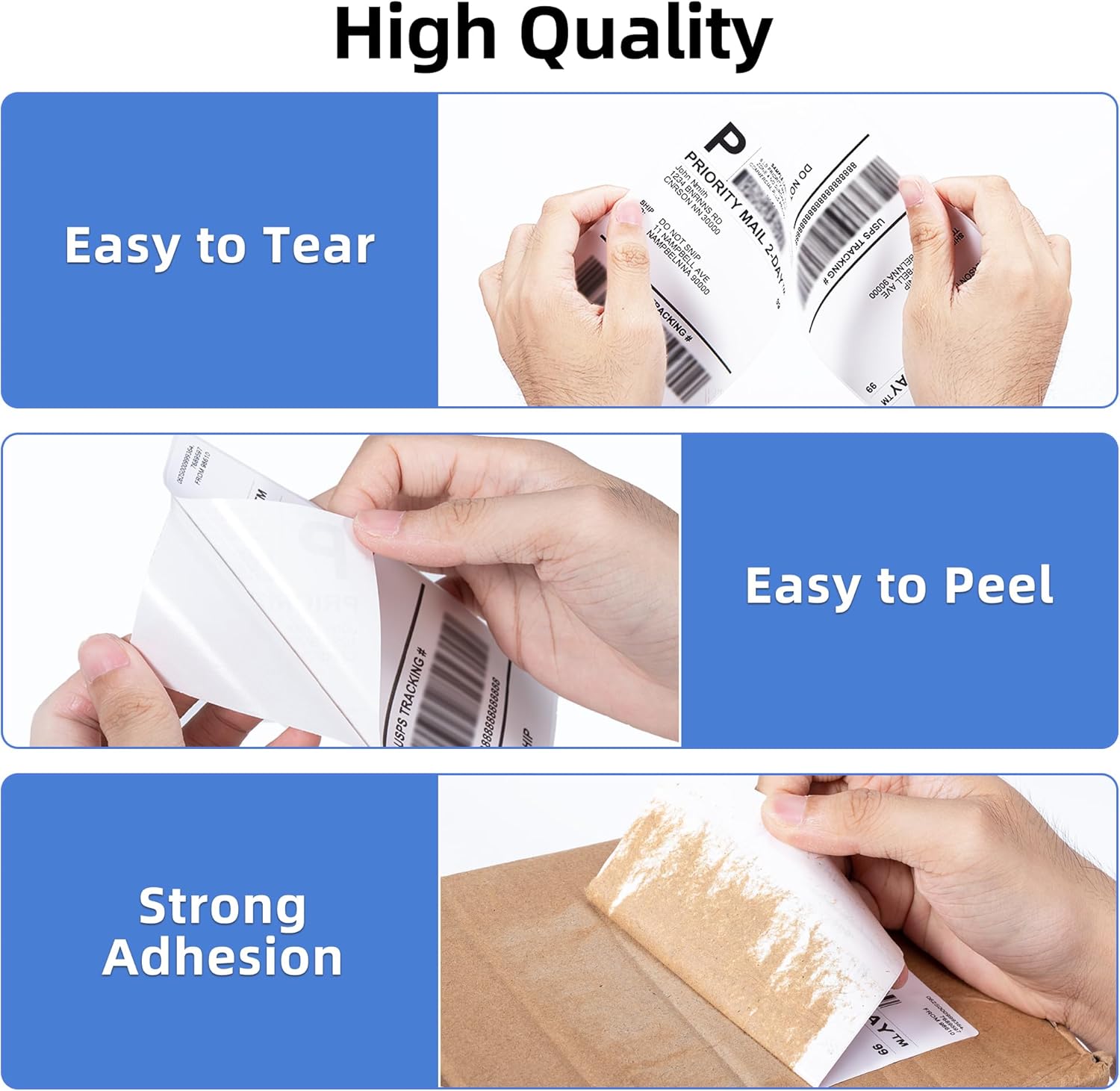
Figure 3: Demonstrating the easy tear, easy peel, and strong adhesion properties of the labels.
3. Setup
3.1 Loading Labels
For optimal performance, ensure your thermal printer is properly set up to feed the labels. If using a roll, ensure it is placed on the spindle correctly. If using fan-fold labels, position them behind the printer so they can feed smoothly without obstruction.
Video 1: This video demonstrates the correct method for feeding labels into a thermal printer, ensuring smooth operation and preventing jams.
3.2 Automatic Label Identification
Many thermal printers feature an automatic label identification function. To utilize this, ensure the label is inserted straight and smooth into the printer. When the printer is in standby mode, press and hold the feed button until the blue light flashes three times, then release the feed button. This calibrates the printer to the label size.
4. Operating Instructions
4.1 Printing Process
Once your labels are loaded and the printer is calibrated, you can begin printing. Ensure your design software is configured for 4x6 inch labels to achieve clear and accurate prints. The labels are designed for fast and clear printing at speeds up to 150 mm/s.
Video 2: This video illustrates the fast and clear printing capabilities of a Bluetooth thermal shipping label printer using NelkoGlobal labels.
4.2 Pausing and Resuming Printing
To temporarily pause printing, simply press the Feed Button once while the printer is active. To resume printing from where it left off, press the Feed Button once again.
Video 3: This video demonstrates how to pause and resume printing on a thermal label printer by pressing the feed button.
5. Maintenance
5.1 Cleaning the Printer
To prevent paper jams and ensure accurate printing, regularly clean your printer's print head and rubber roller. Use rubbing alcohol or a soft, lint-free cloth for cleaning. Refer to your printer's specific manual for detailed cleaning instructions.
5.2 Storage of Labels
Store thermal labels in a cool, dry place away from direct sunlight and excessive heat or humidity. Proper storage helps maintain the adhesive quality and thermal sensitivity of the labels, ensuring optimal performance when used.
6. Troubleshooting
- Labels not feeding: Ensure labels are inserted straight and smooth. Perform automatic label identification/calibration if your printer supports it. Check for any obstructions in the paper path.
- Faint or incomplete prints: Clean the print head and rubber roller. Ensure the labels are loaded correctly with the thermal side facing the print head. Check printer settings for darkness/density.
- Labels sticking together: Ensure proper storage conditions (cool, dry). Avoid exposing labels to high humidity or direct heat.
- Labels not adhering: Ensure the surface of the package is clean, dry, and free of dust or grease. Apply firm, even pressure when attaching the label.
7. Specifications
| Attribute | Detail |
|---|---|
| Brand | NelkoGlobal |
| Item Model Number | 4x6 Thermal Label roll |
| Color | White Roll |
| Size | 4x6 500pcs |
| Material Type | Paper |
| Item Weight | 2.43 pounds |
| Product Dimensions | 5.55 x 3.46 x 6.61 inches |
| Finish Type | Adhesive |
8. Compatibility
NelkoGlobal thermal labels are widely compatible with most direct thermal label printers. They are suitable for printing shipping labels and internet postage labels for various transportation and e-commerce platforms, including but not limited to:
- FedEx
- USPS
- Shopify
- Etsy
- Amazon
- eBay
- PayPal
- Poshmark
- Depop
- Mercari
- Rollo
- Munbyn
- Jadens

Figure 4: NelkoGlobal labels are compatible with a wide range of thermal label printers.
9. Warranty and Support
NelkoGlobal is committed to providing high-quality products. For any questions, concerns, or support needs regarding your thermal labels, please refer to the contact information provided on the product packaging or visit the official NelkoGlobal website. Please retain your proof of purchase for any warranty claims.