
1. Product Overview
The SVPRO 4K 60fps HDMI USB Camera is a versatile streaming webcam designed for high-resolution video capture and live streaming. It features a 5-50mm telephoto lens with 10X optical zoom, providing detailed imagery for various applications including industrial inspection, microscopy, computer use, and Raspberry Pi projects. This camera offers both HDMI and USB 3.0 outputs for flexible connectivity.

Figure 1: SVPRO 4K HDMI USB Camera with 5-50mm telephoto lens and included cables.
2. Package Contents
Verify that all items are present in the package:
- 1 x SVPRO Camera Body
- 1 x 1.5 Meter USB-C to USB-A Cable
- 1 x 1.5 Meter HDMI Cable
- Installation Screws and Instruction Manual
3. Camera Components and Controls
Familiarize yourself with the camera's physical components and adjustment points:

Figure 2: Detailed view of camera components and adjustment points.
- Focal Length Adjustment: Rotate the lens ring to adjust the zoom level.
- Focus Adjustment: Rotate the focus ring to achieve a clear image.
- Aperture Adjustment: Adjust the aperture ring to control the amount of light entering the lens.
- Lock Adjustment: Secure the focal length and focus rings after adjustment.
- USB Type-C Port: For connecting to a computer or other USB-compatible devices.
- HDMI Interface: For connecting to an HDMI monitor, TV, or projector.
4. Setup Instructions
4.1 USB Mode Connection
To use the camera with a computer for recording or streaming:
- Connect the provided USB-C to USB-A cable to the camera's USB Type-C port.
- Plug the USB-A end of the cable into an available USB 3.0 port on your computer.
- The camera is plug-and-play and typically requires no additional driver installations. It will be recognized as a webcam by your operating system.

Figure 3: USB connection diagram for computer use.
4.2 HDMI Mode Connection
To display the camera's output directly on a monitor, TV, or projector:
- Connect the provided HDMI cable to the camera's HDMI interface.
- Plug the other end of the HDMI cable into an HDMI input port on your display device.
- Ensure the display device is set to the correct HDMI input source.
- The camera may require external power via a 5V/2A power bank or USB power adapter (not included) when used in HDMI-only mode.
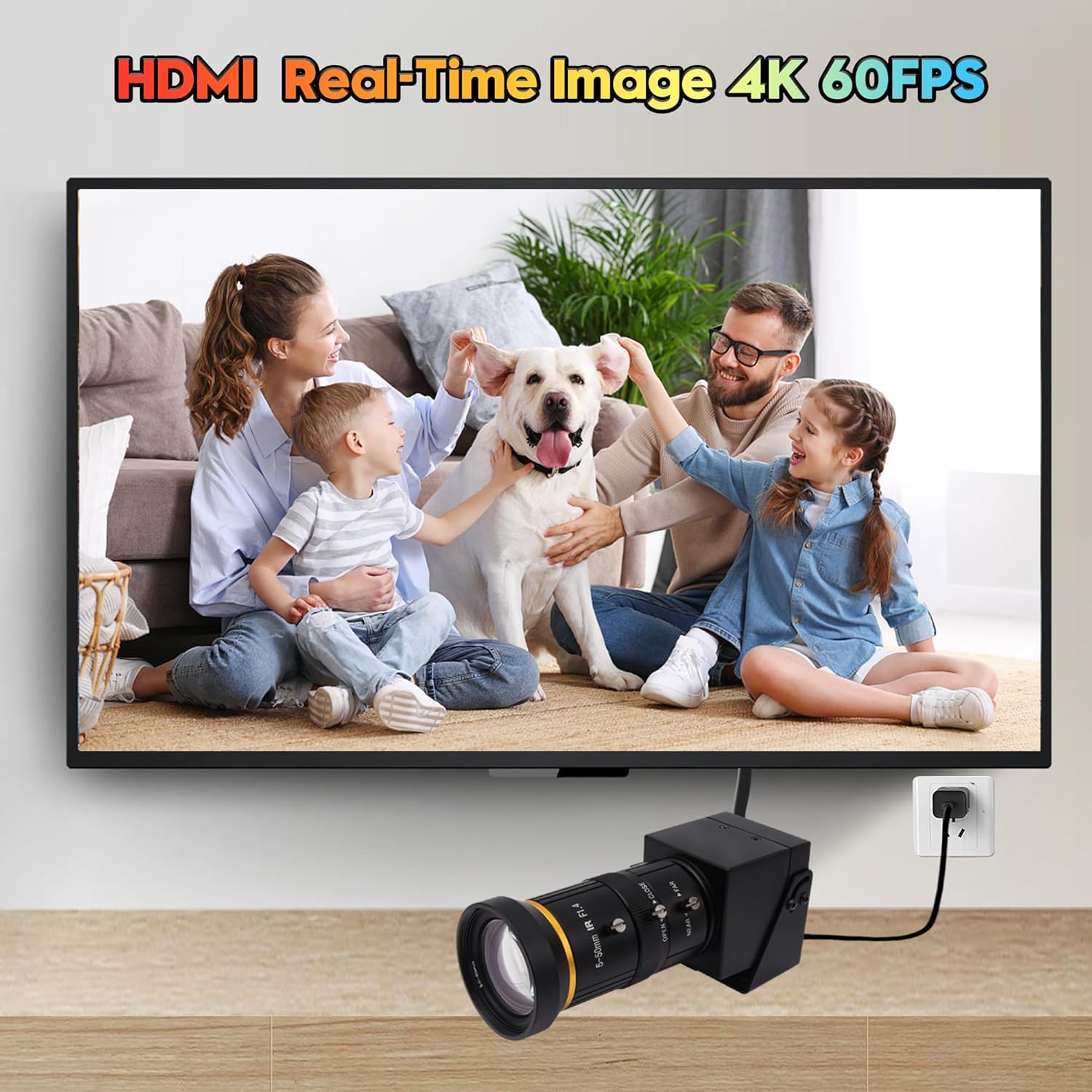
Figure 4: HDMI connection to a television.
4.3 Dual Output (USB + HDMI)
The camera supports simultaneous output via both USB and HDMI:
- Follow the steps for both USB and HDMI connections as described above.
- This allows for recording on a computer while simultaneously monitoring the feed on an HDMI display.

Figure 5: Dual USB and HDMI output setup.
5. Operating the Camera
5.1 Video Quality and Encoding
The camera records in Ultra HD 4K resolution at 60 frames per second (fps), utilizing a 1/2.8" IMX415 CMOS image sensor for clear and detailed visuals. It supports H.264, MJPEG, and YUYV encoding formats.

Figure 6: 4K 60fps video quality with H.264 and MJPEG support.
5.2 Lens Adjustments (Zoom, Focus, Aperture)
The camera features a professional 5-50mm telephoto lens with manual adjustments for zoom, focus, and aperture. This allows for precise control over the image, suitable for both long-distance and close-up shooting.
- Optical Zoom: The 5-50mm lens provides 10X optical zoom. Rotate the focal length ring to adjust the magnification.
- Digital Zoom: An additional 2X digital zoom is available, which can be controlled via software if supported.
- Focus: Manually adjust the focus ring until the image appears sharp.
- Aperture: Adjust the aperture ring to control depth of field and exposure.
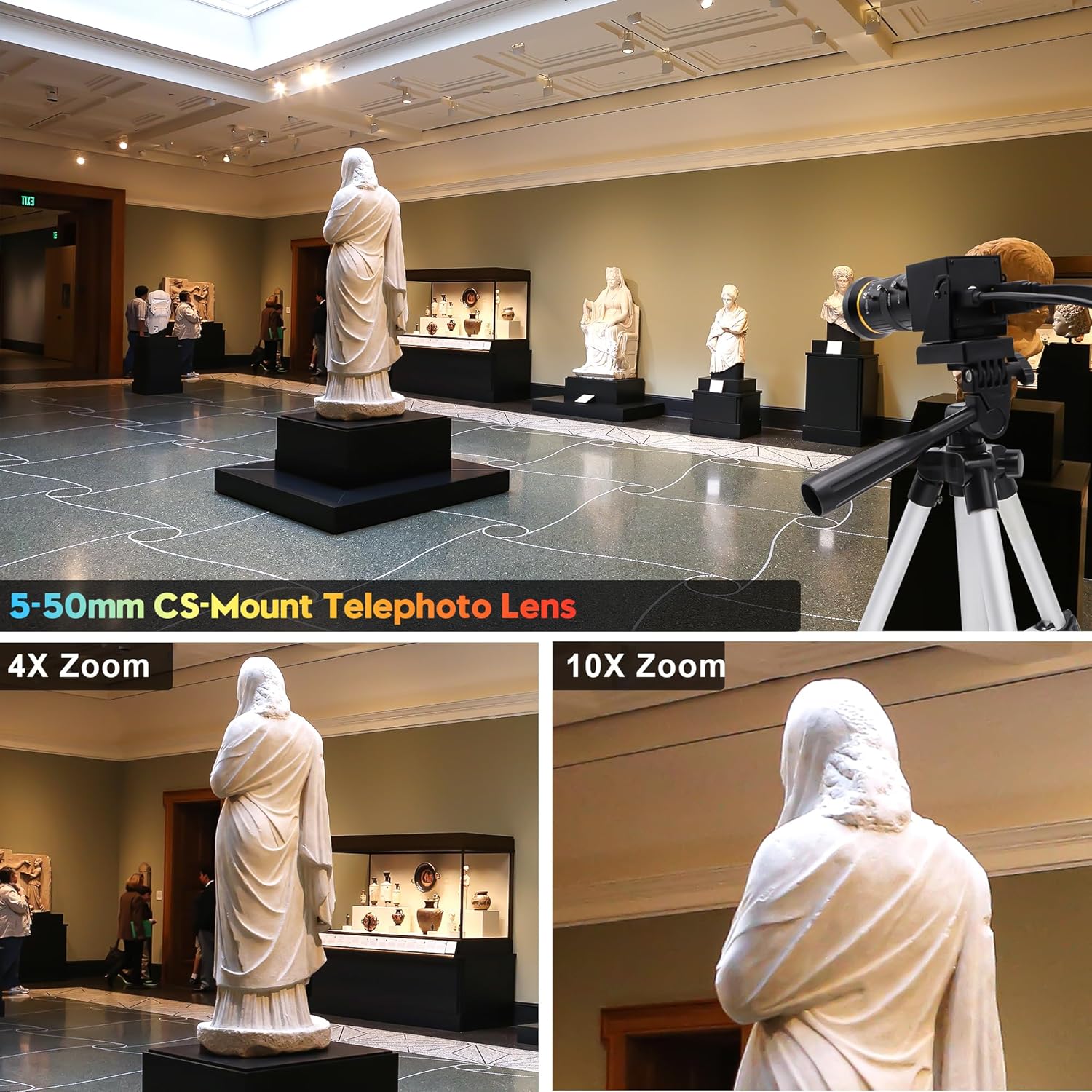
Figure 7: Demonstrating 10X optical zoom capability.
5.3 System and Software Compatibility
The SVPRO camera is compatible with a wide range of operating systems and applications, making it suitable for various professional and personal uses.
- Operating Systems: Windows (2000/XP/7/8/10 and above), MacOS (10.6 or above), Linux (10.04 or above), Android (5.0 or above), Raspberry Pi, Chrome OS (29.0.1547 or above), Ubuntu (2.6.24 or above).
- Applications: Works with common video conferencing and streaming software such as Zoom, OBS, ManyCam, Google Meet, Skype, YouTube, GoToMeeting, and Facetime.

Figure 8: Wide compatibility with various platforms and software.
6. Maintenance
Proper maintenance ensures the longevity and optimal performance of your SVPRO camera.
- Cleaning the Lens: Use a soft, lint-free cloth specifically designed for optical lenses. Avoid abrasive materials or harsh chemicals. Gently wipe the lens surface to remove dust or smudges.
- Cleaning the Camera Body: Wipe the camera body with a dry, soft cloth. Do not use liquid cleaners directly on the camera.
- Storage: When not in use, store the camera in a dry, dust-free environment. Use a lens cap to protect the lens from dust and scratches.
- Avoid Extreme Conditions: Do not expose the camera to extreme temperatures, high humidity, or direct sunlight for extended periods.
7. Troubleshooting
If you encounter issues with your SVPRO camera, refer to the following common troubleshooting steps:
- No Image/Black Screen:
- Ensure all cables (USB, HDMI) are securely connected.
- Verify the camera is receiving power.
- Check if the correct input source is selected on your monitor/TV for HDMI connection.
- For USB connection, ensure your computer recognizes the camera in device manager or camera settings.
- Unclear/Blurry Image:
- Manually adjust the focus ring on the lens until the image is sharp.
- Ensure the lens is clean and free from smudges or dust.
- No Audio (if applicable):
- This camera model does not include a built-in microphone. External audio input is required if audio is needed.
- Connection Issues (USB):
- Try connecting to a different USB 3.0 port on your computer.
- Restart your computer.
- Ensure your operating system is up to date.
8. Technical Specifications
| Feature | Specification |
|---|---|
| Brand | SVPRO |
| Model Number | SV-USB4KCAM30H-CFV(5-50) |
| Item Weight | 1.17 pounds |
| Product Dimensions | 1.66 x 1.97 x 4.89 inches |
| Special Features | 4K 60FPS H.264/Mjpeg/YUYV, High Speed USB3.0, USB and HDMI Dual Output, Ultra High Definition 4K |
| Photo Sensor Technology | CMOS (IMX415) |
| Video Capture Resolution | 4K (3840x2160), 1440P, 1080P, 720P, 480P |
| Maximum Focal Length | 50 Millimeters |
| Minimum Focal Length | 5 Millimeters |
| Maximum Aperture | 1.4 f |
| Video Capture Format | H.264, MJPEG, YUYV |
| Connectivity Technology | HDMI, USB 3.0 |
| Color | Camera with 5-50mm Lens |
| Date First Available | April 10, 2024 |
9. Warranty and Support
For warranty information and technical support, please refer to the documentation included with your purchase or visit the official SVPRO website. Keep your proof of purchase for any warranty claims.


