
1. Introduction and Overview
Thank you for choosing the AYEASY 66-Inch Rustic Brown Computer Desk. This manual provides detailed instructions for the assembly, operation, and maintenance of your new desk. Designed for home office environments, this desk features a spacious work surface, integrated power outlets, a monitor stand, and ample storage solutions including drawers and shelves.
The desk aims to enhance your workspace with its functional design, promoting an organized and ergonomic setup. Please read this manual thoroughly before assembly and use to ensure proper installation and safe operation.
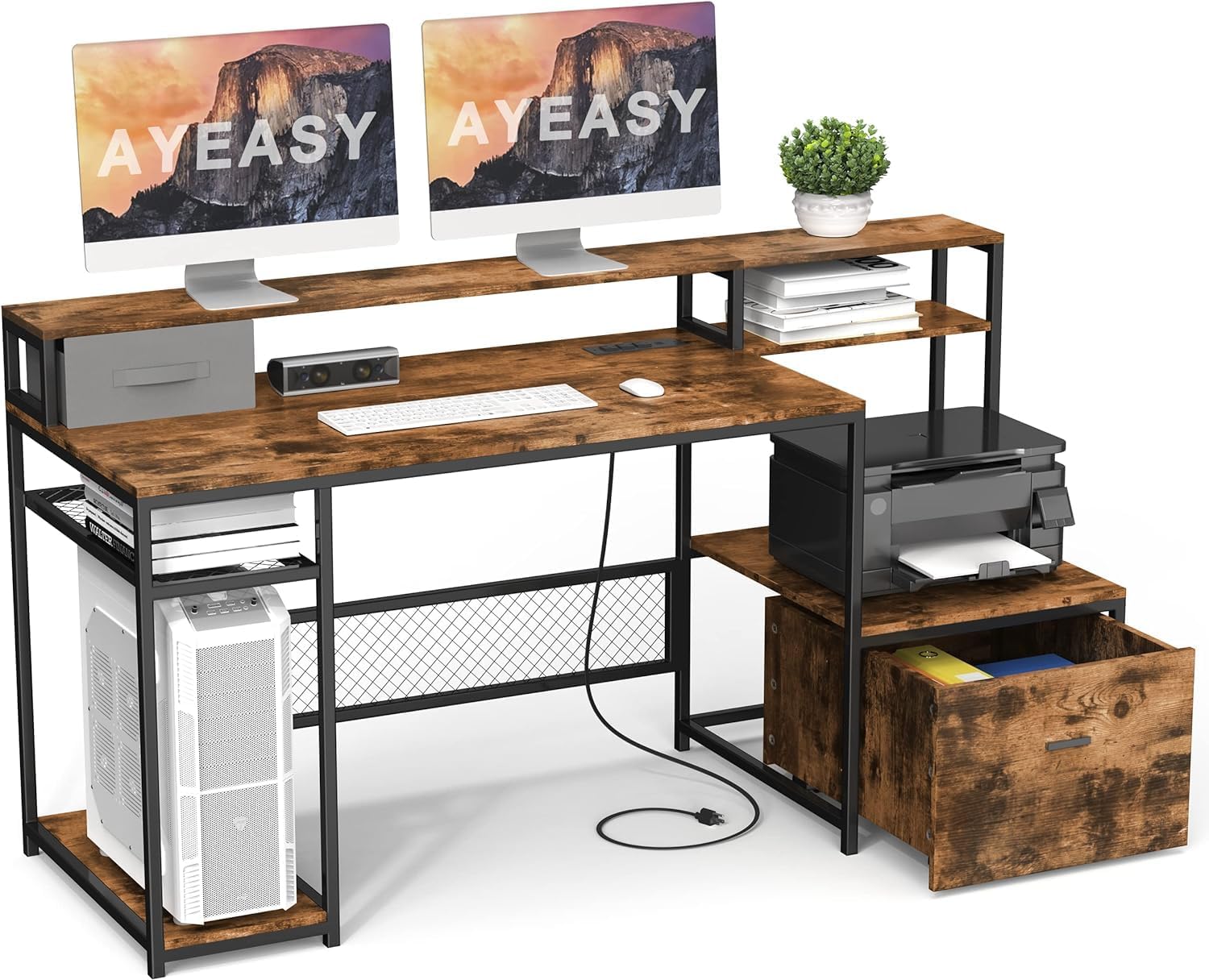
Image 1.1: Overview of the AYEASY 66-Inch Rustic Brown Computer Desk, showcasing its dual monitor setup, integrated power strip, and storage options.
2. Safety Information
To ensure safe use of your AYEASY computer desk, please observe the following safety guidelines:
- Weight Capacity: Do not exceed the recommended weight limits for the desktop, monitor stand, and shelves. Overloading can compromise stability and cause damage.
- Assembly: Assemble the desk strictly according to the instructions provided. Ensure all screws and fasteners are securely tightened before use.
- Stability: Place the desk on a flat, level surface to prevent wobbling or tipping.
- Electrical Safety: The built-in power strip is designed for standard office electronics. Do not overload the outlets. Keep liquids away from the power strip and electrical components.
- Children and Pets: Keep small parts and assembly tools out of reach of children and pets.
- Maintenance: Regularly check all connections and fasteners to ensure they remain tight.
3. Package Contents
Before beginning assembly, verify that all components listed below are present and undamaged. If any parts are missing or damaged, please contact customer support immediately.
- Desk Panels (Desktop, Monitor Stand, Shelves, Drawer components)
- Metal Frame Components
- Hardware Pack (Screws, bolts, nuts, etc.)
- Assembly Tools (e.g., Allen wrench)
- Instruction Manual
- Power Strip with USB Ports (pre-installed or separate unit)
4. Assembly Instructions
Assembly of the AYEASY 66-Inch Computer Desk typically requires two people for optimal ease and safety. All necessary parts, tools, and instructions are included in the package. Follow the step-by-step guide provided in the separate assembly manual for detailed instructions.
- Unpack and Identify: Carefully unpack all components and lay them out on a clean, soft surface to prevent scratches. Identify each part using the provided labels and the parts list in the assembly manual.
- Frame Assembly: Begin by assembling the metal frame structure according to the diagrams. Ensure all connections are firm but do not fully tighten screws until instructed.
- Panel Attachment: Attach the main desktop, monitor stand, and side shelves to the assembled frame.
- Drawer Assembly: Assemble the removable drawer. Note that this drawer features independent rollers and does not require slide support, simplifying its installation and movement.
- Final Tightening: Once all components are in place, systematically tighten all screws and fasteners to secure the desk structure.
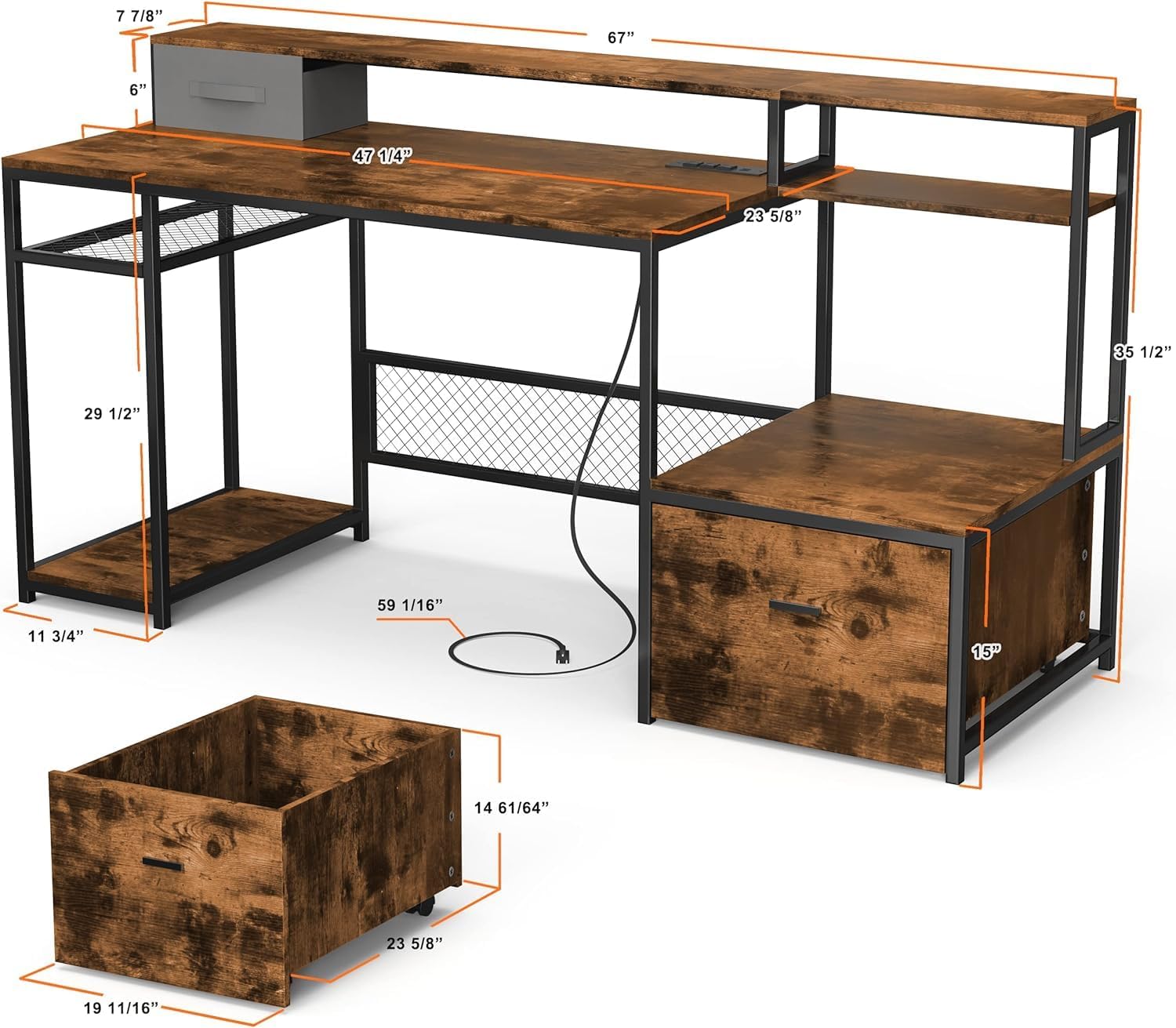
Image 4.1: Dimensional diagram of the desk, illustrating key measurements for various components.
5. Operating Instructions and Features
The AYEASY computer desk is designed with several features to optimize your work or gaming experience.
5.1 Built-in Power Outlet
The desk includes a recessed power strip with 3 standard outlets and 2 USB ports. This feature allows convenient charging of electronic devices such as smartphones, tablets, and laptops directly at your workstation, reducing cable clutter and the need for external power strips.

Image 5.1: Detail of the integrated power strip and USB ports for convenient device charging.
5.2 Ergonomic Monitor Stand
The elevated monitor stand positions your computer screen at an optimal viewing height. This ergonomic design helps alleviate discomfort in your neck and back by promoting a better sitting posture during extended use. It can accommodate one or more monitors, and is also suitable for placing a TV, printer, or other devices.

Image 5.2: Visual comparison demonstrating improved posture with an elevated monitor stand.
5.3 Ample Storage Space
The desk provides various storage options to keep your workspace organized:
- Removable Large Drawer: This drawer features freely moving rollers, allowing it to be positioned conveniently for easy access to files, stationery, and documents. Its design prevents issues associated with traditional slide rails.
- Open Shelves: Multiple shelves offer space for books, decorative items, office supplies, and even a computer tower.
- Printer Space: A dedicated area is available for placing a printer, keeping it within easy reach.
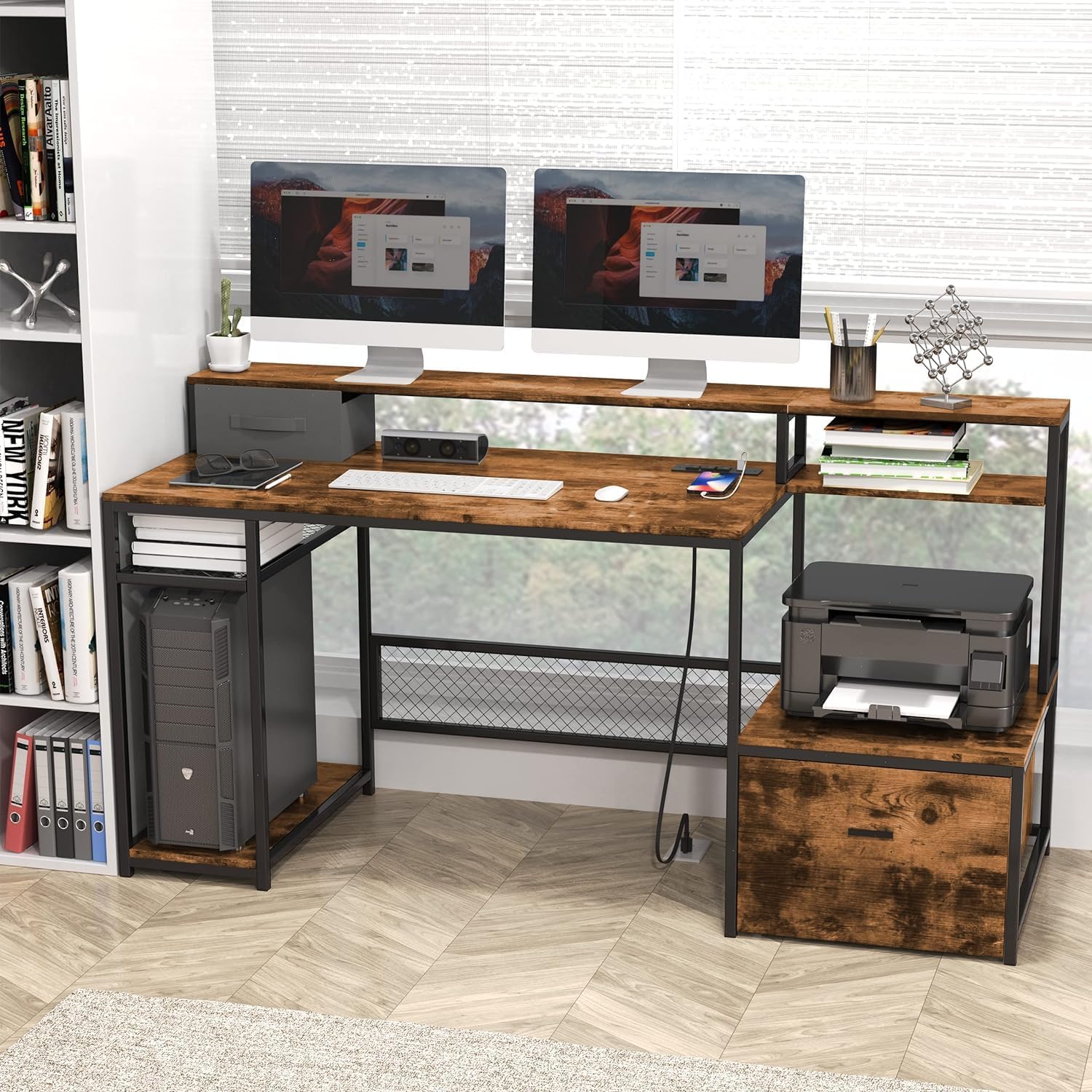
Image 5.3: Examples of the desk's storage capabilities, including the file drawer, PC tower space, and printer shelf.
6. Maintenance
Proper care and maintenance will extend the lifespan and appearance of your AYEASY desk:
- Cleaning: The MDF board surfaces are easy to clean. Use a soft, damp cloth to wipe down surfaces. Avoid abrasive cleaners or harsh chemicals that could damage the finish.
- Liquid Protection: While the desk is durable, it is recommended to use coasters for drinks to prevent water rings or damage from spills, especially near the power outlets.
- Fastener Check: Periodically check all screws and bolts to ensure they remain tight. Re-tighten if necessary to maintain the desk's stability.
- Environmental Conditions: Avoid placing the desk in direct sunlight or near heat sources, which can cause material degradation over time.
7. Troubleshooting
If you encounter any issues with your AYEASY computer desk, consider the following troubleshooting steps:
- Wobbling Desk: Ensure the desk is placed on a level surface. Check that all assembly screws and bolts are fully tightened.
- Drawer Movement: The removable drawer operates on rollers. If it is difficult to move, especially on thick carpet, ensure the rollers are clear of obstructions. Adjusting the carpet or placing a thin mat underneath the drawer's path may improve movement.
- Power Outlets Not Working: Verify that the desk's power cord is securely plugged into a functional wall outlet. Check for any tripped circuit breakers. Do not attempt to repair the power strip yourself.
- Missing or Damaged Parts: If you discover any missing or damaged components during or after assembly, do not proceed with assembly. Contact AYEASY customer support for assistance.
8. Specifications
| Feature | Specification |
|---|---|
| Brand | AYEASY |
| Model | 66 Inch Computer Desk |
| Product Dimensions | 59.9D x 139.7W x 90H Centimetres (approximately 23.6D x 55W x 35.4H inches) |
| Item Weight | 73.8 Pounds |
| Colour | Rustic Brown |
| Style | Modern |
| Desk Design | Computer Desk |
| Base Material | Metal |
| Finish Type | Wood (MDF) |
| Number of Shelves | 2 (plus monitor stand) |
| Included Components | Built-in Outlet (3), Built-in USB Port (2) |
| Assembly Required | Yes |
| Room Type | Office |
9. Warranty and Support
AYEASY is committed to providing high-quality products and excellent customer service. We offer free professional service and lifelong customer support for your desk.
If your item arrives damaged, scratched, or with missing parts, or if you have any questions or concerns regarding your AYEASY computer desk, please do not hesitate to contact our customer support team. We aim to reply within 24 hours and resolve any issues you may encounter.
For support, please refer to the contact information provided with your purchase or visit the official AYEASY website.