
Introduction
The GEDORE 28-210 N.m Click Torque Wrench is a precision instrument designed for accurate application of torque to fasteners. This tool features a robust construction, a reversible ratchet head for versatility, and a knurled handle for secure grip. It is suitable for a wide range of applications requiring specific torque settings within its operational range. This manual provides essential instructions for the safe and effective use, maintenance, and storage of your torque wrench.
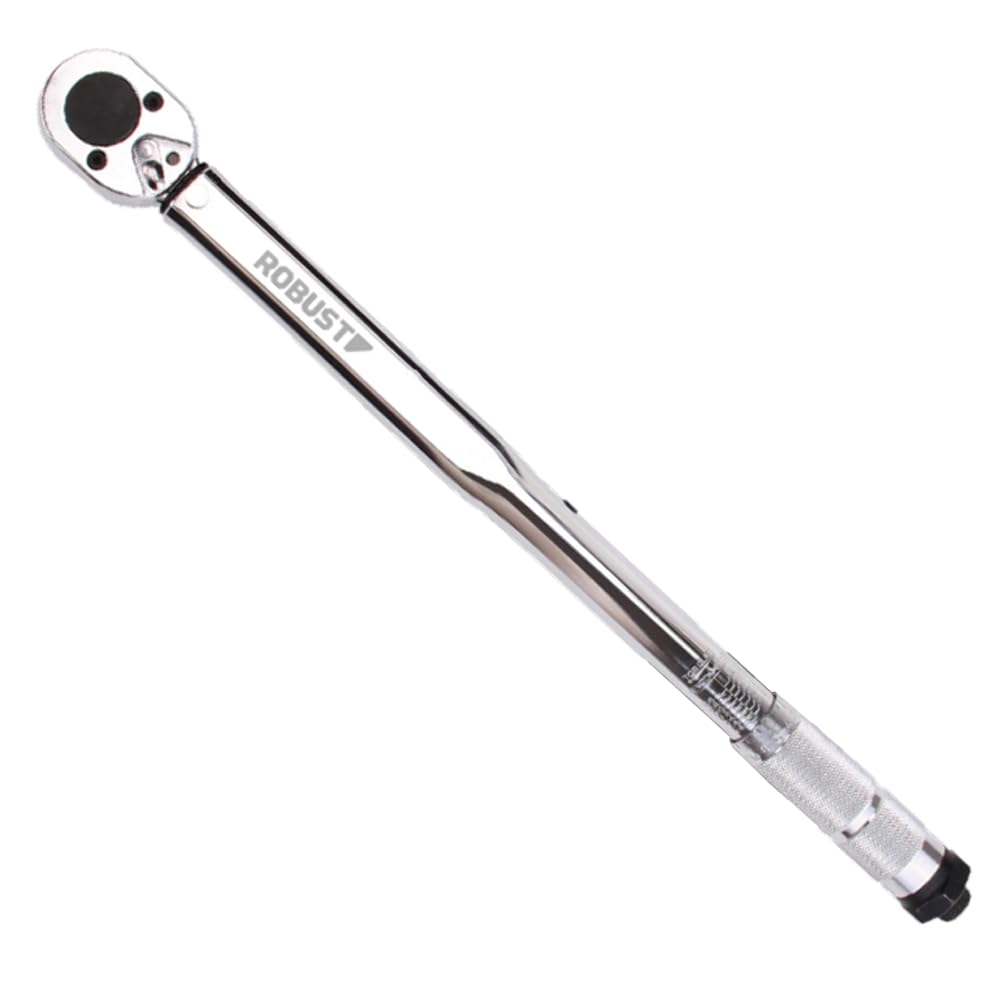
Image 1: Overview of the GEDORE 28-210 N.m Click Torque Wrench. This image shows the full length of the torque wrench, highlighting its chrome finish, reversible ratchet head, and the adjustment mechanism at the handle base.
Setup
1. Unpacking and Initial Inspection
- Carefully remove the torque wrench from its plastic storage case.
- Inspect the tool for any signs of damage that may have occurred during shipping. Do not use the tool if it appears damaged.
- Verify that the included Certificate of Verification is present.
2. Understanding the Torque Scale
The torque wrench features an embossed scale for setting the desired torque value. The primary scale is in Newton meters (N.m), and a secondary scale is provided in pound-feet (lbf.ft). Familiarize yourself with both scales.

Image 2: Close-up view of the torque wrench's scale and adjustment mechanism. This image details the embossed markings for torque values in N.m and lbf.ft, along with the knurled handle for setting the torque.
Operating Instructions
1. Setting the Desired Torque
- Unlock the adjustment mechanism at the base of the handle (if applicable, typically by pulling down or rotating a locking ring).
- Rotate the knurled handle to align the desired torque value on the main scale with the indicator line.
- Once the desired torque is set, lock the adjustment mechanism by pushing up or rotating the locking ring back into place. Ensure it is securely locked to prevent accidental changes during use.
2. Using the Reversible Ratchet
- The torque wrench features a reversible ratchet head. Use the lever on the ratchet head to select the desired direction (clockwise for tightening, counter-clockwise for loosening).
- Important: This tool is designed for applying precise torque during tightening. While the ratchet is reversible, it is not recommended to use the torque wrench for loosening fasteners, as this can affect its calibration.
3. Applying Torque
- Attach the appropriate socket or accessory to the 1/2 inch square drive.
- Place the socket onto the fastener.
- Apply steady, smooth pressure to the handle in the tightening direction. Do not use sudden jerks or excessive force.
- Continue applying pressure until you hear and feel a distinct "click." This indicates that the preset torque has been reached.
- Immediately stop applying force once the click is heard/felt. Further tightening will over-torque the fastener.
Safety Precautions
- Always wear appropriate personal protective equipment (PPE), such as safety glasses.
- Ensure the fastener and socket are clean and free of debris.
- Never use the torque wrench as a breaker bar.
- After use, always return the torque setting to its lowest value (28 N.m or 10 lbf.ft) before storing to relieve spring tension and maintain calibration accuracy.
Maintenance
Cleaning
- Wipe the torque wrench clean with a soft, dry cloth after each use.
- Do not use harsh chemicals or solvents, as these can damage the finish or internal components.
Storage
- Store the torque wrench in its original plastic case to protect it from dust, moisture, and impact.
- Always store the wrench with the torque setting at its lowest value (28 N.m or 10 lbf.ft) to preserve the calibration spring.
- Store in a dry, temperature-controlled environment.
Calibration
- Torque wrenches are precision tools that require periodic recalibration to maintain accuracy.
- It is recommended to have your torque wrench professionally recalibrated annually, or more frequently if used heavily or subjected to harsh conditions.
- Refer to the Certificate of Verification for specific calibration intervals or contact GEDORE for service information.
Troubleshooting
Wrench Does Not Click
- Possible Cause: Torque setting is too high for the fastener or application.
- Solution: Verify the required torque specification for your application. Ensure the wrench is set correctly.
- Possible Cause: Wrench is being used incorrectly (e.g., too fast, not smooth).
- Solution: Apply steady, smooth pressure. Listen carefully for the click.
- Possible Cause: Internal mechanism issue or severe wear.
- Solution: The wrench may require professional inspection and recalibration or repair.
Inaccurate Readings
- Possible Cause: Wrench is out of calibration.
- Solution: Have the wrench professionally recalibrated.
- Possible Cause: Improper use (e.g., using extensions not designed for torque wrenches, applying force incorrectly).
- Solution: Ensure proper technique and use only compatible accessories.
Specifications
| Brand | GEDORE |
| Model | 28-210 N.m Click Torque Wrench |
| Torque Range | 28 - 210 N.m (10 - 150 lbf.ft) |
| Precision | ± 4% |
| Drive Size | 1/2 inch Square Drive |
| Material | Steel |
| Included Components | Torque Wrench, Plastic Storage Case, Verification Certificate |
| Approximate Package Dimensions | 50 x 7.8 x 7.4 cm |
| Approximate Package Weight | 1.74 kg |
Warranty and Support
For information regarding warranty coverage, service, or technical support for your GEDORE torque wrench, please refer to the documentation included with your product or contact GEDORE customer service directly. Keep your purchase receipt and the Certificate of Verification for any warranty claims or service inquiries.
For the most up-to-date contact information, please visit the official GEDORE website.


