
1. Product Overview
The MOLGRIA SKYLOONG GK61 is a 61-key mechanical gaming keyboard designed for versatility and customization. It features QMK firmware for advanced programming, hot-swappable KTT red mechanical switches, and durable double-shot PBT keycaps. The keyboard supports multiple connection methods including USB-C wired, Bluetooth, and 2.4G wireless. Its compact design and adjustable RGB backlighting make it suitable for various computing environments.

Image: The MOLGRIA SKYLOONG GK61 mechanical gaming keyboard, showcasing its compact 61-key layout and RGB backlighting.
2. Package Contents
Ensure all the following items are present in your package:
- GK61 61-Key Mechanical Gaming Keyboard
- Type-C to USB Cable (for wired connection and charging)
- Keycap Puller
- User Manual (this document)
- Several Spare Keys (including a 6.25U space bar and stabilizers for dual-space bar replacement)
3. Setup Guide
3.1 Wired Connection
To connect the keyboard via a wired connection:
- Locate the USB-C port on the keyboard.
- Connect the provided Type-C to USB cable to the keyboard and your computer's USB port.
- The keyboard will be automatically recognized by your operating system.
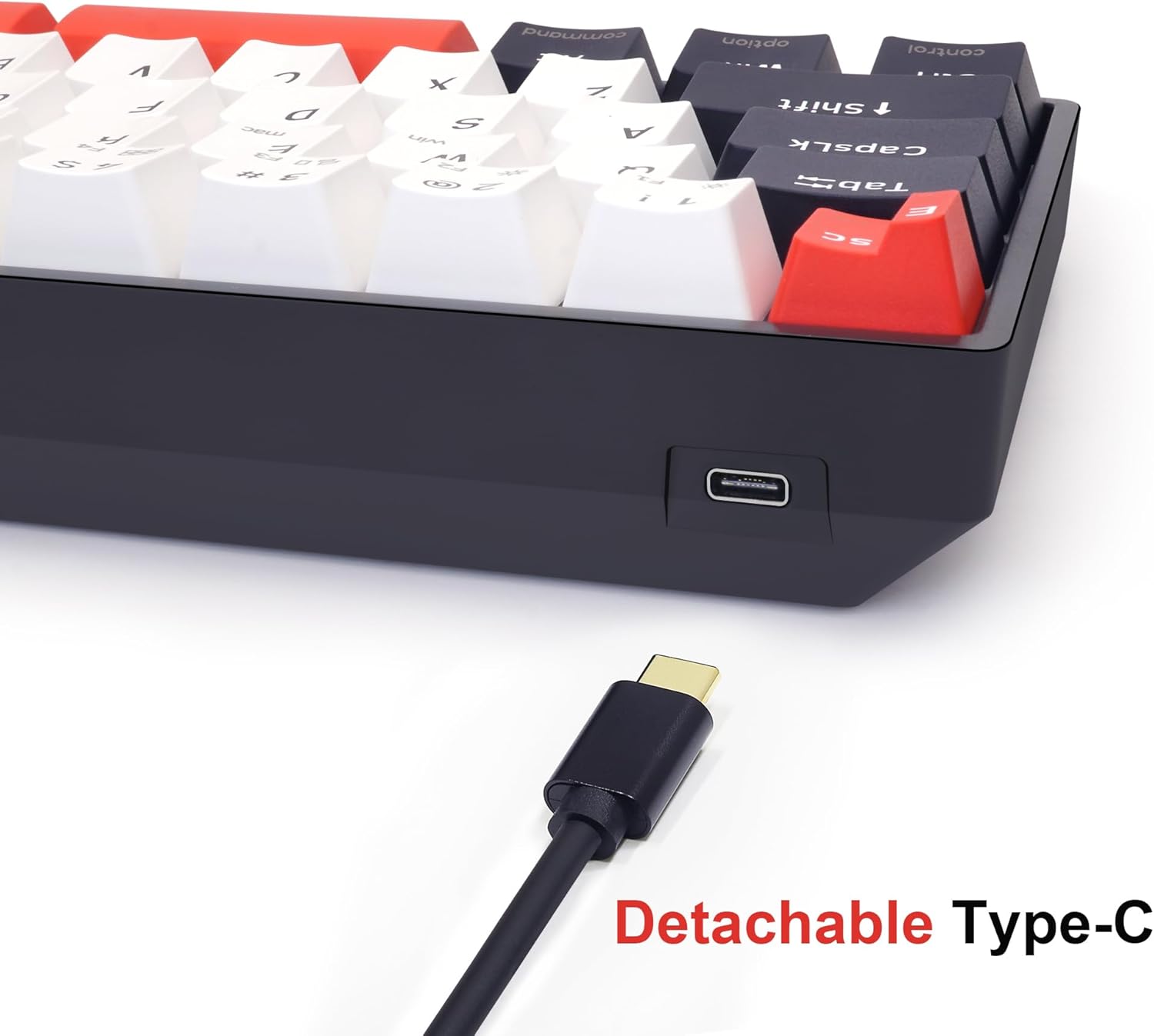
Image: The detachable USB-C cable connected to the keyboard's port, illustrating the wired connection method.
3.2 Wireless Connection (Bluetooth & 2.4G)
The keyboard supports both Bluetooth and 2.4G wireless connections. Refer to the included quick start guide for specific pairing instructions, as these may vary slightly depending on the operating system and device.
For 2.4G wireless, locate the USB dongle included in the package and plug it into an available USB port on your computer. The keyboard should connect automatically.
4. Operating Instructions
4.1 Key Layout and Functions
The GK61 features a compact 61-key layout. Many keys have secondary functions accessible via the 'Fn' (Function) key. Refer to the keycap legends for these secondary functions.

Image: A close-up view of the keyboard highlighting the OEM profile double-shot PBT keycaps and the stepped ESC keycap, which can be replaced with a standard keycap if preferred.
4.2 Dual-Space Bar Functionality
The keyboard comes with a unique dual-space bar design. This can be programmed for specific functions using the QMK/VIA software. If a standard space bar is preferred, a 6.25U space bar and stabilizers are included in the package for replacement.

Image: The keyboard featuring its dual-space bar, alongside the included standard 6.25U space bar and stabilizers for customization.
4.3 QMK/VIA Software Customization
The GK61 is compatible with QMK/VIA software, allowing for extensive customization of key assignments, macros, and lighting effects. This includes setting 'Tap-Hold' functions where a key performs one action when tapped and another when held.

Image: A visual representation of the QMK/VIA software interface, demonstrating the layout and options for remapping keys and creating macros.

Image: A diagram explaining the 'Tap-Hold' function, showing how a single key can perform different actions based on tap or hold duration, specifically for arrow keys.
4.4 Hot-Swappable Switches
The keyboard features hot-swappable sockets, allowing users to easily change the KTT red mechanical switches without soldering. This enables customization of typing feel and sound. The keyboard supports both 3-pin and 5-pin mechanical switches.
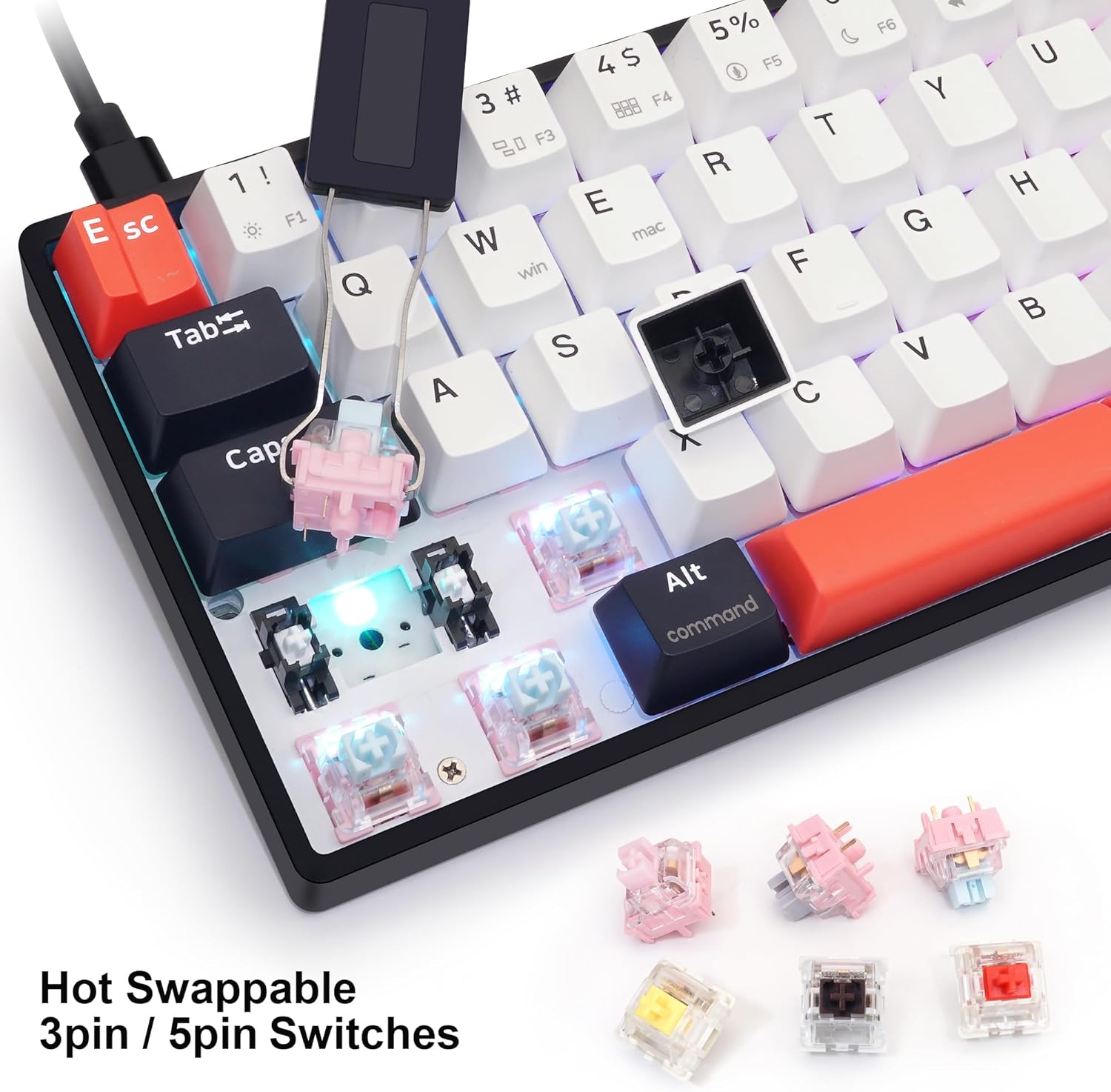
Image: A close-up of the keyboard with keycaps and switches removed, illustrating the hot-swappable sockets and various switch types.
4.5 RGB Backlighting Control
The GK61 features customizable RGB backlighting. Use the 'Fn' key in combination with designated keys (often number row keys or specific function keys) to cycle through various lighting modes, adjust brightness, and change colors. For advanced customization and synchronization with music, utilize the QMK/VIA software.
4.6 Programmable Keys and Knob
Almost all keys on the GK61 are programmable for both Windows and Mac OS environments using the QMK/VIA software. The dedicated knob on the keyboard can also be assigned specific functions, such as volume control, media playback, or custom macros.

Image: A visual guide demonstrating the easy access to arrow keys through the 'Fn' key combination and the Tap-Hold function.
5. Maintenance
To ensure the longevity and optimal performance of your keyboard:
- Cleaning: Regularly clean the keycaps and keyboard surface with a soft, dry cloth. For deeper cleaning, use the provided keycap puller to remove keycaps and clean underneath with compressed air or a small brush.
- Switch Replacement: Use the included keycap and switch puller tools to carefully remove and replace switches. Ensure proper alignment when inserting new switches to avoid bending pins.
- Cable Care: Avoid sharp bends or excessive pulling on the USB-C cable to prevent damage.
6. Troubleshooting
If you encounter issues with your GK61 keyboard, consider the following:
- Keyboard Not Responding: Ensure the USB-C cable is securely connected for wired mode, or that the 2.4G dongle is plugged in and the keyboard is in 2.4G mode. For Bluetooth, ensure the keyboard is paired and selected as the active device.
- Accidental Mode Switching: If the keyboard suddenly stops responding, you may have inadvertently switched its connection mode (e.g., from 2.4G to Bluetooth 1, 2, or 3). Use the 'Fn' key combinations (e.g., Fn+Z/X/C/V) to cycle through connection modes until functionality is restored.
- Inconsistent Key Presses: This can sometimes occur with new switches. Continued use often resolves this. If the issue persists, consider replacing the affected switch using the hot-swappable feature.
- Software/Driver Issues: For full customization, ensure you have downloaded and installed the latest QMK/VIA software and drivers from the official Skyloong website.
- RGB Backlighting Not Working: Check brightness settings using 'Fn' key combinations. If using software, ensure settings are applied correctly.
7. Product Specifications
| Feature | Detail |
|---|---|
| Model Number | GK61 |
| Brand | MOLGRIA |
| Manufacturer | Skyloong |
| Connection Method | USB-C Wired, Bluetooth, 2.4G Wireless |
| Switch Type | Hot-swappable KTT Red Mechanical Switches |
| Keycap Material | Double-shot PBT |
| Backlighting | RGB (Adjustable) |
| Programmability | QMK/VIA Software (Win/Mac OS) |
| Compatible Devices | MAC, PC, Smartphone, Tablet PC |
| Item Weight | 1.88 pounds |
| Package Dimensions | 13.58 x 5.5 x 1.77 inches |
8. Warranty and Support
For warranty information, technical support, or service inquiries, please refer to the official MOLGRIA website or contact their customer service directly. Keep your purchase receipt as proof of purchase for any warranty claims.