
TONGYOR DO100PRO
SMSL DO100PRO Digital Audio DAC User Manual
Model: DO100PRO | Brand: TONGYOR
1. Introduction
The SMSL DO100PRO is a high-resolution digital audio DAC designed for superior audio performance. It features dual ES9039Q2M DAC chips, XLR balanced and RCA single-ended outputs, and multiple input options including Bluetooth, USB, Optical, and Coaxial. This manual provides detailed instructions for setting up, operating, and maintaining your DO100PRO to ensure optimal performance and longevity.

Image: The SMSL DO100PRO Digital Audio Converter (DAC) shown with its included remote control. The device is compact and features a digital display.
2. Key Features
- High-Resolution Audio: Supports MQA decoding and MQA-CD, PCM up to 32bit/768kHz, and DSD512.
- Premium DAC Chips: Equipped with two ESS ES9039Q2M high-end DAC chips for exceptional audio fidelity.
- Advanced Bluetooth Connectivity: Features Qualcomm's latest Bluetooth chip, supporting LDAC 24bit/96kHz, APTX-HD, SBC, and AAC codecs.
- Versatile Inputs: Includes USB (XMOS XU-316), Optical, Coaxial, and HDMI (ARC) inputs.
- Balanced and Single-Ended Outputs: Provides XLR balanced and RCA single-ended line outputs.
- Low-Noise Power Supply: Built-in self-developed low-noise switching power supply and multiple analog circuit low-noise power supplies.
- High-Quality Components: Utilizes 6 high-end dual op-amps OPA1612 and other audio-grade components.
- Full-Featured Remote Control: Comes with a comprehensive remote for convenient operation.
3. Package Contents
Please check the package contents upon unboxing to ensure all items are present:
- SMSL DO100PRO Unit
- AC Power Cable
- USB Cable
- Remote Control (batteries not included)
- Bluetooth Antenna
- User Manual (this document)
- Warranty Card

Image: An illustration showing all items included in the SMSL DO100PRO package: the DAC unit, AC power cable, USB cable, remote control, Bluetooth antenna, user manual, and warranty card.
4. Setup and Connections
4.1 Front and Rear Panel Overview

Image: Detailed diagram of the SMSL DO100PRO's front and rear panels, indicating the location of the display screen, MQA/DSD indicators, knob, remote window, RCA/XLR outputs, optical/coaxial/HDMI(ARC) inputs, USB input, Bluetooth input, and power switch/AC input.
- Front Panel: Display Screen, MQA indicator light, Standby indicator light, Knob (volume/menu navigation), Remote window, DSD indicator light.
- Rear Panel: RCA output, XLR output, Optical input, Coaxial input, HDMI(ARC) input, USB input, Bluetooth input, Power Switch, AC input.
4.2 Connecting to Audio Sources
The DO100PRO offers various input options for connecting to your audio sources:
- USB Input: Connect to a computer (PC/Mac) or game console (PS5/Switch) using the provided USB cable. For game consoles, it may be necessary to switch to USB 1.1 mode for compatibility.
- Optical/Coaxial Input: Connect to devices such as TVs, CD/DVD players, or other digital audio sources using optical or coaxial cables.
- HDMI (ARC) Input: Connect to an ARC-compatible TV using an HDMI cable. This allows audio from your TV or external devices connected to your TV to be played through the DO100PRO. Ensure your TV's HDMI port supports ARC. If audio synchronization issues occur, try disconnecting and reconnecting the HDMI cable, or power cycling the DO100PRO. Note: Do not connect to a TV set-top box's HDMI(ARC) interface.
- Bluetooth Input: Pair your smartphone, tablet, or other Bluetooth-enabled device wirelessly.

Image: A diagram illustrating the various input and output connections on the rear panel of the SMSL DO100PRO, including Bluetooth, Optical/Coaxial/HDMI(ARC), USB, and RCA/XLR outputs.

Image: A visual guide demonstrating how to connect the SMSL DO100PRO to a TV via HDMI (ARC) for audio return, showing the TV, DO100PRO, and active speakers.

Image: A user playing a video game with the SMSL DO100PRO connected, illustrating its compatibility with game consoles like Sony PS5/PS4 and Nintendo Switch via USB.
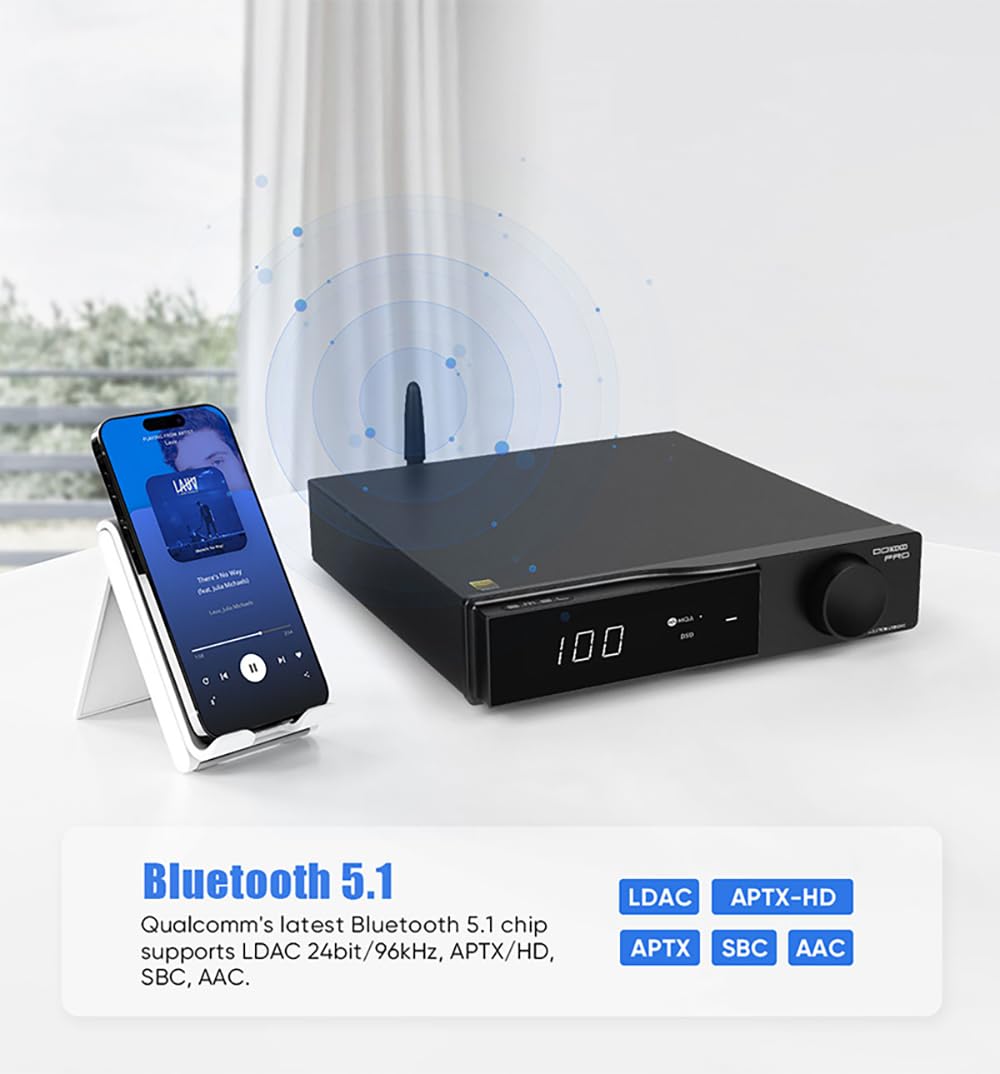
Image: A smartphone wirelessly connected to the SMSL DO100PRO via Bluetooth 5.1, highlighting support for LDAC, APTX-HD, APTX, SBC, and AAC codecs.
4.3 Connecting to Audio Outputs
The DO100PRO provides both balanced and single-ended analog outputs:
- XLR Balanced Output: For connecting to professional audio equipment or amplifiers with XLR inputs.
- RCA Single-Ended Output: For connecting to standard audio amplifiers or active speakers with RCA inputs.
Output Level Adjustment: The DO100PRO supports 4V and 5V output level adjustment. This switch is located on the bottom of the unit. Adjusting the output level can improve compatibility with different amplifiers and active speakers.
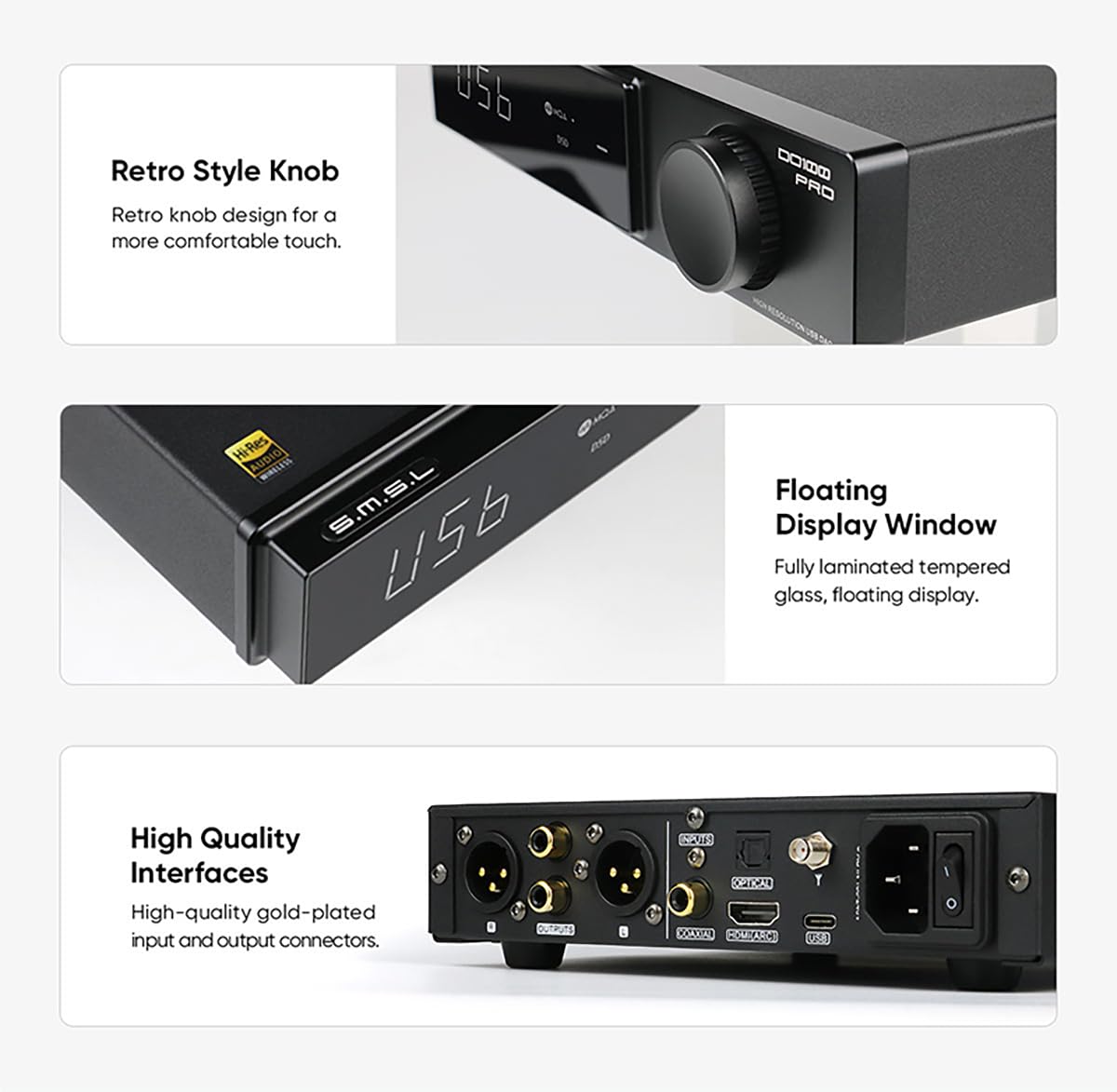
Image: Close-up view of the SMSL DO100PRO's high-quality gold-plated input and output connectors, along with an illustration of the 4V/5V output level adjustment switch located on the bottom of the device.
4.4 Power Connection
Connect the supplied AC power cable to the AC input on the rear panel of the DO100PRO, then plug the other end into a standard wall outlet. Use the power switch on the rear panel to turn the unit on or off.
5. Operating Instructions
5.1 Front Panel Controls
- Knob: Rotate the knob to adjust volume. Press the knob to enter the menu or confirm selections.
- Display Screen: Shows current input, sample rate, and other operational information.
- MQA/DSD Indicator Lights: Illuminate to indicate MQA or DSD audio playback.
Image: Close-up views of the SMSL DO100PRO's retro-style knob for comfortable tactile feedback and the fully laminated tempered glass floating display window.
5.2 Remote Control Functions
The included remote control provides full functionality for convenient operation:

Image: A diagram of the SMSL DO100PRO's remote control, showing buttons for Power ON/OFF, Up, Menu/OK, Next level menu, Return, Input select, Mute, FN (Function), Volume +, and Volume -.
- Power ON/OFF: Turns the unit on or off.
- Input Select: Cycles through available input sources (USB, Optical, Coaxial, HDMI ARC, Bluetooth).
- Volume +/-: Adjusts the output volume.
- Mute: Mutes or unmutes the audio output.
- Menu/OK: Enters the menu or confirms a selection.
- Navigation Buttons (Up, Down, Left, Right): Navigate through menu options.
- Return: Goes back to the previous menu or screen.
- FN (Function): Reserved for future functions or specific settings.
6. Specifications
| Feature | Specification |
|---|---|
| Model Number | DO100PRO |
| DAC Chip | 2 x ESS ES9039Q2M |
| USB Processor | XMOS XU-316 |
| PCM Support | Up to 32bit/768kHz |
| DSD Support | Up to DSD512 |
| MQA Support | MQA decoding, MQA-CD (USB, Optical, Coaxial) |
| Bluetooth Version | Qualcomm Bluetooth 5.1 |
| Bluetooth Codecs | LDAC (24bit/96kHz), APTX-HD, SBC, AAC |
| Inputs | USB, Optical, Coaxial, HDMI (ARC), Bluetooth |
| Outputs | XLR Balanced, RCA Single-ended |
| Output Level | 4Vrms / 5Vrms (switchable) |
| Op-Amps | 6 x OPA1612 |
| Dimensions | 11.93 x 9.33 x 3.23 inches |
| Weight | 3.35 Pounds |
| Manufacturer | SMSL |
| Country of Origin | China |

Image: Detailed view of the internal components of the SMSL DO100PRO, highlighting the two ES9039Q2M high-end digital-analog chips and the new third-generation XMOS XU-316 processor, emphasizing high quality and performance.

Image: Internal view of the SMSL DO100PRO circuit board, showcasing the built-in low-noise power supplies, the Qualcomm QCC5125 Bluetooth chip, and the high-end dual op-amps OPA1612.
7. Troubleshooting
| Problem | Possible Cause / Solution |
|---|---|
| No power | Ensure the power cable is securely connected to both the unit and the wall outlet. Check the power switch on the rear panel is in the ON position. |
| No audio output |
|
| No sound from HDMI (ARC) |
|
| USB audio issues (e.g., no sound, low sample rate) |
|
| Bluetooth connection issues |
|
8. Maintenance and Care
To ensure the longevity and optimal performance of your SMSL DO100PRO, follow these maintenance guidelines:
- Cleaning: Use a soft, dry cloth to clean the exterior of the unit. Avoid using abrasive cleaners, solvents, or chemical sprays, as they may damage the finish.
- Placement: Place the unit on a stable, flat surface with adequate ventilation. Avoid placing it in direct sunlight, near heat sources, or in areas with high humidity or dust.
- Ventilation: Do not block the ventilation openings. Proper airflow is essential to prevent overheating.
- Power Off: Always power off the unit and disconnect it from the power outlet before cleaning or if it will not be used for an extended period.
- Handling: Handle the unit with care. Avoid dropping it or subjecting it to strong impacts.
9. Warranty and Support
The SMSL DO100PRO comes with a manufacturer's warranty. Please refer to the included warranty card for specific terms and conditions, including warranty period and coverage details.
For technical support, troubleshooting assistance, or warranty claims, please contact TONGYOR customer service. We are committed to providing excellent support and will assist you with any questions or concerns.
Customer Service Contact: Please refer to the contact information provided on your warranty card or the official TONGYOR website for the most up-to-date support channels.
Related Documents - DO100PRO
 |
SMSL Audio Product Catalog 2024 Comprehensive catalog of SMSL and VMV high-fidelity audio components, including DACs, amplifiers, CD transports, streamers, and headphone amplifiers, featuring advanced technologies and premium sound quality. |
Ask a question about this manual
Ask about setup, troubleshooting, compatibility, parts, safety, or missing instructions. Manuals+ will review the question and use this page’s manual context to help answer it.