
KMH D1S
MUSWAY Car Audio DSP Amplifier Combo D1S User Manual
Model: D1S | Brand: KMH
1. Introduction
Thank you for choosing the MUSWAY D1S Car Audio DSP Amplifier Combo. This device integrates a powerful 6-channel Digital Sound Processor (DSP) with a 4-channel amplifier, designed to deliver superior audio performance in your vehicle. This manual provides essential information for proper installation, operation, and maintenance of your D1S unit. Please read it thoroughly before use.
2. Safety Precautions
- Always disconnect the vehicle's battery before performing any electrical work.
- Ensure proper grounding to prevent electrical hazards.
- Do not expose the unit to moisture or extreme temperatures.
- Consult a professional car audio installer if you are unsure about any installation steps.
- Use only recommended fuses and wiring.
3. Package Contents
Verify that all items are present in the package before proceeding with installation.
- MUSWAY D1S DSP Amplifier Unit
- Wiring Harnesses
- User Manual
- Mounting Hardware
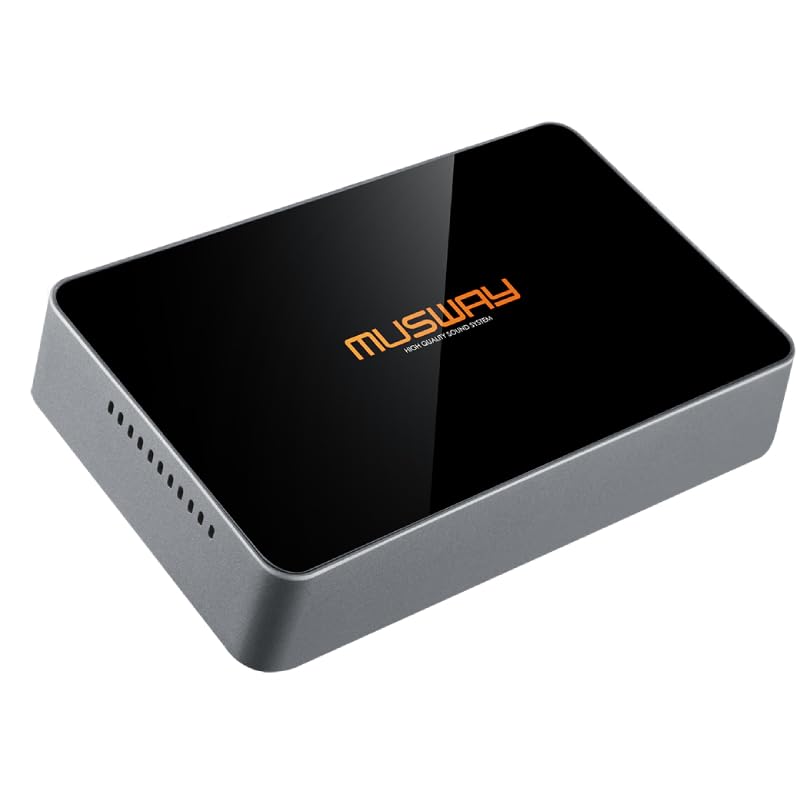
Image: The MUSWAY D1S DSP Amplifier Combo, showcasing its compact and sleek design.
4. Setup and Installation
Proper installation is crucial for optimal performance. Follow these steps carefully.
4.1 Unboxing and Initial Inspection
Upon opening the package, carefully remove the D1S unit and inspect it for any signs of damage.
Video: An unboxing and initial overview of the MUSWAY D1S DSP Amplifier, demonstrating its packaging and physical appearance.
4.2 Mounting Location
Choose a mounting location that is dry, well-ventilated, and away from direct heat sources or moving parts. The compact design of the D1S (178mm x 50mm) allows for discreet integration.
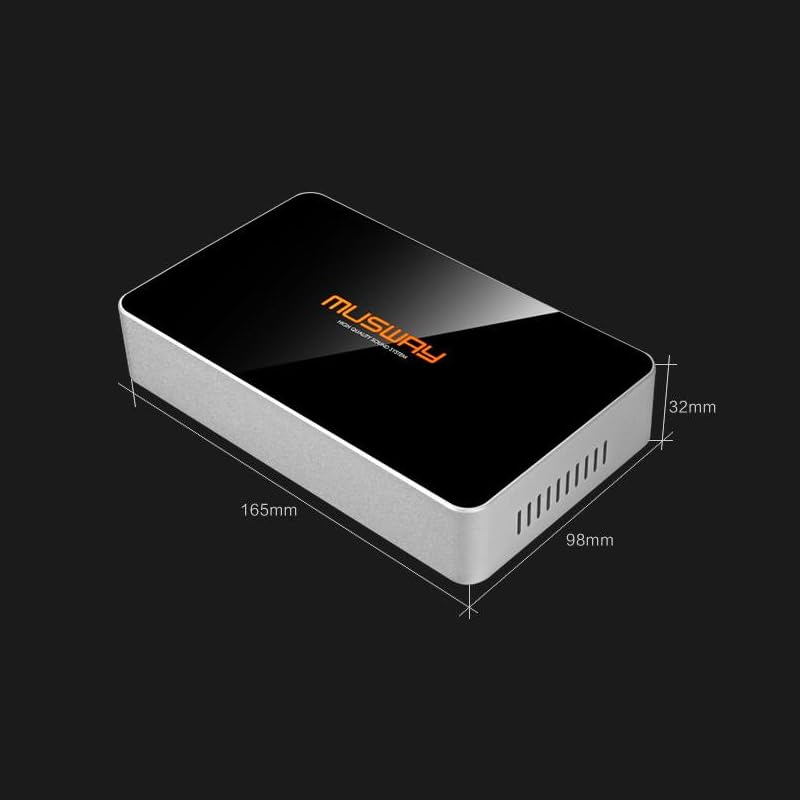
Image: Dimensions of the MUSWAY D1S unit, showing its compact size for easy installation.
4.3 Wiring Connections
The D1S offers versatile connectivity with RCA, speaker level, and subwoofer outputs.
- Power Connection: Connect the main power cable to the vehicle's battery (positive terminal) via an appropriate fuse. Connect the ground cable to a clean, bare metal point on the vehicle's chassis.
- Remote Turn-On: Connect the remote turn-on wire to your head unit's remote output or an ignition-switched 12V source.
- Input Connections: Use either RCA inputs for pre-out signals from your head unit or speaker-level inputs for direct connection to factory speaker wires.
- Output Connections: Connect your speakers and subwoofers to the corresponding output terminals.
- USB Connection: The USB port is for connecting to a computer for DSP tuning.
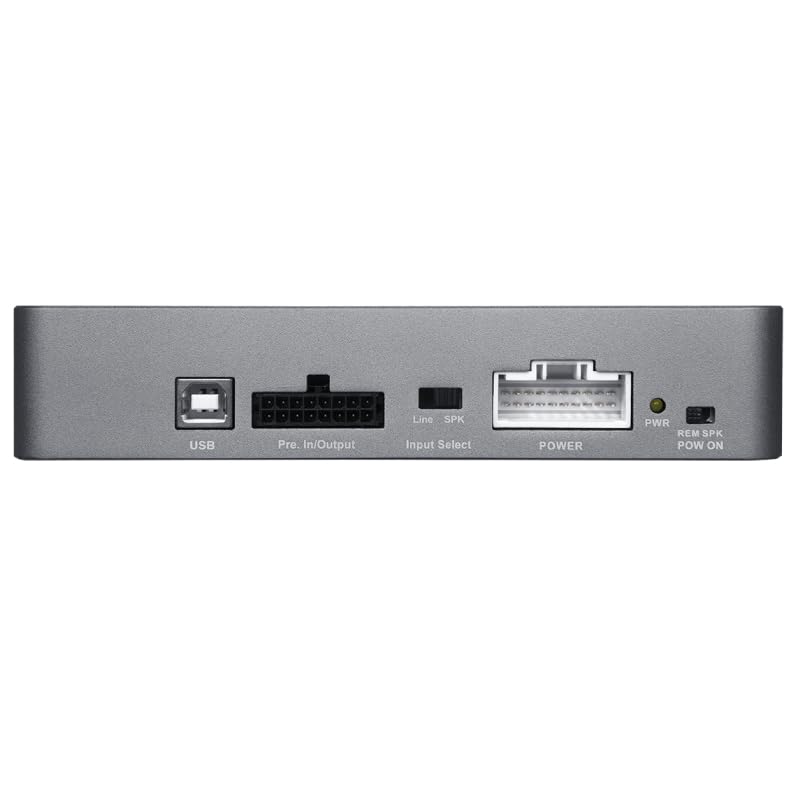
Image: Rear panel of the MUSWAY D1S, showing the USB port, Pre. In/Output, Input Select, Power, Clip indicator, and REM SPK POW ON connections.
5. Operating Instructions
5.1 Powering On/Off
The D1S unit will power on automatically when it receives a remote turn-on signal from your head unit or when a speaker-level input signal is detected (if configured for auto-sense). It will power off when the signal is removed.
5.2 DSP Software and Tuning
The D1S features a powerful 6-channel DSP for advanced sound tuning. To access the full range of tuning capabilities (EQ, crossovers, time alignment, etc.), you will need to connect the unit to a computer via the USB port and use the dedicated MUSWAY DSP software. Refer to the software's user guide for detailed instructions on tuning.
5.3 Input Selection
Use the "Input Select" switch on the unit to choose between Line (RCA) input or Speaker (high-level) input, depending on your connection method.
6. Maintenance
- Cleaning: Use a soft, dry cloth to clean the exterior of the unit. Do not use harsh chemicals or abrasive cleaners.
- Ventilation: Ensure that the ventilation slots on the unit are not blocked to prevent overheating.
- Connections: Periodically check all wiring connections to ensure they are secure and free from corrosion.
7. Troubleshooting
| Problem | Possible Cause | Solution |
|---|---|---|
| No Power | Blown fuse, loose power/ground connection, no remote signal. | Check/replace fuse, secure connections, verify remote turn-on signal. |
| No Sound Output | Incorrect input selection, loose speaker wires, DSP settings. | Verify Input Select switch, check speaker connections, review DSP software settings. |
| Distorted Sound | Input signal too high (clipping), incorrect gain settings, speaker impedance mismatch. | Reduce head unit volume, adjust gain settings in DSP software, ensure correct speaker impedance. Check "CLIP" indicator. |
| Unit Overheats | Insufficient ventilation, impedance too low. | Ensure proper airflow around the unit, check speaker impedance. |
8. Specifications
| Feature | Detail |
|---|---|
| Brand | KMH (MUSWAY) |
| Model Number | D1S |
| Channels | 6-channel DSP, 4-channel Amplifier |
| Amplifier Output | 75 watts RMS per channel (4 channels) |
| Connectivity | RCA, Speaker Level, Subwoofer Outputs, USB |
| Dimensions (approx.) | 178mm x 50mm (as per description, actual: 20 x 15 x 7 cm; 744 g) |
| Item Weight | 744 g |
| Color | Black Grey |
| Country of Origin | China |
9. Warranty and Support
For warranty information and technical support, please refer to the warranty card included with your product or contact the retailer where you purchased the MUSWAY D1S. Keep your proof of purchase for warranty claims.
For further assistance, you may also visit the official KMH store on Amazon: KMH Store.
Related Documents - D1S
 |
KMH Wooden Toy Chest User Guide User guide and assembly instructions for the KMH Wooden Toy Chest. Includes safety information, maintenance tips, and technical specifications. |
 |
Sestos D1S Digital Temperature Controller Manual Comprehensive user manual for the Sestos D1S digital temperature controller, covering installation, wiring, PID settings, and operational procedures. |
 |
PrismXR Controller Grips for Quest 3S/3 Quick Start Guide Quick start guide for PrismXR Controller Grips (model P1511) designed for Meta Quest 3S and Quest 3 VR headsets. This document details installation, charging procedures with the Carina Charging Dock, and essential safety information. |
 |
baicisu D系列汽车HID氙气大灯灯泡使用说明书 baicisu D系列汽车HID氙气大灯灯泡使用说明书,涵盖D1S/D2S/D3S/D4S型号的安装步骤、规格参数、日常维护及故障排查指南。 |
 |
汽车D系列HID氙气灯泡通用使用说明书 汽车D系列HID氙气灯泡(D1S/D3S/D2S/D4S/D1R/D3R/D2R/D4R)通用安装与使用说明书,提供产品规格、安装步骤、故障排查及安全警示。 |
 |
AKCESOR Automotive Xenon Bulb (D-Series) User Manual Comprehensive user manual for AKCESOR automotive xenon bulbs (D1S, D2S, D3S, D4S). Includes safety warnings, installation steps, troubleshooting, and maintenance guidelines. |
Ask a question about this manual
Ask about setup, troubleshooting, compatibility, parts, safety, or missing instructions. Manuals+ will review the question and use this page’s manual context to help answer it.