1. Introduction
The Mesqool CR1009Ultra 12000 Emergency Radio is a versatile device designed to provide essential communication and power in various situations, including emergencies, outdoor activities, and daily use. It features multiple power sources, comprehensive radio bands, and integrated lighting functions to ensure you stay informed and connected.
2. Product Overview
This emergency radio combines a NOAA weather alert radio with AM/FM/SW bands, a powerful flashlight, a reading lamp, and a phone charger. Its robust design and multiple power options make it a reliable companion.
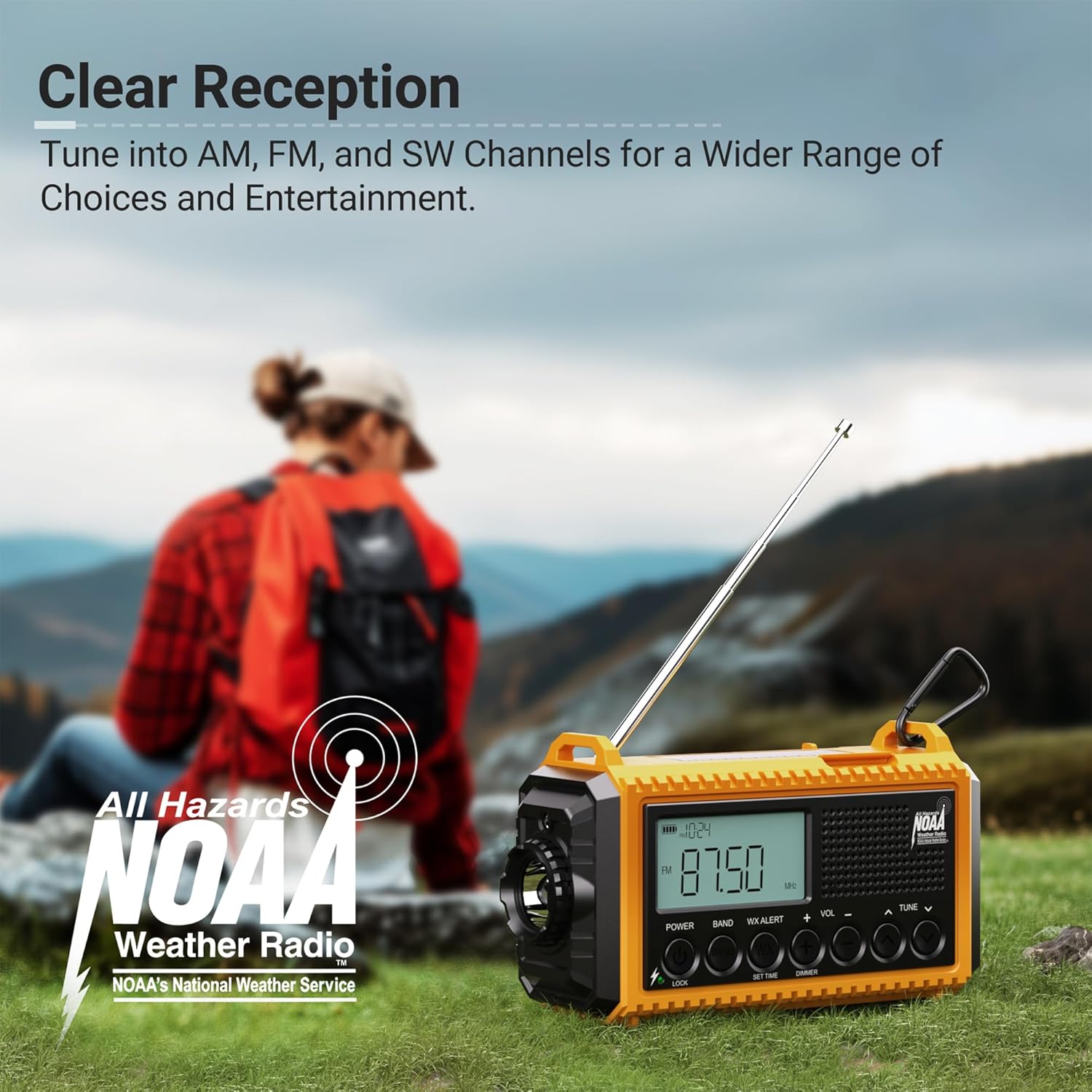
Figure 2.1: Front view of the Mesqool CR1009Ultra Emergency Radio.
3. What's in the Box
- Mesqool CR1009Ultra Emergency Radio
- Charging Cable (USB-A to Type-C)
- Power Adapter
- Hand Strap with Clip and Compass
- Owner's Manual
4. Setup
- Initial Charge: Before first use, fully charge the internal 12000mAh Li-ion battery using the provided Type-C charging cable and power adapter.
- Install AAA Batteries (Optional): For additional backup power, open the battery compartment on the back and insert 3 AAA batteries (not included), ensuring correct polarity.
- Attach Hand Strap: Secure the hand strap to the designated loops on the radio for easy carrying. The strap includes a small compass for navigation.
5. Powering the Device
The Mesqool CR1009Ultra offers five distinct ways to power the device, ensuring continuous operation even in prolonged outages.
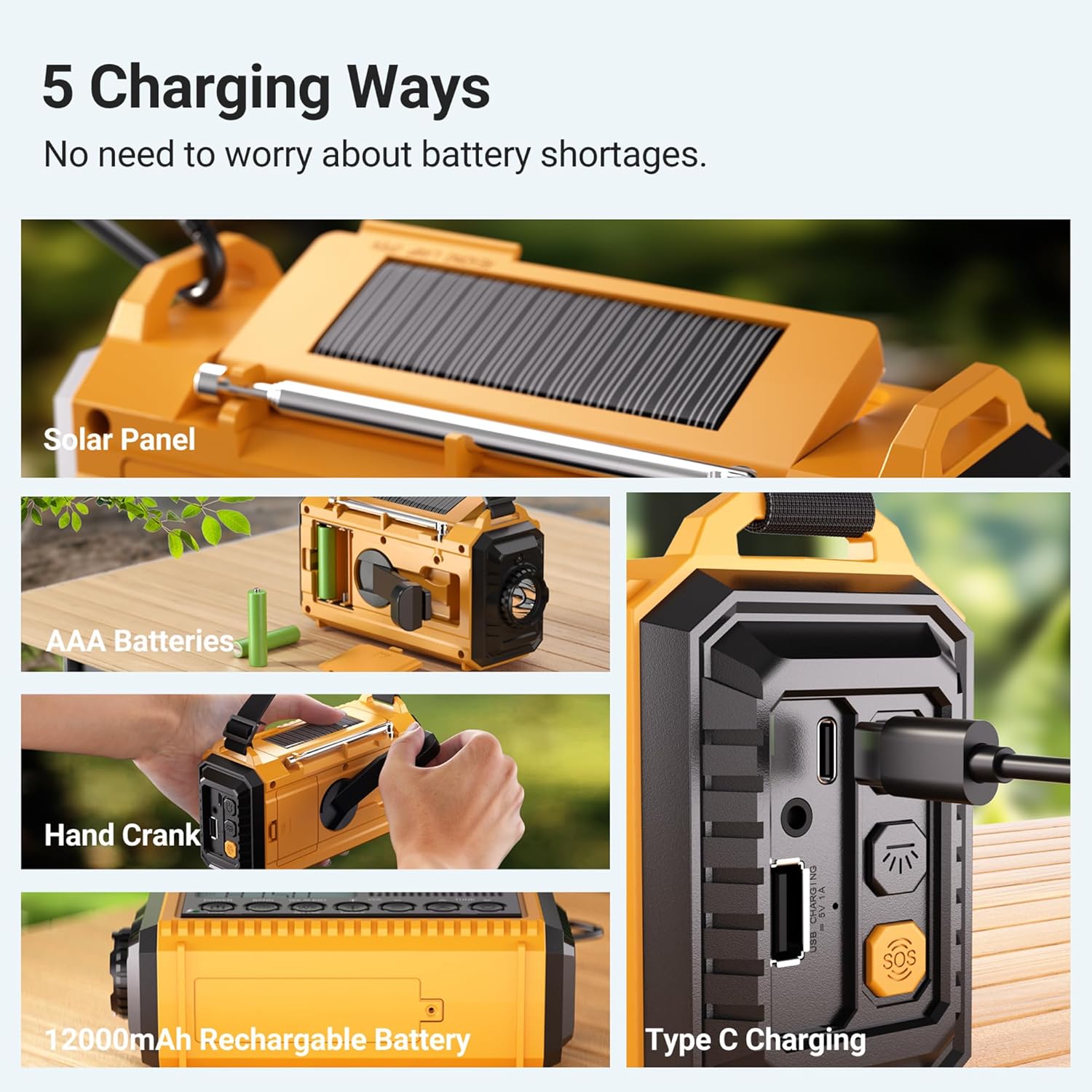
Figure 5.1: Overview of the 5 power options.
- Internal 12000mAh Li-ion Battery: The primary power source, rechargeable via Type-C or other methods.
- Type-C Charging: Connect the provided Type-C cable to a USB power adapter (included) or any compatible USB port for fast charging. The charging indicator lights will illuminate.
- Solar Panel: Place the radio with the solar panel facing direct sunlight. This method is ideal for maintaining charge or trickle charging in outdoor environments.
- Hand Crank: Extend the hand crank from the back of the radio and rotate it clockwise or counter-clockwise for manual power generation. One minute of cranking can provide several minutes of radio use or emergency light.
- AAA Batteries: Insert 3 AAA batteries into the dedicated compartment for an additional backup power source.
6. Operating the Radio
The radio supports AM, FM, SW, and NOAA weather bands. Extend the telescopic antenna for optimal reception.

Figure 6.1: Digital display showing various radio bands and frequencies.
- Turn On/Off: Rotate the 'Volume' knob clockwise to turn the radio on and counter-clockwise to turn it off.
- Select Band: Use the 'BAND' button to cycle through SW (Shortwave), AM, FM, and WB (Weather Band).
- Tune Stations: Use the 'TUNE' knob to manually scan for stations. The digital display will show the current frequency.
- NOAA Weather Alert: When in WB mode, the radio can automatically alert you to severe weather warnings with a loud siren and flashing red light. You can set a countdown timer for the alert duration (2H, 4H, 6H, etc.).
Video 6.1: A seller demonstration of the Mesqool Emergency Radio's 5-way power options and radio functions.
7. Lighting Functions
The radio features two independent lighting sources for various needs.
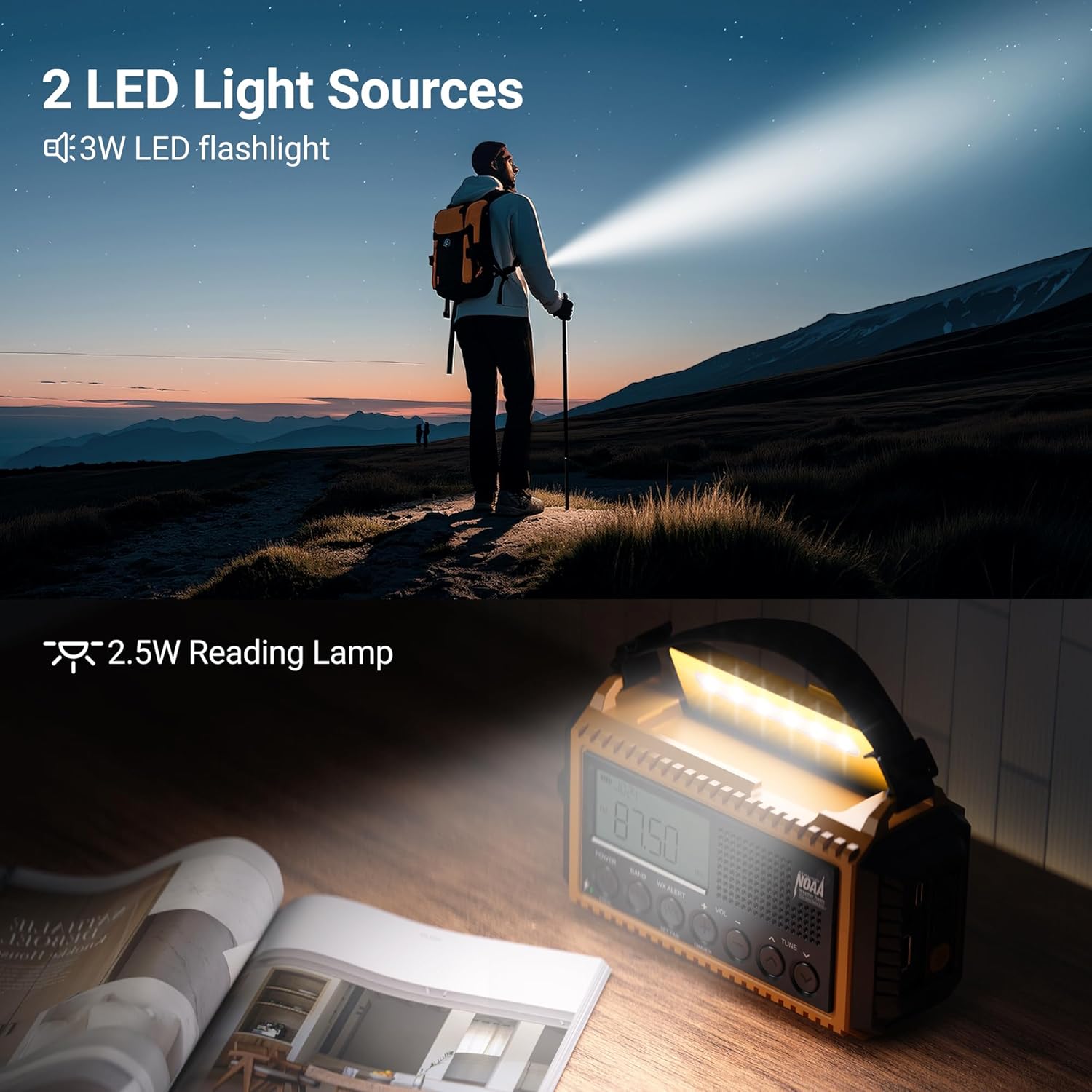
Figure 7.1: The radio's flashlight and reading lamp in use.
- LED Flashlight: Located on the side of the radio. Press the flashlight button (light bulb icon) to turn it on/off. It offers two brightness levels (150LM/300LM).
- Reading Lamp: Located under the solar panel. Lift the solar panel to reveal the reading lamp. Press the reading lamp button (sun icon) to turn it on/off. It also offers two brightness levels (120LM/250LM).
8. SOS Alarm
In emergency situations, activate the SOS alarm to attract attention.

Figure 8.1: The SOS alarm in action.
- Activate SOS: Press the red 'SOS' button on the side of the radio. It will emit a loud siren (105dB) and flash the flashlight to signal for help.
- Deactivate SOS: Press the 'SOS' button again to turn off the alarm.
9. Charging External Devices
The internal 12000mAh battery can act as a power bank to charge your mobile devices.

Figure 9.1: Charging a smartphone using the radio's power bank function.
- Connect Device: Open the rubber flap on the side of the radio and connect your device's charging cable to the USB-A output port.
- Charging Indicator: The battery indicator on the radio's display will show the charging status.
10. Additional Features
- Headphone Jack: A 3.5mm headphone jack is available for private listening.
- Lock Button: Press the 'LOCK' button to prevent accidental button presses and preserve settings.
- Wrist Strap & Hanging Clip: For portability, use the included wrist strap or attach the heavy-duty metal clip to a backpack.
- IPX3 Water Resistance: The radio is designed to withstand light splashes and rain, making it suitable for outdoor use.

Figure 10.1: The radio's water-resistant design for outdoor reliability.
11. Maintenance
- Cleaning: Wipe the radio with a soft, damp cloth. Do not use harsh chemicals or abrasive cleaners.
- Storage: Store the radio in a cool, dry place away from direct sunlight and extreme temperatures. If storing for extended periods, ensure the internal battery is partially charged (around 50%) and recharge every 3-6 months.
- Battery Care: Avoid fully discharging the Li-ion battery frequently to prolong its lifespan. Remove AAA batteries if the radio will not be used for a long time to prevent leakage.
12. Troubleshooting
| Problem | Possible Cause | Solution |
|---|---|---|
| Radio does not turn on | Low battery; Power switch off | Charge the internal battery; Check AAA batteries; Ensure volume knob is turned clockwise. |
| Poor radio reception | Antenna not extended; Weak signal area | Fully extend the telescopic antenna; Reposition the radio for better signal; Try different bands. |
| Flashlight/Reading lamp not working | Low battery; Button not pressed correctly | Charge the internal battery; Ensure the correct light button is pressed. |
| Cannot charge external devices | Radio battery too low; Incorrect cable/port | Ensure radio has sufficient charge; Use the correct USB-A output port and a compatible cable. |
13. Specifications
- Model Number: CR1009Ultra
- Product Dimensions: 6.8"L x 2.48"W x 3.7"H
- Item Weight: 1.15 pounds
- Battery: 1 Lithium Ion battery required (included), 12000mAh
- Power Source: Battery Powered | Type-C Input 5V/2A | AAA Batteries | Solar Panel | Hand Crank
- Tuner Technology: NOAA/AM/FM/SW
- Radio Bands Supported: NOAA/AM/FM/SW radio
- Special Features: Digital Weather Radio, LED Flashlight & Reading Lamp, Lock Function, Rechargeable Battery 12000mAh, SOS Alarm
- Connectivity Technology: USB
- Water Resistance: IPX3 (Note: Product feature bullets mention IPX3, specifications mention IPX4 in an image. Using IPX3 as it's explicitly stated in feature bullets.)
14. Warranty and Support
For warranty information or technical support, please refer to the contact details provided with your purchase or visit the official Mesqool website. Keep your purchase receipt for warranty claims.


