
Product Overview
The Nonstop Station E Hotel Alarm Clock (Model NSE2-BK) is a compact digital alarm clock designed for convenience and functionality. It features a clear digital display, an alarm function, and integrated dual USB-C charging ports for powering various electronic devices. Its robust design makes it suitable for both personal and hospitality use.
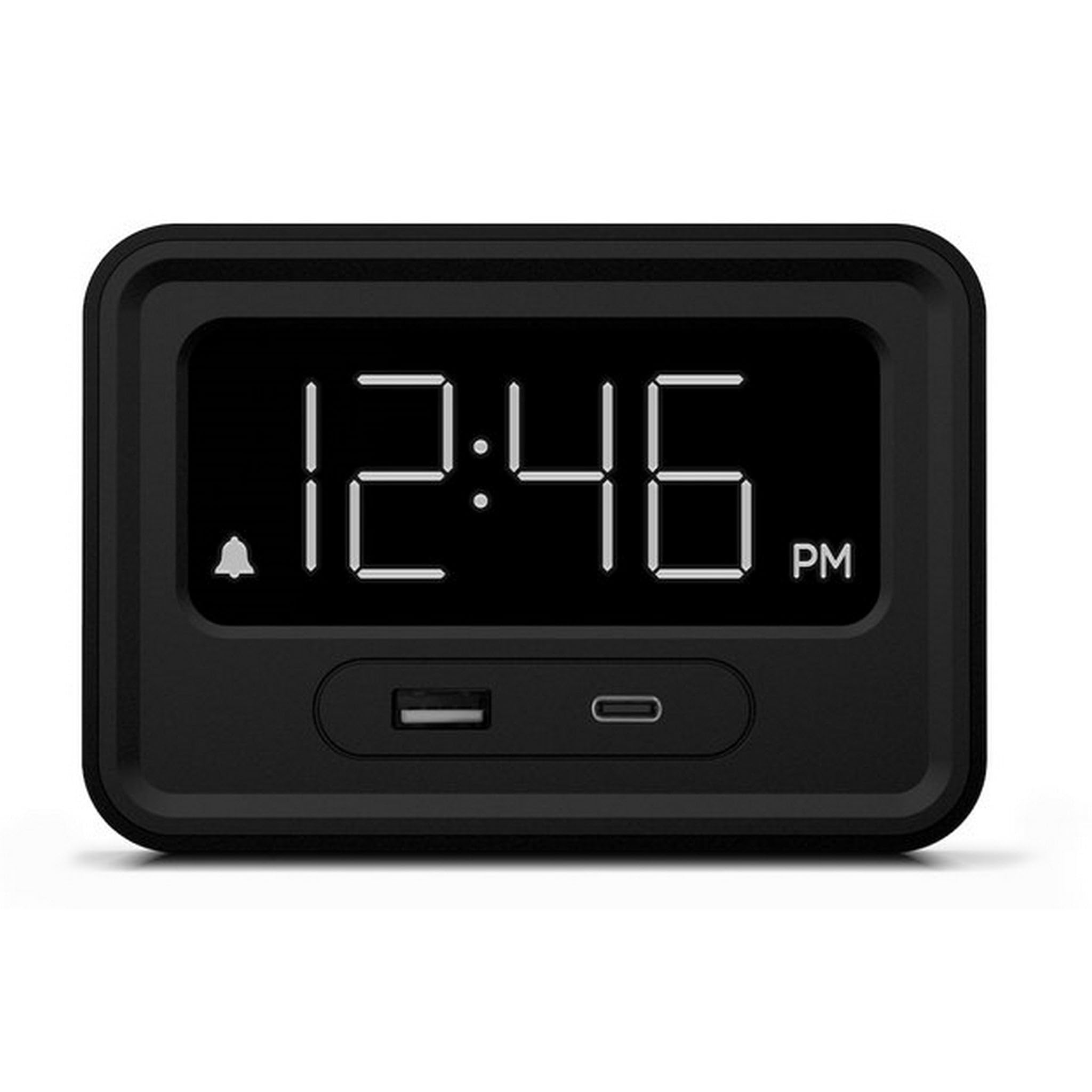
Figure 1: Front view of the Nonstop Station E Hotel Alarm Clock, displaying the time and the two front-facing USB charging ports.
Safety Information
- Ensure the device is placed on a stable, flat surface.
- Do not expose to water or excessive moisture.
- Keep away from direct heat sources.
- Use only with the provided power adapter.
- Do not attempt to disassemble or repair the device yourself. Contact qualified service personnel.
Package Contents
- Nonstop Station E Hotel Alarm Clock (NSE2-BK)
- Power Adapter
- Instruction Manual
Setup
- Unpack the Device: Carefully remove the alarm clock and all accessories from the packaging.
- Connect Power: Plug the power adapter into the DC input port on the back of the alarm clock, then plug the adapter into a standard electrical outlet. The display will illuminate.
- Initial Time Setting: The clock may automatically set the time upon first power-up. If not, or if adjustment is needed, proceed to the "Setting Time and Alarm" section.
Operating Instructions
Controls Overview

Figure 2: Top panel controls for the alarm clock, including alarm switch, brightness, time setting, and snooze.
- ALARM ON/OFF Switch: Located on the top panel, slides to activate or deactivate the alarm.
- Brightness Button (☀): Adjusts the display brightness.
- SET HR Button (☀): Used to set the hour for the time or alarm.
- SET MIN Button (☀): Used to set the minute for the time or alarm.
- SNOOZE Button: Large button on top for temporary alarm silence.
- USB-A Charging Port: Standard USB port on the front for charging devices.
- USB-C Charging Port: USB-C port on the front for charging compatible devices.
Setting Time and Alarm
- To Set Time:
- Press and hold the SET HR button until the hour display flashes.
- Press the SET HR button repeatedly to adjust the hour. Pay attention to AM/PM indicators.
- Press and hold the SET MIN button until the minute display flashes.
- Press the SET MIN button repeatedly to adjust the minute.
- Release the buttons and wait a few seconds for the time to set.
- To Set Alarm:
- Ensure the ALARM switch is in the OFF position.
- Press and hold the SET HR button (with the alarm icon) until the alarm hour flashes.
- Press the SET HR button repeatedly to adjust the alarm hour.
- Press and hold the SET MIN button (with the alarm icon) until the alarm minute flashes.
- Press the SET MIN button repeatedly to adjust the alarm minute.
- Release the buttons. Slide the ALARM switch to the ON position to activate the alarm. An alarm icon will appear on the display.
- To Snooze: When the alarm sounds, press the large SNOOZE button. The alarm will temporarily stop and sound again after approximately 9 minutes.
- To Turn Off Alarm: To turn off the alarm completely, slide the ALARM switch to the OFF position.
Adjusting Display Brightness
Press the Brightness button (☀) on the top panel to cycle through different brightness levels for the digital display. This allows adjustment for various lighting conditions, from bright daylight to a dark room.
Using the Charging Ports
The alarm clock is equipped with one standard USB-A port and one USB-C port on the front for convenient charging of your electronic devices. Simply connect your device's charging cable to the appropriate port. The charging function operates independently of the alarm and time settings, as long as the clock is powered.

Figure 3: A smartphone connected to the USB-C charging port on the front of the alarm clock, demonstrating its charging capability.
Maintenance
- Cleaning: Use a soft, dry cloth to clean the exterior of the alarm clock. Do not use liquid cleaners or abrasive materials.
- Storage: If storing the device for an extended period, unplug it from the power outlet and store it in a cool, dry place.
Troubleshooting
| Problem | Possible Cause | Solution |
|---|---|---|
| Clock display is blank. | No power supply. | Ensure the power adapter is securely plugged into both the clock and a working electrical outlet. |
| Alarm does not sound. | Alarm is not activated or set incorrectly. | Check if the ALARM switch is in the ON position. Verify the alarm time is set correctly. |
| Devices not charging via USB. | Incorrect cable, device not compatible, or power issue. | Ensure the charging cable is functional and correctly connected. Verify your device is compatible with USB charging. Check the main power supply to the clock. |
| Display is too bright/dim. | Brightness setting needs adjustment. | Press the Brightness button (☀) to cycle through brightness levels. |
Specifications
- Model: NSE2-BK
- Brand: NONSTOP
- Color: Black
- Display Type: Digital
- Power Source: Corded Electric
- Charging Ports: 1x USB-A, 1x USB-C
- Material: Metal (Frame)
- Indoor/Outdoor Usage: Indoor
- Special Feature: Charging Port, Dimmable Display
Warranty and Support
For warranty information and technical support, please refer to the documentation included with your purchase or visit the official NONSTOP website. Keep your purchase receipt as proof of purchase for warranty claims.
Additional protection plans may be available for purchase from authorized retailers. Please check with your retailer for details on extended warranty options.


