
1. Introduction
This manual provides essential instructions for the safe and effective use of your Wahl Launch Professional Clipper. Please read all instructions carefully before using the appliance to ensure proper operation and to prevent injury or damage.
2. Safety Information
Important Safeguards:
- Always unplug the appliance from the electrical outlet immediately after use.
- Do not use while bathing or in a shower.
- Do not place or store appliance where it can fall or be pulled into a tub or sink.
- Do not place in or drop into water or other liquid.
- Do not reach for an appliance that has fallen into water. Unplug immediately.
- This appliance is not intended for use by persons (including children) with reduced physical, sensory or mental capabilities, or lack of experience and knowledge, unless they have been given supervision or instruction concerning use of the appliance by a person responsible for their safety.
- Children should be supervised to ensure that they do not play with the appliance.
3. Product Overview
Components Included:
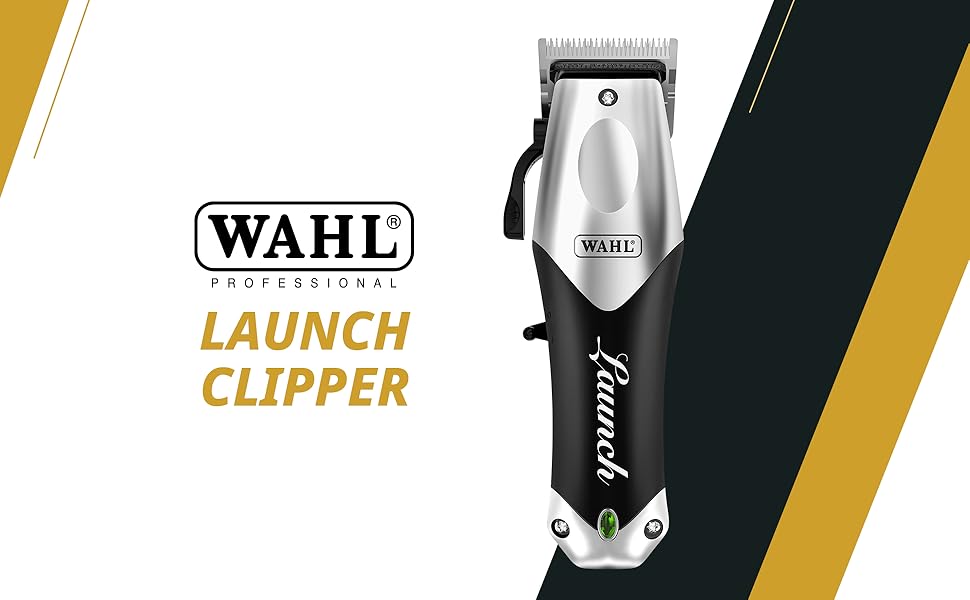
Image: The Wahl Launch Professional Clipper kit, showing the clipper, six guide combs, blade oil, cleaning brush, and charging cable.
- Wahl Launch Professional Clipper
- 6 Guide Combs (various lengths)
- Blade Oil
- Cleaning Brush
- USB Charging Cable
Key Features:
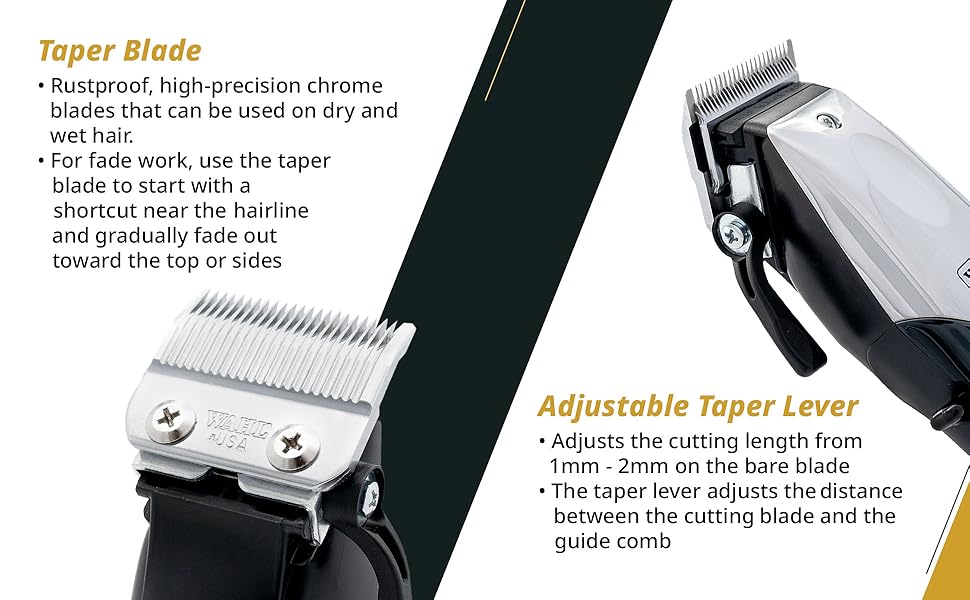
Image: Visual representation of the clipper's powerful 6000 RPM motor and 120-minute Lithium-Ion battery runtime.
- Cord/Cordless Operation: Provides flexibility for use with or without the power cord.
- Powerful Rotary Motor: Equipped with a 6000 RPM motor for efficient cutting.
- Full Steel Taper Blades: High-precision, rustproof chrome blades suitable for dry and wet hair.
- Adjustable Taper Lever: Allows for precise cutting length adjustments from 1mm to 2mm on the bare blade.
- Smart LED Indicator: Displays battery status for convenient monitoring.
- Long Runtime: Up to 120 minutes of cordless operation on a single charge.
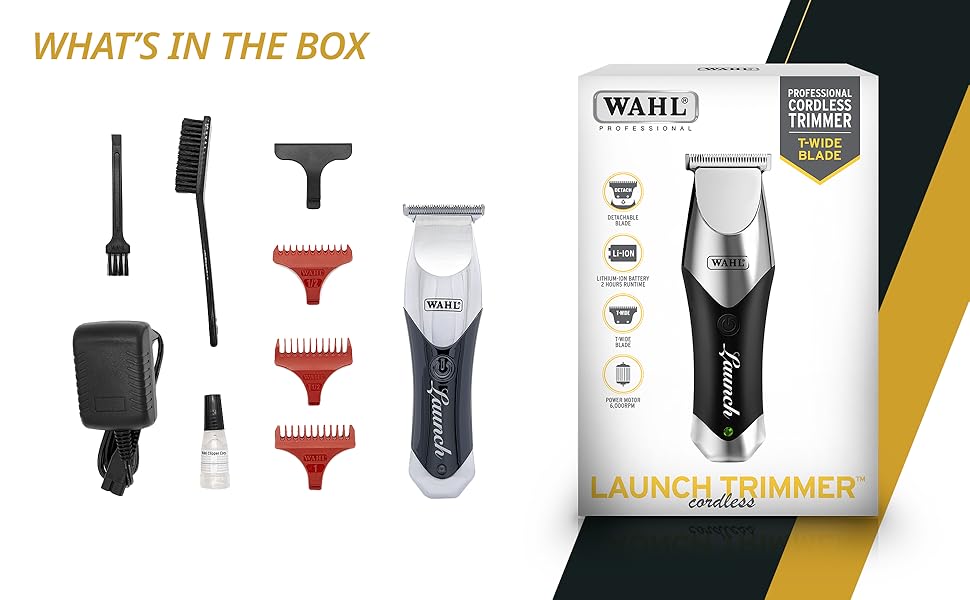
Image: Detailed view of the clipper's stainless steel taper blade and the adjustable lever for varying cutting lengths.
4. Setup
Initial Charge:
- Before first use, fully charge the clipper for approximately 120 minutes.
- Connect the USB charging cable to the clipper and a suitable power adapter (not included).
- The Smart LED Indicator will show charging status and turn solid when fully charged.
Attaching Guide Combs:
- Select the desired guide comb length.
- Align the comb with the clipper blade and firmly push it into place until it clicks.
- To remove, gently pull the comb away from the blade.
5. Operating Instructions
Basic Clipping:

Image: A Wahl Launch Professional Clipper in action, demonstrating its use for hair cutting.
- Ensure hair is clean and dry for optimal results.
- Attach the appropriate guide comb for the desired hair length.
- Turn on the clipper using the power switch.
- Hold the clipper with the blade teeth pointing upwards.
- Begin clipping from the bottom of the head, moving upwards against the direction of hair growth.
- Use smooth, overlapping strokes for an even cut.
Using the Taper Lever:
- The taper lever allows for fine adjustment of cutting length without changing guide combs.
- Move the lever upwards for a shorter cut and downwards for a longer cut.
- This feature is ideal for blending and fading hair.
6. Maintenance
Cleaning the Blades:
- After each use, turn off and unplug the clipper.
- Use the cleaning brush to remove loose hairs from the blades.
- For thorough cleaning, the blades can be detached by unscrewing the two small screws on the blade set.
- Clean the blades and the area beneath them, then reattach securely.
Oiling the Blades:
- Apply 2-3 drops of Wahl blade oil across the top of the blades after every few uses.
- Turn on the clipper for a few seconds to allow the oil to distribute evenly.
- Wipe off any excess oil with a soft cloth. Regular oiling ensures optimal cutting performance and blade longevity.
7. Troubleshooting
Clipper Not Turning On:
- Check if the clipper is fully charged. Connect to power and observe the LED indicator.
- Ensure the power switch is in the 'ON' position.
- If operating corded, verify the power outlet is functional.
Poor Cutting Performance:
- Clean the blades thoroughly to remove any trapped hair or debris.
- Oil the blades as described in the maintenance section.
- Ensure the guide comb is correctly attached and not damaged.
- Blades may need sharpening or replacement if they are dull. Contact customer support for assistance.
Excessive Noise or Vibration:
- Ensure the blades are properly aligned and securely fastened.
- Apply blade oil.
- If the issue persists, contact customer support.
8. Specifications
- Model Number:
- 02240L-024
- Motor Speed:
- 6000 RPM Rotary Motor
- Blade Material:
- Full Steel Taper Blades (Stainless Steel)
- Power Source:
- Battery Powered (Lithium-Ion) / Corded Operation
- Runtime:
- Up to 120 minutes
- Charge Time:
- Approximately 120 minutes
- Adjustable Taper Lever:
- 1mm - 2mm
- Item Weight:
- 267 g
- Product Dimensions (LxWxH):
- 45 x 30 x 170 Millimeters
- Country of Origin:
- China
9. Warranty and Support
Your Wahl Launch Professional Clipper comes with a 2-year warranty from the date of purchase, covering manufacturing defects. Please retain your proof of purchase for warranty claims.
For technical support, service, or warranty inquiries, please visit the official Wahl India website or contact their customer service department. You can also visit the Wahl Store on Amazon for more information.