Tiksounds X15 Wireless Earbuds User Manual
Model: X15
Introduction
Thank you for choosing the Tiksounds X15 Wireless Earbuds. This manual provides detailed instructions on how to set up, operate, and maintain your earbuds to ensure optimal performance and longevity. Please read this manual carefully before use and retain it for future reference.
Safety Information
- Do not disassemble or modify the product.
- Keep away from extreme temperatures, humidity, and liquids.
- Avoid prolonged listening at high volumes to prevent hearing damage.
- Keep out of reach of children and pets.
- Dispose of the product responsibly according to local regulations.
Package Contents
- Tiksounds X15 Wireless Earbuds
- Charging Case
- Charging Cable
- User Manual
Product Overview
The Tiksounds X15 Wireless Earbuds feature a compact design with a digital display charging case. The earbuds are designed for comfortable wear and offer touch control functionality.
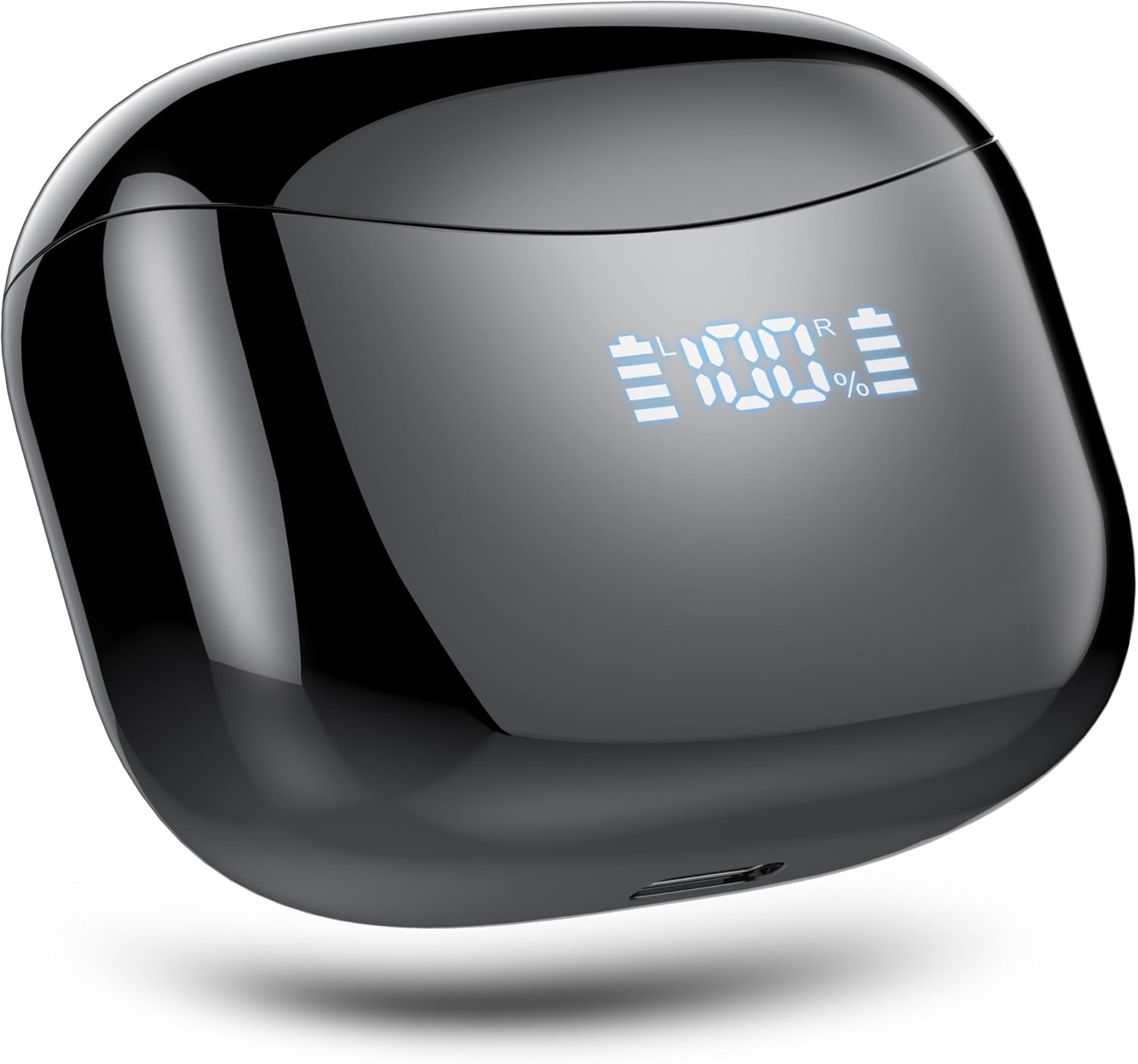
Figure 1: Tiksounds X15 Wireless Earbuds Charging Case. The image displays the sleek black charging case with a digital LED screen showing "100%" charge for both the left (L) and right (R) earbuds, as well as the case itself. A small charging port is visible at the bottom.
Components:
- Earbuds: Left (L) and Right (R) earbuds with touch control sensors.
- Charging Case: Portable case for charging and storing earbuds, featuring a digital battery display.
- Charging Port: Located at the bottom of the charging case for power input.
Setup
1. Initial Charging
- Place both earbuds into the charging case.
- Connect the charging cable to the charging port on the case and a USB power source.
- The digital display on the case will show the charging status. Ensure both earbuds and the case are fully charged before first use.
2. Pairing with a Bluetooth Device
- Open the charging case. The earbuds will automatically power on and enter pairing mode.
- On your device (smartphone, tablet, etc.), enable Bluetooth.
- Search for "X15" in the list of available Bluetooth devices and select it to connect.
- Once connected, a voice prompt will confirm successful pairing.
Single Earbud Mode: Either earbud can be used independently. Simply take one earbud out of the case, and it will automatically connect to the last paired device. To switch to binaural mode, remove the other earbud from the case.
Operating Instructions
Power On/Off
- Power On: Open the charging case, or long-press the touch area on both earbuds for 3 seconds.
- Power Off: Place earbuds back into the charging case and close the lid, or long-press the touch area on both earbuds for 5 seconds.
Touch Controls
| Function | Action |
|---|---|
| Play/Pause Music | Single tap on either earbud |
| Next Track | Double tap on the Right earbud |
| Previous Track | Double tap on the Left earbud |
| Answer/End Call | Single tap on either earbud |
| Reject Call | Long press on either earbud for 2 seconds |
| Activate Voice Assistant | Triple tap on either earbud |
Noise Canceling
The Tiksounds X15 earbuds feature Active Noise Cancellation. This function is automatically enabled when the earbuds are in use to reduce ambient noise for a clearer audio experience.
Maintenance
- Cleaning: Use a soft, dry cloth to clean the earbuds and charging case. Do not use abrasive cleaners or immerse in water.
- Storage: When not in use, store the earbuds in their charging case to protect them and keep them charged.
- Battery Care: To prolong battery life, avoid fully discharging the earbuds and charging case frequently. Charge regularly, even if not used for extended periods.
Troubleshooting
- Earbuds not pairing:
- Ensure both earbuds are charged. Turn off Bluetooth on your device, then turn it back on. Forget "X15" from your device's Bluetooth list and try pairing again. If issues persist, reset the earbuds (refer to manufacturer's website for specific reset instructions if not detailed here).
- No sound from one earbud:
- Check if both earbuds are charged. Place both earbuds back into the case, close the lid, wait a few seconds, then take them out again. Ensure they are properly paired in stereo mode.
- Charging case not charging:
- Verify the charging cable is securely connected to both the case and the power source. Try a different charging cable or power adapter.
- Poor sound quality:
- Ensure the earbuds are properly seated in your ears. Check for any obstructions in the earbud speakers. Move closer to your connected device to avoid interference.
Specifications
| Feature | Detail |
|---|---|
| Model Name | X15 |
| Connectivity Technology | Wireless |
| Wireless Communication Technology | Bluetooth 5.3 |
| Ear Placement | In Ear |
| Form Factor | In Ear |
| Noise Control | Active Noise Cancellation |
| Control Method | Touch |
| Water Resistance Level | Waterproof |
| Frequency Range | 20Hz - 20,000Hz |
| Bluetooth Range | 10 Meters (approx. 33 feet) |
| Material | Plastic |
| Included Components | Cable, User Manual |
Warranty and Support
Tiksounds products are designed and manufactured to the highest quality standards. For warranty information, technical support, or customer service inquiries, please refer to the official Tiksounds website or contact their customer support directly. Please retain your proof of purchase for warranty claims.
For more information, visit: Tiksounds Official Store


