
Introduction
This manual provides instructions for the XINJISHIMIN RC-1236 replacement remote control, designed for use with Denon Sound Bar models DHT-S216 and DHT-S216H. Please read this manual carefully before using the remote control to ensure proper operation and to familiarize yourself with its features.
Product Overview
The RC-1236 remote control is a direct replacement, offering full functionality for your compatible Denon sound bar. It comes with a convenient wall mounting bracket for storage.
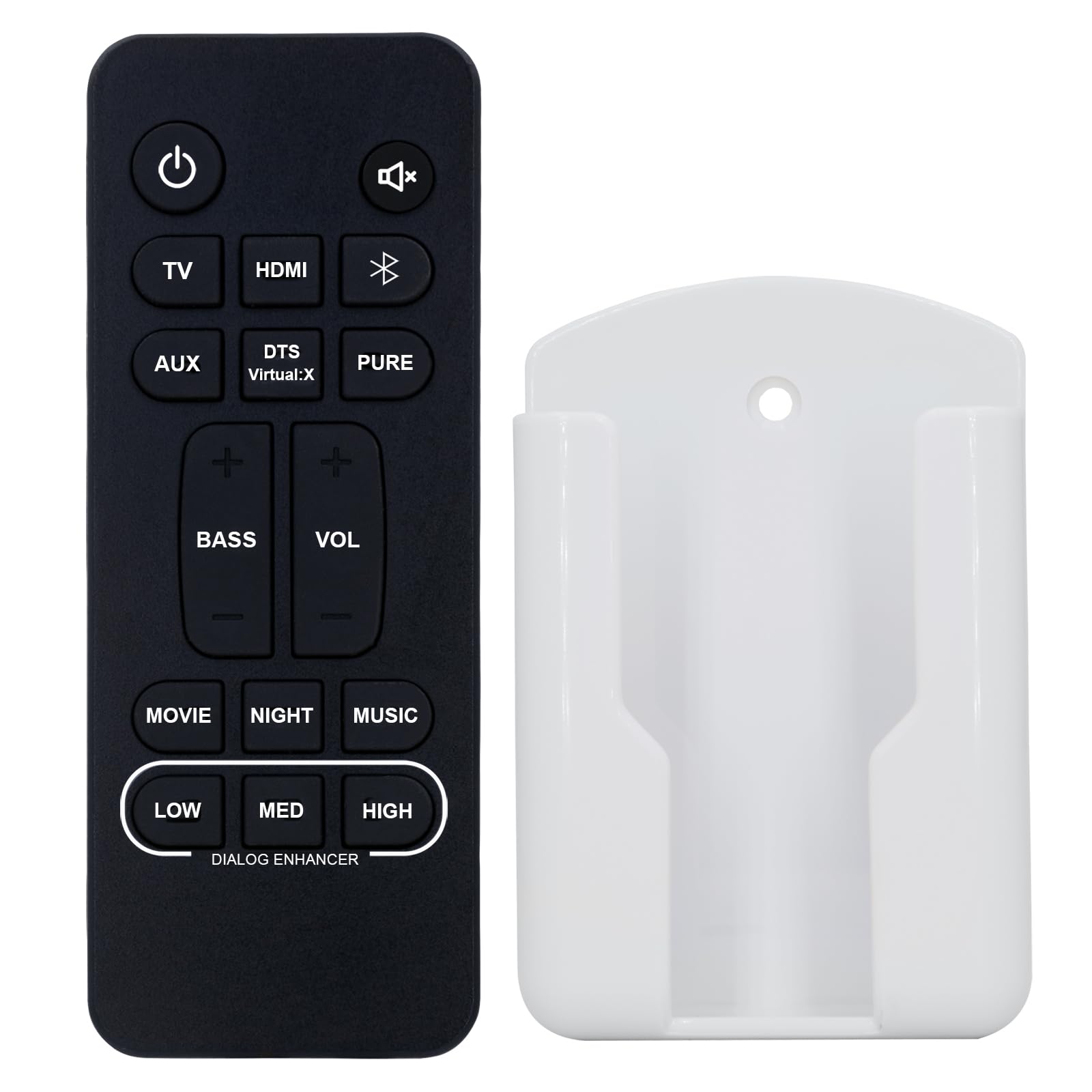
Figure 1: RC-1236 Remote Control with included wall mounting bracket.
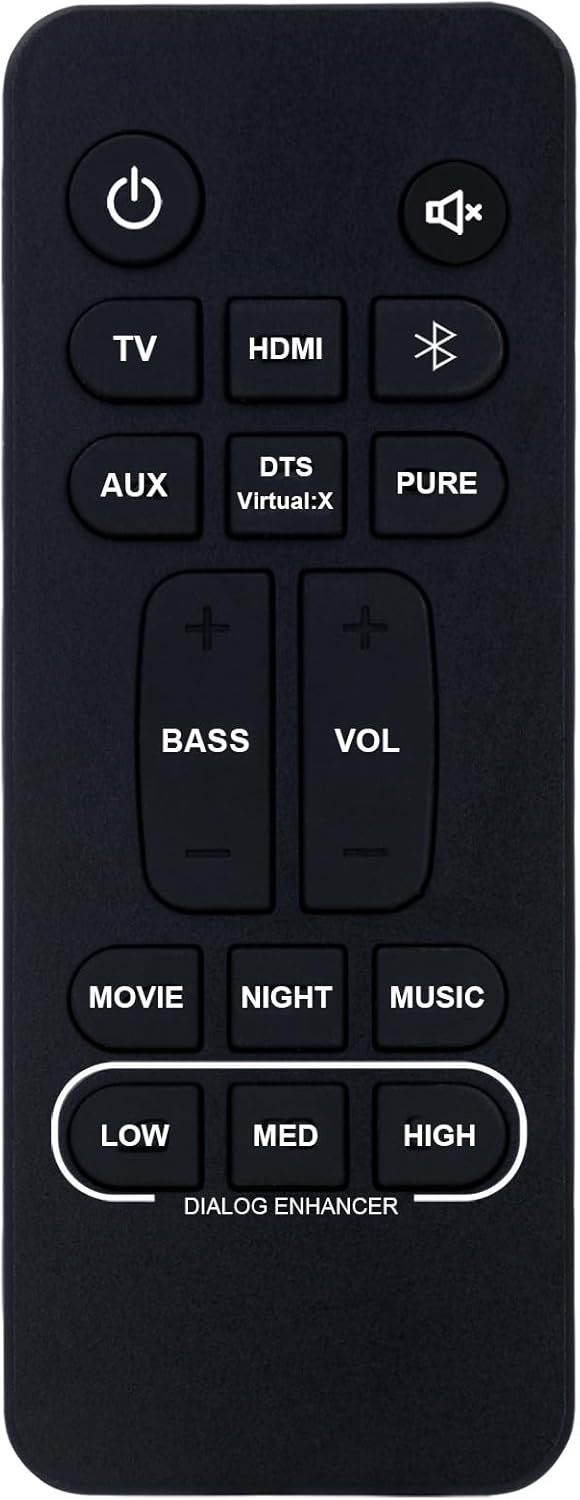
Figure 2: Front view of the RC-1236 remote control, displaying all operational buttons.

Figure 3: Back view of the RC-1236 remote control, highlighting the battery compartment.
Setup
1. Battery Installation
- Locate the battery compartment on the back of the remote control (refer to Figure 3).
- Slide the battery cover downwards to open it.
- Insert two (2) AAA 1.5V batteries, ensuring the correct polarity (+ and -) as indicated inside the compartment.
- Slide the battery cover back into place until it clicks securely.
Important Note: This remote control requires no programming. Once batteries are installed, it is ready for immediate use with compatible Denon Sound Bar models DHT-S216 and DHT-S216H.
Operating Instructions
Point the remote control directly at your Denon sound bar. Ensure there are no obstructions between the remote and the sound bar's sensor.
Button Functions:
- Power (⏻): Turns the sound bar On or Off.
- Mute (🔇): Mutes or unmutes the sound.
- TV: Selects the TV audio input.
- HDMI: Selects the HDMI audio input.
- Bluetooth (Ⓑ): Selects the Bluetooth audio input for wireless streaming.
- AUX: Selects the Auxiliary audio input.
- DTS Virtual:X: Activates or deactivates the DTS Virtual:X surround sound mode.
- PURE: Activates or deactivates Pure Audio mode for uncolored sound.
- BASS (+/-): Adjusts the bass level.
- VOL (+/-): Adjusts the main volume level.
- MOVIE: Activates Movie sound mode.
- NIGHT: Activates Night sound mode for reduced dynamic range.
- MUSIC: Activates Music sound mode.
- DIALOG ENHANCER (LOW/MED/HIGH): Adjusts the clarity of dialogue.
Maintenance
Cleaning the Remote Control:
- Wipe the remote control with a soft, dry cloth.
- Do not use liquid cleaners, sprays, or chemical solvents, as these may damage the remote's finish or internal components.
Battery Replacement:
- Replace batteries when the remote control becomes unresponsive or its range decreases.
- Always replace both batteries at the same time with new AAA 1.5V batteries.
- Remove batteries if the remote control will not be used for an extended period to prevent leakage.
- Dispose of used batteries according to local regulations.
Troubleshooting
| Problem | Possible Cause | Solution |
|---|---|---|
| Remote control is not working. |
|
|
| Specific buttons are not responding. |
|
|
Specifications
| Feature | Detail |
|---|---|
| Model Number | RC-1236 |
| Compatible Sound Bars | Denon DHT-S216, DHT-S216H |
| Batteries Required | 2 x AAA 1.5V (not included) |
| Item Weight | 1.06 ounces (approx. 30 grams) |
| Package Dimensions | 5 x 2 x 1 inches (approx. 12.7 x 5.1 x 2.5 cm) |
| Special Feature | Direct Replacement, No Programming Needed |
| Included Accessories | Wall Mounting Bracket |
Warranty and Support
This product is a replacement remote control. For specific warranty information, please refer to the seller's policy on the platform where the purchase was made. For technical support or inquiries regarding this remote control, please contact the seller directly through the messaging system of your purchase platform.
Please retain your proof of purchase for any warranty claims.