Introduction
The Hyper Tough DC 12V Heavy Duty Direct Drive Digital Tire Inflator is a versatile and essential tool for maintaining optimal tire pressure and inflating various items. Designed for convenience and efficiency, this inflator features a powerful direct-drive motor, a clear digital display, and a detachable LED light for enhanced visibility during use, especially in low-light conditions. Its compact design and included accessories make it suitable for a wide range of applications, from vehicle tires to sports equipment.
Key Features
- Quick Inflation: Inflates a 195/65R 15" car tire from 0 to 35 PSI in less than 4 minutes.
- Digital Display: LCD digital display with backlight for accurate pressure readings in PSI, KPA, or BAR.
- Detachable LED Light: Magnetic LED light provides illumination for nighttime emergencies or repairs.
- Versatile Use: Includes 2 extra nozzles for inflating car, motorcycle, and bicycle tires, as well as sports balls, air mattresses, and water toys.
- Extended Reach: Features a 10ft power cord and a 490cm yellow coil air hose with twist disconnect.
- Portable Design: Compact and lightweight, with an included carrying bag for easy storage and transport.
- Durable Motor: Powerful direct drive motor with air-cooled design for reliable performance.
Package Contents
Please verify that all items are present in the package:
- Hyper Tough Digital Tire Inflator Unit
- 12V DC Power Cord (10 ft)
- Yellow Coil Air Hose (490 cm) with Twist Disconnect
- 2 x Extra Nozzles (for various inflatables)
- Carrying Bag
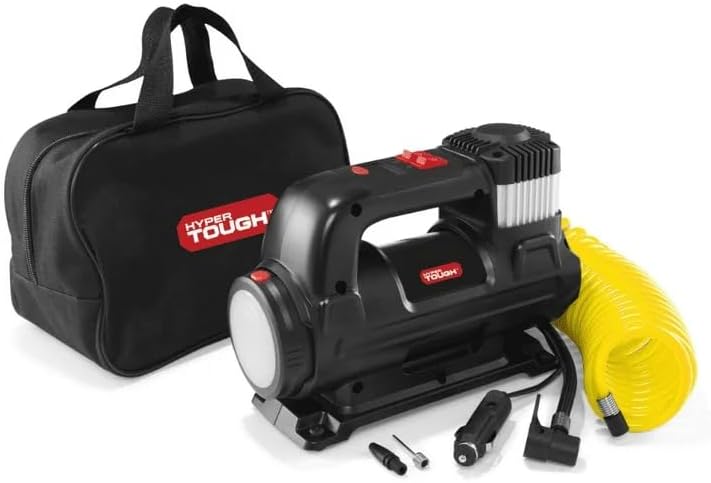
Image: Hyper Tough Digital Tire Inflator, carrying bag, and various inflation accessories.
Safety Information
Read all instructions carefully before using the tire inflator. Failure to follow these instructions may result in product damage, property damage, or personal injury.
- Always operate the inflator in a well-ventilated area.
- Do not leave the inflator unattended while in use.
- Ensure the vehicle engine is running when powering the inflator from the 12V cigarette lighter socket to prevent draining the vehicle's battery.
- Do not exceed the maximum working pressure of 100 PSI. Refer to your tire's sidewall or vehicle's owner's manual for recommended tire pressure.
- Allow the inflator to cool down after prolonged use to prevent overheating.
- Keep out of reach of children.
- Do not expose the inflator to rain or wet conditions.
Setup
- Ensure your vehicle's engine is running.
- Plug the 12V DC power cord into your vehicle's cigarette lighter socket.
- Unscrew the valve cap from the tire valve stem.
- Firmly attach the air hose's twist-on connector to the tire valve stem. Ensure a secure connection to prevent air leakage.
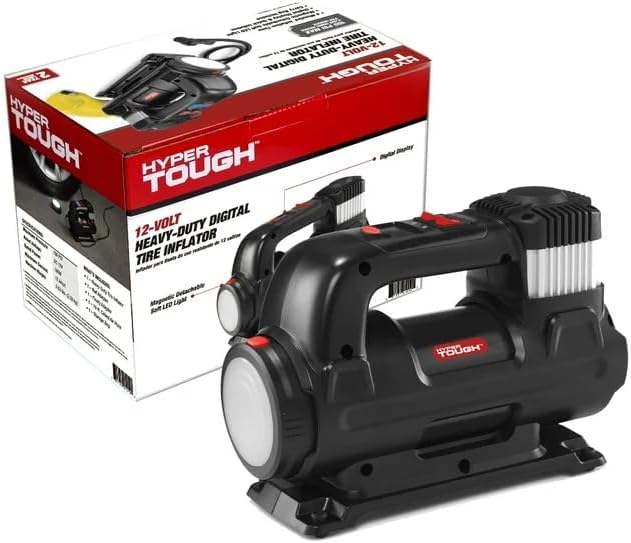
Image: The tire inflator's hose connected to a car tire valve for inflation.
Operating Instructions
- After connecting the inflator to the power source and tire valve, the LCD digital display will illuminate and show the current tire pressure.
- Use the unit selection button (often marked 'R' or 'UNIT') to cycle through desired pressure units: PSI, KPA, or BAR.
- Use the '+' and '-' buttons to set the desired target pressure. The display will show the set pressure.
- Press the power switch (often marked 'ON/OFF' or a red button) to start the inflation. The inflator will begin to fill the tire.
- Monitor the digital display as the tire inflates. The inflator will automatically shut off once the preset pressure is reached.
- Once inflation is complete, turn off the inflator (if it hasn't auto-shut off) and carefully disconnect the air hose from the tire valve. Replace the valve cap.

Image: A close-up view of the digital display on the tire inflator, showing pressure readings.
Multiple Uses
Beyond vehicle tires, the Hyper Tough Digital Tire Inflator is equipped with additional nozzles to inflate a variety of items:
- Bicycles: Use the appropriate nozzle to inflate bicycle tires to their recommended pressure.
- Sports Balls: Attach the needle nozzle to inflate basketballs, footballs, soccer balls, and other sports equipment.
- Air Mattresses & Water Toys: Use the cone-shaped nozzle for larger inflatables like air mattresses, pool floats, and other recreational items.
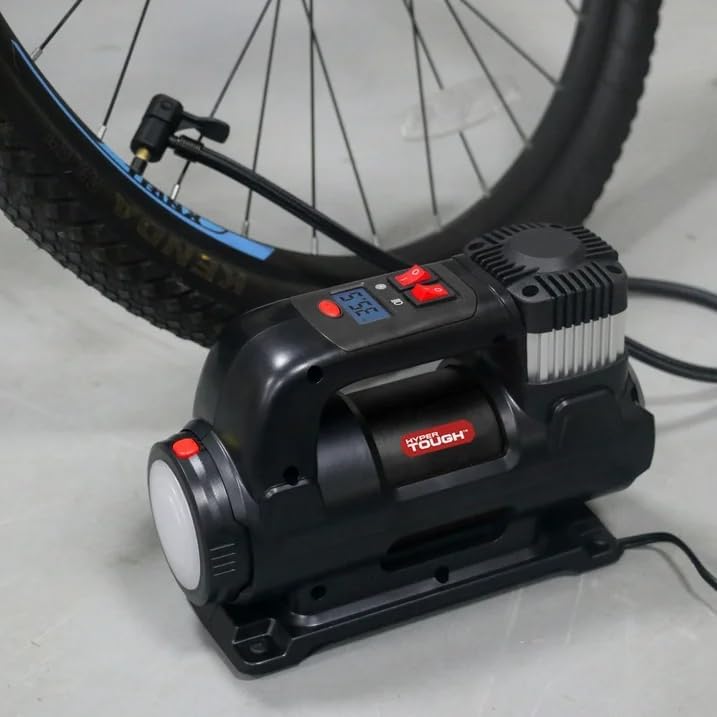
Image: The inflator connected to a bicycle tire for inflation.

Image: The inflator positioned next to a basketball, ready for inflation.
Detachable LED Light
The inflator features a magnetic detachable soft LED light, which can be removed from the main unit and used independently. This light is particularly useful for:
- Illuminating the tire valve area during nighttime inflation.
- Providing light for emergency road repairs.
- General utility lighting in dark environments.
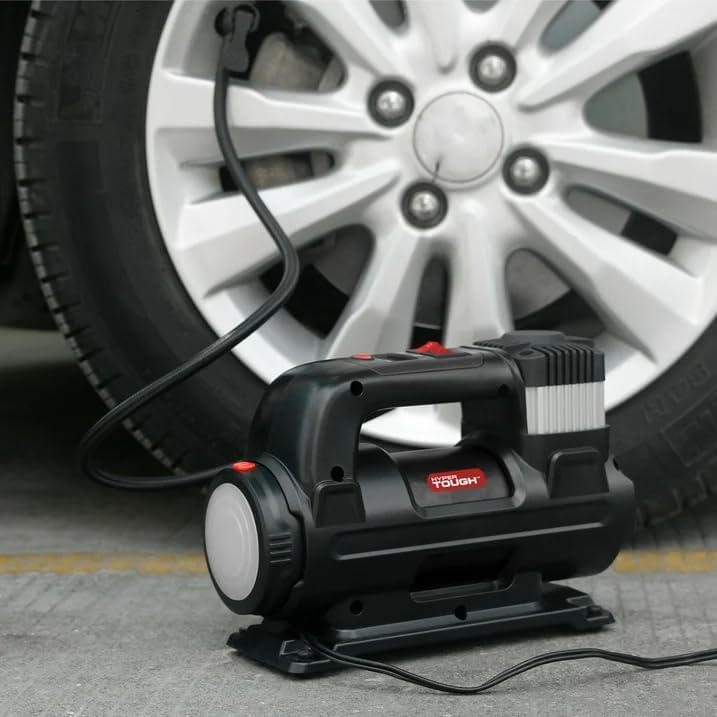
Image: The detachable LED light providing illumination under a car hood during a repair.
Maintenance
- Cleaning: Wipe the unit with a damp cloth to remove dirt and dust. Do not use harsh chemicals or abrasive cleaners.
- Storage: Store the inflator and all accessories in the provided carrying bag in a cool, dry place, away from direct sunlight and extreme temperatures.
- Cord and Hose Inspection: Regularly inspect the power cord and air hose for any signs of damage, kinks, or wear. Replace if necessary.
Troubleshooting
| Problem | Possible Cause | Solution |
|---|---|---|
| Inflator does not turn on. | No power from 12V socket; loose connection; vehicle engine not running. | Check 12V socket for power; ensure plug is fully inserted; start vehicle engine. |
| Inflator runs but no air comes out. | Air hose not securely attached; hose kinked or blocked. | Ensure air hose is tightly connected to valve; check hose for obstructions. |
| Inflator overheats and shuts off. | Prolonged continuous use. | Allow the unit to cool down for 10-15 minutes before resuming operation. |
| Inaccurate pressure reading. | Loose connection to tire valve; unit not calibrated. | Ensure a tight seal on the tire valve; compare reading with a known accurate gauge. |
Specifications
| Feature | Detail |
|---|---|
| Model Number | RCP-B55A |
| Power Source | 12V DC Corded Electric |
| Maximum Pressure | 100 PSI |
| Inflation Time (195/65R 15" tire, 0-35 PSI) | Less than 4 minutes |
| Display Type | LCD Digital with Backlight |
| Pressure Units | PSI, KPA, BAR |
| Power Cord Length | 10 ft |
| Coil Air Hose Length | 490 cm |
| Special Features | Heavy Duty, Detachable LED Light, Air-Cooled Motor |
| Included Components | Carry bag, 2 extra nozzles |
Warranty and Support
This Hyper Tough Digital Tire Inflator comes with a 2-Year Limited Warranty. Please retain your proof of purchase for warranty claims. For technical support, troubleshooting assistance, or warranty inquiries, please refer to the contact information provided on the product packaging or the official Hyper Tough website.

Image: Product packaging highlighting the 2-Year Limited Warranty.


