
Product Overview
The CAMWORLD AC14D is a compact and portable 4K 56MP digital camera designed for ease of use, making it suitable for beginners, students, and children. It features 18X digital zoom, anti-shake functionality, and comes with a 32GB memory card and two batteries. This manual provides essential information for setting up, operating, and maintaining your camera.
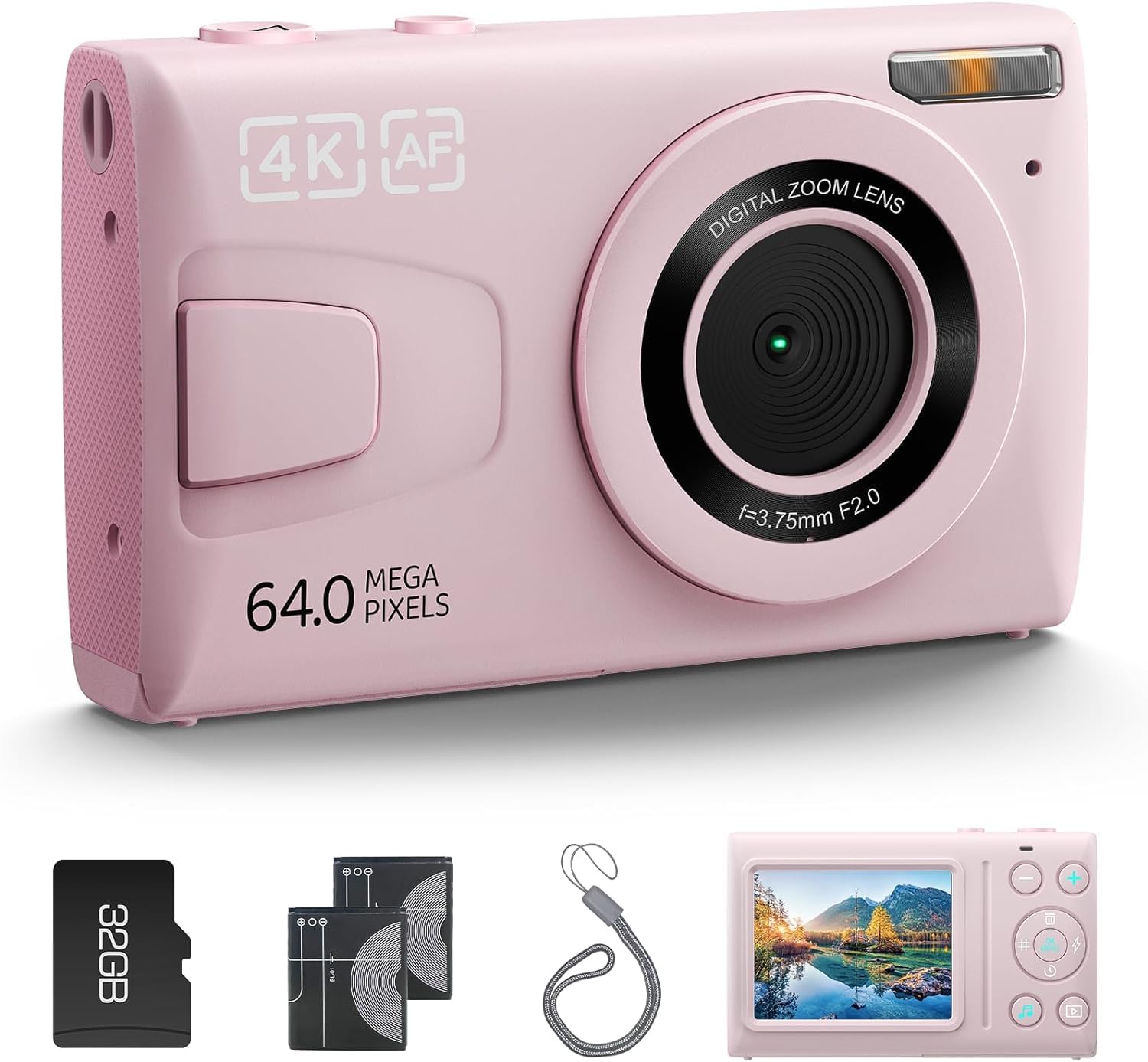
Image: Front view of the CAMWORLD AC14D 4K 56MP Digital Camera in pink.
Setup
1. Battery Installation and Charging
The camera uses Lithium-Ion batteries. Ensure batteries are fully charged before first use.
- Open the battery compartment cover located on the bottom of the camera.
- Insert the charged battery, ensuring correct polarity.
- Close the battery compartment cover securely.
- To charge, connect the camera to a power source using the provided USB Type-C cable. The charging indicator light will show charging status.
2. Memory Card Insertion
A Micro SD card (32GB included) is required to store photos and videos.
- Locate the Micro SD card slot, usually next to the battery compartment or on the side.
- Insert the Micro SD card with the gold contacts facing the camera's front until it clicks into place.
- To remove, gently press the card until it springs out.
3. Powering On/Off
Press and hold the power button (usually marked with a circle and vertical line) to turn the camera on or off.
Video: Demonstrates powering on the camera, navigating menus, setting date/time, formatting the memory card, and adjusting settings like white balance and ISO. It also shows how to switch between photo and video modes, use continuous shooting, and adjust digital zoom.
Operating Instructions
1. Basic Photography
- Power On: Press and hold the power button.
- Switch Modes: Press the 'MODE' button (often labeled with a play icon or 'M') to switch between photo, video, and playback modes.
- Focusing: Half-press the shutter button to autofocus. The focus frame will turn green when focus is achieved.
- Taking a Photo: Fully press the shutter button to capture the image.
2. Video Recording
- Switch to Video Mode: Press the 'MODE' button until the video icon is displayed.
- Start/Stop Recording: Press the shutter button to start recording. Press it again to stop.
3. Zoom Function
Use the '+' and '-' buttons (often located near the shutter button) to adjust the digital zoom. The zoom level will be displayed on the screen.
4. Menu Navigation and Settings
Press the 'MENU' button (often labeled 'OK/MENU') to access camera settings. Use the directional buttons to navigate and 'OK' to confirm selections.
- Photo Resolution: Adjust image size (e.g., 64MP).
- Timed Shot (Self-Timer): Set a delay (e.g., 3s, 5s, 10s, 20s) before taking a photo.
- Drama Shot (Continuous Shooting): Capture multiple photos in quick succession (e.g., 3P/S, 5P/S, 10P/S).
- White Balance: Adjust color temperature (Auto, Sunny, Cloudy, Incandescent Light).
- ISO: Adjust light sensitivity (Auto, 100, 200, 400, 800, 1600, 3200, 6400).
- Exposure: Adjust brightness compensation.
- Color Effect: Apply various filters (Normal, Black and White, Negative Film, Lomo, Dogeye, High Saturation, Red, Green, Blue, Retro).
- Date-Time: Set the current date and time for accurate timestamps on photos and videos.
- Format: Format the memory card to clear all data. Warning: This will erase all files on the card.

Image: Overview of the CAMWORLD AC14D camera highlighting 4K video, 64MP image, autofocus, fill light, 18X zoom, MP3 player, 32GB card, and self-timer features.

Image: Friends taking a selfie, demonstrating the camera's ease of use for capturing moments.

Image: A woman using the camera, with green frames indicating autofocus functionality.

Image: The camera showing the effect of flash being turned on and off in low light conditions.

Image: A family enjoying a meal, with the camera screen showing an MP3 player interface, indicating its multimedia capabilities.

Image: A boy standing on a mountain, illustrating the camera's 18X digital zoom capability at various magnifications (4X, 8X, 18X).

Image: A group of friends taking a selfie, with self-timer icons (3s, 5s, 10s, 20s) indicating the camera's self-timer function.

Image: An ATV rider in various action shots, demonstrating the continuous shooting feature of the camera.

Image: A film strip surrounding the camera, symbolizing its video recording capabilities and the memories it can capture.

Image: Cyclists on a mountain trail, with one image blurred to illustrate the effect of movement, highlighting the camera's anti-shake feature.

Image: A person vlogging with the camera, surrounded by social media icons, indicating its suitability for content creation and sharing.
Features
- High Resolution: 64MP effective still resolution for detailed photos.
- 4K Video: Records video at 2160p resolution (4K 30FPS).
- Digital Zoom: 18X optical zoom for capturing distant subjects.
- Autofocus: Contrast Detection Auto Focus for clear images.
- Anti-Shake: Digital image stabilization to reduce blur from camera movement.
- Compact Design: Portable and easy to handle.
- 2.4-inch Display: Clear LCD screen for framing and reviewing shots.
- Connectivity: USB Type-C for data transfer and charging.
- Memory: Supports Micro SD cards up to 32GB (32GB card included).
- Self-Timer: Options for 3s, 5s, 10s, 20s delays.
- Continuous Shooting: Capture multiple frames per second (3P/S, 5P/S, 10P/S).
- Built-in Flash: For low-light conditions.
- MP3 Player: Play audio files from the SD card.
Specifications
| Feature | Specification |
|---|---|
| Model Number | AC14D |
| Effective Still Resolution | 64 MP |
| Video Capture Resolution | 4K (2160p) 30FPS |
| Optical Zoom | 18 x |
| Display Size | 2.4 Inches |
| Sensor Type | CMOS |
| Image Stabilization | Digital |
| Connectivity Technology | USB Type-C, Wi-Fi |
| Memory Storage Capacity | 32 GB (Micro SD) |
| Battery Type | Lithium Ion |
| Battery Average Life | 2 Hours |
| Item Dimensions (D x W x H) | 0.66"D x 3.77"W x 2.2"H |
| Supported File Format | JPEG (Image), 4K (Video) |
| Continuous Shooting Speed | 30 FPS |
| Microphone Technology | Mono |
Maintenance
- Cleaning: Use a soft, dry cloth to clean the camera body. For the lens, use a specialized lens cleaning cloth and solution. Avoid abrasive materials.
- Storage: Store the camera in a cool, dry place away from direct sunlight and extreme temperatures. Remove the battery if storing for extended periods.
- Battery Care: Do not expose batteries to high temperatures. Charge regularly even if not in use to maintain battery health.
- Memory Card: Regularly back up your photos and videos to a computer or cloud storage. Format the card periodically to maintain optimal performance.
Troubleshooting
- Camera not turning on: Ensure the battery is fully charged and correctly inserted. Try using the second battery if available.
- Cannot take photos/videos: Check if the memory card is inserted and has sufficient free space. The card might need formatting (see Setup section).
- Images are blurry: Ensure the lens is clean. Half-press the shutter button to allow the camera to focus before fully pressing to capture. Use the anti-shake feature if available.
- Date/Time resets: This can happen if the battery is completely drained or removed for a long time. Reset the date and time in the system settings.
- Camera freezes: Remove the battery for a few seconds, then reinsert it and restart the camera.
Warranty and Support
CAMWORLD products typically come with a 1-year hassle-free warranty. For technical support, troubleshooting assistance, or warranty claims, please contact CAMWORLD customer service. Refer to the product packaging or the official CAMWORLD website for contact information.

Image: A child happily using the CAMWORLD AC14D camera, emphasizing its appeal as a gift.

Image: A detailed packing list showing the camera, 32GB SD card, Type-C cable, two batteries, user manual, and lanyard.