
Introduction
This manual provides detailed instructions for the safe and efficient operation, setup, and maintenance of your flexman 800MHz Hoist Controller, Model YU-6. Designed for industrial applications, this controller offers reliable performance in demanding environments.
Safety Information
Warning: Always read and understand all safety warnings and instructions before operating this equipment. Failure to follow these instructions may result in serious injury or death.
- Ensure all personnel are clear of the load before operating the hoist.
- Verify the hoist and controller are in good working condition before each use.
- Do not operate the controller if it is damaged or malfunctioning.
- Only qualified personnel should perform installation and maintenance.
- Disconnect power to the hoist before performing any maintenance or installation.
- This controller is designed for specific industrial applications. Do not use it for purposes other than those specified.
Package Contents
Verify that all items listed below are present in your package:
- 1 x Receiver Unit
- 2 x Handheld Controller Units
- 2 x Transparent Protective Bags for Controllers
- 2 x Wiring Harnesses

Image: The complete package contents, showing two handheld controllers, a receiver unit, and associated wiring.
Product Overview and Features
The flexman 800MHz Hoist Controller (Model YU-6) is engineered for robust performance in challenging industrial environments. Key features include:
- Stable and Reliable Performance: Designed to meet stringent industrial stability requirements.
- Durability: Rigorously tested for harsh environments, offering anti-fall, waterproof, oil-resistant, and acid-resistant properties.
- Wide Application: Suitable for cranes, conveyors, coal mining equipment, concrete pumps, and other mechanical systems.
- Advanced Transmission: Utilizes an 800MHz transmission frequency for good anti-interference ability, ensuring consistent control.
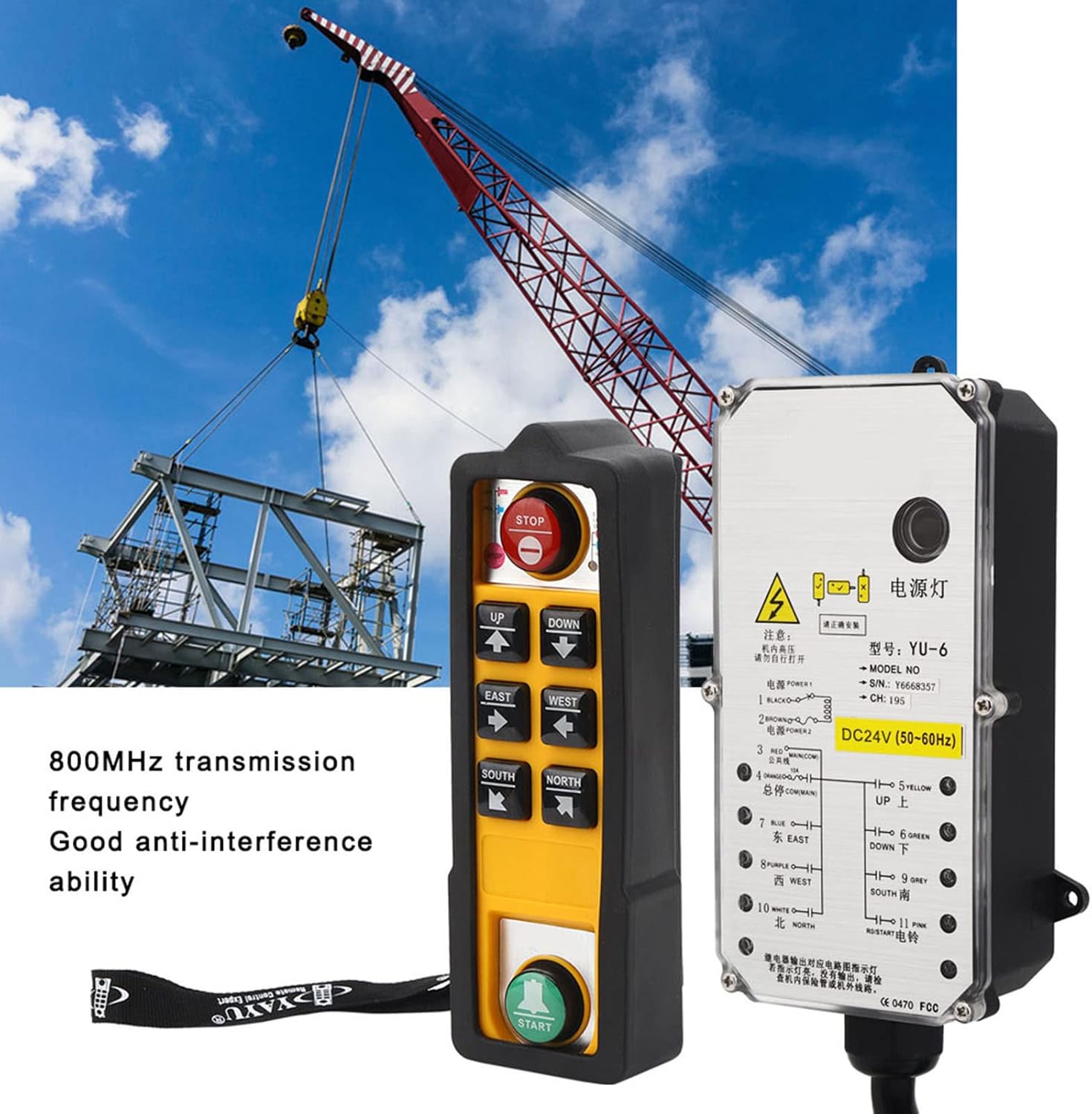
Image: The hoist controller and receiver unit shown against an industrial crane, highlighting its stable and reliable performance in industrial settings.
Specifications
| Feature | Detail |
|---|---|
| Item Type | Hoist Controller |
| Product Model | YU-6 |
| Voltage (Current Product) | DC24V |
| RF Frequency | 800MHz |
| Controller Type | Button Control |
| Special Features | Anti-fall, Waterproof, Acid Resistant, Oil Resistant |
| Max Supported Devices | 1 (Receiver paired with 2 controllers) |
| Package Dimensions | 11.02 x 7.09 x 5.51 inches |
| Item Weight | 3.26 pounds |
| Manufacturer | flexman |
Setup
Proper installation of the receiver unit is crucial for safe and reliable operation. Consult a qualified electrician for installation if you are unsure.
- Mount the Receiver: Select a secure, dry location near the hoist or machinery that is protected from excessive vibration and physical damage. Ensure the receiver's antenna has a clear line of sight to the operating area.
- Wiring Connection:
- Ensure the main power to the hoist/machinery is disconnected and locked out before wiring.
- Connect the receiver's wiring harness to the hoist's control circuit according to the wiring diagram provided with your hoist system. The receiver's wires are color-coded for specific functions (e.g., UP, DOWN, EAST, WEST, START, STOP, Power).
- Verify all connections are secure and properly insulated.
- Power On: Once wiring is complete and verified, restore power to the hoist/machinery. The receiver's power indicator light should illuminate.
- Controller Pairing (if necessary): The controllers are typically pre-paired with the receiver. If pairing is required, refer to the specific pairing instructions provided with your unit or contact flexman support.

Image: The receiver unit displaying its wiring harness, which connects to the hoist's control system.
Operating Instructions
Familiarize yourself with the controller's buttons before operating the hoist.

Image: A close-up view of the handheld controller, detailing the layout and function of its control buttons.
- Power On Controller: Press the START button to activate the controller.
- Movement Controls:
- UP / DOWN: Controls vertical movement of the hoist.
- EAST / WEST: Controls horizontal movement along one axis.
- SOUTH / NORTH: Controls horizontal movement along the perpendicular axis.
- Emergency Stop: In case of an emergency or unexpected movement, immediately press the large STOP button. This will cut power to the hoist's control circuit.
- Normal Stop: Release any directional button to stop movement.
- Power Off Controller: After use, press the STOP button to deactivate the controller.
Always maintain a clear view of the load and the operating area. Operate the hoist smoothly and avoid sudden movements.
Maintenance
Regular maintenance ensures the longevity and safe operation of your hoist controller.
- Cleaning: Wipe the controller and receiver with a damp cloth. Do not use harsh chemicals or abrasive cleaners. Ensure the transparent protective bag is clean and free of damage.
- Inspection: Periodically inspect the controller and receiver for any signs of damage, such as cracks in the casing, frayed wires, or loose connections. Check buttons for proper function and responsiveness.
- Battery Replacement (if applicable): If the handheld controller uses replaceable batteries (not specified in product details, assume internal rechargeable or long-life if not mentioned), refer to specific instructions for replacement.
- Environmental Protection: Despite being waterproof and oil-resistant, avoid prolonged exposure to extreme conditions, direct sunlight, or corrosive substances to maximize lifespan.
Troubleshooting
If you encounter issues with your hoist controller, refer to the following common problems and solutions:
| Problem | Possible Cause | Solution |
|---|---|---|
| Controller does not power on. | Low or dead battery (if applicable); internal fault. | Replace batteries (if applicable). If issue persists, contact support. |
| Hoist does not respond to controller. | Receiver not powered; incorrect wiring; out of range; interference; controller not paired. | Check receiver power and wiring. Ensure controller is within operating range. Check for strong interference sources. Re-pair controller if necessary. |
| Intermittent control or erratic movement. | Signal interference; low controller battery; damaged antenna. | Move away from potential interference sources. Replace controller batteries. Inspect receiver antenna for damage. |
| Buttons are unresponsive or stuck. | Debris under button; physical damage. | Clean around buttons. If physically damaged, discontinue use and contact support. |
If troubleshooting steps do not resolve the issue, contact flexman customer support for further assistance.