
Youtime A19 3CCT LED Bulb
Youtime LED Light Bulb A19 3 Color Temperature Instruction Manual
Comprehensive guide for your Youtime 3CCT A19 LED Light Bulb.
Product Overview
The Youtime A19 LED Light Bulb offers versatile lighting with its 3-color temperature changing capability. This energy-saving 9W bulb (equivalent to 60W incandescent) provides 810 lumens of light and features a standard E26 medium screw base, making it suitable for various indoor applications. It allows users to switch between Warm White (3000K), Natural White (4000K), and Daylight (5000K) using a standard light switch, and includes a memory function to recall the last selected color temperature.
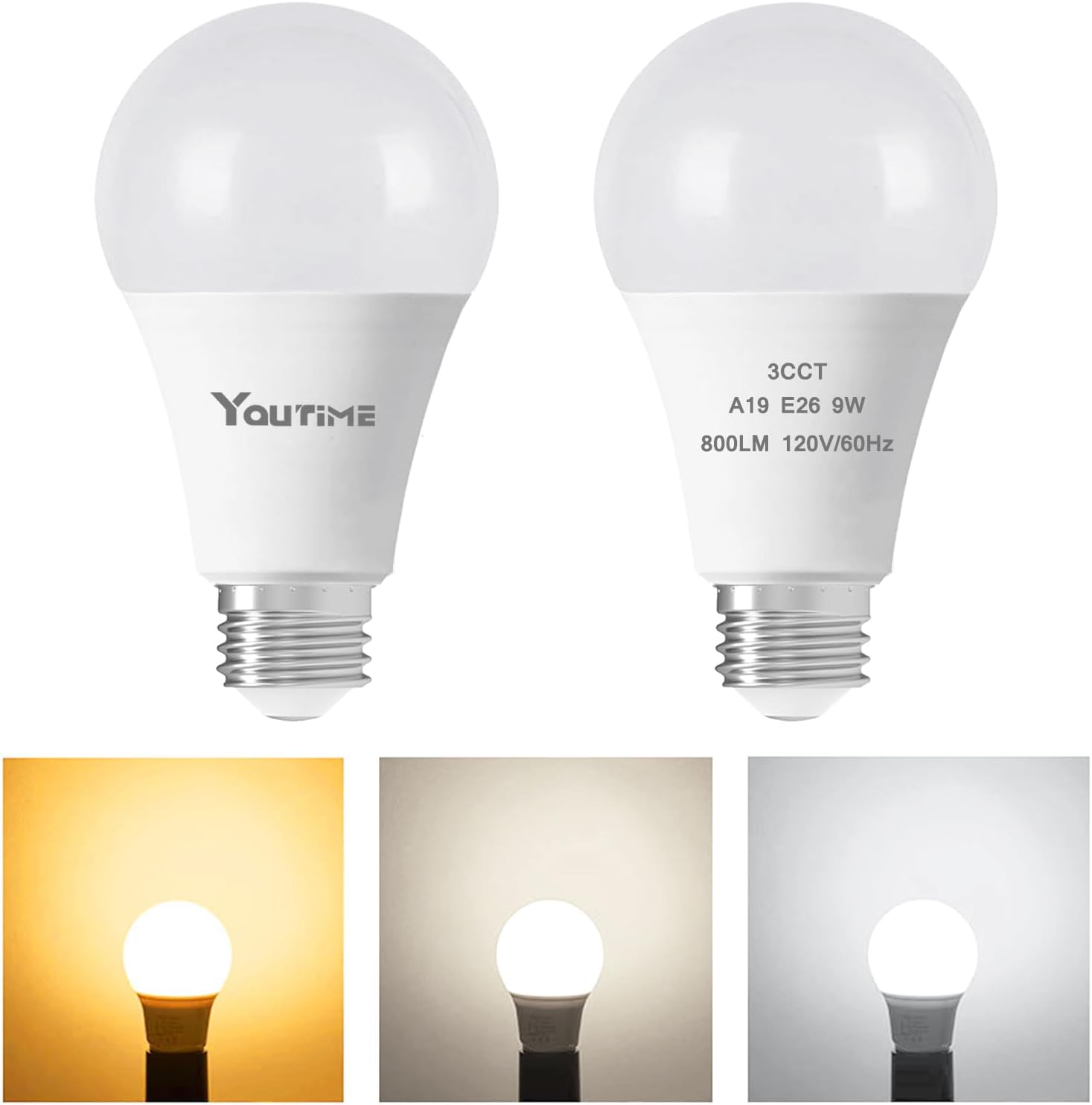
Image: Youtime A19 3CCT LED Light Bulbs and their various color temperatures.
Setup and Installation
Installing your Youtime LED light bulb is a simple process. Ensure the power to the light fixture is turned off before beginning installation to prevent electrical shock.
- Power Off: Locate the light switch or circuit breaker controlling the fixture where the bulb will be installed. Turn off the power completely.
- Remove Old Bulb (if applicable): If replacing an existing bulb, allow it to cool down before carefully unscrewing it counter-clockwise from the socket.
- Insert New Bulb: Gently screw the Youtime A19 LED bulb clockwise into the E26 medium screw base socket until it is snug. Do not overtighten.
- Power On: Restore power to the light fixture by turning on the light switch or circuit breaker.
- Test: Turn the light switch on and off to confirm the bulb illuminates and to cycle through the color temperatures.
Operating Instructions
The Youtime 3CCT LED bulb offers three distinct color temperatures and a memory function, all controlled via your existing light switch.
Changing Color Temperature
To cycle through the available color temperatures (3000K Warm White, 5000K Daylight, 4000K Natural White), simply turn the light switch OFF and then ON again within 10 seconds. Each quick toggle will advance to the next color temperature in the sequence:
- First ON: 3000K Warm White
- Second ON (within 10s): 5000K Daylight
- Third ON (within 10s): 4000K Natural White
- Subsequent quick ON/OFF cycles will repeat this sequence.
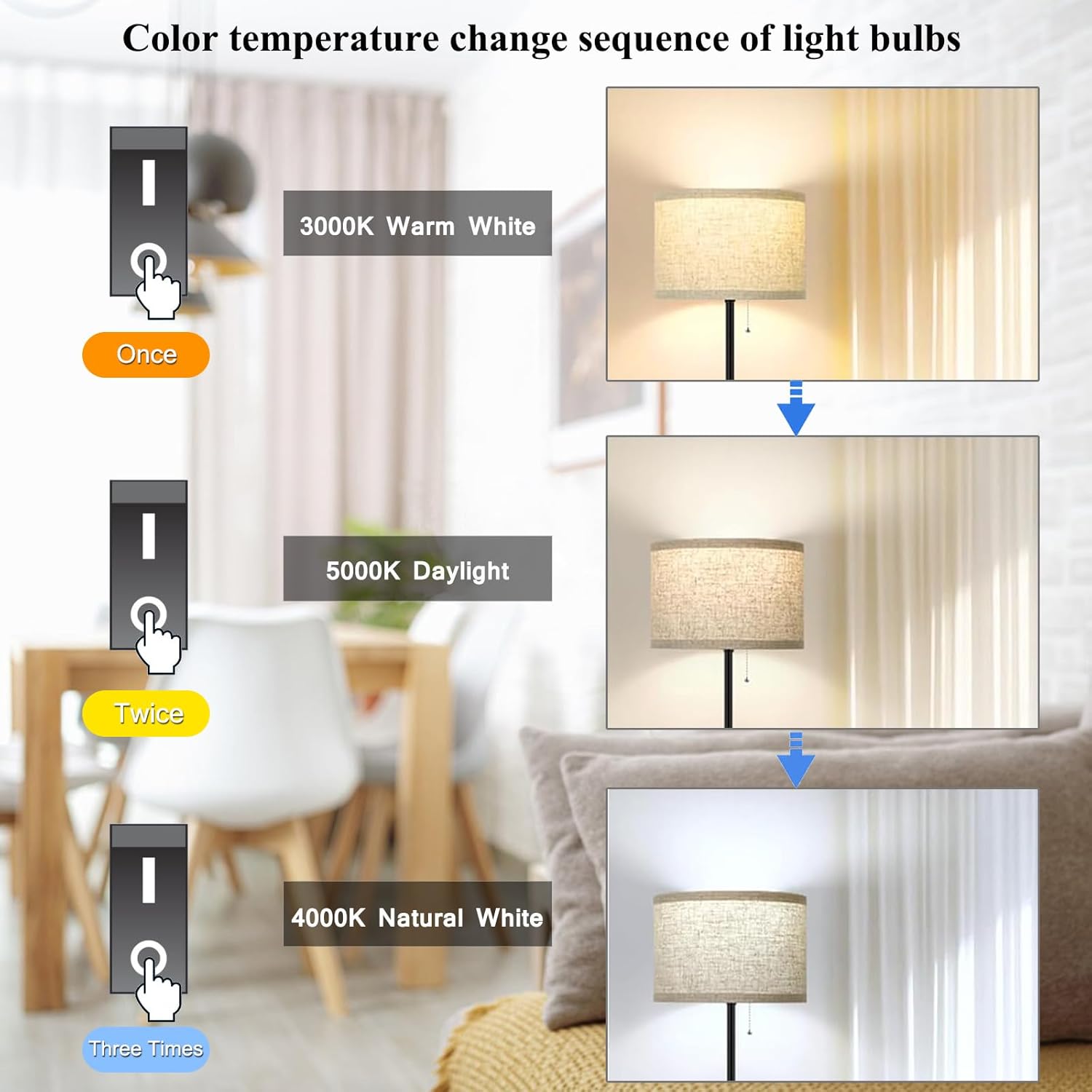
Image: Illustration of how to change color temperatures using a standard light switch.
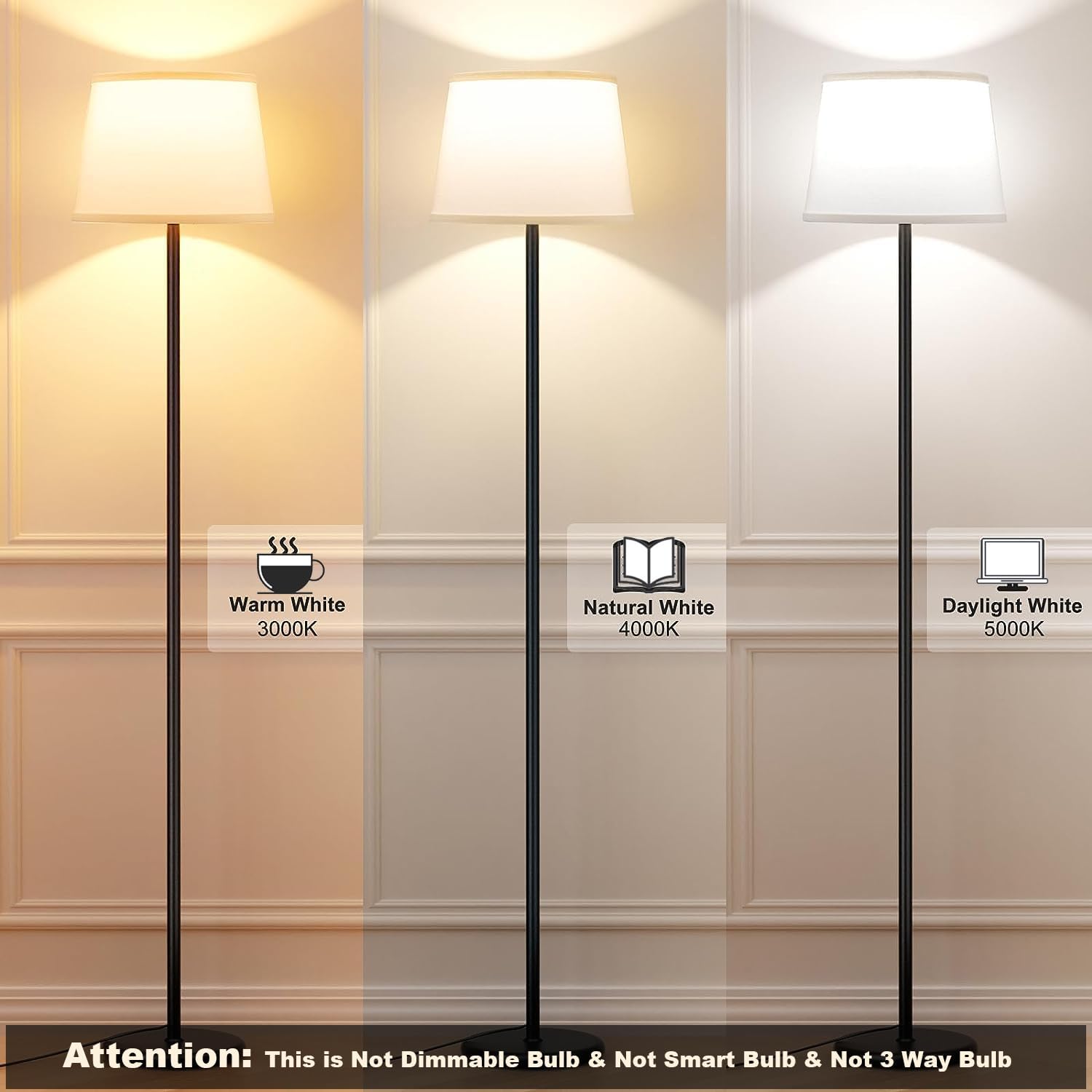
Image: Visual representation of the three color temperatures provided by the bulb.
Memory Function
The bulb is equipped with a memory function. If the light is turned OFF for more than 10 seconds, it will automatically recall and display the last selected color temperature when turned ON again. This feature ensures your preferred lighting setting is maintained without needing to cycle through options each time.

Image: Explanation of the bulb's memory function.
Important Note: This bulb is not dimmable and is not designed for use with dimmer switches. It is also not a smart bulb and does not support 3-way lamp functionality.
Maintenance
Youtime LED bulbs are designed for long-lasting performance and require minimal maintenance. Follow these guidelines to ensure optimal operation:
- Cleaning: Ensure the bulb is cool and the power is off before cleaning. Wipe the bulb with a soft, dry cloth. Do not use liquid cleaners or abrasive materials, as they may damage the bulb.
- Handling: Handle the bulb by its base, not the glass or plastic dome, to avoid transferring oils or damaging the light-emitting components.
- Storage: If storing bulbs, keep them in their original packaging in a cool, dry place to protect them from damage.
- Disposal: Dispose of old or non-functional LED bulbs according to local electronic waste regulations.
Troubleshooting
If you encounter issues with your Youtime LED bulb, refer to the following common problems and solutions:
| Problem | Possible Cause | Solution |
|---|---|---|
| Bulb does not light up. |
|
|
| Bulb flickers or buzzes. |
|
|
| Cannot change color temperature. |
|
|
Specifications
| Brand | Youtime |
| Model | A19 3CCT LED Bulb |
| Special Feature | Color Changing, Non Dimmable |
| Wattage (LED) | 9 Watts |
| Incandescent Equivalent | 60 Watts |
| Bulb Shape Size | A19 |
| Bulb Base | E26 Medium |
| Color Temperatures | 3000K (Warm White), 4000K (Natural White), 5000K (Daylight) |
| Brightness | 810 Lumens |
| Average Life | 25,000 Hours |
| Material | Copper (internal components) |
| Indoor/Outdoor Usage | Indoor |
| Color Rendering Index (CRI) | >80 |
| Product Dimensions | 2.35" W x 4.31" H |

Image: Detailed specifications and dimensions of the Youtime A19 LED bulb.
Warranty and Support
Youtime is committed to providing high-quality products. While specific warranty details are not provided in this manual, most Youtime products come with a standard manufacturer's warranty covering defects in materials and workmanship.
For product support, warranty claims, or any questions regarding your Youtime LED Light Bulb, please contact Youtime customer service through the retailer where you purchased the product or visit the official Youtime brand store on Amazon:
Youtime Amazon Store: Visit Youtime Store on Amazon
Please have your purchase details and product model number (A19 3CCT LED Bulb) ready when contacting support.
Ask a question about this manual
Ask about setup, troubleshooting, compatibility, parts, safety, or missing instructions. Manuals+ will review the question and use this page’s manual context to help answer it.