
1. Introduction
The TONGVEO 5.8GHz Wireless Conference Room Webcam (Model TV-V3W) is designed to provide high-quality video conferencing and live streaming solutions. Featuring 3X optical zoom, 1080P 60fps video, and PTZ (Pan-Tilt-Zoom) capabilities, this camera offers flexible control and broad compatibility for various professional and personal applications. This manual provides essential information for setting up, operating, and maintaining your device.
2. What's in the Box
- IR remote control x 1
- 9.8ft USB 2.0 cable x 1
- Wall bracket x 1 with screws
- User manual x 1
- DC 12V power adaptor x 1
- 5.8GHz USB receiver x 1
3. Product Overview
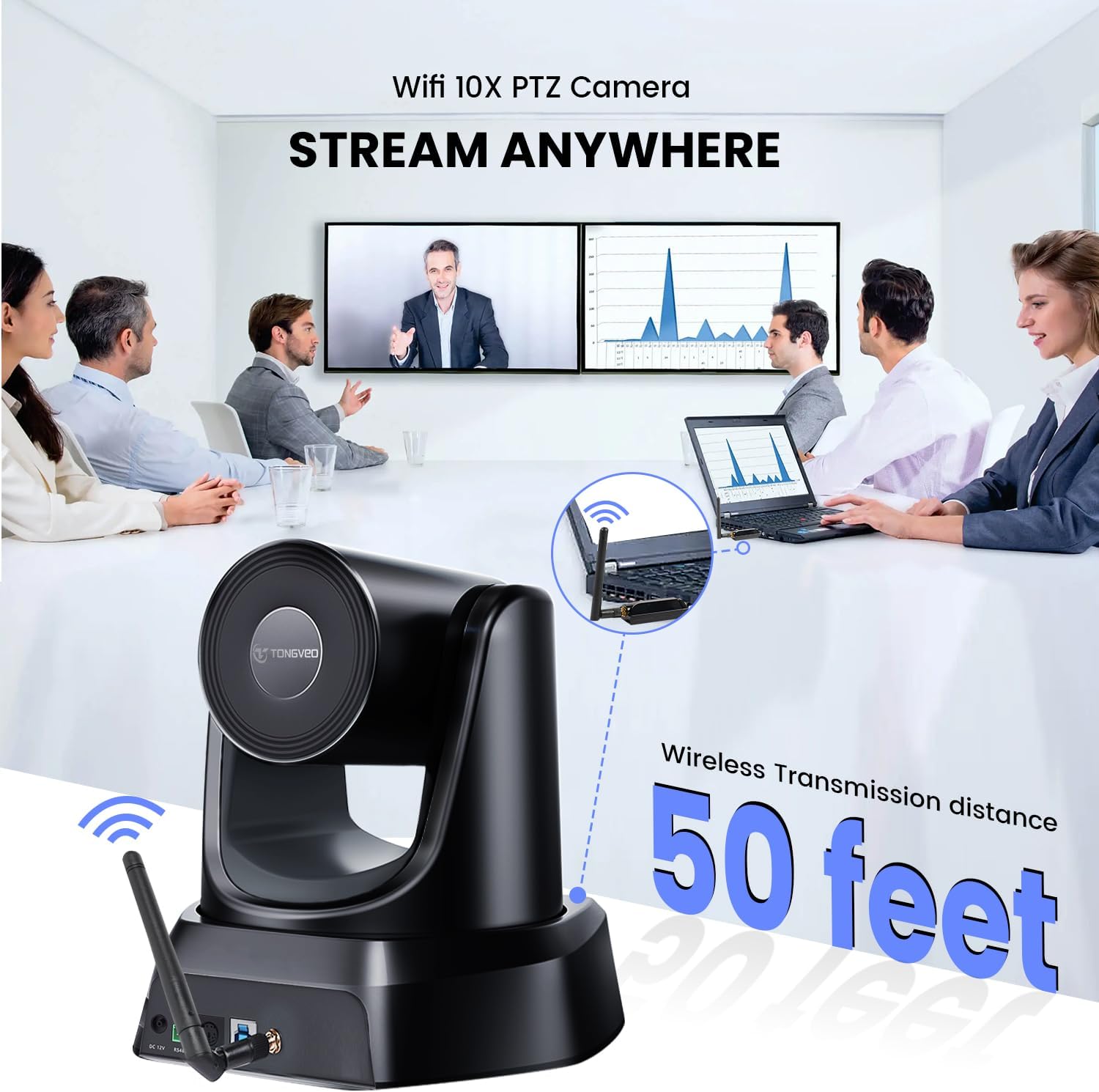
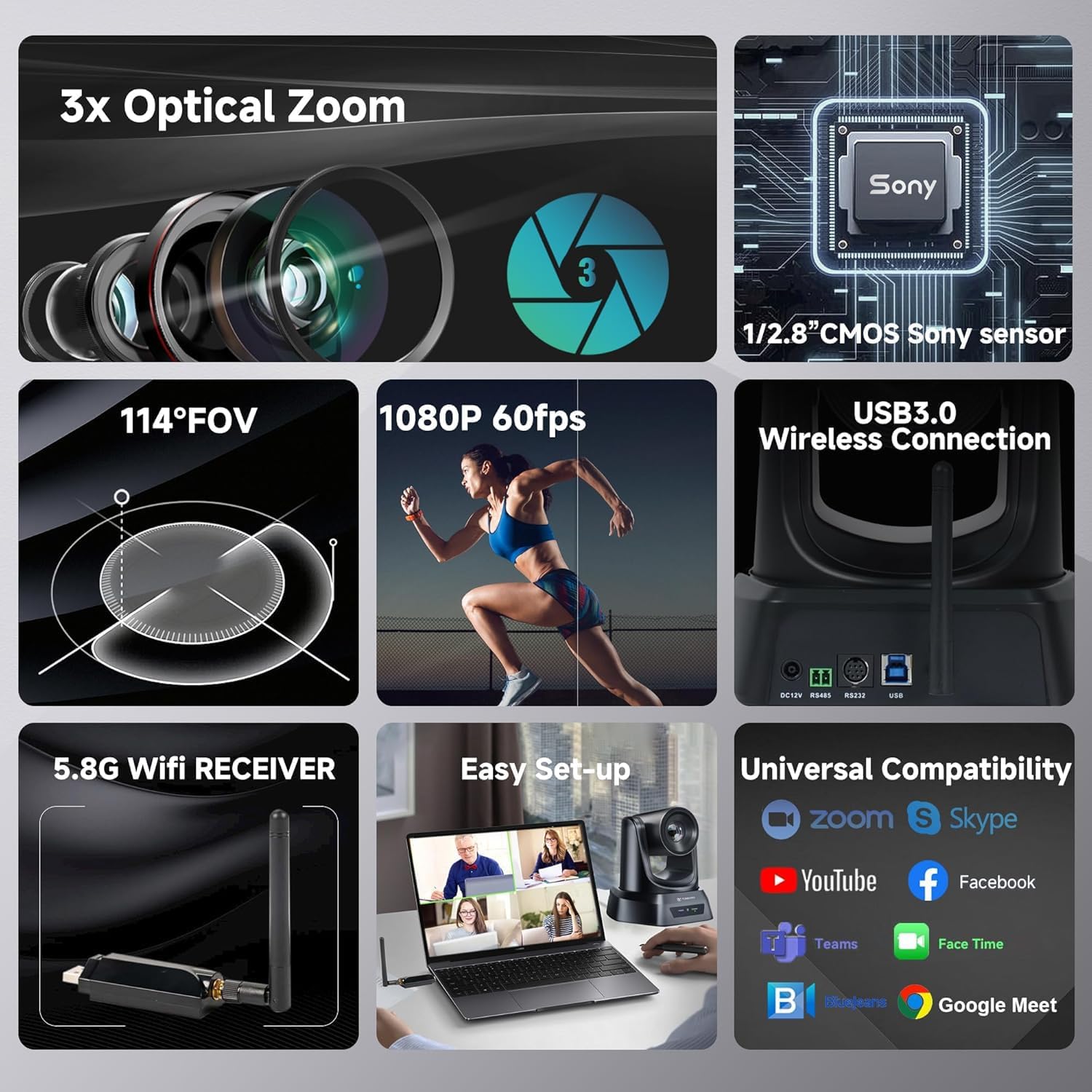
The TONGVEO TV-V3W camera is a versatile PTZ camera offering 3X optical zoom and 1080P video resolution at 60 frames per second. It features a 5.8GHz wireless connection for transmission distances up to 50 feet, ensuring clear and undistorted video. The camera supports various video compression formats including YUV, MJPG, and H.264, optimizing motion video under different bandwidth conditions. Its silent pan and tilt mechanism allows for precise remote control, making it suitable for diverse environments.
4. Setup
4.1 Wireless Connection Steps
- Attach the camera's antenna to the rear wireless port on the camera unit.
- Attach the second antenna to the PC's 5.8GHz USB dongle.
- Connect the dongle (with antenna) to an available USB port on your computer.
- Connect the DC 12V power adapter to the camera and plug it into a power outlet.
- Your computer should automatically recognize the camera without needing driver installation.
- Open your video conferencing software (e.g., Zoom, OBS) and select the TONGVEO camera as your video input.


4.2 Wired Connections
The camera also supports wired connections via USB 3.0, RS232, and RS485 interfaces for direct control or integration with professional control systems.

5. Operating the Camera
5.1 Remote Control Functions
The included IR remote control allows for easy adjustment of camera settings and movement. Key functions include:
- Camera Select: Control up to 4 cameras.
- Position Presets: Save and recall up to 10 preset camera positions.
- Pan/Tilt: Control 350° horizontal pan and 180° vertical tilt with speed settings.
- Zoom/Focus: Adjust optical zoom (3X) and focus (auto/manual).
- Menu: Access camera settings.
- Brightness/Mirror/Freeze: Adjust image properties.

5.2 Setting Presets
To set a preset position:
- Use the pan, tilt, and zoom controls to adjust the camera to your desired position.
- Press the PRESET button on the remote.
- Immediately press a number (0-9) to save the current position to that preset number.
To recall a preset position, simply press the desired number (0-9) on the remote.

6. Compatibility
The TONGVEO TV-V3W webcam is designed for broad compatibility with various operating systems and conferencing applications:
- Operating Systems: Windows XP, Vista, 7/8/8.1, 10, 11, and Mac 10.4 or higher.
- Conferencing Software: Zoom, WebEx, GoToMeeting, BlueJeans, OBS, and more.
7. Mounting Options
The camera offers flexible mounting options to suit different environments:
- Desk placement
- Monitor mounting
- Wall mounting (using included bracket and screws)
- Tripod mounting
- Ceiling mounting (can be installed upside-down)

8. Maintenance
- Keep the camera lens clean using a soft, dry cloth. Avoid abrasive cleaners.
- Store the camera in a cool, dry place when not in use.
- Avoid exposing the camera to extreme temperatures or humidity.
9. Troubleshooting
- Wireless Connection Issues: If the wireless connector heats up after long use, it is normal. Unplug it and allow it to cool down; it should then function normally. Ensure the receiver is uniquely paired with your camera; disassembling it may prevent wireless connection.
- Camera Not Recognized: Ensure all cables are securely connected and the camera is powered on. Try connecting to a different USB port or restarting your computer.
- Remote Control Not Responding: Check the batteries in the remote control. Ensure there are no obstructions between the remote and the camera's IR receiver.
10. Specifications
| Feature | Detail |
|---|---|
| Brand | TONGVEO |
| Model Number | TV-V3W |
| Item Weight | 6.03 pounds |
| Color | Black |
| Photo Sensor Technology | CMOS |
| Video Capture Resolution | 1080p |
| Special Features | PTZ Camera with 3X optical zoom, 1080P 30fps, 350° Pan & 90° Tilt, USB plug and play, Remote Control, RS232/RS485 Support |
| Connectivity Technology | USB |
11. Official Product Videos
11.1 Wireless Conference Webcam, 3X USB 1080P 60fps PTZ Camera
Video Description: This official TONGVEO video demonstrates the key features and setup of the 5.8GHz Wireless Conference Room Webcam, including its 3X optical zoom, 1080P 60fps PTZ capabilities, and various connection options. It highlights the ease of use and versatility for different conference and streaming scenarios.
12. Warranty and Support
For warranty information, technical support, or any inquiries regarding your TONGVEO TV-V3W camera, please refer to the contact details provided in the included user manual or visit the official TONGVEO website.
