
1. Introduction
Thank you for choosing the TechGlow L36. This multi-functional device integrates a foldable cellphone stand, a wireless Bluetooth speaker, a dual alarm clock, and a charging station. It is designed to enhance your daily experience by providing convenience for media consumption, hands-free communication, time management, and device charging.

The TechGlow L36 device showcasing its primary functions as a phone stand, Bluetooth speaker, and alarm clock.
2. Safety Information
- Do not expose the device to extreme temperatures, direct sunlight, or high humidity.
- Avoid dropping or subjecting the device to strong impacts.
- Keep away from water and other liquids.
- Do not attempt to disassemble or repair the device yourself. Contact qualified service personnel.
- Use only the provided charging cable or a certified equivalent.
3. Package Contents
- Bluetooth Speaker Stand with Alarm Clock (TechGlow L36)
- Type C Data Cable
- User Manual
4. Product Overview
Familiarize yourself with the various components and controls of your TechGlow L36 device.

A comprehensive diagram of the TechGlow L36, with each button and feature clearly numbered for user reference in the manual.
- Volume Up: Increases audio volume.
- Volume Down: Decreases audio volume.
- Power On/Mode: Long press to power on/off. Short press to switch modes (Bluetooth, TF/SD Card, AUX).
- SNOOZE/DIMMER: Short press to snooze alarm. Long press to adjust display brightness.
- Play/Pause/Answer: Plays or pauses music. Answers or ends phone calls.
- Bluetooth Pair: Initiates Bluetooth pairing mode.
- Previous: Skips to the previous track.
- Next: Skips to the next track.
- Time Setting: Enters time setting mode.
- Alarm Volume: Adjusts alarm volume.
- Alarm Clock 1: Activates/deactivates and sets Alarm 1.
- 12/24-Hour Time: Toggles between 12-hour and 24-hour time display.
- Temperature Setting: Toggles between Fahrenheit and Celsius temperature display.
- Alarm Clock 2: Activates/deactivates and sets Alarm 2.
5. Setup
5.1 Initial Charging
Before first use, fully charge the device using the provided Type C data cable. Connect the cable to the input port on the device and a compatible USB power adapter (not included). The battery indicator on the display will show charging status.
5.2 Adjusting the Phone Stand
The integrated phone stand is foldable and adjustable. Gently pull up the stand from the top of the device. You can adjust its height and angle to suit your viewing preference. Ensure your smartphone or tablet (4-13 inches) is securely placed in the stand.
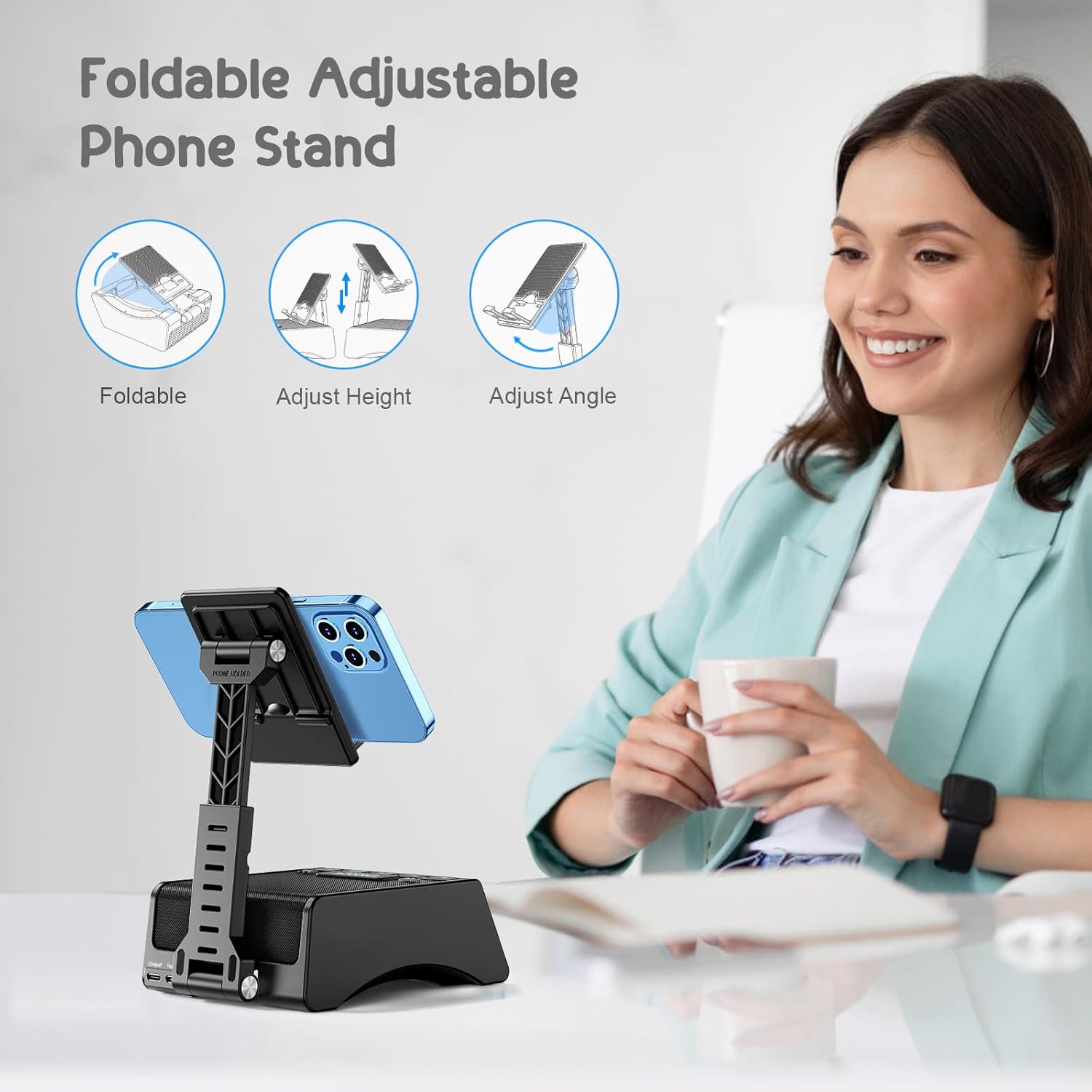
The phone stand component of the TechGlow L36 is designed for flexibility, allowing users to fold it for portability and adjust its height and viewing angle for optimal comfort.
6. Operating Instructions
6.1 Power On/Off
Long press the Power On/Mode button to turn the device on or off.
6.2 Bluetooth Pairing
- Turn on the TechGlow L36. It will automatically enter Bluetooth pairing mode, indicated by a flashing Bluetooth icon on the display.
- On your smartphone or tablet, enable Bluetooth and search for available devices.
- Select "TechGlow L36" from the list to connect. Once paired, the Bluetooth icon will stop flashing and remain solid.
- To disconnect, long press the Bluetooth Pair button.
6.3 Music Playback
- Bluetooth: After successful pairing, play music from your connected device. Use the Play/Pause, Previous, and Next buttons on the speaker or your device to control playback.
- TF/SD Card: Insert a TF/SD card into the designated slot. The device will automatically switch to TF/SD card mode.
- AUX Connection: Connect an external audio device via the AUX port (cable not included).
6.4 Phone Call Function
When a call comes in while connected via Bluetooth, press the Play/Pause/Answer button to answer. Press again to end the call.
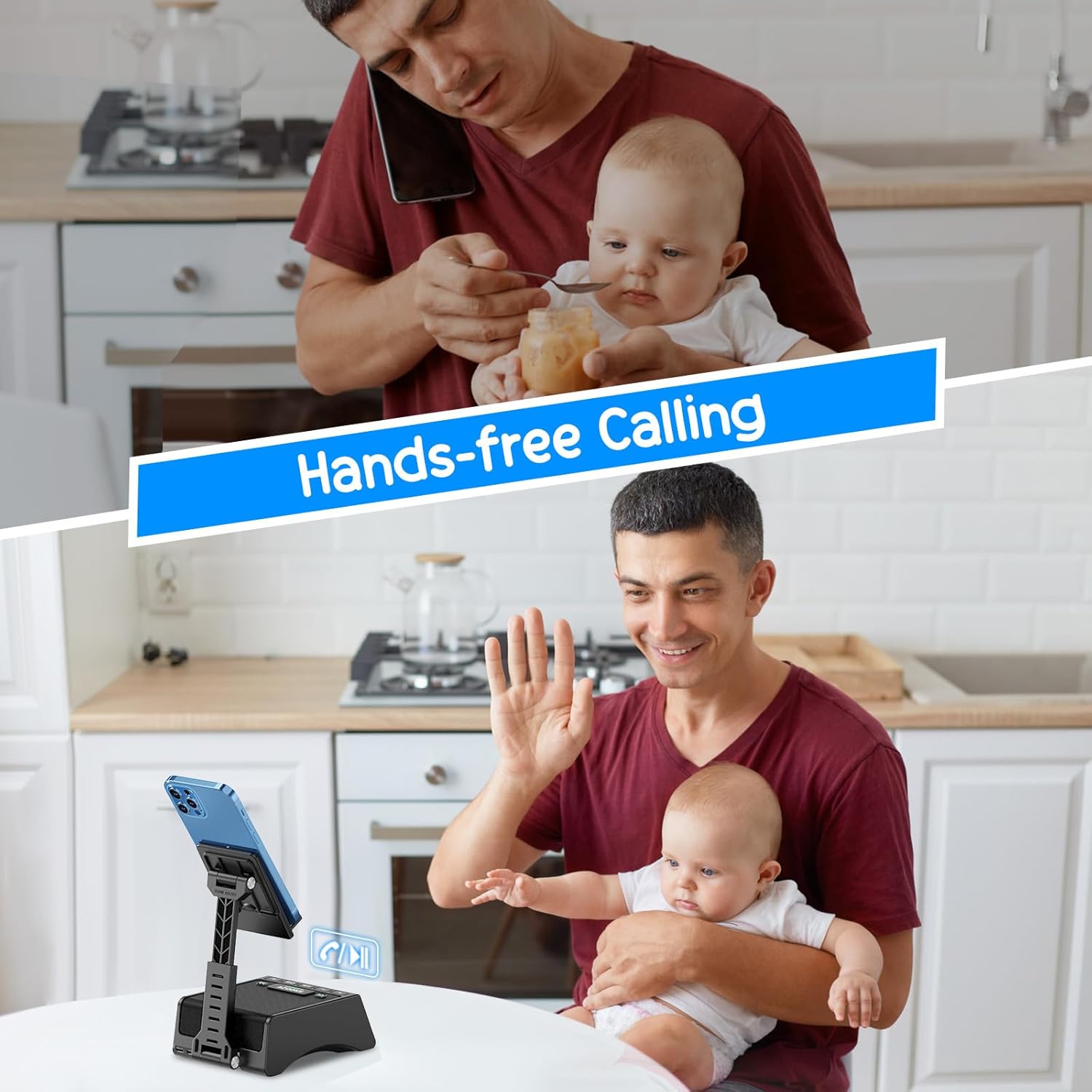
The TechGlow L36 facilitates hands-free calling, allowing users to communicate clearly while their phone is securely mounted.
6.5 Alarm Clock Settings
The device features dual alarms and various display settings.
- Setting Time: Press the Time Setting button. Use the Previous and Next buttons to adjust hours and minutes. Press Time Setting again to confirm.
- Setting Alarms: Press the Alarm Clock 1 or Alarm Clock 2 button. Use Previous and Next to set the alarm time. Press the alarm button again to confirm.
- Snooze Function: When an alarm sounds, press the SNOOZE/DIMMER button for an additional 5 minutes of sleep.
- Adjusting Brightness: Long press the SNOOZE/DIMMER button to cycle through 4 levels of display brightness.
- 12/24H Format: Press the 12/24-Hour Time button to switch between 12-hour and 24-hour display.
- Temperature Display: Press the Temperature Setting button to toggle between Fahrenheit (°F) and Celsius (°C).
This video demonstrates how to adjust various screen functions on the TechGlow L36, including setting alarms, changing time formats (12H/24H), and switching between Fahrenheit and Celsius for temperature display.
A brief demonstration of the TechGlow L36's display brightness adjustment and basic button interactions.
6.6 Charging External Devices
Connect your smartphone or tablet to the USB output port on the TechGlow L36 using your device's charging cable. The TechGlow L36 must be connected to its own power source for this feature to function.

This image highlights the multi-functional design of the TechGlow L36, demonstrating its capabilities as a phone stand, Bluetooth speaker, dual alarm clock, and a charging station for other devices.
7. Maintenance
- Clean the device with a soft, dry cloth. Do not use abrasive cleaners or solvents.
- Store the device in a cool, dry place when not in use.
- Avoid blocking the speaker grille or ventilation openings.
8. Troubleshooting
- No Power: Ensure the device is fully charged or connected to a power source.
- No Sound: Check the volume levels on both the device and your connected audio source. Ensure Bluetooth is properly connected or the correct mode is selected.
- Bluetooth Disconnection: Ensure the device is within the effective range (up to 10 meters) of your paired device. Try re-pairing the devices.
- Display Not Working: Check brightness settings using the SNOOZE/DIMMER button.
- Phone Not Charging: Ensure the TechGlow L36 is connected to its own power source and the charging cable is securely connected to your phone and the device's output port.
9. Specifications
| Model Number | L36 |
| Brand | TechGlow |
| Package Dimensions | 6.34 x 4.37 x 2.32 inches |
| Item Weight | 1.17 pounds (18.7 Ounces) |
| Batteries | 1 Lithium Ion battery (included) |
| Hardware Interface | Bluetooth 5 |
| Compatible Devices | Laptop, Smartphone, Tablets, iPhone |
| Total USB Ports | 2 (1 input, 1 output) |
| Battery Life (Music Playback) | Up to 12 hours at 50% volume |
10. Warranty and Support
For warranty information and technical support, please refer to the contact details provided on the product packaging or visit the official TechGlow website. Keep your purchase receipt for warranty claims.