
Introduction
This manual provides detailed instructions for the proper use and maintenance of your Elprico 5-inch MP4 Player. Please read this manual thoroughly before operating the device to ensure optimal performance and longevity. Keep this manual for future reference.
Product Overview
Key Features
- Fast and Stable Performance: Equipped with an octa-core MTK chip for responsive operation.
- Bluetooth 5.0 Connectivity: Ensures broad compatibility with headphones, speakers, and car audio systems.
- Wireless File Transfer: Supports Wi-Fi and Bluetooth for easy file sharing with smartphones.
- 5.0-inch HD Display: Features a 16-million color screen for high-resolution video playback.
- HiFi Lossless Music Playback: Delivers high-fidelity audio quality.
- Integrated Camera: Includes a 5 MP rear camera for capturing photos.
- Long Battery Life: 2200 mAh battery provides up to 30 hours of music or 5 hours of video playback.
- Pre-installed Streaming Apps: Comes with Spotify, Audible, Music, and Deezer.
- Expandable Storage: 16GB internal ROM, expandable up to 256GB via Micro SD card (128GB card included).
Device Components
Familiarize yourself with the physical components of your MP4 player.
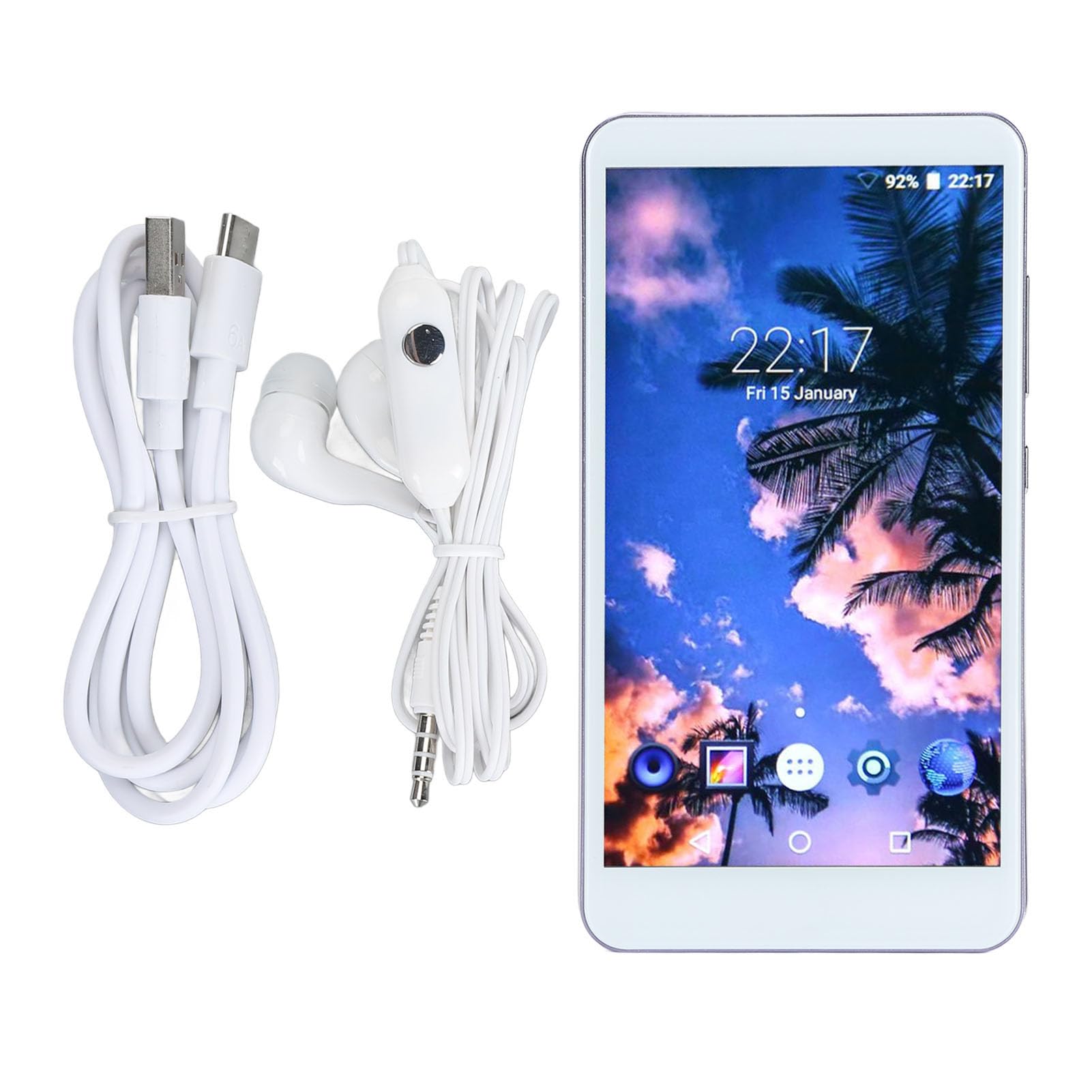
Image: Front view of the Elprico 5-inch MP4 Player, displaying the screen and general layout.

Image: Back view of the Elprico MP4 Player, highlighting the rear camera module and side buttons.
Setup
1. Initial Charging
Before first use, fully charge the device using the provided USB Type-C cable and a compatible power adapter (not included). The charging indicator will show progress.
2. Power On/Off
- To Power On: Press and hold the power button on the side of the device until the screen illuminates.
- To Power Off: Press and hold the power button, then select 'Power Off' from the on-screen options.
3. Language and Region Settings
Upon first startup, follow the on-screen prompts to select your preferred language and region settings.
4. Wi-Fi Connection
- Go to Settings > Network & Internet > Wi-Fi.
- Toggle Wi-Fi On.
- Select your desired Wi-Fi network from the list.
- Enter the password if prompted and tap Connect.
5. Bluetooth Pairing

Image: The Elprico MP4 Player highlighting its Bluetooth 5.0 chip and compatibility with wireless headphones, earbuds, speakers, and car systems.
- Ensure the Bluetooth device (headphones, speaker, car system) is in pairing mode.
- On the MP4 player, go to Settings > Connected devices > Bluetooth.
- Toggle Bluetooth On.
- Tap Pair new device and select your device from the list.
- Confirm the pairing code if prompted.
Operating Instructions
1. Navigating the Interface
The device runs on an Android operating system. Use touch gestures (tap, swipe, pinch) to navigate through menus and applications.
2. Music Playback

Image: The Elprico MP4 Player displaying its main interface with icons for various functions like Music, Video, FM Radio, and more.

Image: The Elprico MP4 Player showing a music playback screen, emphasizing support for HiFi lossless music.
- Accessing Music: Tap the 'Music' application icon.
- Sorting: Songs can be sorted by title, folder, album, artist, genre, or album + artist. Use the search function to quickly locate specific tracks.
- Playlists: Add multiple songs to playlists.
- Playback Modes: Select from random, sequential, loop, or list loop playback.
- Supported Formats: MP3, WMA, WAV, OGG, FLAC, APE.
3. Video Playback
- Accessing Videos: Tap the 'Video' application icon.
- Supported Formats: MPEG, RMVB, MPEG-4.
4. File Transfer

Image: The Elprico MP4 Player illustrating its support for wireless file uploads via Wi-Fi and Bluetooth, in addition to USB.
- USB Transfer: Connect the device to a computer using the USB Type-C cable. The device will appear as a removable storage drive.
- Wireless Transfer: Use the pre-installed file transfer application to share or transfer files via Bluetooth or Wi-Fi, especially with Android smartphones.
5. Using Pre-installed Apps
The device comes with Spotify, Audible, Music, and Deezer pre-installed. Ensure you have an active Wi-Fi connection to use these streaming services.
6. Camera Function
- Tap the 'Camera' application icon to open the camera.
- Tap the screen to focus and press the shutter button to take a photo.
Maintenance
Cleaning
- Use a soft, dry, lint-free cloth to clean the screen and body of the device.
- Avoid using abrasive cleaners, solvents, or aerosol sprays.
Storage
- Store the device in a cool, dry place away from direct sunlight and extreme temperatures.
- If storing for an extended period, ensure the battery is partially charged (around 50%) to preserve battery health.
Battery Care
- Avoid fully discharging the battery frequently.
- Do not expose the device to temperatures above 60°C (140°F).
Troubleshooting
Device Not Powering On
- Ensure the battery is charged. Connect the device to a power source and try again after a few minutes.
- Press and hold the power button for at least 10-15 seconds to perform a forced restart.
Cannot Connect to Bluetooth Device
- Ensure Bluetooth is enabled on both the MP4 player and the target device.
- Place the devices close to each other (within 10 meters).
- Put the target Bluetooth device into pairing mode.
- Forget the device in the MP4 player's Bluetooth settings and attempt to pair again.
Cannot Connect to Wi-Fi
- Verify that Wi-Fi is enabled on the device.
- Check if the Wi-Fi network is active and within range.
- Ensure the correct Wi-Fi password is entered.
- Restart the Wi-Fi router and the MP4 player.
Slow Performance or Freezing
- Close unnecessary background applications.
- Clear cache data from applications in Settings > Apps.
- Restart the device.
- If issues persist, consider performing a factory reset (backup data first).
Specifications
| Brand | Elprico |
| Model Number | Elpricogbkomgdu07 |
| Screen Size | 5 Inches |
| Screen Resolution | 1920 x 1080 |
| Operating System | Android |
| Memory (RAM) | 2 GB |
| Internal Storage (ROM) | 16 GB |
| Expandable Storage | Up to 256 GB via Micro SD (128 GB card included) |
| Connectivity | Bluetooth 5.0, Wi-Fi, USB Type-C, 3.5mm Headphone Jack |
| Camera | Rear 5 MP |
| Battery | 2200 mAh Lithium Battery |
| Supported Audio Formats | MP3, WMA, WAV, OGG, FLAC, APE |
| Supported Video Formats | MPEG, RMVB, MPEG-4 |
| Country of Origin | China |
Warranty and Support
Manufacturer's Warranty
This Elprico MP4 Player comes with a 2-year manufacturer's warranty. This warranty covers defects in materials and workmanship under normal use. It does not cover damage caused by misuse, accidents, unauthorized modifications, or normal wear and tear.
Customer Support
For technical assistance, troubleshooting not covered in this manual, or warranty claims, please contact Elprico customer support through the retailer where the product was purchased. Please have your model number (Elpricogbkomgdu07) and proof of purchase ready when contacting support.