
1. Introduction
The Heschen HS-PV600 is a high-performance surge protective device (SPD) specifically designed for photovoltaic (PV) systems. It provides essential protection against overvoltage events caused by lightning strikes or switching operations, safeguarding your solar power installation and connected equipment. This manual provides detailed instructions for the safe installation, operation, and maintenance of the HS-PV600.
2. Safety Information
WARNING: Electrical shock hazard. Installation and maintenance must be performed by qualified personnel only.
- Always disconnect power before installing or servicing the device.
- Ensure proper grounding according to local and national electrical codes.
- Do not operate the device if it appears damaged.
- Wear appropriate personal protective equipment (PPE) during installation.
- Verify correct voltage and current ratings before connecting the device.
3. Product Overview and Features
The Heschen HS-PV600 is a compact and reliable surge protective device featuring a modular design for easy installation and replacement. Key features include:
- Maximum Continuous Operating Voltage (UcPV): 600 V DC
- Nominal Discharge Current (In, T2): 20 kA
- Maximum Discharge Current (Imax): 40 kA
- Voltage Protection Level (Up): 3.0 kV
- Response Time: Less than 25 ns
- Ingress Protection (IP) Rating: IP20
- Frequency: 50/60 Hz
- Certifications: TÜV, CE, UKCA, CB
- Mechanical Disconnection Mode: Incorporates an exclusive patent for mechanical disconnection, enhancing safety.
- Pluggable Modules: Allows for easy replacement of individual surge protection modules.

Figure 1: Front view of the Heschen HS-PV600 Surge Protective Device.

Figure 2: The HS-PV600 features an exclusive patent for mechanical disconnection mode.

Figure 3: Heschen HS-PV600 DC surge protector with clearly labeled technical specifications.
4. Specifications

Figure 4: Detailed technical data for the Heschen HS-PV600.
| Parameter | Value |
|---|---|
| Model Number | HS-PV600 |
| Max Continuous Operating Voltage (UcPV) | 600 V DC |
| Nominal Discharge Current (In, T2) | 20 kA |
| Maximum Discharge Current (Imax) | 40 kA |
| Voltage Protection Level (Up) | 3.0 kV |
| Response Time | < 25 ns |
| Number of Poles | 2 |
| Mounting Type | 35mm DIN Rail |
| Degree of Protection | IP20 |
| Housing Material | PBT/PA, Flame Retardant Grade UL94 V0 |
| Operating Temperature | -40°C to +70°C |
| Operating Relative Humidity | 5% - 95% |
| Working Atmospheric Pressure | 70kPa - 106kPa |
| Recommended Cable Cross Section | ≥ 10mm² |
| Connection by | Screw terminals (6-25mm²) |
| Terminal Screw Torque | 2.5 Nm |
| Dimensions (L x W x H) | Approx. 92mm x 67mm x 36.2mm |
| Weight | 237 grams |
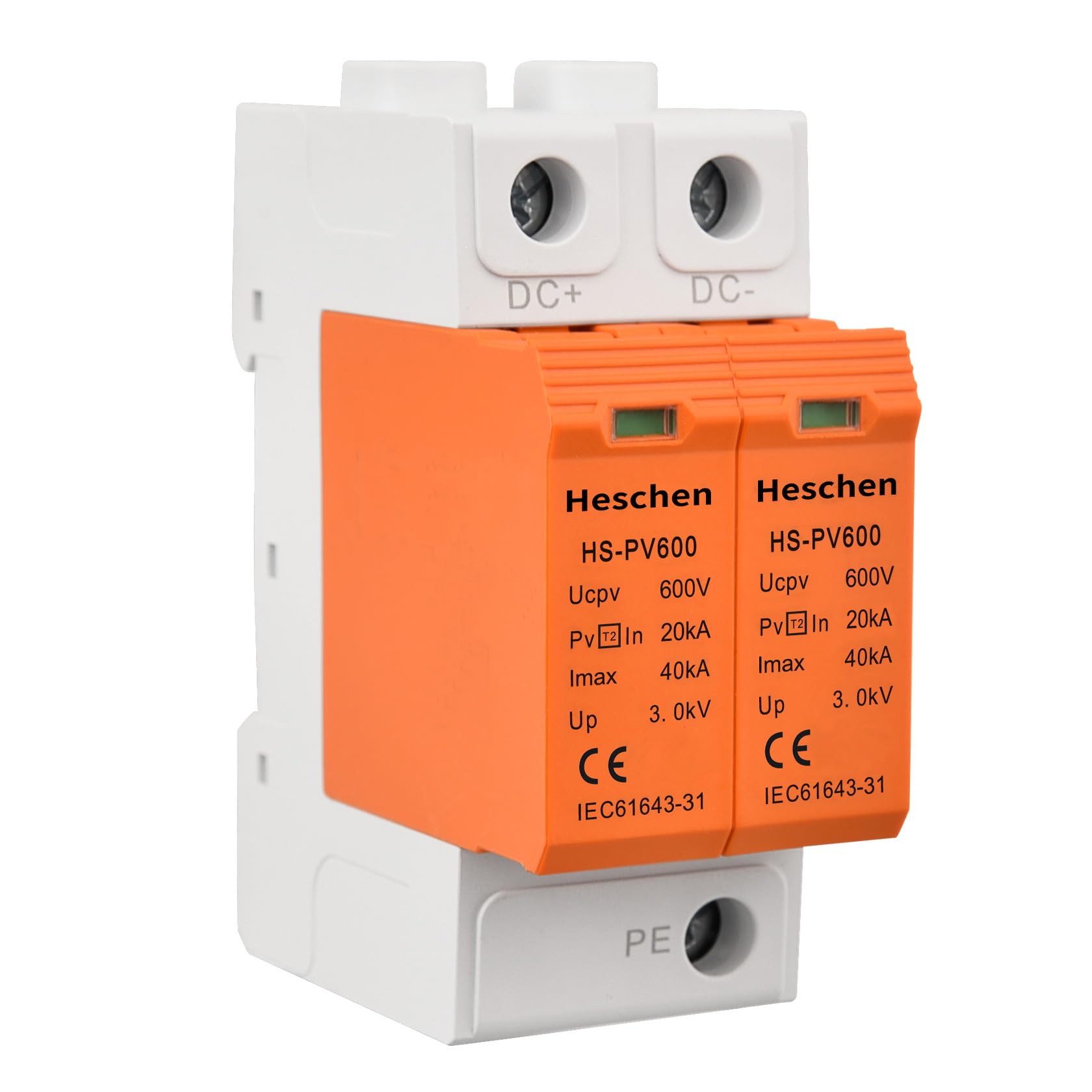
Figure 5: Dimensional drawing of the Heschen HS-PV600.

Figure 6: Electrical clearance and creepage distances for safe installation.
5. Installation
Follow these steps for proper installation of the HS-PV600:
- Mounting: Install the device on a standard 35mm DIN rail. Ensure it is securely fastened.
- Wiring: Connect multi-strand copper cords with a cross-section of 6-25 mm² to the screw terminals. Ensure the terminal screws are tightened to 2.5 Nm.
- Grounding: Use a ground wire of at least 16mm² two-color wire. The length of the ground wire should not exceed 500mm to ensure effective grounding.
- Connection Mode: The device is designed for parallel connection in the PV system.
- Backup Protection: For optimal protection against power grid security impacts, it is recommended to use a front-end surge protector with LYSCB back-up protection for each pole.
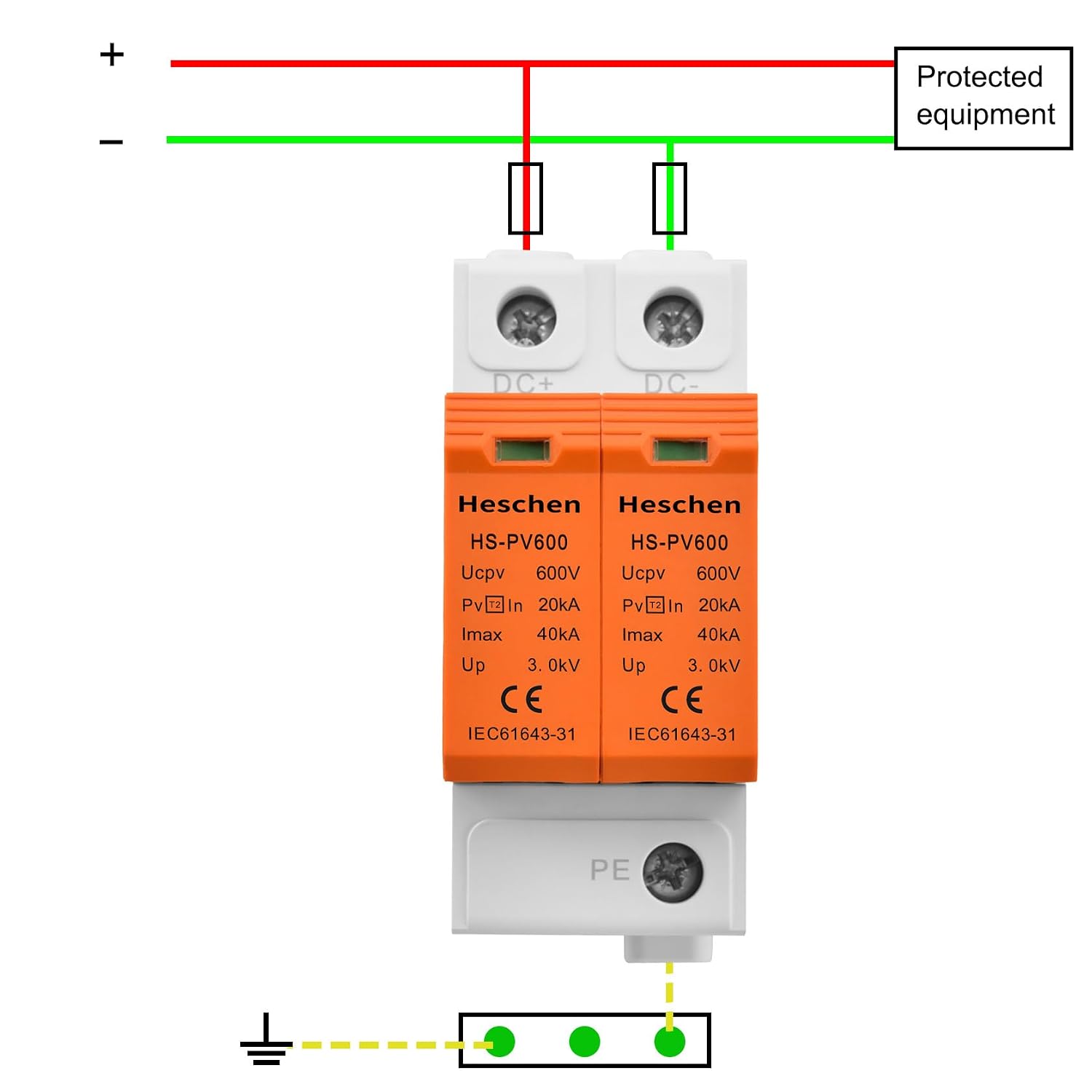
Figure 7: Typical wiring diagram for the Heschen HS-PV600 in a PV system.

Figure 8: Visual representation of installation guidelines, including DIN rail mounting and wiring recommendations.
6. Operation
The Heschen HS-PV600 operates automatically to protect your PV system from surges. It features visual indicators to show its operational status:
- Green Indicator: Indicates normal operation. The surge protective function is active.
- Red Indicator: Indicates a failure or end-of-life for the surge protection module. The module needs to be replaced.

Figure 9: Status indicators on the Heschen HS-PV600. Green for normal, Red for fault.
7. Maintenance
Regular maintenance ensures the continued effectiveness of your surge protective device:
- Visual Inspection: Periodically check the status indicators on the device.
- Module Replacement: If a red indicator is displayed, the corresponding surge protection module has failed and must be replaced immediately. Disconnect power before replacing modules.
- Cleaning: Keep the device free from dust and debris. Use a dry, soft cloth for cleaning. Do not use liquid cleaners.
8. Troubleshooting
| Problem | Possible Cause | Solution |
|---|---|---|
| Red indicator displayed | Surge protection module has failed due to an overvoltage event or end-of-life. | Disconnect power, remove the faulty module, and replace it with a new Heschen HS-PV600 module. Reconnect power and verify the indicator is green. |
| No indicator light | No power to the device or internal fault. | Check power connections. If connections are secure and power is present, the device may be faulty and require replacement. |
| Frequent module failure | Repeated severe overvoltage events or inadequate grounding. | Inspect the PV system for recurring surge sources. Verify grounding system integrity. Consider additional surge protection measures or a higher-rated SPD if appropriate. |
9. Warranty and Support
Information regarding warranty coverage and customer support for the Heschen HS-PV600 is not provided in this document. For warranty claims, technical assistance, or further inquiries, please refer to the product packaging or contact Heschen customer service directly through their official website or authorized distributors.