
Introduction
This manual provides detailed instructions for the assembly, operation, and maintenance of your Gyfimoie 6-Drawer Dresser. Please read all instructions carefully before beginning assembly and retain this manual for future reference.
Safety Information
- Always assemble the dresser on a soft, clean surface to prevent scratches.
- Ensure all parts are securely fastened before use.
- To prevent tipping, the dresser must be securely attached to a wall using the provided anti-tip device. This is crucial for safety, especially in households with children.
- Do not overload drawers. Distribute weight evenly.
- Keep small parts away from children during assembly.
Package Contents
Verify that all components and hardware are present before starting assembly. Refer to the included parts list in your physical package for specific quantities and identification. Below is a general overview of the dresser and its dimensions.

Image Description: This image displays the overall dimensions of the dresser, measuring approximately 47.3 inches in width, 15.3 inches in depth, and 30.8 inches in height. It also shows the dimensions of the accompanying full-length mirror, which is 47.2 inches long and 15.7 inches wide. Internal drawer and shelf dimensions are also indicated.
Setup and Assembly
Assembly of the Gyfimoie dresser requires careful attention to detail. Please follow the step-by-step instructions provided in your physical assembly manual. The following video demonstrates the assembly process, which can be a helpful visual aid.
Video Description: This video provides a visual guide to assembling the Gyfimoie 6-drawer dresser. It demonstrates the process of attaching various panels, installing drawer slides, and constructing the drawer boxes. The video highlights key steps and component placement to assist with successful assembly.
Ensure all screws and connectors are tightened appropriately. Do not overtighten to avoid damaging the material. The anti-tip device should be installed as the final step to secure the dresser to the wall.

Image Description: This image highlights the quality construction features of the dresser, including the safety anti-tip kit, the use of premium MDF material, a stable base design, and a structurally fixed design for enhanced durability.
Operating Instructions
LED Lighting System
The dresser features multi-color RGB LED light strips. These lights can be controlled via a remote or a dedicated mobile application. You can adjust colors, brightness, and choose from various modes including music, voice, and timing modes to create your desired ambiance.

Image Description: This image illustrates the customizable LED lighting feature of the dresser. It shows the open storage spaces illuminated in different colors (red, pink, green, blue) and details the control options available, including app control for RGB colors, microphone mode, music mode, timing function, and key control.
Video Description: This video demonstrates the various features of the Gyfimoie 6-drawer dresser, including the functionality of the LED lights. It showcases different color options and modes, providing a visual representation of how the lighting system can enhance the room's atmosphere.
Integrated Charging Station
The top surface of the dresser includes a built-in charging station with 2 AC power outlets (125V/12A) and 2 USB ports (5V/2A). This allows for convenient charging of electronic devices such as laptops, mobile phones, and other small appliances directly from the dresser.

Image Description: This image provides a close-up view of the dresser's built-in charging station, featuring two AC power outlets and two USB ports. A smartphone and a smartwatch are shown actively charging, demonstrating the convenience of this feature.
Full-Length Mirror
The dresser comes with a versatile 47.24"x15.74" full-length mirror. This mirror can be used in several ways:
- Mounted vertically on a wall.
- Hung separately on a door.
- Mounted horizontally on a wall to serve as a dressing table mirror.
- Leaned against a wall for flexible placement.
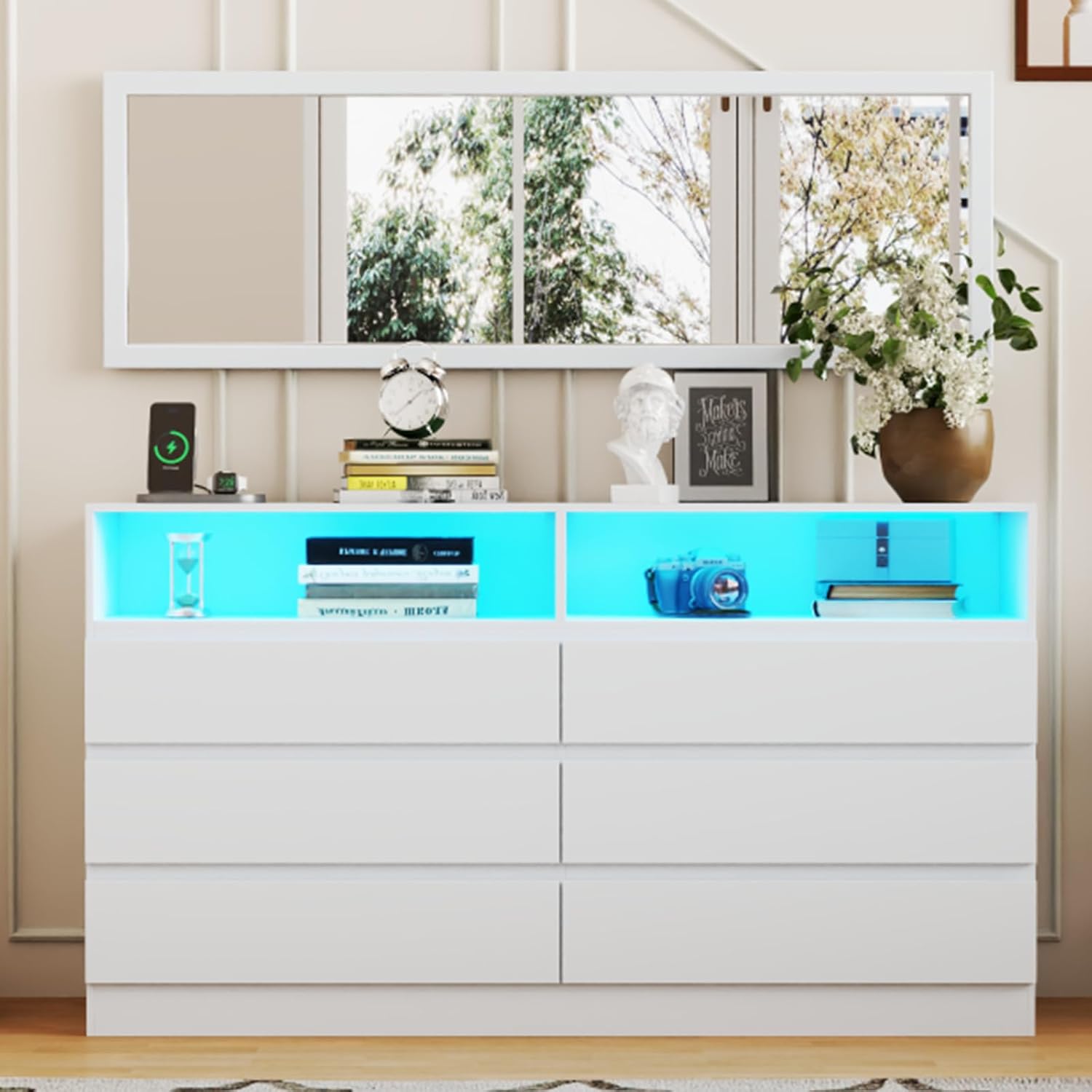
Image Description: This composite image illustrates the flexible placement options for the full-length mirror. It shows the mirror positioned vertically beside the dresser, mounted horizontally above it, and leaning against a wall, demonstrating its adaptability to different room layouts and user preferences.
Maintenance
Cleaning and Care
- Wipe the dresser surfaces with a dry, soft cloth.
- Avoid using harsh chemicals or abrasive cleaners, as these can damage the finish.
- For spills, wipe immediately with a damp cloth and then dry thoroughly.
- Periodically check all hardware connections to ensure they remain tight. Retighten if necessary.
- Keep the dresser away from direct sunlight and excessive moisture to prevent warping or discoloration.
Troubleshooting
Common Issues and Solutions
- Drawers not gliding smoothly: Ensure the drawer slides are correctly installed and aligned. Check for any obstructions in the tracks. Verify that all screws securing the slides are tight.
- LED lights not working: Check if the power adapter is securely plugged into both the dresser and a working wall outlet. Ensure the remote control has fresh batteries and is pointed directly at the receiver. If using the app, ensure Bluetooth or Wi-Fi connection is active and the app is updated.
- Dresser wobbles: Confirm that the dresser is placed on a level surface. Recheck all assembly hardware to ensure tightness. Install the anti-tip device as instructed to stabilize the unit.
- Charging station not providing power: Verify that the power cord for the charging station is fully plugged into a live wall outlet. Check if the power strip itself has an on/off switch and is in the 'on' position. Test with different devices and cables to rule out device-specific issues.
Specifications
- Brand: Gyfimoie
- Model Name: Dresser-1050 (G0001050)
- Product Dimensions: 15.35"D x 47.32"W x 30.86"H
- Color: White
- Number of Drawers: 6
- Drawer Type: Ball Bearing Slide
- Material: High-Quality MDF
- Features: Full-Length Mirror (47.24"x15.74"), Multi-color RGB LED Lights, Built-in Charging Station (2 AC outlets 125V/12A, 2 USB ports 5V/2A)
- Item Weight: 96.3 pounds
- Assembly Required: Yes
Warranty and Support
For any questions, concerns, or issues regarding your Gyfimoie dresser, please contact the manufacturer's customer support. Refer to the contact information provided in your product packaging or visit the official Gyfimoie website for assistance. Please have your model number (G0001050) and purchase details ready when contacting support.