
Introduction
The POPSUGAR Sunrise Alarm Clock is a multifunctional device designed to enhance your sleep and wake-up experience. It features gradual sunrise and sunset simulations, multiple natural sounds, adjustable volume levels, and a user-friendly top control panel. This manual provides detailed instructions for setup, operation, and maintenance of your device.

Image: Front view of the POPSUGAR Sunrise Alarm Clock, showcasing its sleek design and digital display.
Setup
1. Power Connection
Connect the provided USB-C power cord to the port on the back of the alarm clock and plug the adapter into a standard electrical outlet. The digital display will illuminate.

Image: Rear view of the alarm clock showing the USB-C power cord connection point.
2. Setting the Time
Use the buttons on the top control panel to set the current time. Refer to the detailed instructions in the included quick start guide for specific button sequences to adjust hours and minutes, and to switch between 12-hour and 24-hour formats.
3. Setting Alarms
The device supports two independent alarms. Alarm 2 is typically linked to the light function for sunrise simulation. Use the alarm setting buttons on the top panel to configure your desired wake-up times. An indicator light on the display will confirm which alarms are active.
Video: A demonstration of setting the time and alarms, including how to activate and deactivate them, and the visual indicator for active alarms.
Operating Instructions
1. Sunrise and Sunset Simulation
The alarm clock mimics natural light changes. For wake-up, the light gradually increases in brightness starting 30 minutes before your set alarm time, reaching full brightness when the alarm sounds. For bedtime, you can set a sunset simulation to gradually dim the light, promoting a calming transition to sleep.
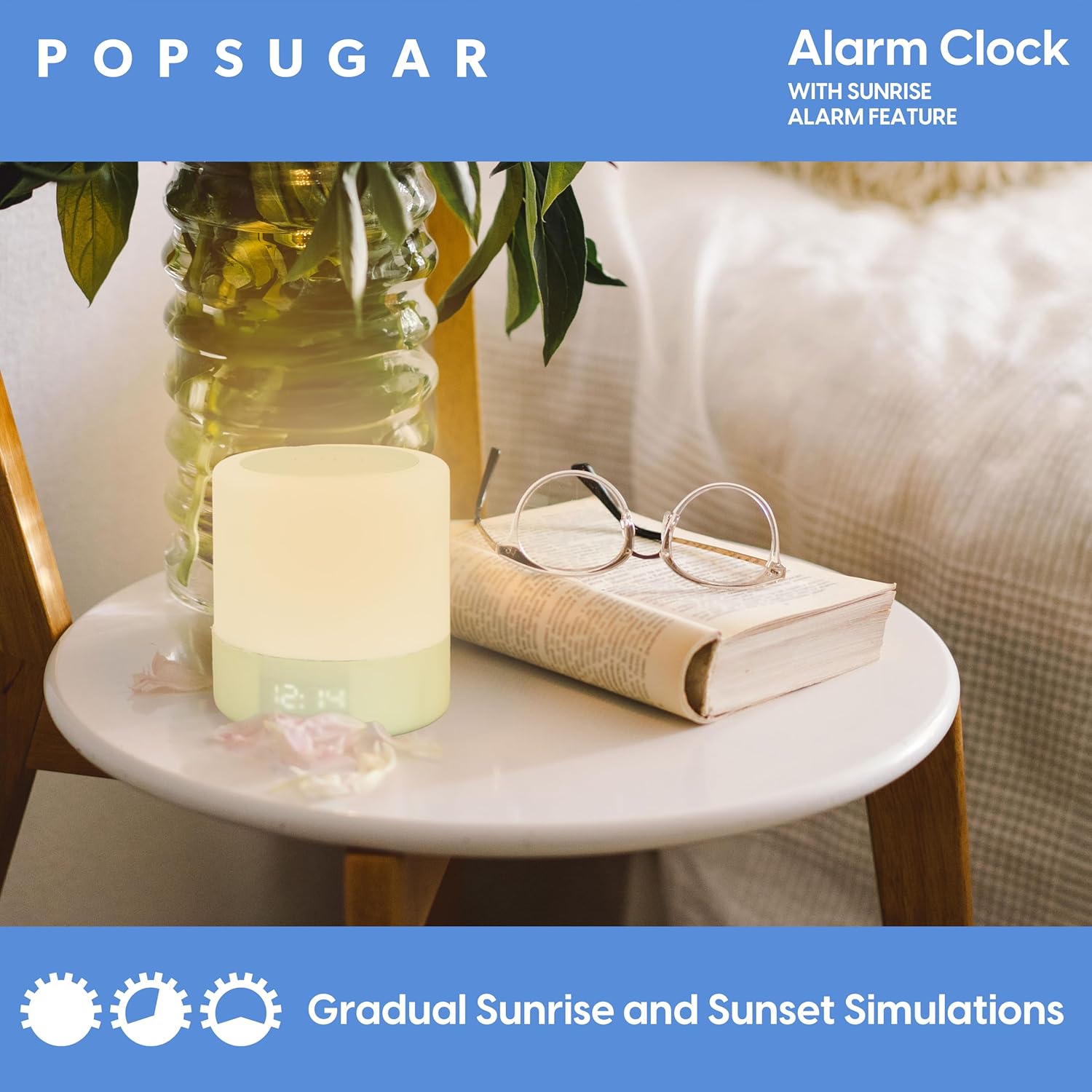
Image: The alarm clock on a bedside table, illustrating the gradual sunrise simulation with warm light.
2. Sound Features
Choose from 3 natural sounds (Rain, Nature, Ocean) and 6 adjustable volume levels for your alarm or sleep aid. You can also set a sleep timer for 15, 30, 60, or 90 minutes, after which the sound will automatically turn off.
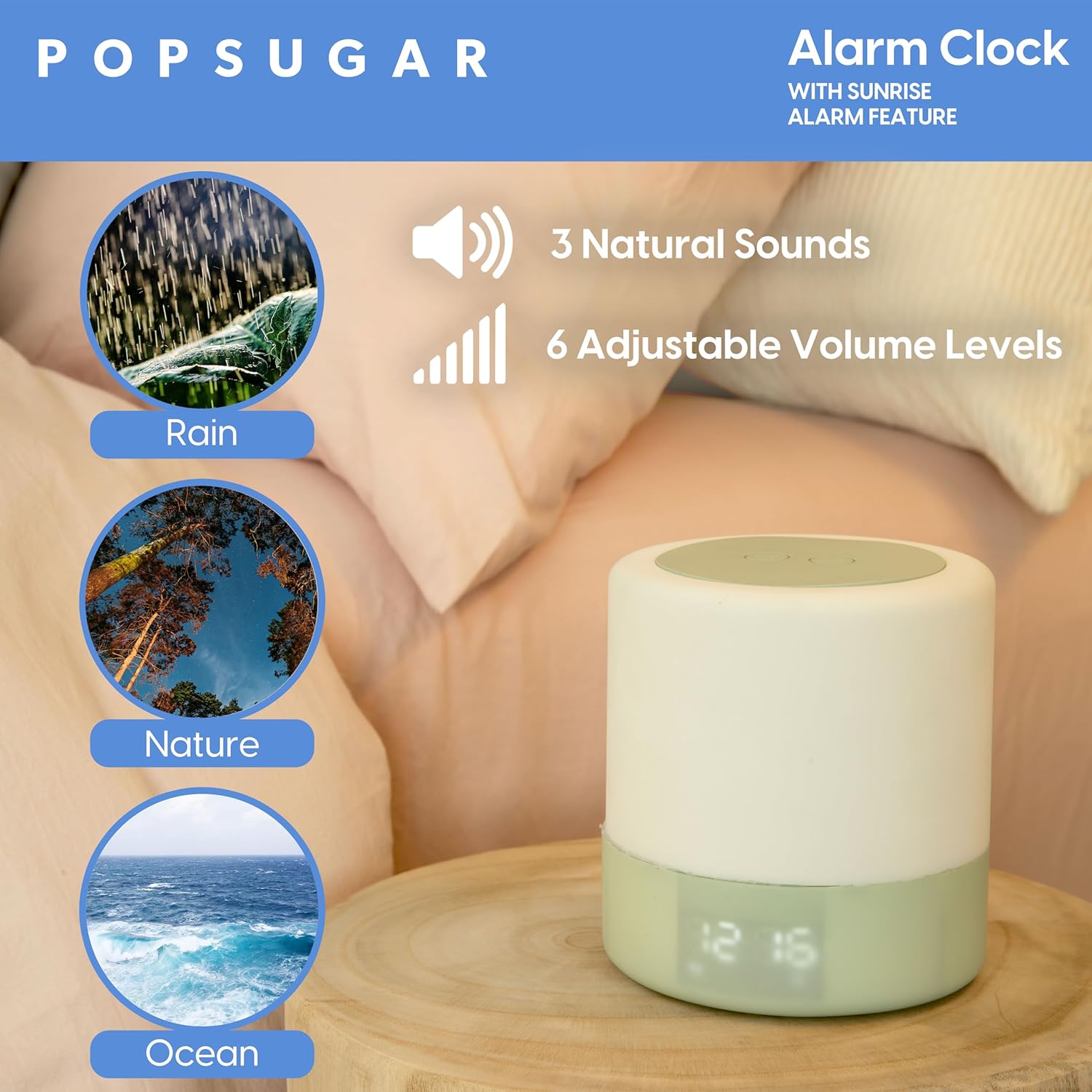
Image: Visual representation of the three natural sound options (Rain, Nature, Ocean) and adjustable volume levels.
3. Light Features
The device offers various light settings beyond sunrise/sunset. The main light can be adjusted for brightness. Some models may also feature color-changing options, controllable via touch or a dedicated app.

Image: The alarm clock on a bedside table, highlighting the snooze modes feature.
4. Snooze Function
When the alarm sounds, press the 'Snooze' button on the top panel to temporarily silence the alarm for 10 minutes. To turn off the alarm completely, press and hold the snooze button.
Maintenance
To ensure the longevity of your POPSUGAR Sunrise Alarm Clock, follow these simple maintenance guidelines:
- Cleaning: Wipe the device with a soft, dry cloth. Avoid using abrasive cleaners or solvents.
- Placement: Place the alarm clock on a stable, flat surface away from direct sunlight, heat sources, and moisture.
- Power: Use only the provided USB-C power cord and adapter.
Troubleshooting
| Problem | Solution |
|---|---|
| Alarm does not sound or light up. | Ensure the alarm is activated (check the indicator light on the display). Verify the alarm volume is not set to zero. Confirm the power cord is securely connected. |
| Display is too bright/dim. | Use the brightness adjustment buttons on the top control panel to set the desired display brightness. |
| Sound quality is poor or static. | Ensure the device is not placed near other electronic devices that may cause interference. Try adjusting the volume. |
| Time is incorrect after power outage. | The device is designed to retain time settings during minor power interruptions. If a prolonged outage occurs, reset the time manually as per the setup instructions. |
Specifications
| Feature | Detail |
|---|---|
| Brand | POPSUGAR |
| Model Number | Sun Rise Alarm |
| Power Source | Corded Electric (USB-C) |
| Product Dimensions | 4.64"W x 5"H |
| Item Weight | 0.99 Pounds (15.8 ounces) |
| Material | Acrylonitrile Butadiene Styrene (ABS) |
| Special Features | Sunrise Alarm Feature, Sunset Simulation, Snooze Modes, 3 Natural Sounds, 6 Adjustable Volume Levels, Top Control Panel |
Warranty and Support
For warranty information or technical support, please refer to the contact details provided on the product packaging or visit the official POPSUGAR website. Keep your purchase receipt for warranty claims.