
Philips TV TAB6309/10
Philips TAB6309 Soundbar 2.1 With Wireless Subwoofer
Instruction Manual
Introduction
The Philips TAB6309 Soundbar with Wireless Subwoofer is designed to enhance your home audio experience with powerful, room-filling sound. This manual provides essential information for setting up, operating, and maintaining your new soundbar system.
What's in the Box
- Soundbar
- Soundbar and Subwoofer Electric Cables
- Remote Control with 2x LR03/AAA Batteries
- Wall mounting kits - 2x fittings, 2x fittings screw, 2x wall mounting screw, 2x wall plugs
- Quick Start Guide & Safety Blades
Product Overview

Figure 1: Philips TAB6309 Soundbar and Wireless Subwoofer components.
The Philips TAB6309 Soundbar delivers 2.1 channels of audio with a powerful 320W output, complemented by an ultra-compact wireless subwoofer for deep bass. It features DTS Virtual X for virtual 3D audio and Dolby Atmos for an immersive sound experience. The slim 37mm design allows for versatile placement, including under Ambilight TVs, and includes removable wall brackets.
Control is made easy through the Philips Home Entertainment app or the included remote. HDMI eARC and Philips EasyLINK allow for seamless integration with your TV, enabling control with a single remote. Bluetooth 5.4 with LE Audio ensures stable wireless streaming from your devices.
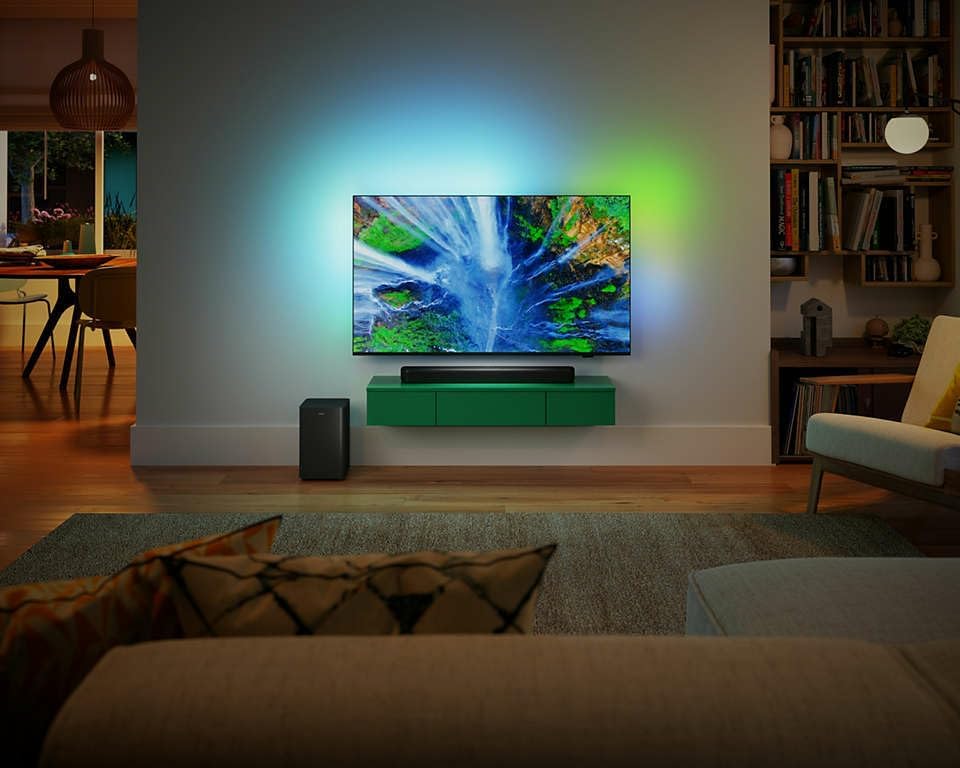
Figure 2: Philips TAB6309 Soundbar integrated into a home entertainment system.
Setup
Before connecting, ensure all devices are powered off. Place the soundbar in front of your TV and the wireless subwoofer in a suitable location, either vertically or horizontally.
Connecting via HDMI ARC
1. Connect one end of an HDMI cable (not included) to the HDMI ARC port on your soundbar.
2. Connect the other end of the HDMI cable to the HDMI ARC/eARC port on your TV.
3. Power on both the TV and the soundbar. The soundbar should automatically switch to the HDMI ARC input. If not, use the remote control or the source button on the soundbar to select HDMI ARC.
Connecting via Optical Cable
1. Connect one end of an optical cable (not included) to the Optical OUT port on your TV.
2. Connect the other end of the optical cable to the Optical IN port on your soundbar.
3. Power on both the TV and the soundbar. Use the remote control or the source button on the soundbar to select the Optical input.
Connecting via AUX Cable
1. Connect one end of a 3.5mm AUX cable (not included) to the headphone jack of your phone or laptop.
2. Connect the other end of the AUX cable to the AUX IN port on your soundbar.
3. Power on the soundbar. Use the remote control or the source button on the soundbar to select the AUX input.
Connecting via Bluetooth
1. Power on the soundbar and select the Bluetooth input using the remote or source button. The Bluetooth indicator on the soundbar will start blinking, indicating it's in pairing mode.
2. On your mobile device or laptop, go to Bluetooth settings and ensure Bluetooth is enabled.
3. Search for available devices and select
Ask a question about this manual
Ask about setup, troubleshooting, compatibility, parts, safety, or missing instructions. Manuals+ will review the question and use this page’s manual context to help answer it.