
1. Introduction
This manual provides comprehensive instructions for the installation, operation, and maintenance of the CIZVVEOC ATS 800A 4p 1000A Automatic Transfer Switch. This intelligent dual power transfer controller is designed to automatically switch between main power and a generator set, ensuring continuous power supply for critical loads. Please read this manual thoroughly before installation and operation to ensure safe and efficient use of the device.
2. Safety Information
WARNING: Electrical shock hazard. Installation and servicing should only be performed by qualified personnel.
- Always disconnect all power sources before installing or servicing the ATS.
- Ensure proper grounding of the equipment.
- Verify all wiring connections are secure and comply with local electrical codes.
- Do not operate the ATS if it appears damaged.
- Wear appropriate personal protective equipment (PPE) during installation and maintenance.
3. Product Overview
The CIZVVEOC ATS 800A 4p 1000A is a robust automatic transfer switch designed for three-phase power systems. It features intelligent control to seamlessly manage power transitions between utility and generator sources.

Figure 3.1: General view of the CIZVVEOC ATS 800A 4p 1000A Automatic Transfer Switch. This image displays the main body of the switch with its four-pole configuration and the integrated control unit on the right side.

Figure 3.2: Front view of the ATS, highlighting the control panel. The control panel includes LED indicators for power status, a rotary switch for operation mode (AVS, OPEN, ON, OFF), and a manual override switch.

Figure 3.3: Side view of the ATS, showing the robust construction and mounting brackets. This perspective illustrates the depth of the unit and the arrangement of the power terminals.
4. Setup and Installation
Proper installation is crucial for the safe and reliable operation of the ATS. Follow these steps carefully:
- Mounting: Securely mount the ATS in a suitable enclosure or panel, ensuring adequate ventilation and clearance for wiring.
- Power Wiring: Connect the main utility power source to the designated terminals (e.g., U, V, W, N for main power). Connect the generator power source to its respective terminals. Ensure correct phase sequence and neutral connections.
- Load Wiring: Connect the load circuits to the load terminals of the ATS.
- Control Wiring: Connect the control signals for the generator start/stop, remote monitoring, and other auxiliary functions as per the wiring diagram.
- Grounding: Connect the ATS to a reliable earth ground.

Figure 4.1: Typical wiring diagram for the ATS. This diagram illustrates the connections for working power input, control signal input, position lamp output, supply voltage, and control terminals. Refer to this diagram for precise wiring configurations.
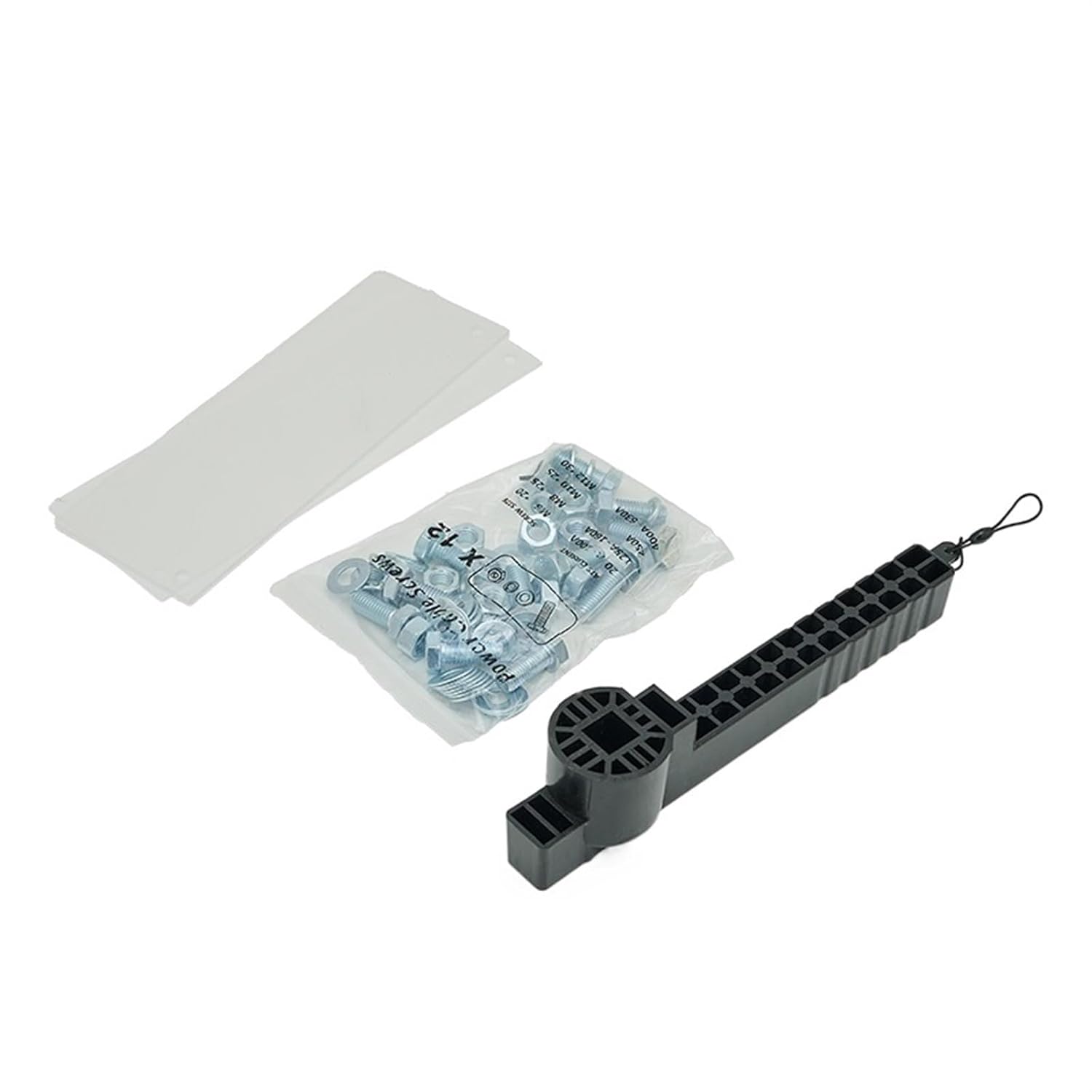
Figure 4.2: Included accessories for the ATS. This image shows a bag of power cable fasteners (bolts and nuts) and a specialized wrench for installation, ensuring secure connections.
5. Operating Instructions
The ATS offers both automatic and manual operation modes.
5.1. Automatic Mode (AVS)
In AVS mode, the ATS automatically monitors the utility power supply. Upon detecting a utility power failure, it will initiate the generator start sequence and transfer the load to the generator. When utility power is restored, the ATS will transfer the load back to the utility and shut down the generator after a cool-down period.
- Set the rotary switch on the control panel to 'AVS'.
- Ensure the generator is in 'Auto' mode.
- The ATS will now manage power transfers automatically.
5.2. Manual Mode
Manual operation allows for direct control over the switch position.
- Set the rotary switch to 'Manual'.
- Use the 'ON' and 'OFF' buttons or the manual override lever to switch between utility and generator power.
- Caution: Exercise extreme care during manual operation to avoid power interruptions or damage to equipment.
6. Maintenance
Regular maintenance ensures the longevity and reliable operation of your ATS.
- Periodic Inspection: Annually inspect all electrical connections for tightness and signs of corrosion.
- Cleaning: Keep the ATS free from dust and debris. Use a dry, lint-free cloth for cleaning. Do not use liquid cleaners.
- Functional Test: Periodically test the automatic transfer function by simulating a utility power outage (if safe to do so and with proper precautions).
- Contact Inspection: For advanced maintenance, inspect the main contacts for wear. This should only be done by qualified technicians.
7. Troubleshooting
Refer to the following table for common issues and their potential solutions.
| Problem | Possible Cause | Solution |
|---|---|---|
| ATS does not transfer to generator during utility outage. |
|
|
| ATS does not transfer back to utility power. |
|
|
| LED indicators not functioning. |
|
|
If the problem persists after attempting these solutions, contact a qualified electrician or the manufacturer's support.
8. Specifications
| Feature | Detail |
|---|---|
| Brand | CIZVVEOC |
| Model | ATS 800A 4p 1000A |
| Operation Mode | Automatic |
| Contact Type | Normally Open |
| Circuit Type | 3-way |
| Number of Positions | 3 |
| Control Method | Touch |
| Connectivity Protocol | Wi-Fi |
| Unit Count | 1.0 Count |
| Number of Items | 1 |
| Package Dimensions | 1.18 x 0.79 x 0.39 inches |
| Item Weight | 1.76 ounces |
| Date First Available | March 22, 2024 |
9. Warranty and Support
This CIZVVEOC ATS 800A 4p 1000A Automatic Transfer Switch comes with a standard manufacturer's warranty. For specific warranty terms and conditions, please refer to the documentation provided with your purchase or contact the seller directly.
For technical support, troubleshooting assistance beyond this manual, or to inquire about replacement parts, please contact CIZVVEOC customer service through your point of purchase or the official brand channels.