
Introduction
The Airvana Bladeless Rechargeable Indoor/Outdoor Fan is designed to provide cooling and air circulation in various environments. This manual provides essential information for the safe and efficient operation, maintenance, and troubleshooting of your fan.

Figure 1: Airvana Bladeless Rechargeable Indoor/Outdoor Fan (Denim Blue)
Safety Instructions
- Read all instructions before using the appliance.
- Do not immerse the fan in water or other liquids.
- Keep hands, hair, and clothing away from moving parts.
- Ensure the fan is placed on a stable, level surface.
- Do not operate the fan with a damaged cord or plug.
- Unplug the fan from the power outlet when not in use or before cleaning.
- This fan is designed for indoor and covered outdoor use. Avoid direct exposure to rain or excessive moisture.
- Keep out of reach of children and pets.
Product Features
- Bladeless Technology: Provides a strong, consistent airflow without external blades, enhancing safety and ease of cleaning.
- Dual Power Options: Operates on a built-in Lithium-Ion battery or directly via an AC adapter.
- Extended Battery Life: Up to 19 hours on low speed, 12 hours on medium, 4 hours on high, and 2 hours on turbo speed.
- Indoor/Outdoor Use: Suitable for various settings including home, porch, camping, pool, and more. Note: Must be used in covered areas outdoors to prevent water exposure.
- UV Resistant Material: Constructed with UV-protected materials to prevent fading from sun exposure. ETL outdoor rated.
- Rotation Feature: Oscillates left to right for wider air distribution.
- Accent Light: Features a customizable display light with multiple color options.
- Multiple Fan Speeds: Offers Low, Medium, High, and Turbo speed settings.
- Timer Function: Set the fan to operate for 2, 4, or 8-hour intervals.
- Remote Control: Includes a remote for convenient operation.
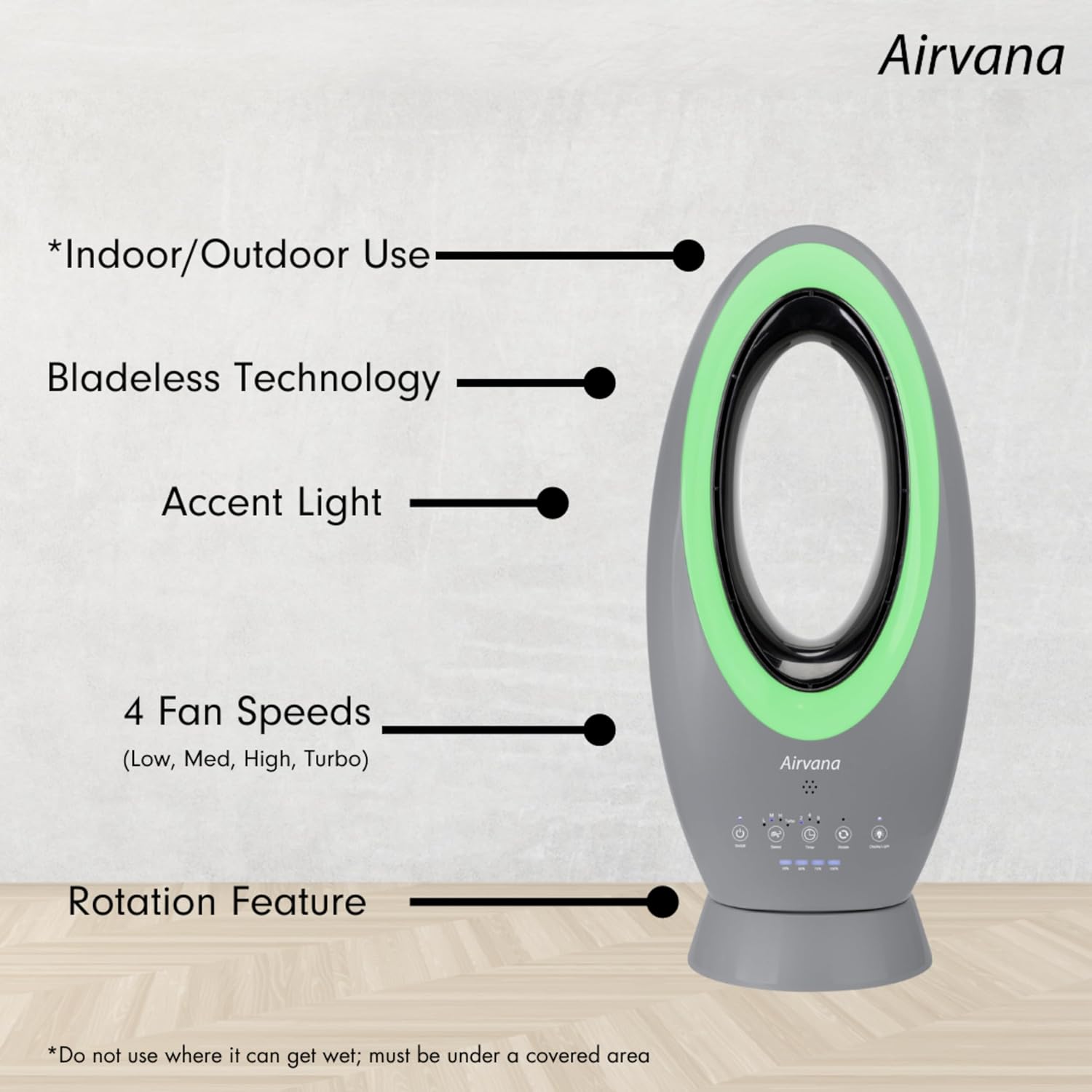
Figure 2: Key Features of the Airvana Bladeless Fan

Figure 3: Bladeless Design and Airflow
Setup
The Airvana Bladeless Fan requires no assembly. Simply place the fan on a stable, flat surface in your desired location. Ensure the area is clear of obstructions to allow for optimal airflow and oscillation.
Operating Instructions
The fan can be operated using the touch controls on the unit or the included remote control.
Control Panel Overview

Figure 4: Control Panel
Functions:
- On/Off Power: Press the power button (U) to turn the fan on or off.
- Fan Speeds: Press the speed button (~) repeatedly to cycle through Low (L), Medium (M), High (H), and Turbo speed settings. The current speed will be indicated by the illuminated LEDs.
- Timer: Press the timer button (L) to set the fan to automatically turn off after 2, 4, or 8 hours.
- Rotation Mode: Press the rotate button (O) to activate or deactivate the oscillation feature, allowing the fan to rotate left and right.
- Display Light: Press the display light button (💡) to change the color of the accent light. Cycle through various colors including blue, purple, green, red, and white.
Remote Control

Figure 5: Remote Control
The remote control duplicates all functions available on the fan's control panel for convenient operation from a distance.

Figure 6: Accent Light Color Options
Charging and Battery Life
The fan is equipped with a Lithium-Ion battery. To charge, connect the provided AC adapter to the fan and a power outlet. The fan can operate while charging.
- Charging Time: Approximately 2 hours for a full charge.
- Battery Run Time (on full charge):
- Low Speed: Up to 19 hours
- Medium Speed: Up to 12 hours
- High Speed: Up to 4 hours
- Turbo Speed: Up to 2 hours
- Unlimited Run Time: The fan can run continuously when plugged into the AC adapter.
Maintenance
Regular cleaning helps maintain the fan's performance and longevity.
- Cleaning: Ensure the fan is unplugged before cleaning. Use a soft, damp cloth to wipe down the exterior surfaces. Do not use abrasive cleaners or solvents.
- Bladeless Design: The bladeless design makes the fan easier to clean compared to traditional fans with grilles and blades.
- Storage: When not in use for extended periods, store the fan in a cool, dry place, preferably in its original packaging.
Troubleshooting
| Problem | Possible Cause | Solution |
|---|---|---|
| Fan does not turn on. | No power supply or low battery. | Ensure the fan is plugged into a working outlet or the battery is charged. |
| Weak airflow. | Fan speed set too low or internal blockage. | Increase the fan speed. Check for any obstructions in the air intake or outlet. |
| Fan does not oscillate. | Oscillation feature is off. | Press the rotate button to activate oscillation. |
| Display light not working. | Display light feature is off or cycling through colors. | Press the display light button to turn it on or change colors. |
Specifications
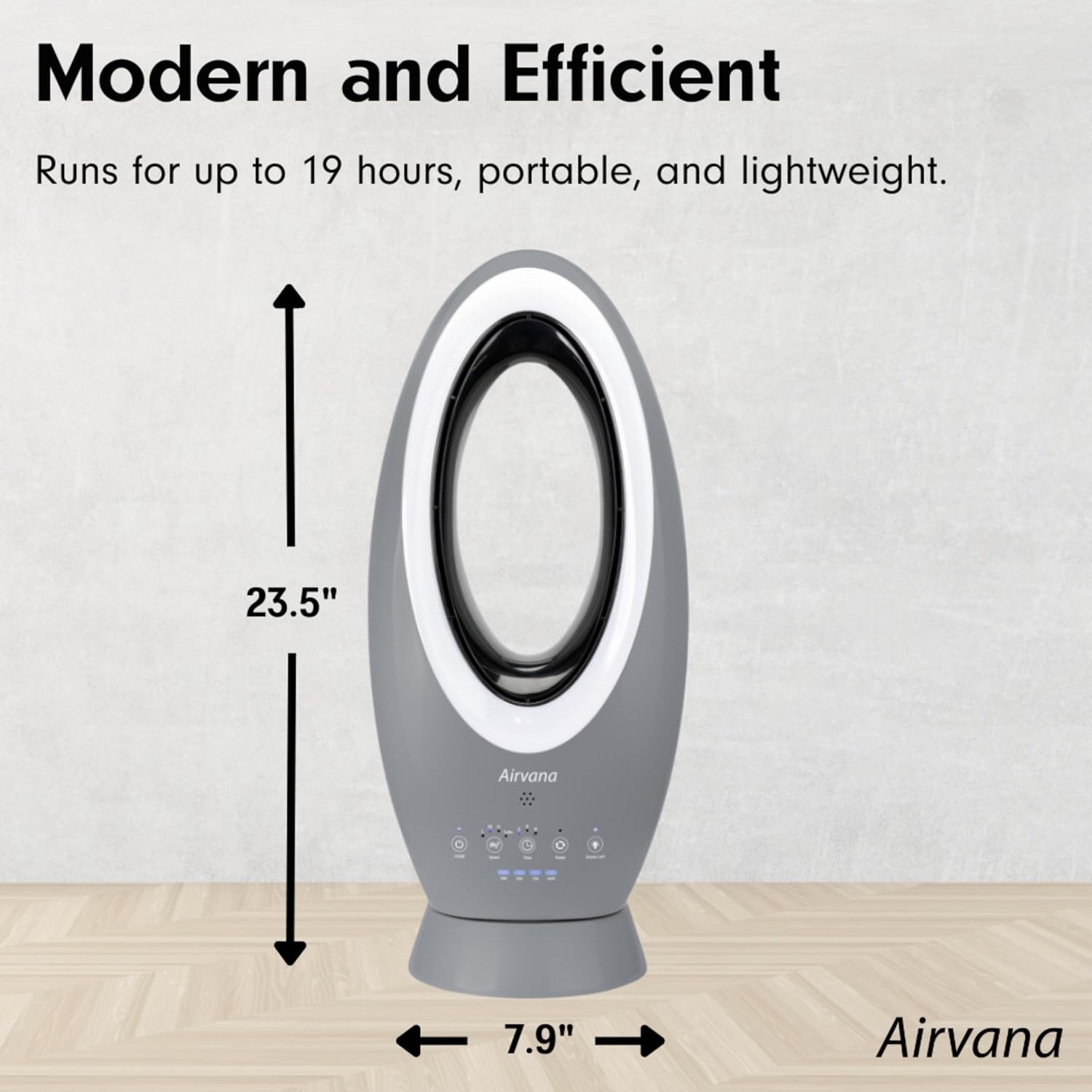
Figure 7: Product Dimensions
| Specification | Detail |
|---|---|
| Brand | Airvana |
| Model Name | AV1780FAN-DNB |
| Product Dimensions | 10"D x 3.38"W x 23"H |
| Item Weight | 6.21 Pounds |
| Power Source | Battery Powered (Lithium-Ion) |
| Wattage | 3.13 watts |
| Number of Power Levels | 4 (Low, Medium, High, Turbo) |
| Control Method | Touch, Remote |
| Special Feature | Oscillating, Bladeless, Rechargeable, Accent Light |
| Indoor/Outdoor Usage | Indoor, Covered Outdoor |
| Specification Met | ETL |
| UPC | 810067453547 |
Warranty and Support
For warranty information or technical support, please refer to the product packaging or contact Airvana customer service directly. Keep your purchase receipt for any warranty claims.
