
Important Safety Instructions
Please read and understand all safety instructions before using this appliance. Failure to follow these instructions may result in electric shock, fire, or serious personal injury.
- Always unplug the fan from the power outlet before cleaning, servicing, or moving it.
- Do not immerse the fan, plug, or cord in water or spray with liquids.
- Keep the fan out of reach of children and pets. Close supervision is necessary when the fan is used near children.
- Do not operate any fan with a damaged cord or plug, or after the fan malfunctions or has been dropped or damaged in any manner.
- Avoid placing the fan in direct sunlight for extended periods, especially when charging, to prevent overheating.
- This fan is designed for indoor and covered outdoor use. Do not expose to rain or direct water spray.
- Do not insert fingers or foreign objects into any openings on the fan.
- Use only the provided AC adapter for charging.
Product Overview
The Airvana Bladeless Rechargeable Indoor/Outdoor Fan (Model AV1780FAN) provides a powerful and consistent airflow without visible blades, ensuring safety and ease of cleaning. Its portable design and long-lasting rechargeable battery make it ideal for various indoor and covered outdoor environments.
Key Features
- Lithium-Ion Battery Operated: Offers versatile runtime options: approximately 2 hours on turbo speed, 4 hours on high, 12 hours on medium, and 19 hours on low speed on a full charge.
- Dual Power Options: Can operate while plugged into the AC adapter, simultaneously charging the battery.
- Indoor/Covered Outdoor Use: Suitable for covered areas such as porches, screen rooms, camping, poolside, sports events, boats, beaches, decks, and RVs.
- UV Resistant Material: Constructed with UV-protected material to resist fading from sun exposure, ETL outdoor rated.
- Rotation Feature: Rotates left to right for broad air distribution.
- Bladeless Technology: Creates a strong, smooth stream of airflow, is easier to clean, and safer for households with children and pets.
- Accent Light: Integrated accent light for ambiance.
- 4 Fan Speeds: Low, Medium, High, and Turbo settings.
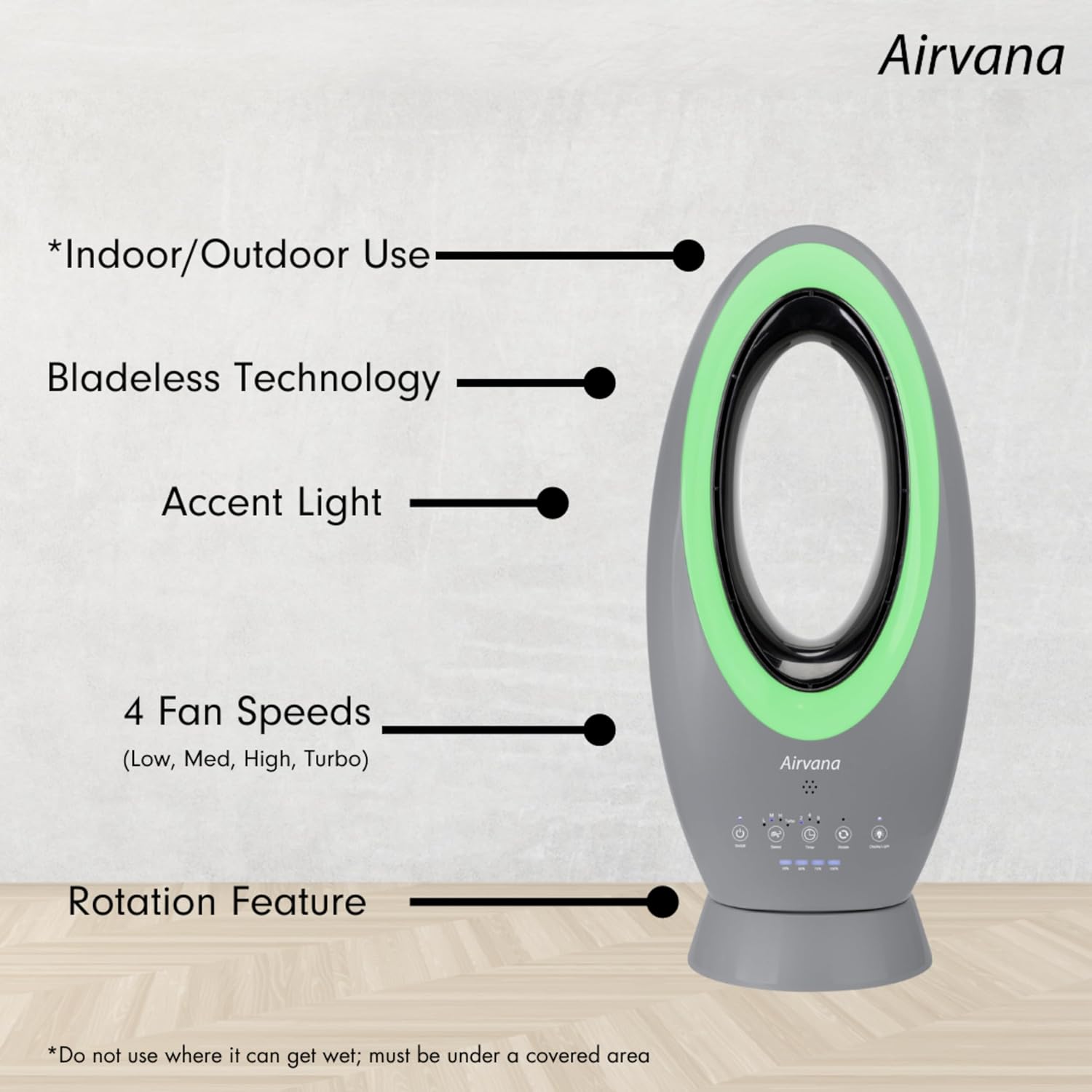
This image illustrates the main features of the Airvana Bladeless Fan, including its suitability for indoor/covered outdoor use, bladeless design, accent light, four fan speeds (Low, Med, High, Turbo), and rotation capability.
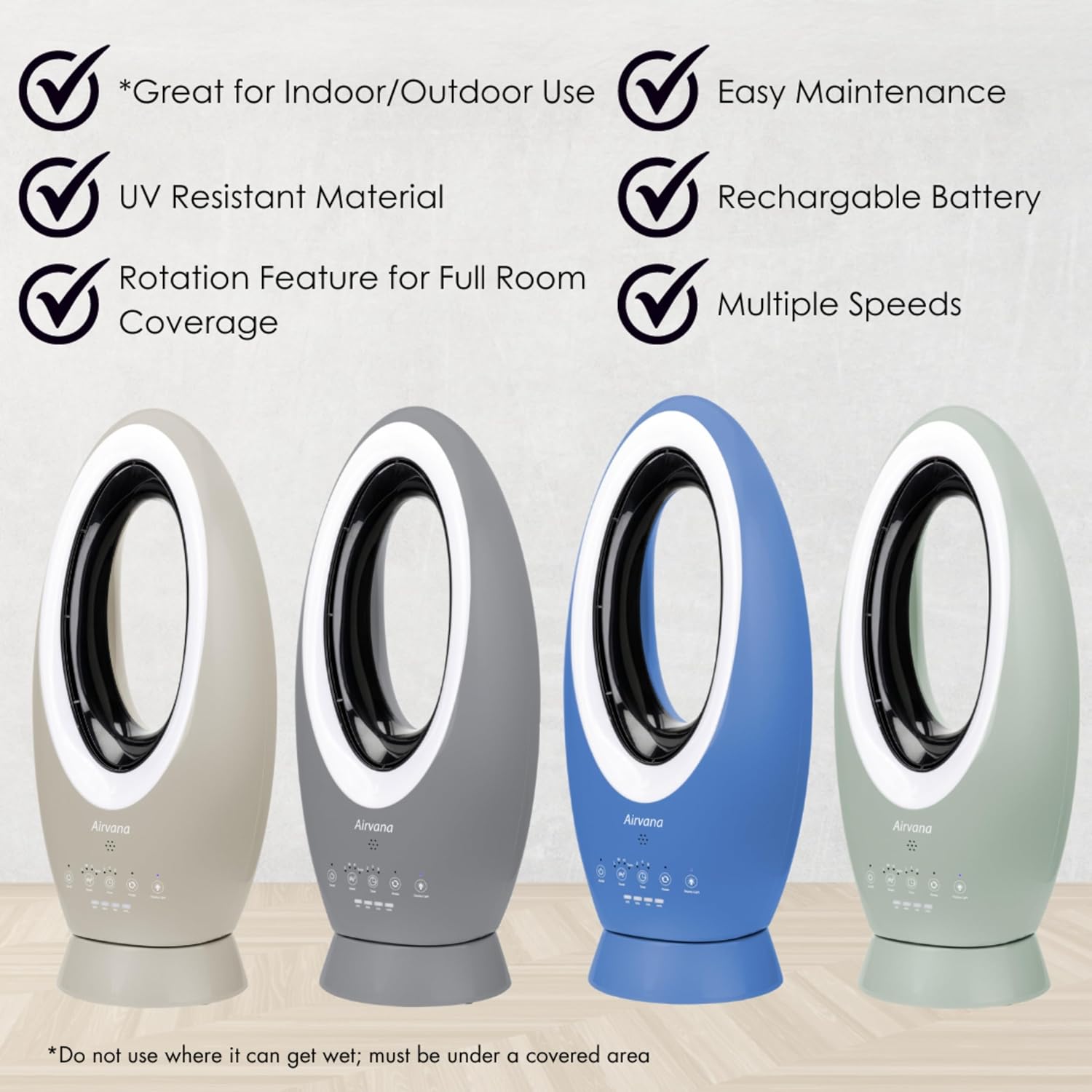
A visual summary of the fan's benefits, showing multiple units in various colors. Key advantages include indoor/covered outdoor use, UV resistant material, rotation for full room coverage, easy maintenance, a rechargeable battery, and multiple speed settings.

This diagram illustrates how the bladeless design generates a strong, smooth stream of airflow, making it safer and easier to clean compared to traditional fans.
Setup
Unpacking
- Carefully remove the fan and all accessories from the packaging.
- Check for any damage during transit. If any damage is found, do not operate the fan and contact customer support.
- Ensure all components listed in the package contents are present: Fan unit, AC adapter, Remote control.
Charging the Battery
Before first use, fully charge the fan's built-in Lithium-Ion battery. Connect the provided AC adapter to the fan's charging port and then to a standard electrical outlet. The battery can be fully recharged in approximately 2 hours. The fan can be used while charging.
Battery life on a full charge:
- Turbo Speed: Approximately 2 hours
- High Speed: Approximately 4 hours
- Medium Speed: Approximately 12 hours
- Low Speed: Approximately 19 hours
Operating Instructions
Control Panel
The fan features an intuitive touch control panel located on its base. Each button controls a specific function:

This diagram details the touch control panel of the Airvana AV1780FAN. It shows buttons for On/Off Power, adjusting Fan Speeds (L, M, H, Turbo), setting the Timer (2, 4, 8 hours), activating Rotation Mode, and controlling the LED Display Light. Battery charge indicators (25%, 50%, 75%, 100%) are also visible.
- On/Off Power Button (U): Press to turn the fan on or off.
- Speed Button (~): Press repeatedly to cycle through Low (L), Medium (M), High (H), and Turbo fan speeds.
- Timer Button (L): Press to set the fan to turn off automatically after 2, 4, or 8 hours. The corresponding indicator light will illuminate.
- Rotation Mode Button (C): Press to activate or deactivate the fan's oscillation feature, allowing it to rotate left and right.
- Display Light Button (@): Press to turn the accent light on or off, or to cycle through different color options.
Fan Speeds
The fan offers four speed settings to suit your cooling needs:
- Low: Gentle breeze for quiet operation and extended battery life.
- Medium: Moderate airflow for general cooling.
- High: Stronger airflow for more significant cooling.
- Turbo: Maximum airflow for rapid cooling.
Rotation Feature
Activate the rotation mode to distribute air across a wider area. The fan will smoothly oscillate from left to right, providing full room coverage.
Accent Light
The integrated accent light can be used to add ambiance to your space. Press the Display Light button to turn it on, off, or cycle through available color options.

This image demonstrates the customizable accent light feature of the fan, showcasing various color options including Pink, Blue, Green, Red, and White, allowing users to match their preference or mood.
Using the Remote Control
The included remote control provides convenient access to all fan functions from a distance.

The included remote control provides convenient access to all fan functions. Buttons include On/Off, Rotate, Speed adjustment, Timer settings, Turbo mode activation, and Display Lights control.
- On/Off: Powers the fan on or off.
- Rotate: Activates or deactivates oscillation.
- Speed: Cycles through fan speeds (Low, Medium, High).
- Timer: Sets the auto-off timer.
- Turbo: Activates the highest fan speed directly.
- Display Lights: Controls the accent light.
Maintenance
Cleaning
- Always unplug the fan before cleaning.
- Use a soft, damp cloth to wipe the exterior surfaces of the fan. Do not use abrasive cleaners or solvents.
- The bladeless design makes cleaning easier. Use a soft brush or compressed air to remove dust from the air intake and outlet vents.
- Ensure the fan is completely dry before plugging it back in or storing it.
Storage
- Store the fan in a cool, dry place when not in use.
- If storing for an extended period, ensure the battery is partially charged (around 50%) to maintain battery health. Recharge every 3-6 months if stored for very long periods.
- Keep the fan covered to protect it from dust.
Troubleshooting
| Problem | Possible Cause | Solution |
|---|---|---|
| Fan does not turn on. | No power supply or low battery. | Ensure the AC adapter is securely plugged into a working outlet and the fan. Charge the battery if it is depleted. |
| Weak airflow. | Fan speed is too low; air intake/outlet blocked. | Increase the fan speed. Check and clear any obstructions from the air intake or outlet. |
| Fan stops unexpectedly. | Battery depleted; timer activated. | Recharge the battery. Check if the timer function was set. |
| Rotation feature not working. | Rotation mode not activated. | Press the Rotation Mode button on the control panel or remote. |
| Remote control not responding. | Battery in remote is dead; remote out of range. | Replace the remote control battery. Ensure you are within effective range of the fan. |
Specifications
| Specification | Detail |
|---|---|
| Brand | Airvana |
| Model Name | AV1780FAN |
| Color | Taupe |
| Electric Fan Design | Floor Fan |
| Power Source | Battery Powered (Lithium-Ion) / AC Adapter |
| Style | Modern |
| Product Dimensions | 10"D x 3.38"W x 23"H |
| Item Weight | 6.2 Pounds (2.81 kg) |
| Room Type | Home Office, Living Room, Bedroom, Covered Outdoor Areas |
| Special Feature | Oscillating, Bladeless, Accent Light, Rechargeable |
| Recommended Uses | Air Circulation, Personal Cooling |
| Finish Type | Matte |
| Included Components | Fan Unit, AC Adapter, Remote Control |
| Indoor/Outdoor Usage | Indoor / Covered Outdoor |
| Specification Met | ETL |
| Control Method | Touch / Remote |
| Is Cordless? | Yes |
| Number of Power Levels | 4 (Low, Medium, High, Turbo) |
| Installation Type | Portable |
| UPC | 810067453592 |
| ASIN | B0CYR3LJT4 |
| Date First Available | March 21, 2024 |
| Mounting Type | Floor Mount |
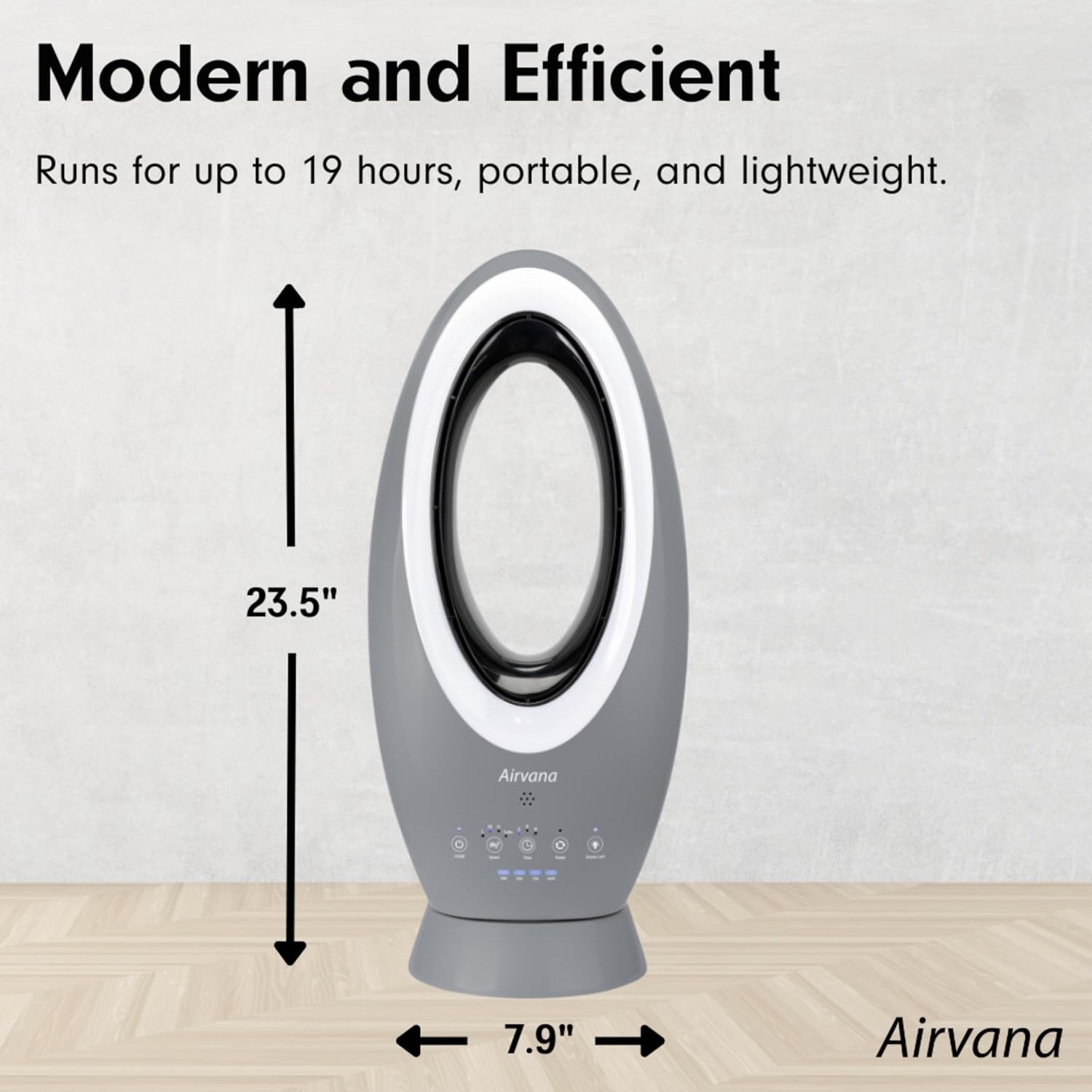
This image provides the physical dimensions of the fan, indicating a height of 23.5 inches and a width of 7.9 inches, useful for placement and portability considerations.
Warranty and Support
Airvana products are manufactured to high-quality standards. This product is covered by a limited warranty against defects in materials and workmanship from the date of purchase. Please refer to the warranty card included in your product packaging for specific terms and conditions.
For technical support, troubleshooting assistance, or warranty claims, please contact Airvana Customer Service. Contact information can typically be found on the product packaging or the official Airvana website.