
1. Introduction
Thank you for choosing the Wyve S760 5K & 2K Dual Channel Car Dash Camera. This manual provides detailed instructions for the installation, operation, and maintenance of your new dash camera. Please read this manual thoroughly before using the device to ensure proper functionality and to maximize your driving safety and recording experience.
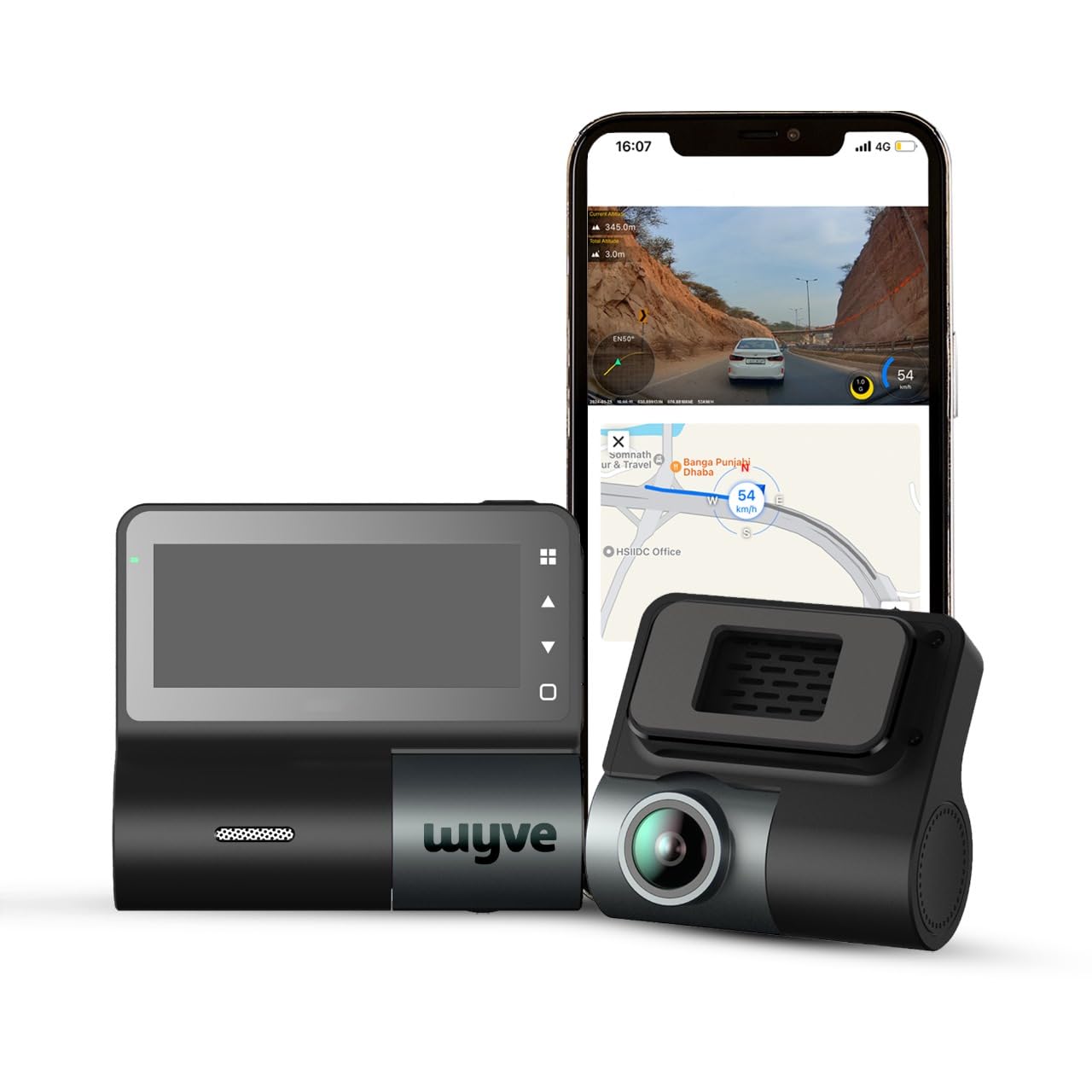
Image: The Wyve S760 dash camera system, including the front camera unit, rear camera, and a smartphone displaying the companion application interface with live view and map data.
2. What's in the Box
Please verify that all the following components are included in your package:
- Front Dash Camera
- Rear Dash Camera
- Warranty Card
- Front Camera Cable
- Rear Camera Cable
- Instructions Manual (this document)
- Cleaning Cloth
- Pair of Double-sided Tape
- Electrostatic Sticker
3. Setup
3.1 Memory Card Installation
The Wyve S760 supports up to 512GB memory cards. A memory card is not included and must be purchased separately. It is recommended to use a new memory card or format the card before first use to ensure optimal performance.
- Ensure the dash camera is powered off.
- Locate the microSD card slot on the side of the dash camera.
- Insert the microSD card into the slot until it clicks into place.
- To remove, gently push the card in until it clicks, then release.

Image: A visual guide to compatible memory cards and the location of the microSD card slot on the Wyve S760 dash camera.
3.2 Dash Camera Installation
Mount the front dash camera on your car's windshield, ideally behind the rearview mirror, to ensure a clear view of the road without obstructing your driving vision. Use the provided electrostatic sticker and double-sided tape for secure attachment.
Connect the rear camera to the front unit using the provided rear camera cable. Route the cable neatly along the vehicle's interior trim to the rear windshield.
3.3 Power Connection
Connect the front dash camera to your vehicle's power outlet (e.g., cigarette lighter socket) using the provided power cable. For continuous parking monitoring, a separate hardwire kit is required and sold separately.
4. Operating Instructions
4.1 Power On/Off
The dash camera will automatically power on and begin recording when your vehicle's ignition is turned on. It will power off automatically when the ignition is turned off.
4.2 Recording Modes
- Loop Recording: The camera continuously records video in short segments (e.g., 1, 3, or 5 minutes). When the memory card is full, the oldest unlocked files are overwritten.
- Emergency Recording (G-Sensor): In the event of a sudden impact or collision, the built-in G-Sensor will automatically detect the event and lock the current video segment, preventing it from being overwritten.
- Parking Mode: With a hardwire kit installed, the dash camera can monitor your vehicle for impacts or motion even when parked, recording automatically if an event occurs.
4.3 Wi-Fi Connectivity and App Control
The Wyve S760 features 5GHz dual-band Wi-Fi for fast and seamless connectivity to your smartphone. Download the dedicated Wyve app (no sign-up required) to access live view, review recorded footage, download videos to your phone, and adjust camera settings.

Image: A smartphone screen showing the Wyve dash camera app interface, highlighting the 5GHz Wi-Fi connectivity for easy data transfer.

Image: The user-friendly Wyve app interface, illustrating features such as app control for loop recording and front/back camera switching, and route tracking with GPS data.
4.4 Built-in GPS Logger
The integrated GPS logger records your driving route, speed, and location data, providing precise information that can be viewed via the companion app or dedicated PC viewer software.

Image: The Wyve S760 dash camera alongside a smartphone displaying real-time GPS tracking, speed, and location recording on a map interface.
Note: The GPS module is a logger and not a tracker. You cannot monitor your car remotely from a different location.
5. Key Features
- Crystal Clear UHD 5K (Front) + 2K QHD 1440P (Rear) Dual Dash Cam: Capture stunning video footage with 2592P resolution for the front camera and 1440P for the rear camera, ensuring every detail is recorded.
- 3.16'' IPS Screen & Rotatable Design: Enjoy a clear view with the 3.16-inch IPS display and easily adjust the camera angle with its rotatable design.
- STARVIS IMX415 Sensor: Benefit from superior image quality in various lighting conditions with the advanced STARVIS IMX415 sensor.
- G-Sensor Collision Detection & Emergency Record: Automatically detect collisions and save emergency recordings to prevent loss of crucial footage.
- Built-In ADAS for Increased Safety: Receive real-time alerts with Advanced Driver Assistance Systems (ADAS) to enhance your driving safety.
- Superior Night Vision with 3D-DNR & WDR: Advanced image processing technologies ensure clear and detailed recordings even in low-light environments.

Image: An infographic detailing the key features of the Wyve S760, including 3D DNR & WDR, rotatable camera, 5K/3.16'' screen, dual vision, powerful night vision, built-in GPS, loop recording, in-app control, parking mode, and Sony Starvis Sensor.

Image: A visual comparison demonstrating the crystal clear 5K UHD front recording and 2K FHD rear recording capabilities of the Wyve S760 dash camera, showing license plate readability.

Image: The Wyve S760 dash camera screen showing superior night vision footage captured inside a dimly lit tunnel, demonstrating the effectiveness of 3D DNR & WDR.

Image: An illustration depicting the G-Sensor collision detection feature, which triggers emergency recording, and the 24-hour parking monitoring function that continuously protects your car.
6. Maintenance
- Cleaning: Use the provided cleaning cloth to gently wipe the camera lenses and screen. Avoid using abrasive cleaners or solvents.
- Memory Card: Regularly format your memory card (at least once a month) to maintain optimal performance and prevent data corruption. Back up any important footage before formatting.
- Temperature: The dashcam heating up is normal due to its high-end processor inside; it does not affect performance. Avoid exposing the device to extreme temperatures for prolonged periods.
7. Troubleshooting
| Problem | Possible Cause / Solution |
|---|---|
| Camera not powering on. | Check power cable connection. Ensure vehicle's ignition is on. |
| Recording stops or freezes. | Memory card may be full or corrupted. Format the card or replace it. Ensure a high-speed (Class 10 or U3) memory card is used. |
| Wi-Fi connection issues. | Ensure the dash camera's Wi-Fi is enabled. Try restarting both the camera and your smartphone. Ensure you are within range. |
| Poor rear camera image quality. | Check the rear camera cable connection. Ensure the rear camera lens is clean and free from obstructions. |
| GPS not logging data. | Ensure the dash camera has a clear view of the sky. Allow time for GPS signal acquisition. |
8. Specifications
- Model Name: S760
- Product Dimensions: 2.5 x 8.6 x 7.8 cm
- Item Weight: 670 g
- Front Video Capture Resolution: 2592 pixels (5K UHD)
- Rear Video Capture Resolution: 1440 pixels (2K QHD)
- Connectivity Technology: Wi-Fi (5GHz Dual Band)
- Special Features: G-Sensor, Built-in GPS Logger, ADAS, Parking Mode
- Sensor: STARVIS IMX415
- Display: 3.16'' IPS Screen
- Max. Storage Support: Up to 512GB (MicroSD card, not included)
- Color: Black
9. Warranty & Support
Your Wyve S760 Dash Camera comes with a warranty. Please refer to the included Warranty Card for specific terms and conditions. For any technical assistance, product inquiries, or support, please contact Wyve customer service:
- Email: support@wyve.in
- Website: www.wyve.in
- WhatsApp: +91 8699413647
Manufacturer: Wyve