
1. Introduction
This manual provides detailed instructions for the proper use and maintenance of your Somikon Full HD DV-325.mini Micro Camera. Please read this manual thoroughly before operating the device to ensure optimal performance and longevity. This camera is designed for discreet video recording, offering Full HD resolution, night vision, and motion detection capabilities.
2. Package Contents
Please verify that all items listed below are included in your package:
- Somikon DV-325.mini WiFi Camera
- External 500 mAh Battery Pack
- Textile USB Cable (USB-A to USB-C)
- 15 cm Gooseneck USB Cable (USB-A to USB-C)
- Keychain Lanyard
- User Manual

Figure 2.1: Somikon DV-325.mini Micro Camera and included accessories: external battery, USB-A to USB-C cable, gooseneck USB cable, and lanyard.
3. Product Overview
The Somikon DV-325.mini is a compact and versatile micro camera designed for various recording needs. Its small form factor allows for discreet placement, while its advanced features ensure high-quality capture.
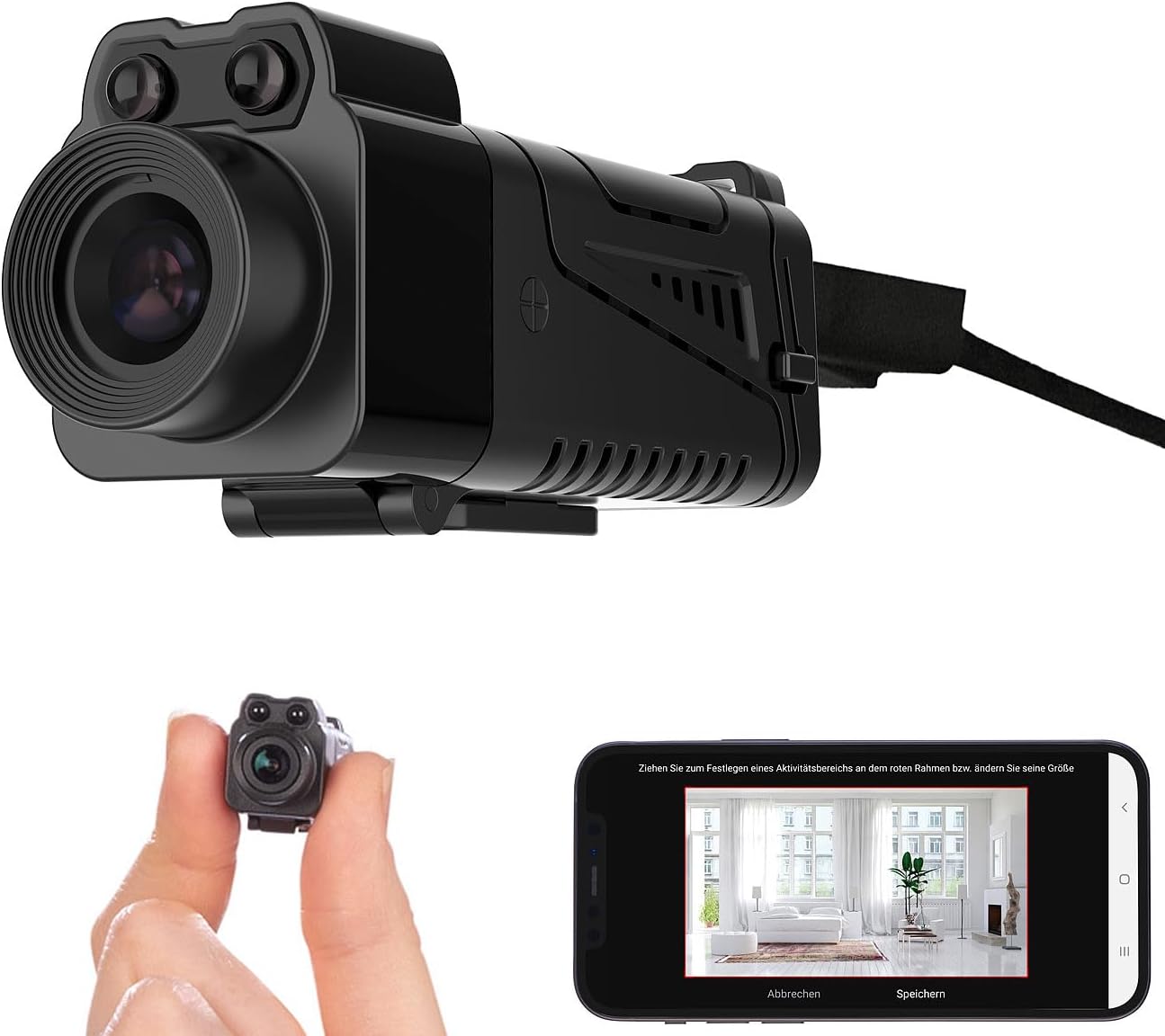
Figure 3.1: Front view of the Somikon DV-325.mini Micro Camera with USB cable.
Key Features:
- Full HD 1080p Video: Records clear video at 1920 x 1080 pixels.
- H.265 Video Compression: Efficient compression for high-quality, space-saving files.
- 90° Tiltable Lens: Allows for flexible camera angle adjustment.
- Infrared Night Vision: Captures clear images in low-light conditions up to 3 meters.
- Motion Detection: Automatic recording triggered by movement with adjustable detection zones.
- Integrated Microphone: Records audio along with video.
- Wi-Fi Connectivity: Connects to 2.4 GHz Wi-Fi networks for remote access via mobile app.
- Mobile Application: Free iOS/Android app for live view, settings, and control.
- Home Automation Integration: Compatible with ELESION, Smart Life, and Tuya systems.
- MicroSD Card Support: Supports up to 128 GB for local storage (card not included).
- Portable Power: Includes a 500 mAh external battery for up to 2.5 hours of operation.
4. Setup
4.1. Charging the Battery
Before first use, fully charge the external 500 mAh battery. Connect the provided USB-A to USB-C cable to the battery pack and a standard USB power adapter (not included). The charging indicator light will typically change color or turn off once fully charged.
4.2. Inserting the MicroSD Card
The camera requires a MicroSD card (up to 128 GB, not included) for recording. Locate the MicroSD card slot on the camera. Gently insert the MicroSD card with the contacts facing down until it clicks into place. To remove, press the card in again until it springs out.
4.3. App Download and Installation
Download the free companion application from the App Store (iOS) or Google Play Store (Android). Search for the app compatible with ELESION, Smart Life, or Tuya devices. Install the app on your smartphone or tablet.
4.4. Connecting to Wi-Fi
- Ensure your camera is powered on and within range of a 2.4 GHz Wi-Fi network.
- Open the installed mobile application and create an account or log in.
- Follow the in-app instructions to add a new device. This typically involves selecting the camera type and putting the camera into pairing mode (refer to the camera's specific button sequence for pairing mode, usually a long press on a reset/mode button).
- Enter your Wi-Fi network name (SSID) and password when prompted by the app.
- The app will guide you through the connection process, which may involve scanning a QR code displayed on your phone with the camera lens.
- Once connected, the camera's status indicator will confirm a successful connection, and you will see the live feed in the app.

Figure 4.1: Camera size comparison and mobile app interface.
5. Operating Instructions
5.1. Basic Recording (Video/Photo)
Once connected to the app, you can initiate video recording or take still photos directly from the live view interface. Look for dedicated buttons within the app for these functions.
5.2. Motion Detection Recording
The camera supports motion-activated recording. To enable and configure this feature:
- Access the camera settings within the mobile application.
- Navigate to the 'Motion Detection' or 'Alarm Settings' section.
- Enable motion detection.
- Adjust sensitivity levels and define specific detection zones if available. This allows the camera to focus on critical areas and reduce false alarms.
- Motion-triggered recordings will be saved to the MicroSD card and can often be accessed via the app.
5.3. Night Vision Activation
The camera features infrared night vision for recording in low-light or dark conditions. Night vision typically activates automatically when ambient light levels drop. You may also find an option in the app settings to manually control or adjust night vision mode.
5.4. Using the Mobile Application
The mobile app provides comprehensive control over your camera:
- Live View: Monitor real-time video feed from the camera.
- Playback: Access and review recorded footage stored on the MicroSD card.
- Settings: Adjust various camera parameters such as resolution, recording modes, night vision, and motion detection sensitivity.
- Notifications: Receive alerts for motion detection events.
- Device Sharing: Share camera access with other users through the app.

Figure 5.1: Example of discreet camera placement.
6. Maintenance
6.1. Cleaning
To clean the camera, use a soft, dry cloth. For the lens, use a specialized lens cleaning cloth. Do not use liquid cleaners or solvents, as they may damage the device.
6.2. Storage
When not in use, store the camera in a cool, dry place away from direct sunlight and extreme temperatures. Ensure the battery is partially charged (around 50%) before long-term storage to preserve battery health.
7. Troubleshooting
- Camera not powering on: Ensure the external battery is fully charged and properly connected.
- Cannot connect to Wi-Fi:
- Verify that your Wi-Fi network is 2.4 GHz. The camera does not support 5 GHz networks.
- Check your Wi-Fi password for accuracy.
- Ensure the camera is within range of your Wi-Fi router.
- Try resetting the camera and repeating the pairing process.
- No recording to MicroSD card:
- Ensure a MicroSD card is inserted correctly.
- Check if the MicroSD card is formatted (usually FAT32). Format it via the app settings if necessary.
- Verify that the card is not full.
- Ensure recording settings (e.g., motion detection) are properly configured in the app.
- Poor video quality:
- Clean the camera lens.
- Ensure adequate lighting for non-night vision recordings.
- Check the resolution settings in the app.
8. Specifications
| Model Name | DV-325.mini |
| Manufacturer | Somikon |
| Video Recording Resolution | 1080p (1920 x 1080 px) |
| Effective Still Resolution | 2.1 Megapixels |
| Video Compression | H.265 |
| Lens Type | Wide Angle, 90° Tiltable |
| Night Vision Range | Up to 3 meters (Infrared) |
| Special Features | Motion Detection, Night Vision, Integrated Microphone |
| Connectivity Technology | Wireless (IEEE 802.11b/g/n, 2.4 GHz) |
| Memory Type | Micro SD (supports up to 128 GB, not included) |
| Battery Capacity | 500 mAh (external) |
| Battery Life | Up to 2.5 hours |
| Dimensions | 50 x 18 x 18 mm |
| Weight | 9 g |
| App Compatibility | iOS / Android (ELESION, Smart Life, Tuya) |
9. Warranty and Support
For warranty information and technical support, please refer to the documentation provided with your purchase or contact the retailer/manufacturer directly. Keep your proof of purchase for warranty claims.
