
Hama Performance 20
Hama Powerbank Performance 20 20,000 mAh User Manual
Model: Performance 20 | Brand: Hama
1. Introduction
Thank you for choosing the Hama Powerbank Performance 20. This portable power bank is designed to provide reliable and efficient charging for your mobile devices on the go. With its high capacity and multiple output ports, it ensures your devices stay powered throughout the day.
Package Contents
- 1x Hama Powerbank "Performance 20" (20,000 mAh)
- 1x USB-A to USB-C Charging Cable (0.30 m)
- 1x User Manual
2. Product Overview
Familiarize yourself with the components and features of your Hama Powerbank.
Components and Controls
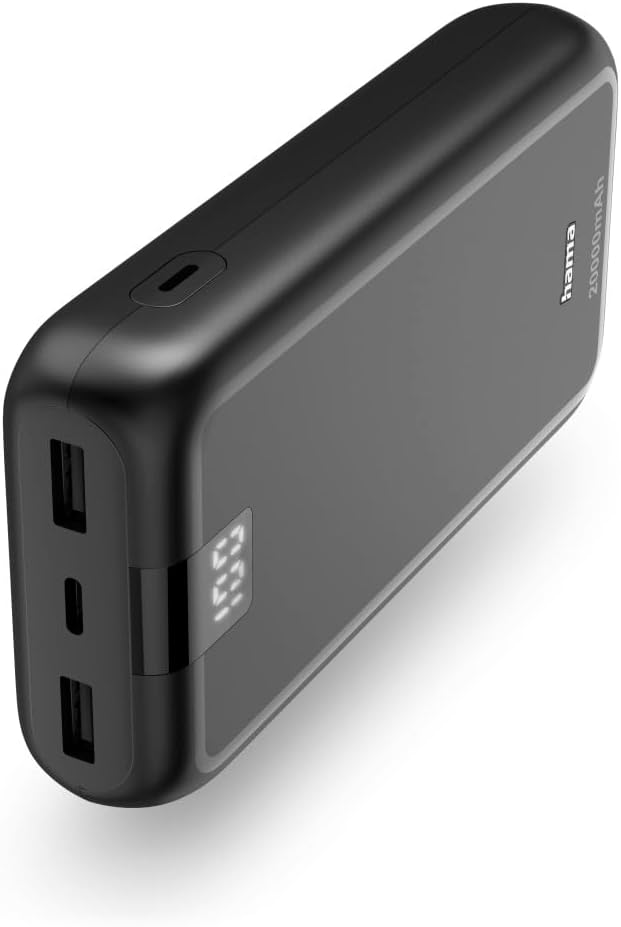
Figure 2.1: Overall view of the Hama Powerbank Performance 20, highlighting its compact design and integrated LED display.
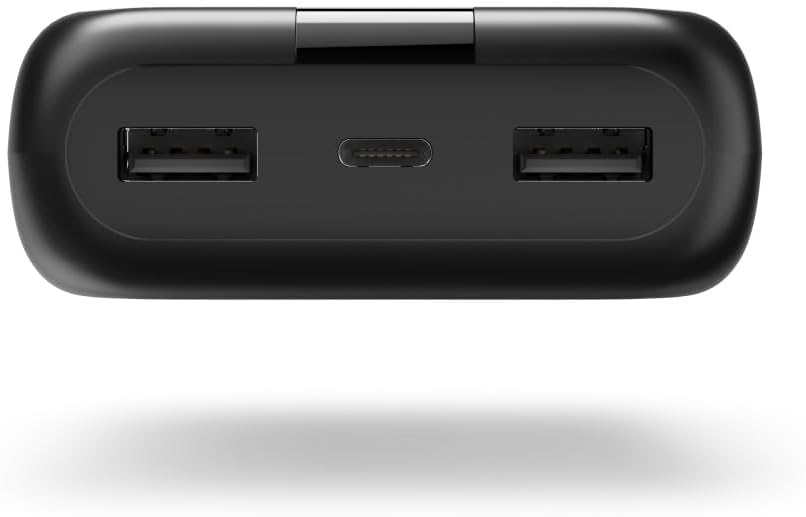
Figure 2.2: Top view displaying the two USB-A output ports and the central USB-C input/output port.
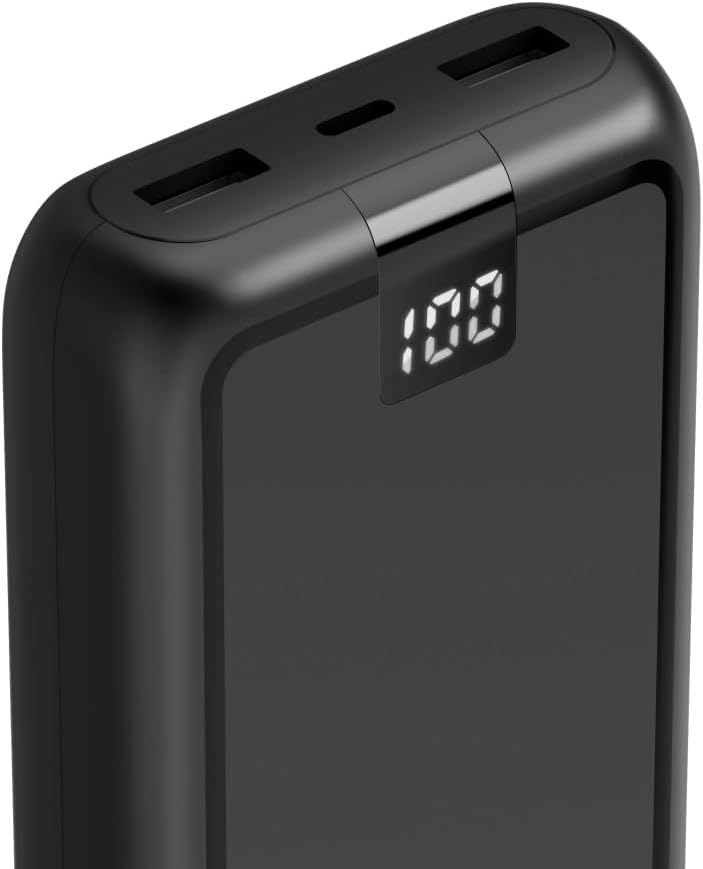
Figure 2.3: Detailed view of the digital LED display, which indicates the remaining battery percentage.
- USB-C Port: Used for both charging the power bank and charging external devices.
- USB-A Ports (x2): Used for charging external devices.
- LED Display: Shows the battery charge level from 1% to 100%.
3. Setup
Initial Charging of the Power Bank
Before first use, fully charge the power bank. This ensures optimal performance and battery longevity.
- Connect the supplied USB-A to USB-C charging cable to the USB-C input port of the power bank.
- Connect the USB-A end of the cable to a suitable USB charger (e.g., a wall adapter, not included).
- The LED display will show the charging progress. Once it reaches 100%, the power bank is fully charged.
Connecting Devices for Charging
The power bank can charge various devices such as smartphones, tablets, smartwatches, digital cameras, and Bluetooth headphones/speakers.
- Use a compatible charging cable for your device.
- Connect one end of the cable to your device and the other end to either a USB-A output port or the USB-C port on the power bank.
- The power bank will automatically begin charging your device.
4. Operating Instructions
Charging Your Devices
Once connected, the power bank will deliver power to your device. The optimized charging process helps preserve your device's battery life.
Checking Battery Level
The LED display provides a clear indication of the power bank's remaining charge.
- The percentage shown on the display directly corresponds to the available charge.
- When the power bank is charging, the display will show the current charge level increasing.
Simultaneous Charging
You can charge up to three devices simultaneously using the USB-C and two USB-A ports. Note that charging multiple devices at once may affect the charging speed for each individual device.
5. Safety Information
Please read and follow all safety instructions to prevent damage to the product or injury to yourself.
- Do not expose the power bank to extreme temperatures (heat or cold), direct sunlight, or high humidity.
- Avoid dropping, puncturing, or disassembling the device.
- Keep out of reach of children.
- Do not operate the product outside the power limits given in the specifications.
- This power bank features certified cells and protection against overcharging, overvoltage, overheating, and short circuits for safe operation.
- Only use the product for its intended purpose.
- Do not modify the product in any way.
- Dispose of packaging material immediately according to locally applicable regulations.
6. Maintenance
Cleaning
Only clean this product with a slightly damp, lint-free cloth and do not use aggressive cleaning agents.
Storage
Store the power bank in a cool, dry place away from direct sunlight and extreme temperatures when not in use for extended periods.
Battery Care
To prolong the life of the power bank's battery, it is recommended to fully charge and discharge it at least once every three months if not used regularly.
7. Troubleshooting
Common Issues and Solutions
- Power bank not charging:
- Ensure the charging cable is securely connected to both the power bank and the power source.
- Try a different USB charger or power outlet.
- Check if the charging cable is damaged.
- Device not charging from power bank:
- Ensure the power bank has sufficient charge (check the LED display).
- Verify that the charging cable connecting your device to the power bank is functional and properly connected.
- Try a different output port on the power bank.
- Some devices may require specific charging protocols; ensure compatibility.
- Slow charging:
- Ensure you are using a high-quality cable.
- Charging multiple devices simultaneously may reduce individual charging speeds.
- Check your device's charging input requirements.
8. Specifications
Technical Data
| Feature | Detail |
|---|---|
| Model Name | Performance 20 |
| Battery Capacity | 20,000 mAh |
| Battery Composition | Lithium-polymer |
| Input Port | 1x USB Type C |
| Output Ports | 1x USB Type C, 2x USB Type A |
| Voltage | 5 Volts |
| Color | Anthracite |
| Dimensions (approx.) | 7 x 14 x 2.7 cm |
| Weight (approx.) | 361 g |
| Special Features | Short-circuit protection, Overload protection, Digital display, Compact, Lightweight |
9. Warranty and Support
Warranty Information
Hama products are covered by a limited warranty. Please refer to your purchase documentation or the Hama website for specific warranty terms and conditions applicable to your region.
Customer Support
For technical support, troubleshooting assistance, or warranty claims, please contact Hama customer service. Contact details can typically be found on the official Hama website or on the product packaging.
Related Documents - Performance 20
 |
Hama Power Pack Performance 10/20/24 User Manual and Guide User manual and guide for the Hama Power Pack Performance series (10, 20, 24 mAh), detailing features, operation, charging, and safety instructions. |
 |
Hama Power Pack 00201755: Portable Charger User Guide & Safety Instructions Learn how to safely use and charge your Hama Power Pack 00201755 portable charger. This guide provides essential safety warnings, usage instructions, and product specifications. |
 |
Hama Supreme 20HD Power Pack 20000 mAh - Operating Instructions Comprehensive operating instructions for the Hama Supreme 20HD Power Pack, a 20000 mAh portable charger. Learn about safety, package contents, charging the power pack, charging devices, care and maintenance, and technical specifications. |
 |
Hama Supreme 10HD Power Pack 10000 mAh - Operating Instructions Detailed operating instructions and safety information for the Hama Supreme 10HD 10000 mAh Power Pack, covering charging, usage, technical specifications, and environmental guidelines. |
 |
Hama Power Pack "LED10S" 10000 mAh Operating Instructions User manual and operating instructions for the Hama Power Pack "LED10S" with 10000 mAh capacity, detailing its features, safety, and usage. |
 |
Hama Power Pack Performance 10/20/24 User Manual and Safety Instructions Comprehensive safety instructions, technical specifications, and usage guidelines for the Hama Power Pack Performance 10/20/24 portable charger. Includes details on high-density Li-polymer cells, care, warranty, and technical data for models 00201709, 00201710, and 00201711. |
Ask a question about this manual
Ask about setup, troubleshooting, compatibility, parts, safety, or missing instructions. Manuals+ will review the question and use this page’s manual context to help answer it.