
Introduction
Thank you for choosing the Peski Portable Bluetooth Mini Karaoke Machine. This device is designed to provide an astonishing sound experience with exceptional clarity and zero distortion, perfect for home parties, outdoor events, and family gatherings. It features two wireless microphones, dynamic colorful lights, and multiple connectivity options for endless fun.
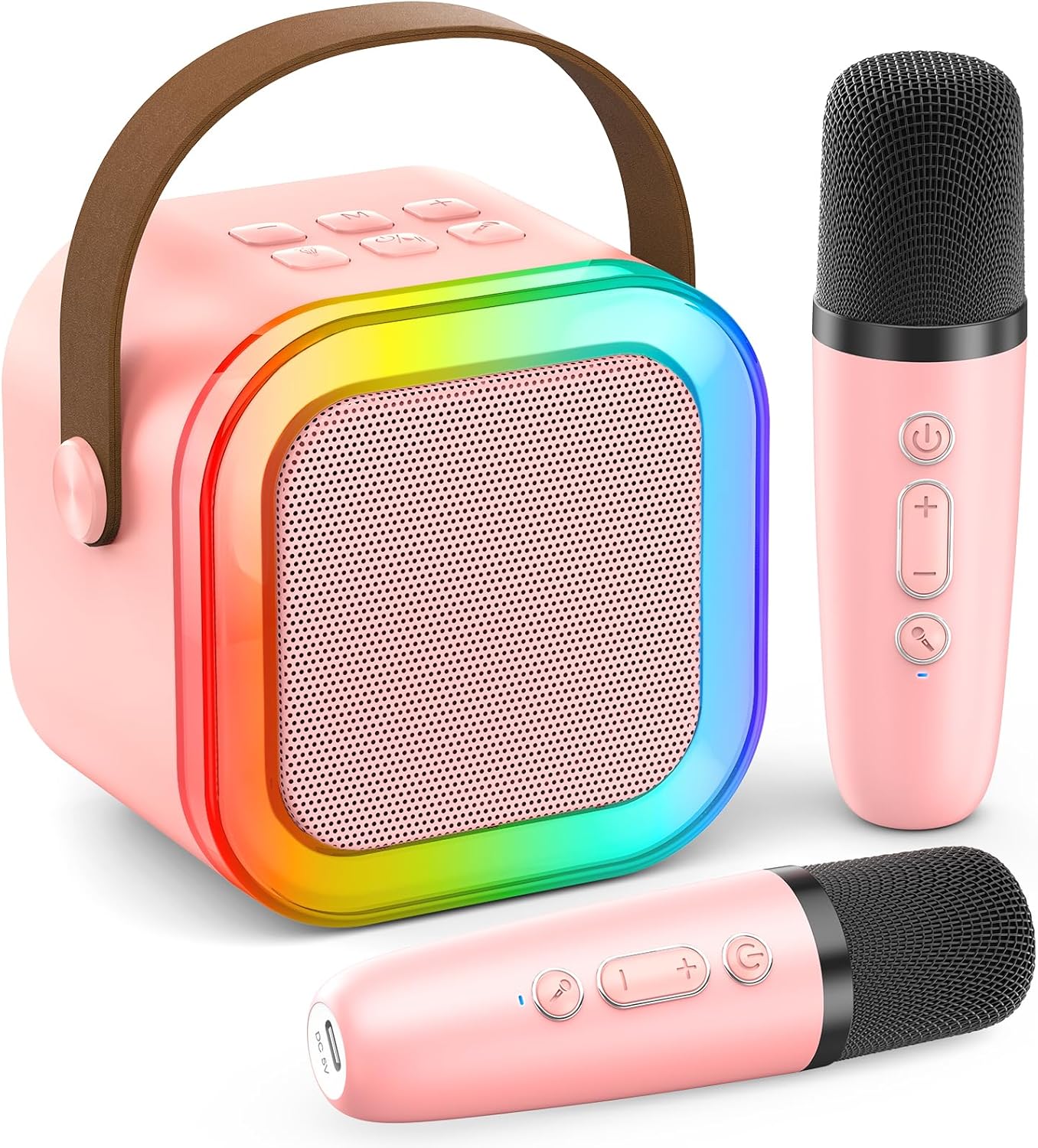
What's in the Box
Upon opening your package, please ensure all the following items are present:
- Mini Karaoke Machine x1
- Wireless Microphone x2
- USB Cable x2
- User Manual x1

Setup Guide
1. Charging the Device
Before first use, fully charge the karaoke machine and both microphones. Use the provided USB Type-C cables. The main unit features a long-life rechargeable battery, offering 6-10 hours of playtime and doubling as a power bank for your smartphone/tablet.

2. Bluetooth Pairing
- Turn on the karaoke machine by pressing the power button.
- Activate Bluetooth on your smartphone, tablet, or other compatible device.
- Search for "Peski Karaoke" (or similar name) in your device's Bluetooth settings and select it to pair.
- The microphones will automatically connect to the main unit once powered on.
Operating Instructions
Controls Overview

Voice Effects
The PA karaoke system includes 5 magic voice effects to enhance your singing experience:
- Monster Voice
- Baby Voice
- Female Voice
- Male Voice
- Original/Accompaniment (to remove/restore music vocals)

Dynamic Colorful Lights
The karaoke machine is equipped with colorful disco lights that can be switched on/off with an independent button, adding a vibrant atmosphere to your party.

Connectivity Options
Beyond Bluetooth 5.0, the karaoke machine supports various input connections:
- TF Card: Insert a TF (Micro SD) card with your favorite music.
- USB: Connect a USB drive for audio playback.
- AUX Input: Use the AUX port to connect external audio devices.


Maintenance
To ensure the longevity and optimal performance of your Peski Karaoke Machine, please follow these maintenance guidelines:
- Cleaning: Use a soft, dry cloth to clean the exterior of the machine and microphones. Do not use abrasive cleaners or solvents.
- Storage: Store the device in a cool, dry place away from direct sunlight and extreme temperatures.
- Battery Care: For extended periods of non-use, charge the battery at least once every three months to maintain its health.
- Handle with Care: Avoid dropping the machine or microphones, as this can damage internal components.
Troubleshooting
If you encounter any issues with your Peski Karaoke Machine, please refer to the following common problems and solutions:
| Problem | Possible Cause | Solution |
|---|---|---|
| No sound from speaker | Volume too low; Device not paired; Incorrect input mode. | Increase volume on both machine and connected device. Re-pair Bluetooth. Check selected input mode (Bluetooth, TF, USB, AUX). |
| Microphone not working | Microphone not powered on; Battery low; Not paired with speaker. | Ensure microphone is turned on. Charge microphone. Microphones should auto-pair; if not, restart both speaker and microphones. |
| Bluetooth connection unstable | Device too far from speaker; Interference. | Keep devices within 50ft range. Avoid obstacles between devices. Turn off other Bluetooth devices nearby. |
| Lights not working | Lights feature turned off. | Press the dedicated LIGHTS button on the main unit to activate or change light modes. |
If the problem persists after trying these solutions, please contact Peski customer support for further assistance.
Specifications
| Feature | Detail |
|---|---|
| Brand | Peski |
| Model Number | MI047AR |
| Color | Pink |
| Product Dimensions | 5.71 x 3.94 x 4.53 inches |
| Item Weight | 12.7 ounces (360 Grams) |
| Material | Plastic |
| Power Source | Battery Powered |
| Output Wattage | 10 Watts |
| Speaker Count | 1 |
| Connectivity Technology | Bluetooth, USB, Wireless, Portable, SD card, TF Card |
| Bluetooth Version | 5.0 |
| Wireless Range | Up to 50 feet (without obstacles) |
| Compatible Devices | Headphone, Laptop, PA System, Smartphone, Television |
| Audio Input | Microphone |
| Mounting Type | Tabletop |
| Date First Available | March 20, 2024 |
Warranty and Support
Peski is committed to providing excellent customer service. Your karaoke machine comes with a 365-day warranty. We also offer a LIFETIME AFTERSALES and NO REASON REPLACEMENT service. If you have any issues during using the singing machine, we are available to assist you and will resolve any issues within 24 hours. Our 24/7 customer support is ready to help.
For support, please refer to the contact information provided with your purchase or visit the official Peski store online.