1. Introduction
This manual provides essential information for the safe and efficient operation of your AIVOLT 8000W Dual Fuel Super Quiet Inverter Generator. Please read all instructions carefully before use to ensure proper setup, operation, and maintenance. This generator is designed to provide reliable power for home backup, RVs, camping, and travel needs.
The AIVOLT inverter generator is powered by a 322cc 4-stroke OHV engine, delivering 8,000W surge power and 6,100W running watts. It features Eco-Mode for fuel efficiency, dual fuel capability (gasoline and propane), and a pure sine wave output suitable for sensitive electronics.
2. Safety Information
Your safety and the safety of others are paramount. Always operate the generator according to the instructions provided. Failure to do so may result in serious injury or property damage.
- Carbon Monoxide (CO) Hazard: Generators produce carbon monoxide, a colorless, odorless, poisonous gas. Always operate the generator outdoors in a well-ventilated area, far away from windows, doors, and vents. Never operate indoors or in partially enclosed spaces. The generator is equipped with CO Alert technology that automatically shuts down if unsafe carbon monoxide levels are detected.
- Fire Hazard: Fuel is highly flammable. Always refuel in a well-ventilated area with the engine off and cooled. Do not smoke or allow open flames near the generator.
- Electrical Shock Hazard: Never operate the generator in wet conditions. Ensure all connections are secure and properly grounded.
- Overload Protection: The generator features overload protection that will shut down the unit if connected devices exceed its capacity.
- Low Oil Shutdown: The generator will automatically shut down if the oil level is too low to prevent engine damage.
3. Product Overview
Familiarize yourself with the components of your AIVOLT inverter generator.
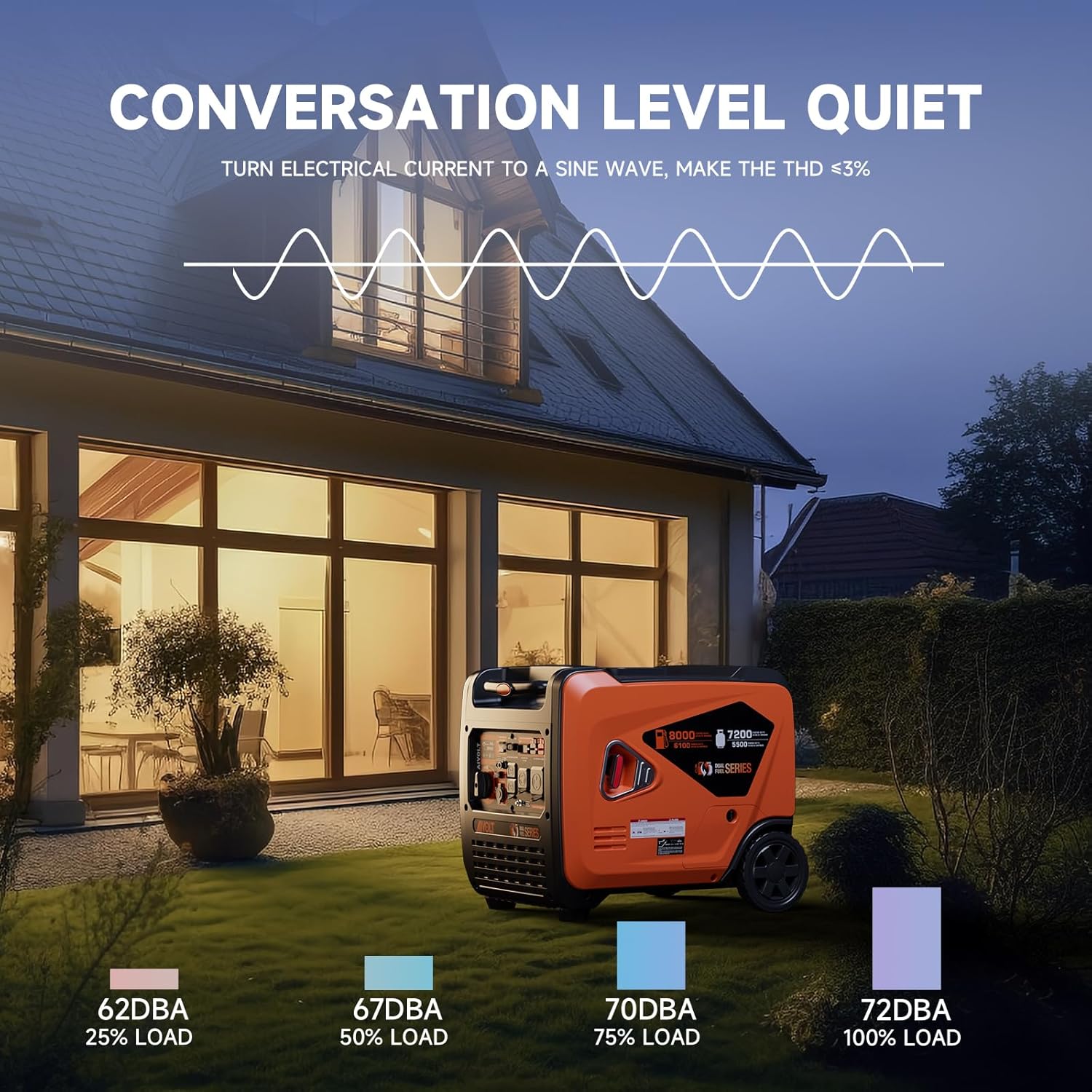
Figure 1: Control Panel Layout. This image shows a detailed view of the generator's control panel, highlighting various switches, outlets, and indicators.
- Digital Display Center: Shows fuel use, voltage, runtime, and more.
- Multi-Switch: Controls engine start/stop and fuel selection.
- Battery Switch: For connecting/disconnecting the internal battery.
- AC Breakers: Protects AC outlets from overload.
- Voltage Toggle Switch: Selects between 120V and 240V output.
- Parallel Connect Ports: For connecting two generators for increased power (parallel kit sold separately).
- Outlets: Includes 120V 20A GFCI, 240V 30A, 120V 50A, 12V DC cigarette outlet, and dual USB adapter.
- CO Alert Sensor: Detects carbon monoxide levels.
- Ground Terminal: For proper grounding of the generator.
4. Setup
4.1 Unboxing and Included Accessories
Carefully remove the generator and all accessories from the packaging. Inspect for any damage. Contact customer support if any components are missing or damaged.

Figure 2: Included Accessories. This image displays the accessories that come with the generator, such as a USB adapter, LPG hose, DC battery charger, tool kit, and oil funnel.
4.2 Adding Engine Oil
The generator is shipped without engine oil. Before first use, you must add the recommended amount of 10W-30 engine oil. Use the provided oil funnel for easy filling.
- Locate the oil fill cap/dipstick on the side of the generator.
- Remove the cap/dipstick and insert the oil funnel.
- Slowly pour 10W-30 engine oil until it reaches the upper mark on the dipstick. Do not overfill.
- Replace the cap/dipstick securely.
4.3 Connecting the Battery
The internal lithium battery for electric start is disconnected for shipping. Connect it before first use.
- Locate the battery compartment cover (usually on the side opposite the control panel).
- Remove the cover to access the battery.
- Connect the positive (+) red terminal and negative (-) black terminal wires to the battery.
- Secure the battery compartment cover.
4.4 Fuel Connection (Gasoline or Propane)
Your generator operates on either gasoline or propane.
- For Gasoline: Fill the fuel tank with fresh, unleaded gasoline (minimum 87 octane). Do not overfill.
- For Propane: Connect the provided LPG hose and regulator to a propane tank and to the generator's LPG inlet. Ensure all connections are tight and leak-free. The generator prioritizes LPG when the cylinder knob is opened.

Figure 3: Dual Fuel Setup. This image illustrates the generator connected to both a propane tank and a gasoline can, demonstrating its dual fuel capability.
4.5 Placement
Always operate the generator outdoors in a well-ventilated area, at least 20 feet away from any buildings, windows, or vents. Ensure the exhaust is directed away from people and buildings.
5. Operating Instructions
5.1 Starting the Generator
- Ensure the generator is on a level surface and all connected devices are unplugged.
- Turn the multi-switch to the 'Start' position.
- Press the 'Engine Start' button for electric start, or pull the recoil starter handle firmly until the engine starts.
- Once the engine starts, turn the multi-switch to the 'Run' position.
5.2 Eco-Mode Operation
The Eco-Mode feature automatically adjusts engine speed to match the load, reducing fuel consumption and noise levels.
- To Activate: Flip the Eco-Mode switch to 'On'.
- To Deactivate: Flip the Eco-Mode switch to 'Off' for full engine speed, typically needed for starting high-power devices.
5.3 Connecting Electrical Devices
Once the generator is running stably, you can connect your electrical devices.
- Ensure the voltage toggle switch is set to the correct voltage (120V or 240V) for your devices.
- Plug your devices into the appropriate outlets. For high-power devices like AC units, start them first, then add other devices once stable.
- Do not exceed the generator's running wattage.
5.4 Parallel Operation
For increased power, two AIVOLT inverter generators can be connected in parallel using a separately sold parallel kit.

Figure 4: Parallel Capability. This image shows two AIVOLT generators connected via a parallel kit, demonstrating how to double power output.
- Ensure both generators are off and have sufficient fuel and oil.
- Connect the parallel kit cables to the parallel connect ports on both generators.
- Start both generators according to the standard starting procedure.
- Once both generators are running stably, you can connect your devices to the outlets on the parallel kit.
5.5 Shutting Down the Generator
- Disconnect all electrical devices from the generator.
- If using propane, close the valve on the propane tank. Allow the generator to run until it stops due to fuel starvation.
- Turn the multi-switch to the 'Off' position.
- Allow the generator to cool completely before storing.
6. Maintenance
Regular maintenance is crucial for the longevity and optimal performance of your generator.
- Oil Changes: Refer to the manual for recommended oil change intervals. Use 10W-30 engine oil.
- Air Filter: Inspect and clean the air filter regularly. Replace if damaged.
- Spark Plug: Inspect and clean the spark plug periodically. Replace if worn or fouled.
- Spark Arrestor: Clean the spark arrestor screen as needed to prevent carbon buildup.
- Storage: For long-term storage, ensure the fuel tank is empty (run dry if using gasoline) and the carburetor is drained. Disconnect the battery. Store in a clean, dry place. The upgraded low-temperature lithium battery supports extended standby time.
7. Troubleshooting
If you encounter issues with your generator, refer to the following common troubleshooting steps:
- Generator Not Starting: Check fuel level, oil level, battery connection, and spark plug. Ensure the multi-switch is in the correct position.
- No Power Output: Check AC breakers, ensure Eco-Mode is off if starting high-power devices, and verify the voltage toggle switch setting.
- CO Alert Activated: Move the generator to a more open, well-ventilated area. Allow it to cool down before restarting.
- Overload Indication: Reduce the connected load. Disconnect devices and restart the generator.
- Engine Runs Rough: Check fuel quality, air filter, and spark plug.
For further assistance, contact AIVOLT customer support.
8. Specifications
| Feature | Specification |
|---|---|
| Brand | AIVOLT |
| Model Name | VS8000411 |
| Item Model Number | VS1400101 |
| Engine Type | 322cc 4-Stroke OHV |
| Starting Wattage | 8000 Watts |
| Running Wattage | 6100 Watts |
| Fuel Type | Dual Fuel (Gasoline/Propane) |
| Tank Volume | 3.6 Gallons |
| Ignition System | Electric Start |
| Voltage | 120 Volts / 240 Volts |
| Noise Level | 62 dBA (at 25% load, 23 feet) |
| Item Weight | 130.7 Pounds |
| Product Dimensions | 25.2"L x 19.7"W x 21.4"H |
| Special Features | CO Sensor, Dual Fuel, Low Oil Shutdown, Portable, Power Take Off Generators |
9. Warranty & Support
Your AIVOLT inverter generator comes with a 2-year warranty. For any technical assistance or support, please contact AIVOLT experts. Lifetime free technical support is provided.
This generator is EPA & CARB Compliant and meets ANSI/PGMA G300-2018 standards for safety and environmental responsibility.


