
Introduction
This manual provides essential information for the safe and efficient use of your Toshiba GR-RT702WE-PMN(06) Inverter Refrigerator. Please read these instructions thoroughly before installation and operation, and keep them for future reference. This refrigerator features an Origin Inverter compressor, Multi-Air Flow cooling, a Tropical Compressor, and Active C Fresh technology to ensure optimal food preservation and energy efficiency.
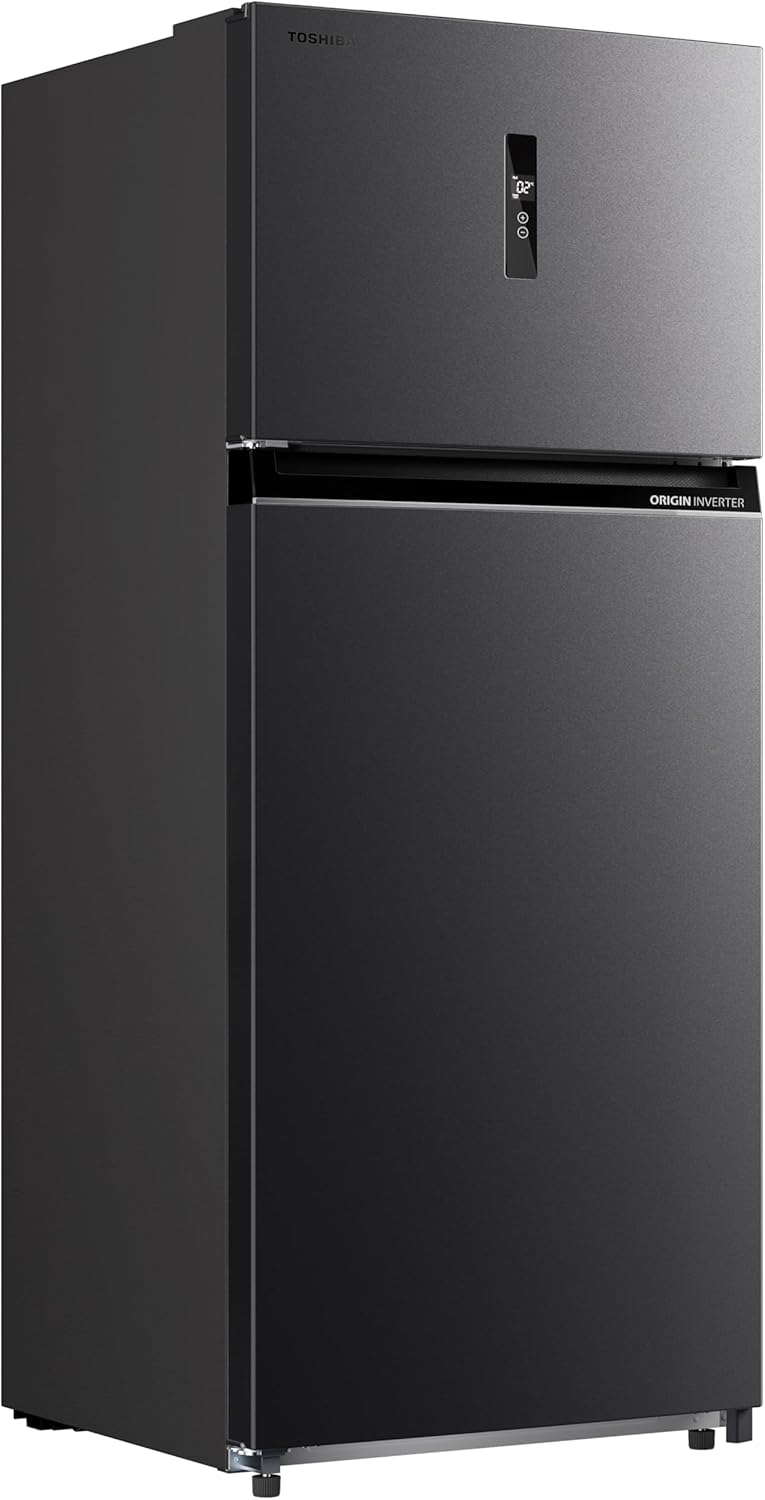
Figure 1: Toshiba GR-RT702WE-PMN(06) Inverter Refrigerator exterior view.
Setup and Installation
1. Unpacking
Carefully remove all packaging materials, including tape and protective films. Dispose of packaging responsibly. Inspect the refrigerator for any damage incurred during transit. Do not operate if damaged.
2. Placement
- Place the refrigerator on a firm, level surface to prevent vibrations and noise.
- Ensure adequate clearance around the unit for proper ventilation. Maintain at least 10 cm (4 inches) at the back and sides, and 30 cm (12 inches) at the top.
- Avoid direct sunlight or proximity to heat sources (e.g., stoves, radiators).
- The tropical compressor is designed for optimal performance in high ambient temperatures, but extreme heat should still be avoided.
3. Leveling
Adjust the leveling feet at the bottom front of the refrigerator to ensure it is stable and level. This helps the doors close properly and reduces noise.
4. Power Connection
Connect the refrigerator to a dedicated, grounded electrical outlet. Do not use extension cords or multi-plugs. Allow the refrigerator to stand upright for at least 2-4 hours before plugging it in to allow the refrigerant to settle.
5. Initial Cleaning
Before storing food, clean the interior and exterior of the refrigerator with a soft cloth and a mild detergent solution. Rinse with clean water and dry thoroughly.
Operating Instructions
1. Control Panel
The electronic control panel allows you to adjust temperature settings for both the refrigerator and freezer compartments. Refer to the display for current temperature readings and adjustment options.
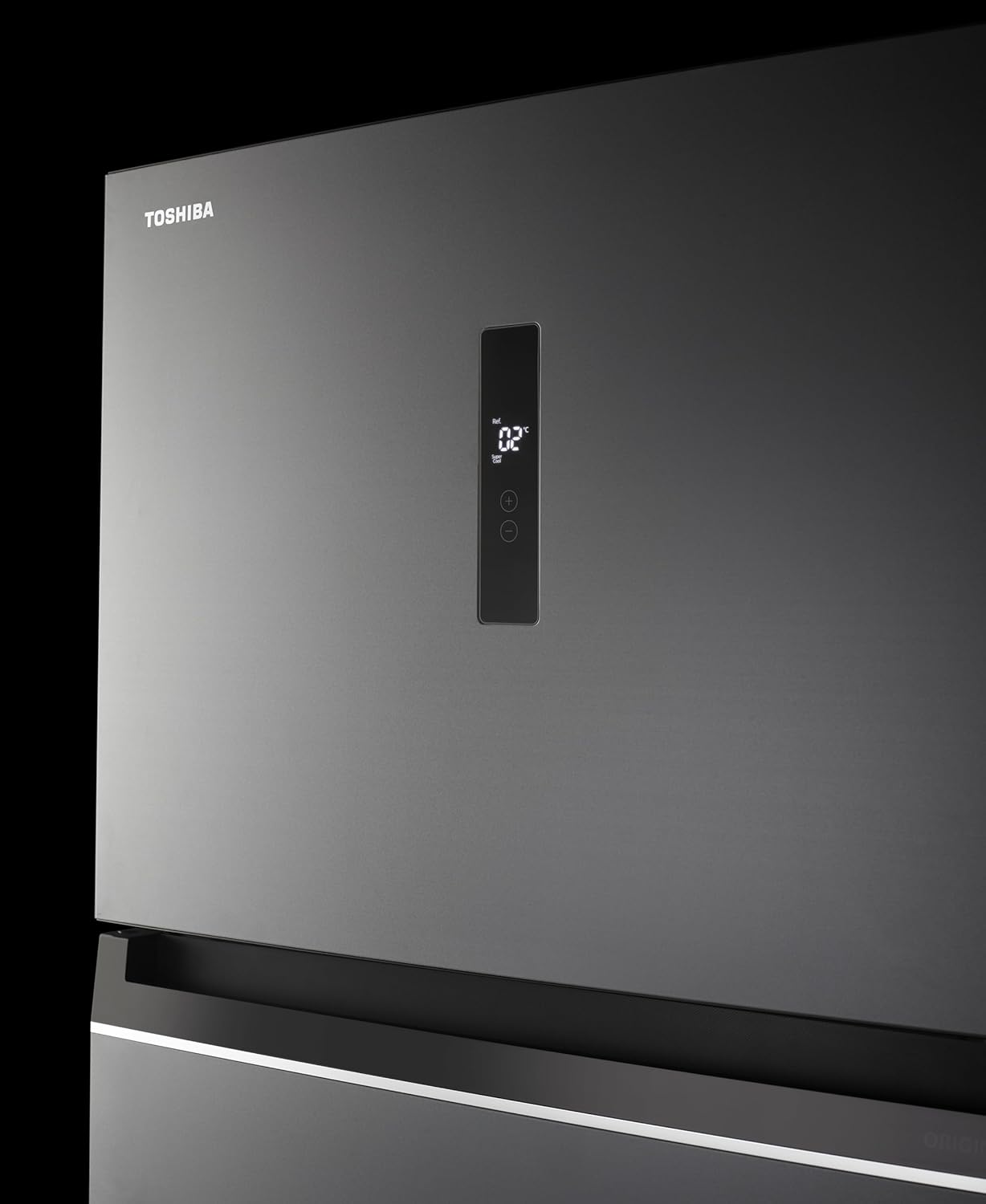
Figure 2: Digital control panel for temperature adjustment.
2. Temperature Settings
Use the control panel buttons to set the desired temperature for each compartment. The Origin Inverter compressor automatically adjusts its speed to maintain stable temperatures, contributing to energy efficiency.
3. Humidity Control Drawer
The refrigerator includes a dedicated drawer with two levels of humidity adjustment, ranging from 60% to 80%. This feature allows you to customize the storage environment for fruits and vegetables, helping them stay fresh longer.
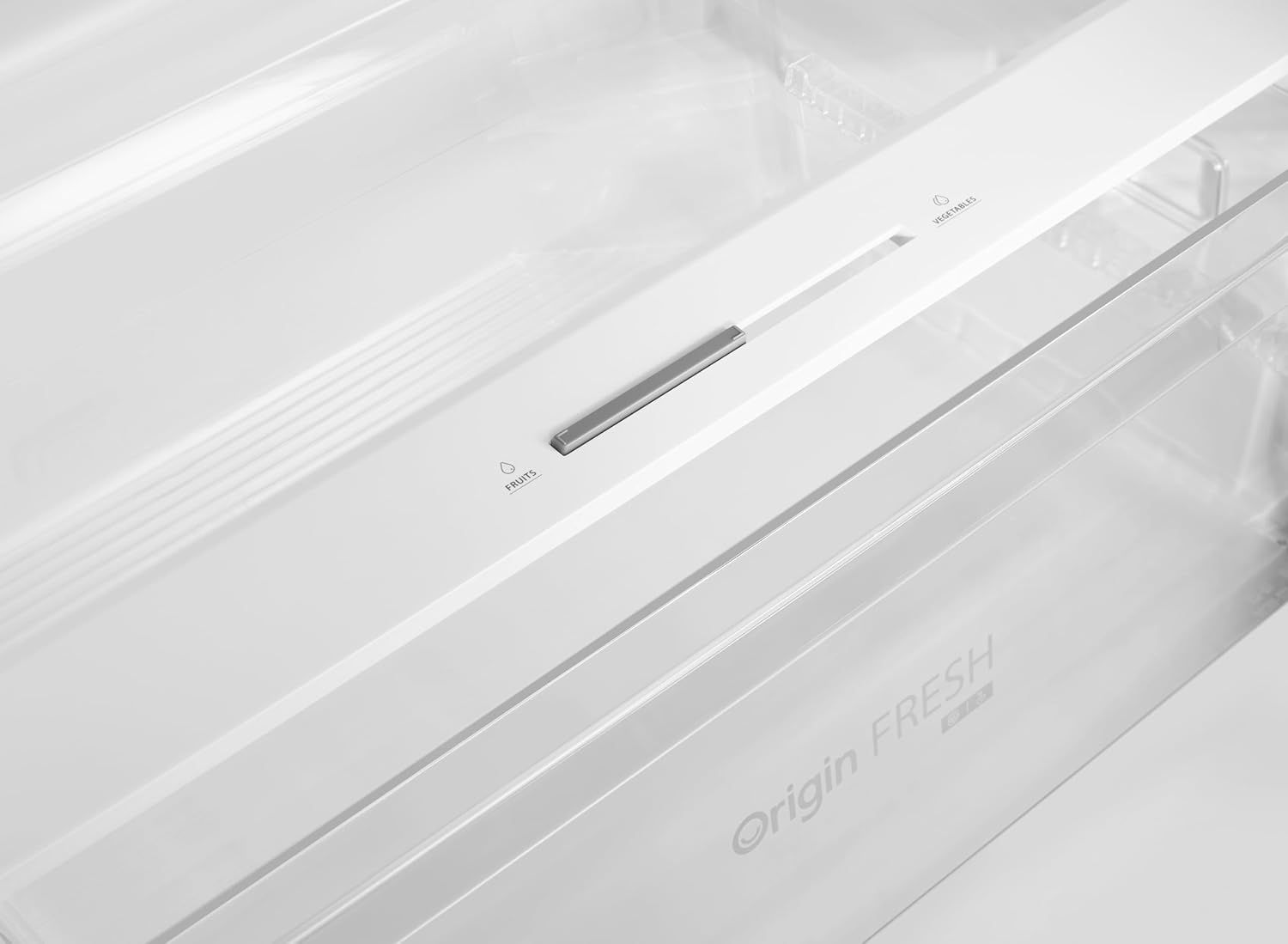
Figure 3: Humidity control slider for optimal fruit and vegetable storage.
4. Adjustable Door Racks and Shelves
The door racks and interior shelves can be adjusted or removed to accommodate items of various sizes, providing flexible storage options.

Figure 4: Interior layout with adjustable shelves and door bins.
5. Active C Fresh Technology
The Active C Fresh system helps to neutralize odors and maintain a hygienic environment inside the refrigerator, contributing to longer food freshness.

Figure 5: Active C Fresh module for odor control.
6. Multi-Air Flow System
The Multi-Air Flow system ensures even distribution of cold air throughout the refrigerator compartment, maintaining consistent temperatures and cooling food rapidly.

Figure 6: Multi-Air Flow vents for uniform cooling.
7. Ice Making
To make ice, fill the ice tray with water and place it in the freezer compartment. Once frozen, twist the tray gently to release the ice cubes.

Figure 7: Example of ice cubes produced by the refrigerator.
Maintenance
1. Cleaning the Interior
- Unplug the refrigerator before cleaning.
- Remove all food items and removable parts (shelves, drawers).
- Wash interior surfaces with a solution of mild detergent and warm water. Avoid abrasive cleaners or solvents.
- Rinse and dry thoroughly before returning food and parts.
2. Cleaning the Exterior
- Wipe the exterior surfaces with a soft cloth dampened with water and a mild detergent.
- Clean door gaskets regularly to ensure a tight seal.
3. Defrosting
This refrigerator features a No Frost system, which automatically prevents ice buildup in the freezer compartment. Manual defrosting is generally not required. If ice accumulation occurs due to improper use (e.g., leaving the door open), refer to the troubleshooting section.
4. Power Saving Tips
- Do not open the doors frequently or leave them open for extended periods.
- Allow hot food to cool before placing it in the refrigerator.
- Ensure the door seals are clean and intact.
- Keep the condenser coils at the back of the unit clean (if accessible) for efficient operation.
Troubleshooting Guide
Before contacting customer service, please check the following common issues and solutions:
| Problem | Possible Cause | Solution |
|---|---|---|
| Refrigerator not cooling | Power outage; plug not inserted; temperature setting too high; door left open. | Check power supply; ensure plug is secure; lower temperature setting; ensure door is closed properly. |
| Unusual noise | Refrigerator not level; items touching the back wall; compressor operation. | Adjust leveling feet; rearrange items; compressor noise is normal during operation. |
| Water on floor (leakage) | Drain hose blocked; drip tray overflowing. | Clear drain hose; empty and clean drip tray. |
| Door not closing properly | Door gasket dirty or damaged; refrigerator not level; food items blocking closure. | Clean or replace gasket; level the refrigerator; rearrange food items. |
If the problem persists after checking these points, please contact Toshiba customer service.
Specifications
| Feature | Detail |
|---|---|
| Model Number | GR-RT702WE-PMN(06) |
| Brand Name | Toshiba |
| Capacity | 535 Liters |
| Configuration | Top Freezer Refrigerator |
| Color | Morandi Grey |
| Product Dimensions (D x W x H) | 68 cm x 70 cm x 172.3 cm |
| Item Weight | 87 kg |
| Special Features | Humidity Control, Voltage Stability, Adjustable Door Racks |
| Installation Type | Freestanding |
| Number of Doors | 2 |
| Defrost System Type | No Frost |
| Door Material Type | Stainless Steel or Plastic |
| Form Factor | Standard Depth |
| Cooling Method | Air Compressor |
| Adjustable Temperature Control | No (Electronic control panel for settings) |
| Convertible Freezer | No |
| Electric | Yes |
| Lock Type | Electronic |
| Energy Efficiency Rating | 5 Stars |
Warranty Information
Your Toshiba GR-RT702WE-PMN(06) Refrigerator comes with a 10-year full warranty on the compressor. This warranty covers defects in materials and workmanship under normal use. Please retain your proof of purchase for warranty claims. For detailed terms and conditions, refer to the warranty card included with your product or contact Toshiba customer service.

Figure 8: The Origin Inverter compressor, covered by a 10-year warranty.
Customer Support
For technical assistance, service requests, or further inquiries regarding your Toshiba refrigerator, please contact Toshiba customer service. Contact details can typically be found on the Toshiba official website or in the documentation provided with your appliance.
When contacting support, please have your model number (GR-RT702WE-PMN(06)) and serial number ready.