
NetumScan NS1202W
NetumScan Industrial Bluetooth QR Barcode Scanner User Manual
Model: NS1202W | Brand: NetumScan
Introduction
The NetumScan NS1202W is a robust industrial-grade barcode scanner designed for demanding environments. It features IP67 waterproof and 7-meter drop-proof capabilities, ensuring durability and reliability. Equipped with a high-resolution 1.3M CMOS sensor, it offers superior scanning performance for both 1D and 2D barcodes. This scanner supports both 2.4G wireless and Bluetooth connectivity, providing flexible operation for various systems including Windows, Mac OS, Linux, iOS, and Android devices. Its charging stand also enables convenient wireless charging and serves as a stable base.

Image: The NetumScan NS1202W barcode scanner resting in its charging stand, showcasing its ergonomic design and compact form factor.
Product Features
- IP67 Waterproof & 7M Drop Proof: Engineered for industrial use, this scanner is sealed with silicone plastic, making it waterproof and dustproof. It can withstand submersion in water up to 3 feet for 30 minutes and impacts from drops up to 7 meters (22 feet) onto concrete surfaces.
- 1.3M High Resolution Scan Engine: Features a 1280 x 720 pixel (1.3M) CMOS sensor, providing fast and accurate scanning. It can read various 1D and 2D barcodes, including those that are partially damaged, dirty, or poorly printed.
- Auto Scanning & Storage Mode: Supports manual, auto-sensing, and continuous scanning modes. The storage mode allows for offline scanning of up to 100,000 barcodes, which can be uploaded to your device later.
- Wireless Long Transmission Distance: Offers dual connectivity with 2.4G wireless and Bluetooth. The 2.4G USB dongle base provides a transmission range of up to 300m/984ft in barrier-free environments, while Bluetooth offers up to 35m/115ft.
- Wireless Charging & Large-Capacity Battery: Equipped with a 2600 mAh battery, providing 11-12 hours of continuous use. The scanner charges wirelessly by simply placing it on its included stand.

Image: The NetumScan NS1202W scanner shown partially submerged in water and an illustration of it surviving a drop, highlighting its IP67 waterproof and drop-proof features.
Video: A demonstration of the NetumScan NS1202W scanner undergoing waterproof and drop tests, showcasing its durability in challenging environments.

Image: The scanner's lens and a visual representation of its ability to accurately read various 1D and 2D barcodes, including damaged ones, due to its high-resolution scan engine.
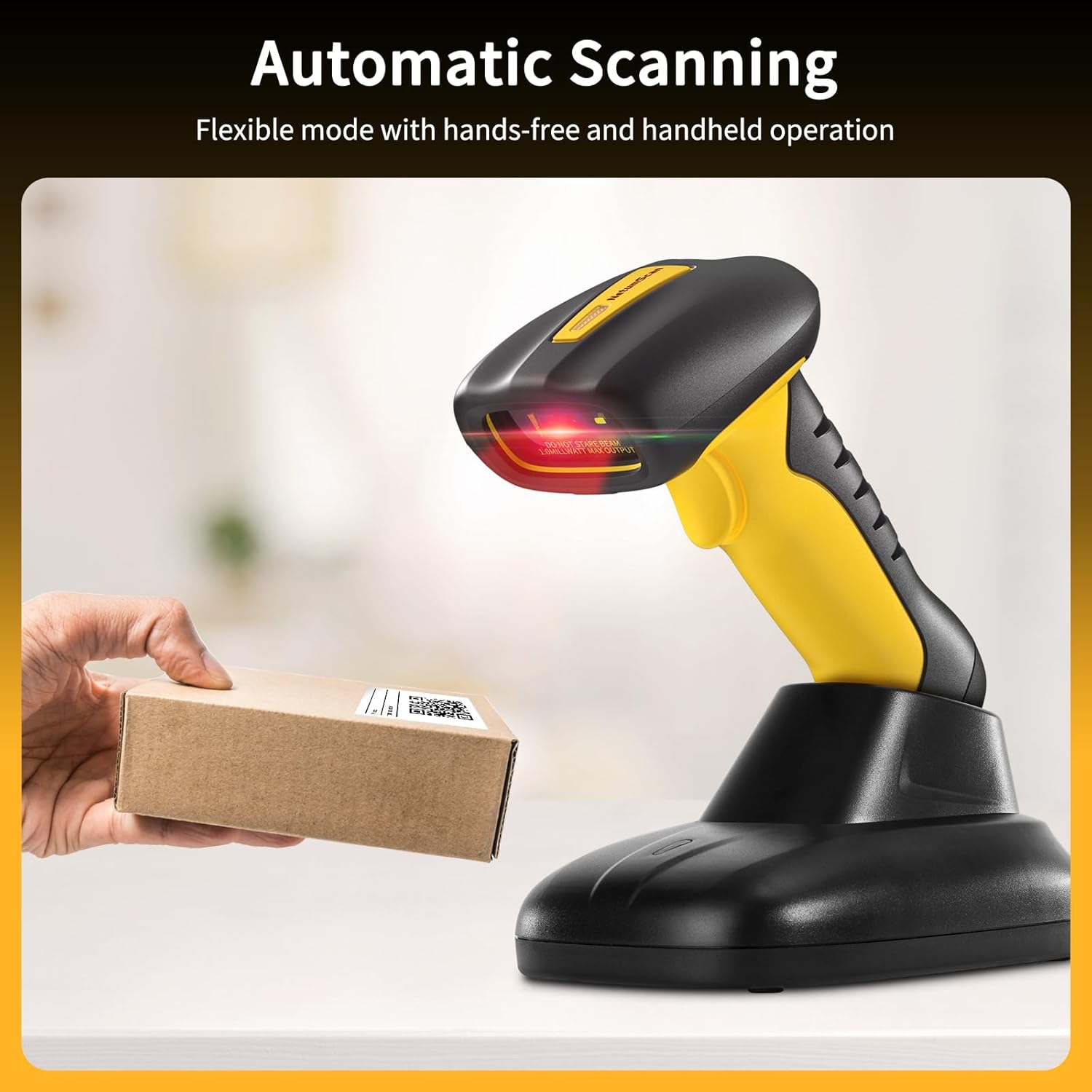
Image: The NetumScan NS1202W scanner automatically scanning a barcode on a package, illustrating its hands-free and handheld operation capabilities.

Image: The NetumScan NS1202W scanner connected wirelessly to various devices (Mac, Windows, Linux, Tablet, iOS, Android), emphasizing its wide compatibility and connectivity options.
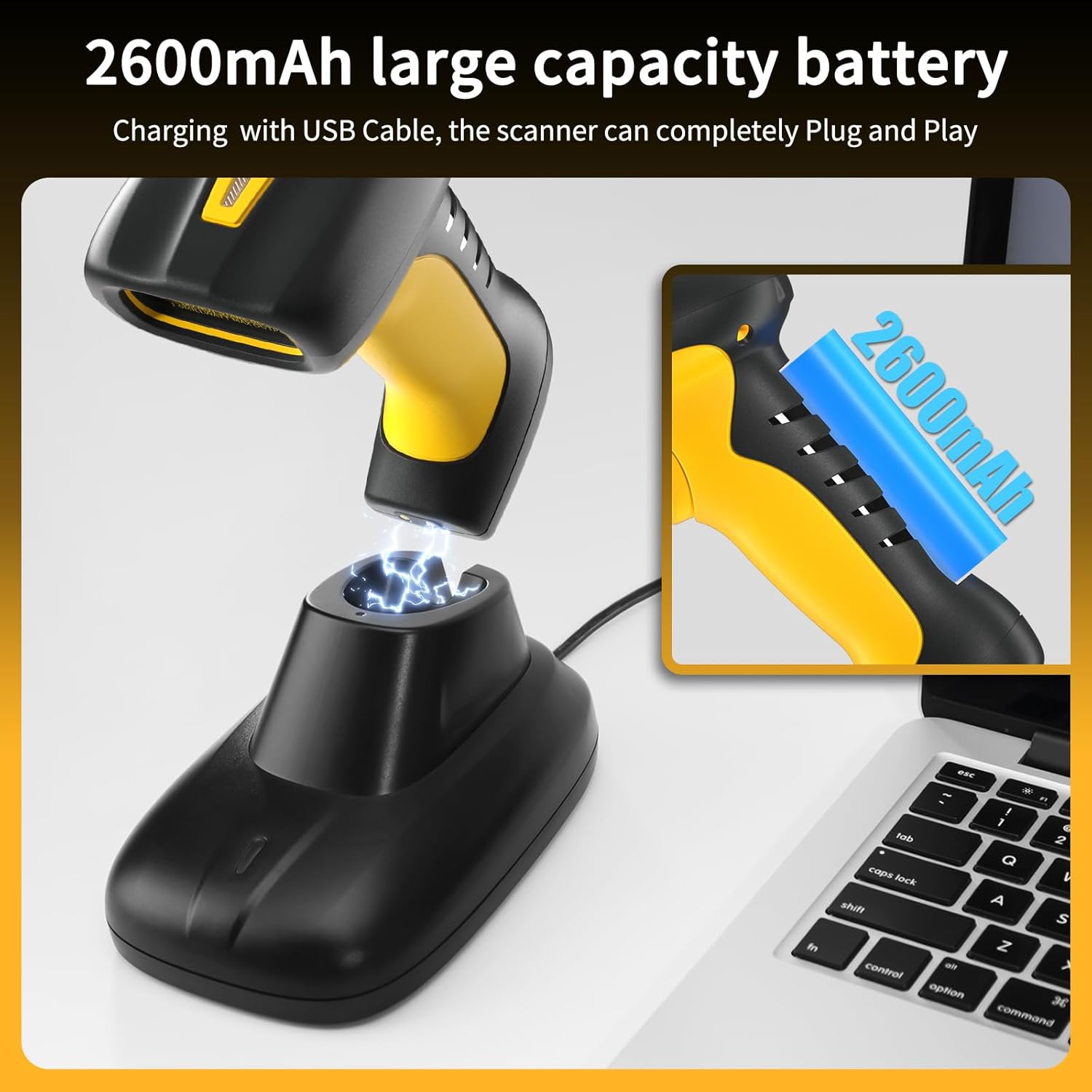
Image: The NetumScan NS1202W scanner being wirelessly charged on its stand, with an inset showing the 2600mAh battery capacity.
Package Contents
Please verify that all items are present in your package:
- NetumScan NS1202W Barcode Scanner
- Charging Stand with built-in 2.4G USB Receiver
- USB Cable (for connecting cradle to host device)
- User Manual (this document)
Setup
1. Charging the Scanner
Before first use, fully charge the scanner. Place the scanner onto the charging stand. The indicator light on the scanner will show charging status. A full charge typically takes several hours.
2. Connecting to Your Device
The NS1202W offers two primary connection methods:
2.1. 2.4G Wireless Connection (Recommended for PC/Laptop)
- Connect the charging stand to your computer's USB port using the provided USB cable. The stand has a built-in 2.4G receiver.
- The computer will automatically recognize the device. No driver installation is typically required.
- The scanner is now ready for use.
2.2. Bluetooth Connection (for Mobile Devices/Tablets)
- Ensure the scanner is charged.
- Scan the "Bluetooth Pairing" barcode (refer to the physical manual for specific configuration barcodes).
- On your mobile device or tablet, enable Bluetooth and search for available devices.
- Select "NetumScan NS1202W" from the list to pair.
- Once paired, the scanner is ready for use.
The scanner is compatible with Windows 10/8.1/8/7/Vista/XP/CE, Mac OS X, and Linux operating systems, as well as iOS and Android devices.
Operating Instructions
1. Scanning Modes
- Manual Scan: Press the trigger button to activate the scan beam and read a barcode.
- Auto-Sensing Scan: When placed on the charging stand, the scanner can automatically detect a barcode placed in its field of view and scan it without pressing the trigger.
- Continuous Scan: The scan beam remains active, continuously scanning barcodes as they are presented.
To switch between these modes, refer to the configuration barcodes in the physical user manual.
2. Data Storage Mode
In storage mode, the scanner can store up to 100,000 barcodes internally. This is useful when operating outside the wireless transmission range. To activate storage mode and upload stored data, scan the corresponding barcodes in the physical manual.
3. Supported Symbologies
The NS1202W supports a wide range of 1D and 2D barcode symbologies:
- 1D Symbologies: UPC/EAN (UPCA/UPCE/EAN-8/EAN-13, ISBN (Bookland)), Code 39, Code 32 (Italian Pharmacode), Code 128, Code 93, Codabar, Interleaved 2 of 5, Standard 2 of 5, Industrial 2 of 5, Matrix 2 of 5 (Japanese), Code 11, Telepen, Pharmacode, Chinese Postal Code, MSI Plessey, GS1 DataBar, GS1 DataBar Limited, GS1 DataBar Expanded.
- 2D Symbologies: QR Code, Micro QR Code, DataMatrix, MaxiCode, Aztec, PDF417, MicroPDF417, PostNet, PLANET, Australia, Royal Post, CODABLOC F Composite Codes (CC-A, CC-B, CC-C).

Image: A close-up of the scanner's head with a red aiming dot, surrounded by examples of various 1D and 2D barcodes (Hanxi code, Data Matrix, MaxiCode, PDF417, Aztec Code, Codabar, UPC-A), illustrating its superior scanning capabilities.
Maintenance
1. Cleaning
Due to its IP67 waterproof rating, the scanner can be cleaned with soap and water or other liquid cleaners. Ensure the charging port cover is securely closed before washing. Avoid using abrasive materials or harsh chemicals that could damage the scanner's surface or lens.
2. Battery Care
To prolong battery life, avoid fully discharging the battery frequently. Store the scanner in a cool, dry place when not in use for extended periods. Recharge the battery regularly, even if the scanner is not in active use, to maintain optimal performance.
Troubleshooting
- Scanner not responding: Ensure the scanner is charged. Verify the 2.4G USB receiver is properly connected to your device or that Bluetooth pairing is successful. Try restarting the scanner and the host device.
- Unable to scan certain barcodes: Check if the barcode symbology is supported by the NS1202W (refer to "Supported Symbologies" section). Ensure the barcode is clean and not excessively damaged. Adjust the scanning distance. For specific configurations (e.g., enabling/disabling certain barcode types), refer to the configuration barcodes in the physical user manual.
- Connectivity issues: For 2.4G wireless, ensure the scanner is within range of the cradle (up to 300m/984ft in open areas). For Bluetooth, ensure the scanner is within range (up to 35m/115ft) and no strong interference sources are nearby. Re-pair the scanner if necessary.
- Incorrect data output: If special characters are misinterpreted, or data format is incorrect, refer to the configuration barcodes in the physical user manual to adjust keyboard language or data transmission settings.
Specifications
| Feature | Detail |
|---|---|
| Model Number | NS1202W |
| Sensor | 1280 x 720 pixel (1.3M) CMOS |
| Durability | IP67 Waterproof, 7M (22ft) Drop Proof |
| Connectivity | 2.4G Wireless, Bluetooth (HID / SPP / BLE) |
| 2.4G Wireless Range | Up to 300m / 984ft (barrier-free) |
| Bluetooth Range | Up to 35m / 115ft |
| Battery Capacity | 2600 mAh |
| Battery Life | 11-12 hours (continuous use) |
| Charging | Wireless Charging via Stand |
| Compatible OS | Windows, Mac OS X, Linux, iOS, Android |
| Item Weight | 1.21 pounds |
| Package Dimensions | 7.99 x 6.42 x 4.8 inches |
Warranty and Support
NetumScan products are designed for reliability and performance. For warranty information, technical support, or to explore other NetumScan products, please visit the official NetumScan Store.
Related documentsNS1202W

Ask a question about this manual
Ask about setup, troubleshooting, compatibility, parts, safety, or missing instructions. Manuals+ will review the question and use this page’s manual context to help answer it.