
Introduction
This manual provides comprehensive instructions for the safe and efficient use of your Wothfav PMB07 Wattmeter Power Meter Plug. This device is designed to accurately measure and monitor the electricity consumption of connected appliances, helping you understand and manage your energy usage.
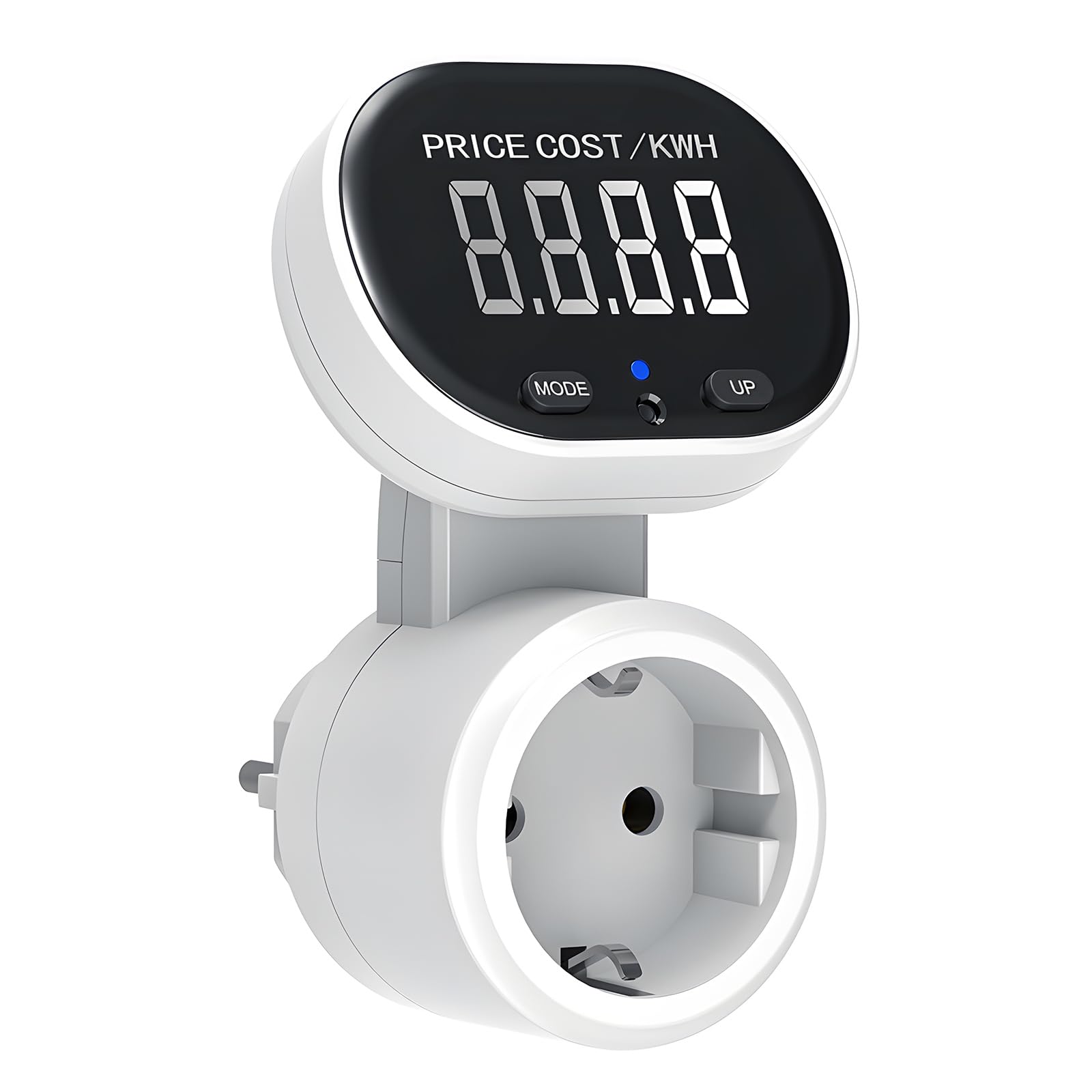
Figure 1: Wothfav PMB07 Wattmeter Power Meter Plug. This image shows the overall design of the power meter, highlighting its large backlit LCD screen, the 45-degree rotating display feature, and the simple two-button operation (MODE and UP).
Specifications
| Feature | Specification |
|---|---|
| Power Supply | 230V~50Hz |
| Maximum Load | 16A, 3680W |
| Minimum Power Display | 0.3W |
| Power Measurement Accuracy | +/-2% |
| Energy Quantity Accuracy | +/-2% |
| Minimum Energy Quantity Display | 0.01KWH |
| Accumulated Energy Range | 0.00-9999.9KWH |
| Price Range | 0.00-9999 |
| Display | 45° Rotatable, Backlit LCD |
| Dimensions (L x W x H) | 11 x 7 x 8.5 cm |
| Weight | 150 grams |

Figure 2: Product Dimensions. This image illustrates the physical dimensions of the Wothfav PMB07 Wattmeter, showing its length, width, and height for reference.
Setup
- Unpacking: Carefully remove the wattmeter from its packaging.
- Initial Connection: Plug the wattmeter directly into a standard wall outlet.
- Appliance Connection: Plug the appliance you wish to monitor into the socket on the front of the wattmeter. Ensure the appliance's plug is fully inserted.
- Power On: Once connected, the wattmeter will automatically power on and display the current power consumption (W).
Operating Instructions
Displaying Data
The wattmeter cycles through various data displays by pressing the MODE button. The display sequence is as follows: W (Current Power) → KWh (Cumulative Energy) → PRICE (Total Energy Cost) → COST/KWH (Cost per Kilowatt-hour).
- Current Power (W): Plug in the device. The meter will display the real-time power consumption in Watts.
- Cumulative Energy (KWh): Press and release the MODE button. The meter will display the total accumulated energy in Kilowatt-hours.
- Total Energy Cost (PRICE): Press and release the MODE button again. The meter will display the total cost of the consumed energy.
- Cost per Kilowatt-hour (COST/KWH): Press and release the MODE button once more. The meter will display the set cost per KWh.
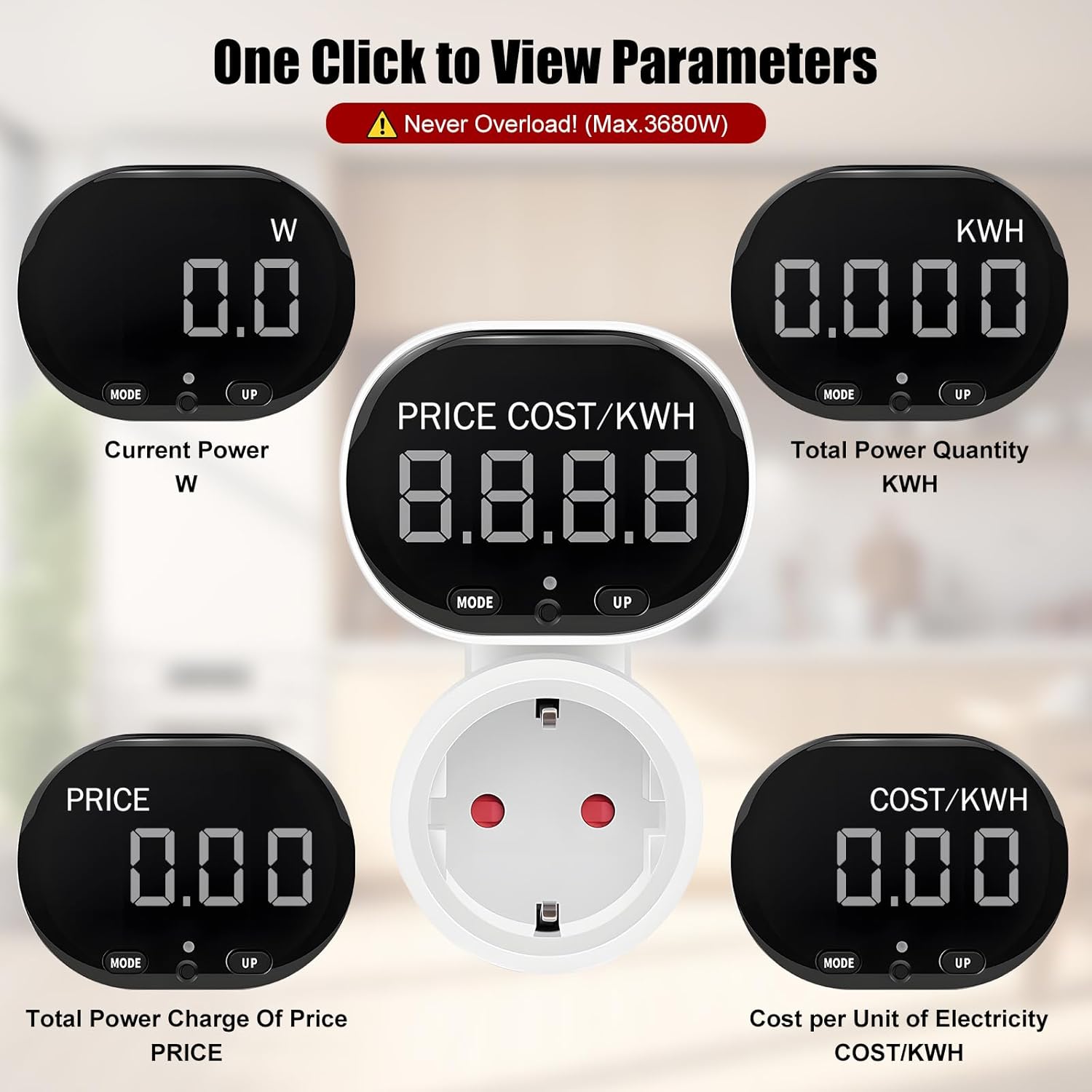
Figure 3: One-Click Parameter View. This image demonstrates the different measurement parameters displayed by the wattmeter, including Current Power (W), Total Power Quantity (KWh), Total Power Charge Of Price (PRICE), and Cost per Unit of Electricity (COST/KWH).
Setting the Cost per KWH (COST/KWH)
To accurately calculate energy costs, you need to set your local electricity rate (COST/KWH) on the device.
- While the display shows COST/KWH, press and hold both the MODE and UP buttons simultaneously. The first digit of the COST/KWH value will begin to flash.
- Press the UP button to adjust the flashing digit to the desired value.
- Press and release the MODE button to move to the next digit. This digit will then flash.
- Repeat step 2 and 3 for all subsequent digits of the COST/KWH value.
- After setting all digits, press the MODE button to confirm and save all settings.
Automatic Data Storage and Backlight
- The wattmeter automatically saves accumulated data (KWh, PRICE, COST/KWH) in case of power failure. Instantaneous data like voltage will not be saved.
- After plugging in the device, press any button to activate the backlight for 10 seconds, improving readability in low light conditions.

Figure 4: Automatic Data Storage. This image highlights the wattmeter's ability to automatically save the last data and settings, even if the device is unplugged from the socket.
Safety Precautions and Warnings
- Do not connect two or more wattmeters together in series.
- Do not connect an appliance whose load exceeds 16 Amperes or 3680 Watts. Exceeding these limits can damage the device and pose a safety risk.
- Always ensure that the plug of any appliance is completely and securely inserted into the wattmeter's socket.
- This device is intended for indoor use only. Avoid exposure to moisture or extreme temperatures.
- Do not disassemble or attempt to repair the device yourself. Contact qualified personnel for service.
Maintenance
- If cleaning of the wattmeter is necessary, first unplug it from the main power supply.
- Wipe the device with a dry, soft cloth. Do not use liquid cleaners or abrasive materials.
- Store the device in a cool, dry place when not in use for extended periods.
Troubleshooting
If you encounter issues with your Wothfav PMB07 Wattmeter, please refer to the following common solutions:
- No Display/Device Not Turning On:
- Ensure the wattmeter is securely plugged into a live wall outlet.
- Check if the wall outlet is functioning correctly by plugging in another device.
- Incorrect Readings:
- Verify that the appliance is fully plugged into the wattmeter.
- Ensure the appliance's load does not exceed the maximum capacity (16A, 3680W).
- If the COST/KWH reading is incorrect, re-enter your local electricity rate as described in the "Setting the Cost per KWH" section.
- Display Not Rotating:
- The display is designed to rotate manually up to 45 degrees for optimal viewing angle. Gently adjust it to your preferred position.
- Clearing Data:
- To clear accumulated KWh, PRICE, and COST/KWH data, press and hold the MODE button for 5 seconds.

Figure 5: Real-time Monitoring. This image illustrates the wattmeter in use, monitoring an appliance's power consumption in real-time, helping users to lower power consumption and save money.
Contact and Support
For further assistance or inquiries regarding your Wothfav PMB07 Wattmeter, please contact Wothfav customer support through your retailer or the official Wothfav website.
Please have your model number (PMB07) and purchase information ready when contacting support.