
1. Product Overview
The KOCOZA #DC1602 is a 15-channel motorized blind remote controller designed for managing various motorized window solutions, including blinds, roller shades, curtains, and shutters that operate on a 433MHz RF protocol. This remote allows for individual or group control of up to 15 different blinds or shades, offering convenience and flexibility.
It features a clear LCD screen for channel feedback and intuitive button presses for easy programming and operation. The remote provides reliable RF signal transmission, with an indoor range of approximately 115 ft (35 m) and an outdoor range of up to 655 ft (200 m).

Image: KOCOZA #DC1602 15 Channel Motorized Blind Remote Controller.
2. Package Contents
- #DC1602 Remote Controller
- Magnetic Wall Mount Holder
- 1 x CR2450 3V Lithium Metal Battery (pre-installed or included)
3. Setup and Installation
3.1 Battery Installation
The remote controller requires one CR2450 3V Lithium Metal battery. If not pre-installed, follow these steps:
- Locate the battery compartment on the back of the remote.
- Use a small tool (like tweezers or a thin flathead screwdriver) to gently open the battery cover.
- Insert the CR2450 battery with the positive (+) side facing up, as indicated in the compartment.
- Close the battery cover securely.

Image: Diagram showing battery installation (CR2450 3V) and remote dimensions.
3.2 Mounting the Remote (Optional)
The remote comes with a magnetic holder for convenient storage and easy access.
- Choose a suitable location on a wall or flat surface.
- Secure the magnetic holder to the desired surface using appropriate fasteners (not included).
- The remote can then be magnetically attached to the holder, keeping it within easy reach and preventing loss.

Image: Illustration of the magnetic holder keeping the remote accessible.
3.3 Pairing with Motorized Blinds/Shades
To control your blinds or shades, the remote must be paired with their respective motors. This remote operates on a 433MHz RF protocol. Ensure your window motor or system is compatible before attempting to pair.
The general pairing process involves selecting a channel on the remote and then activating a learning mode on your window motor. Refer to your specific blind/shade motor's instruction manual for detailed steps on entering its learning mode.
- Select a Channel: Use the channel selection buttons (< and >) on the remote to choose an available channel (1-15) for the blind you wish to pair. The LCD screen will display the selected channel number.
- Activate Learning Mode: Put your motorized blind/shade into its learning or pairing mode. This usually involves pressing a button on the motor itself or a specific sequence of power cycles.
- Pair the Remote: Once the motor is in learning mode, press the designated pairing button on the #DC1602 remote (often labeled P1 or P2, or a combination of buttons as per the motor's instructions). The motor should respond, indicating successful pairing (e.g., a jog, beep, or light flash).
- Test Operation: After pairing, test the Up, Stop, and Down buttons to ensure the blind responds correctly.
- Repeat for Additional Blinds: Repeat the process for each additional blind, assigning each to a unique channel (1-15).
Important Compatibility Note: This remote is designed to be a replacement or upgrade for systems using the same frequency and similar button layout. It may not be compatible with all brands or proprietary systems. Verify your motor uses 433MHz RF control. If unsure, contact the manufacturer of your blind motor or the remote supplier.

Image: Important notice regarding compatibility and selection of the correct remote.
4. Operating the Remote Controller
4.1 Button Functions
- Up (▲): Raises the selected blind/shade.
- Stop (–): Stops the blind/shade at its current position.
- Down (▼): Lowers the selected blind/shade.
- Channel Select (< / >): Cycles through channels 1-15. Channel 0 is typically for group control.
- P1 / P2 (Setting): Used for programming and advanced settings (refer to motor manual for specific uses).
4.2 Individual Control
To control a single blind or shade:
- Use the Channel Select (< / >) buttons to choose the specific channel (1-15) assigned to the desired blind. The LCD screen will display the active channel.
- Press the Up (▲), Stop (–), or Down (▼) button to operate the blind.
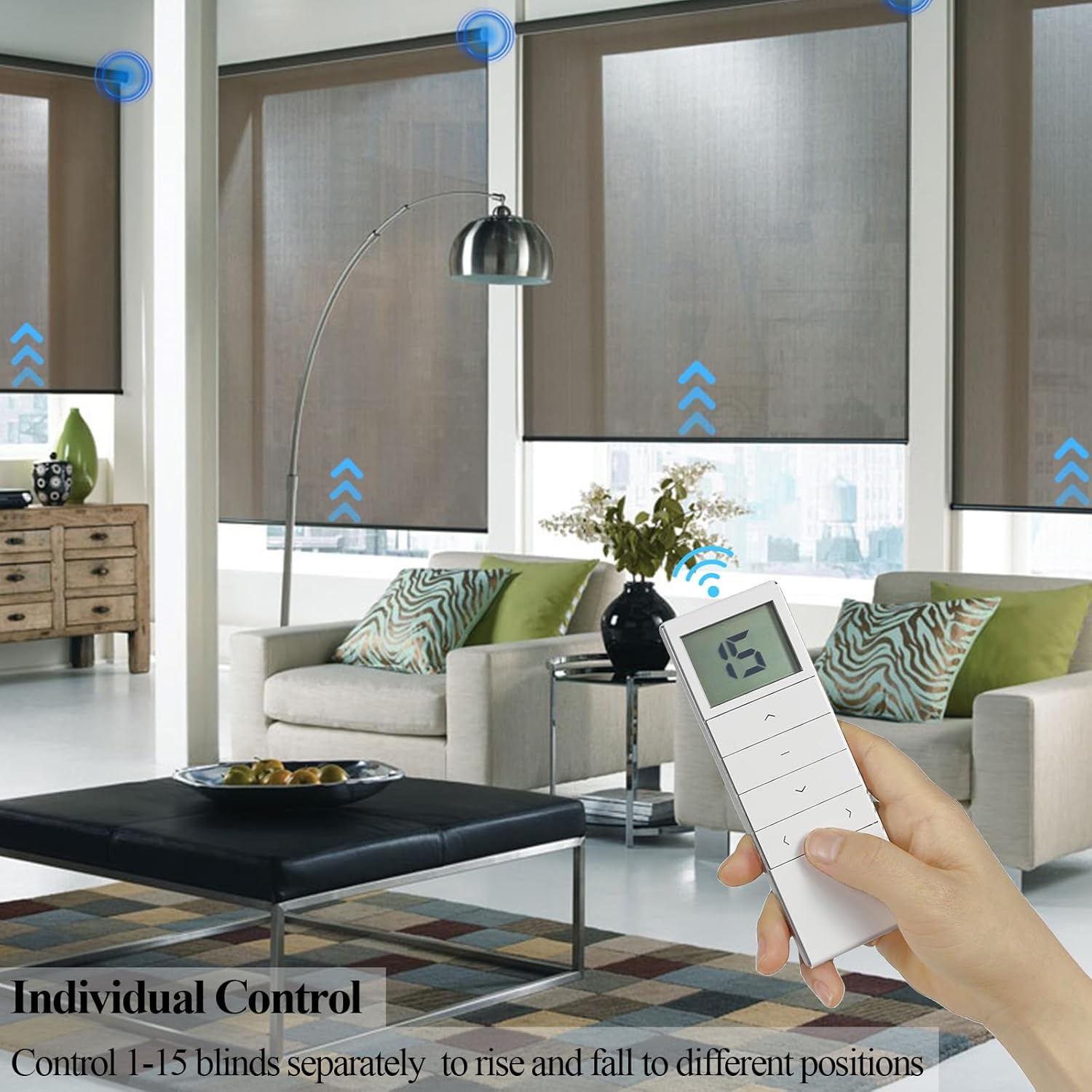
Image: Demonstrating individual control of blinds using the remote.
4.3 Group Control
The #DC1602 remote allows for group control of multiple blinds simultaneously. This is typically achieved by selecting Channel 0.
- Use the Channel Select (< / >) buttons to choose Channel 0.
- Press the Up (▲), Stop (–), or Down (▼) button. All blinds paired to Channel 0 (or all paired blinds if Channel 0 is a master channel) will respond simultaneously.

Image: Demonstrating group control of multiple blinds from a single remote.
5. Maintenance
- Cleaning: Wipe the remote with a soft, dry cloth. Do not use abrasive cleaners or solvents.
- Battery Replacement: Replace the CR2450 battery when the remote's performance degrades or the LCD display becomes dim. Follow the battery installation steps in Section 3.1. Dispose of old batteries responsibly.
- Storage: Store the remote in a cool, dry place, away from direct sunlight and extreme temperatures.
6. Troubleshooting
| Problem | Possible Cause | Solution |
|---|---|---|
| Remote not responding / Blinds not moving | Low or dead battery Remote not paired Incorrect channel selected Motor not powered Interference | Replace battery Re-pair the remote with the motor (Section 3.3) Ensure correct channel (1-15) is selected Check power supply to the blind motor Move closer to the blind; reduce obstacles |
| Difficulty pairing | Incompatible frequency (not 433MHz RF) Motor not in learning mode Incorrect pairing procedure | Verify your motor uses 433MHz RF. This remote is not universally compatible. Refer to your motor's manual to correctly enter learning mode. Follow pairing steps precisely (Section 3.3). |
| Remote LCD is dim or blank | Low battery | Replace the CR2450 battery. |
7. Specifications
| Feature | Detail |
|---|---|
| Model Number | dc1602 |
| Brand | KOCOZA |
| Connectivity Technology | Radio Frequency (RF) |
| Frequency | 433MHz |
| Max Number of Supported Devices | 15 channels |
| Compatible Devices | Roller shade motors, motorized blinds, curtains, shutters (433MHz RF) |
| Indoor Range | Approx. 115 ft (35 m) |
| Outdoor Range | Up to 655 ft (200 m) in open spaces |
| Battery Type | 1 x CR2450 3V Lithium Metal Battery |
| Item Weight | 2.39 ounces |
| Package Dimensions | 5.51 x 1.97 x 0.75 inches |
| Special Feature | Ergonomic design, LCD display, Magnetic holder |
8. Warranty and Support
For any problems, questions, or support needs regarding your KOCOZA #DC1602 remote controller, please feel free to contact the manufacturer or seller directly. Contact information can typically be found on the product packaging or the point of purchase.
Please retain your proof of purchase for any warranty claims.