
HT123
Generic HT123 Digital Multimeter User Manual
Model: HT123
1. Introduction
The Generic HT123 is a compact, auto-ranging digital multimeter designed for accurate measurement of AC/DC voltage, resistance, and non-contact voltage (NCV). Featuring a 2,000-count display with True RMS, backlight, and data hold functions, it is suitable for both beginners and experienced users for various electrical testing tasks.

Image 1.1: Front view of the Generic HT123 Digital Multimeter, showcasing its compact design and clear LCD display.
2. Safety Information
Always observe basic safety precautions when using this multimeter to prevent personal injury or damage to the meter or equipment under test.
- Do not exceed the maximum input values specified for each measurement range.
- Exercise extreme caution when working with live circuits.
- Ensure the test leads are in good condition and properly connected before making measurements.
- Do not use the meter if it appears damaged or if the battery cover is not properly closed.
- Remove test leads from the circuit before changing functions.
- Replace batteries when the low battery indicator appears to ensure accurate readings.
3. Package Contents
Verify that all items are present in the package:
- 1 x Generic HT123 Digital Multimeter
- 1 x Pair of Test Leads (Red and Black)
- 1 x User Manual (English)
4. Product Features
The HT123 Digital Multimeter offers a range of features for efficient and safe electrical testing:
- Auto Multimeter: Intelligent recognition of AC and DC voltage, automatically switching ranges without manual gear changes.
- True RMS Function: Provides accurate measurements for non-sinusoidal waveforms.
- 2,000 Counts Display: High-resolution digital display for precise readings.
- NCV (Non-Contact Voltage) Detection: Enhances safety by detecting live voltage without direct contact.
- Resistance Measurement: Measures resistance up to 600kΩ.
- Continuity Test: Audible buzzer for quick circuit continuity checks.
- Data Hold: Freezes the displayed reading for convenient recording.
- Backlight: Improves visibility in dimly lit environments.
- Flashlight: Integrated light for illuminating the test area.
- Auto Power-off: Conserves battery life by automatically shutting down after a period of inactivity.
- Low Battery Indication: Alerts when battery replacement is needed.

Image 4.1: The HT123 Multimeter connected with test leads, illustrating its various measurement capabilities including AC/DC voltage, continuity, resistance, data hold, NCV, and backlight.
5. Setup
5.1 Battery Installation
The multimeter requires two 1.5V AAA batteries (not included) for operation.
- Ensure the multimeter is powered off and disconnect any test leads.
- Locate the battery compartment cover on the back of the device.
- Use a screwdriver to loosen the screw on the battery cover.
- Remove the battery cover.
- Insert two 1.5V AAA batteries, observing the correct polarity (+/-) as indicated inside the compartment.
- Replace the battery cover and tighten the screw securely.
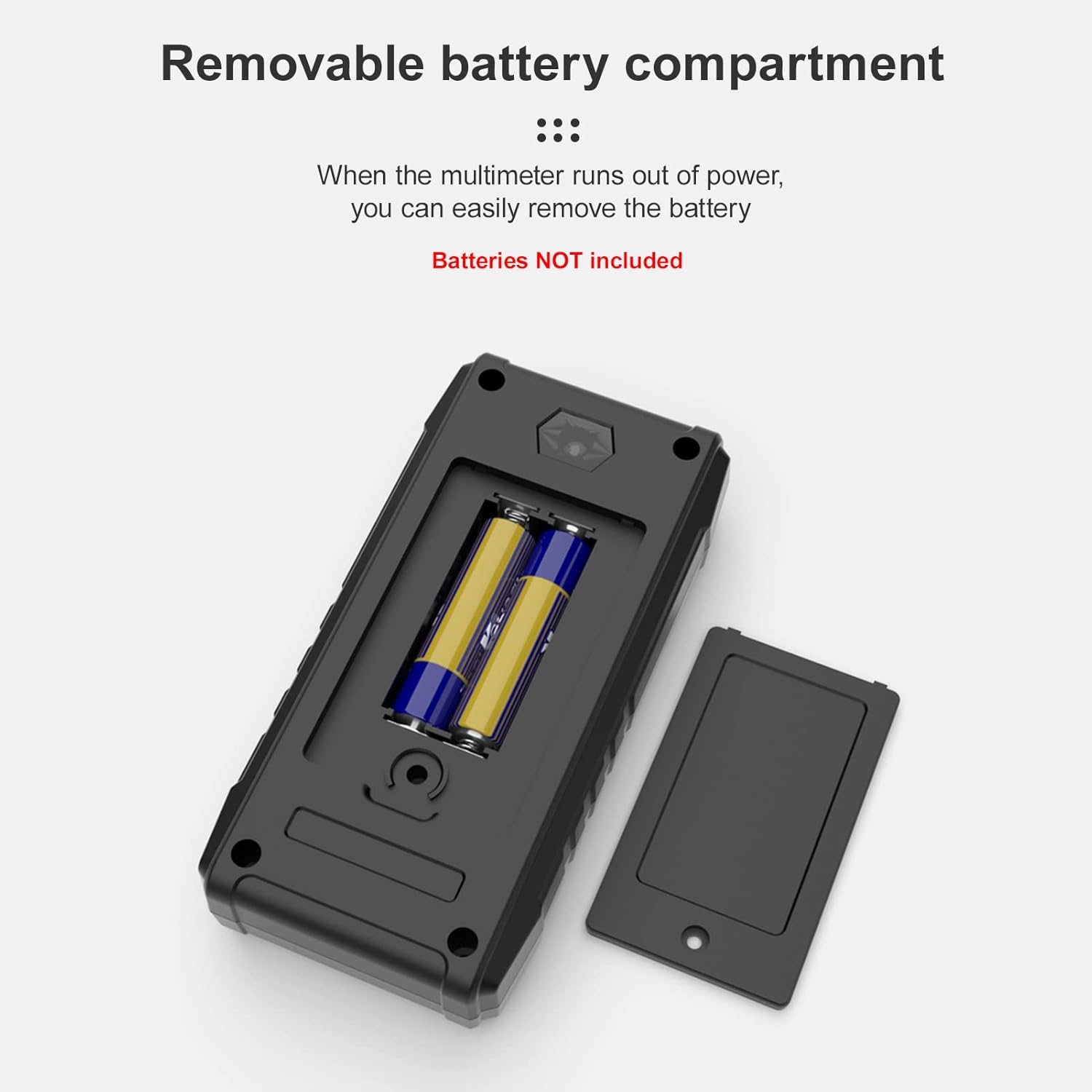
Image 5.1: View of the removable battery compartment on the back of the multimeter, showing the placement for two AAA batteries.
6. Operating Instructions
The HT123 features intelligent auto-ranging, simplifying operation by automatically detecting the measurement type (AC/DC voltage, resistance, continuity) and selecting the appropriate range.
6.1 General Operation
- Press the red power button to turn on the multimeter. The display will illuminate.
- Connect the black test lead to the 'COM' input jack and the red test lead to the 'INPUT' jack.
- The multimeter will automatically enter auto-measurement mode, indicated by 'AUTO' on the display.
- To activate the backlight or flashlight, press the light bulb button. Press again to cycle through modes or turn off.
- To hold a reading on the display, press the 'H/NCV' button briefly. Press again to release.
- The multimeter will automatically power off after approximately 15 minutes of inactivity.
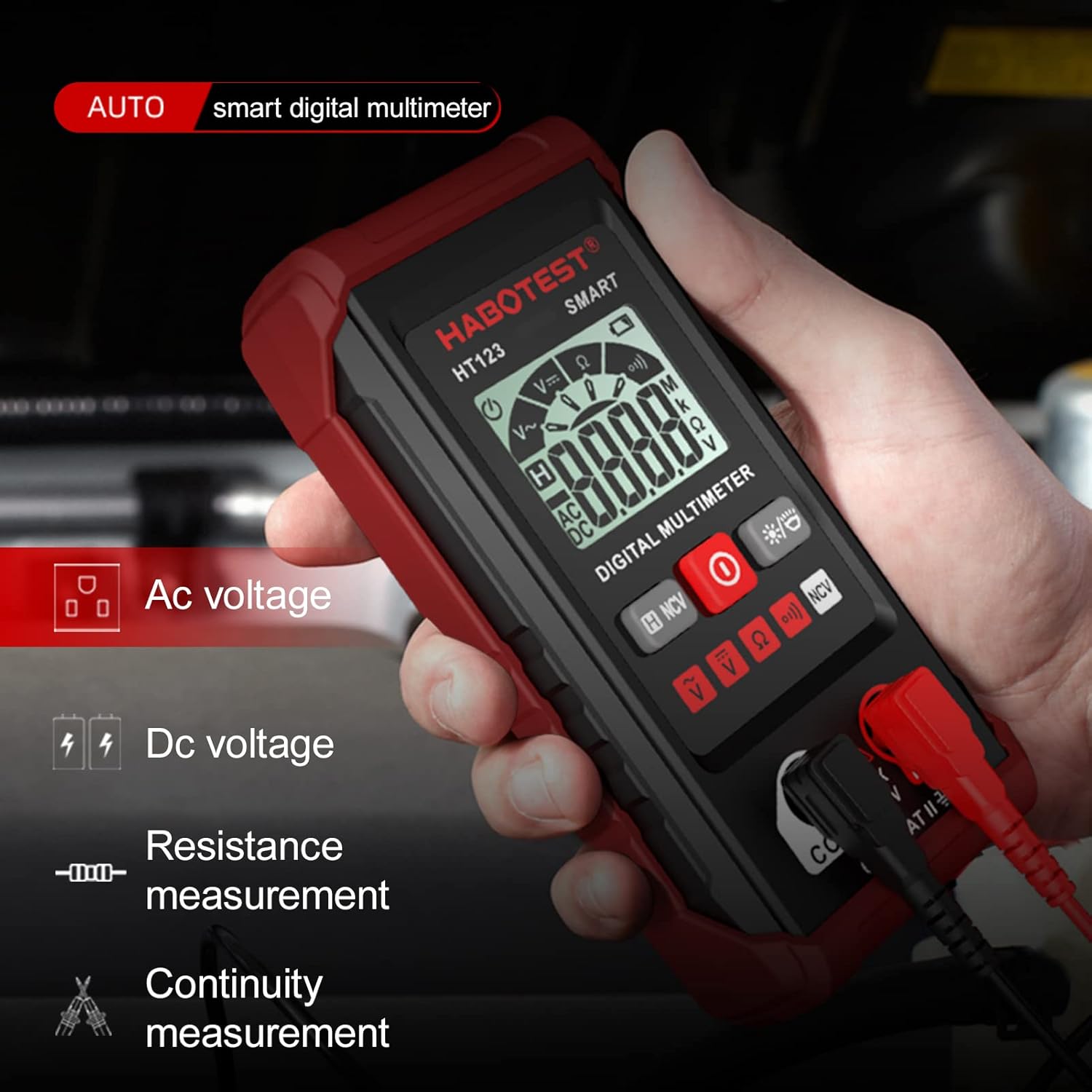
Image 6.1: A hand holding the HT123 Multimeter, with icons on the display indicating its auto-detection capabilities for AC voltage, DC voltage, resistance, and continuity.
6.2 AC/DC Voltage Measurement
- Ensure the multimeter is in auto-measurement mode.
- Connect the test leads in parallel to the circuit or component you wish to measure.
- The multimeter will automatically detect AC or DC voltage and display the reading.

Image 6.2: The HT123 Multimeter measuring AC voltage from a wall outlet, displaying a reading of 220.3V.
6.3 Resistance Measurement
- Ensure the circuit is de-energized before measuring resistance.
- Connect the test leads across the component.
- The multimeter will automatically detect and display the resistance value in Ohms (Ω), kilo-Ohms (kΩ), or Mega-Ohms (MΩ).
6.4 NCV (Non-Contact Voltage) Detection
- Press and hold the 'H/NCV' button for approximately 2 seconds to enter NCV mode. 'NCV' will appear on the display.
- Move the top end of the multimeter (where the NCV sensor is located) near a live AC voltage source.
- The multimeter will emit an audible beep and the indicator light will flash, with the frequency increasing as it gets closer to the voltage source.
- Press and hold the 'H/NCV' button again to exit NCV mode.

Image 6.3: The HT123 Multimeter performing non-contact voltage detection near a wall outlet, indicated by the NCV icon and signal strength bars on the display.
6.5 Continuity Test
- Ensure the circuit is de-energized.
- Connect the test leads across the component or wire.
- If the resistance is below approximately 50Ω, the multimeter will emit a continuous beep, indicating continuity.

Image 6.4: A collage demonstrating various measurement applications of the HT123 Multimeter, including AC voltage, DC voltage, resistance, continuity, and NCV detection.
7. Maintenance
7.1 Cleaning
Wipe the meter with a damp cloth and mild detergent. Do not use abrasives or solvents.
7.2 Battery Replacement
Replace the batteries immediately when the low battery indicator appears on the display to ensure accurate measurements. Refer to Section 5.1 for battery installation instructions.
7.3 Storage
If the meter is not to be used for an extended period, remove the batteries to prevent leakage and store the device in a cool, dry place.
8. Troubleshooting
- No Display: Check battery installation and ensure batteries are not depleted. Replace if necessary.
- Inaccurate Readings: Ensure test leads are properly connected. Check battery level. Ensure the measurement function is appropriate for the task.
- No Continuity Beep: Verify the circuit is de-energized. Ensure the component is not open-circuited.
9. Specifications
| Parameter | Specification |
|---|---|
| DC Voltage Range | 0.8V - 600V (Max: 610V) |
| AC Voltage Range | 0.8V - 600V (Max: 610V) |
| Resistance Range | Up to 600kΩ |
| Display Counts | 2,000 counts |
| NCV Detection | Yes |
| Display with Gear Display | Yes |
| Data Hold | Yes |
| Backlight | Yes |
| Flashlight | Yes |
| Low Battery Indication | Yes |
| Auto Power-off | Yes |
| Power Supply | 2 x 1.5V AAA Batteries (not included) |
| Material | ABS |
| Item Size | 122 x 61 x 29mm (4.81 x 2.40 x 1.14in) |
| Item Weight | 100g (3.54oz) |

Image 9.1: A diagram illustrating the key components and dimensions of the HT123 Multimeter, alongside a table of its technical specifications.
10. Warranty and Support
For warranty information or technical support, please refer to the contact details provided with your purchase or contact the manufacturer directly. Keep your purchase receipt as proof of purchase.
Ask a question about this manual
Ask about setup, troubleshooting, compatibility, parts, safety, or missing instructions. Manuals+ will review the question and use this page’s manual context to help answer it.