
1. Introduction
This user manual provides essential information for the safe and efficient operation of your EGSCATEE 24V 4000W Pure Sine Wave Inverter. This advanced inverter converts 12V DC power to stable 110V/120V AC power, suitable for a wide range of electronics and home appliances. It features multiple AC outlets, USB ports, and a remote control with an on-screen display for convenient monitoring. Designed for versatility, it is ideal for off-grid solar systems, RVs, boats, trucks, and emergency power needs.

Figure 1: EGSCATEE 4000W Pure Sine Wave Inverter, showing the main unit, remote control, and included battery cables.
2. Safety Information
Please read and understand all safety instructions before installing or operating the inverter. Failure to follow these instructions may result in electrical shock, fire, serious injury, or death.
- Electrical Shock Hazard: Do not open the inverter casing. There are no user-serviceable parts inside. Refer all servicing to qualified service personnel.
- Fire Hazard: Do not install the inverter in areas where flammable materials or gases are present. Ensure adequate ventilation around the inverter to prevent overheating.
- Proper Grounding: The inverter must be properly grounded. Always connect the ground wire before connecting battery cables.
- Battery Connection: Connect the inverter directly to a 24V battery bank. Ensure correct polarity (+ to + and - to -) to avoid damage to the inverter and battery. Use appropriate gauge cables for the power rating.
- Ventilation: Ensure the inverter is installed in a well-ventilated area. Do not block the cooling fans or vents.
- Environmental Conditions: Avoid exposing the inverter to moisture, rain, snow, or extreme temperatures.
- Load Capacity: Do not exceed the inverter's rated continuous power output (4000W) or peak power output (8000W). Overloading can cause damage and fire hazards.
3. What's in the Box
Upon opening the package, please verify that all components are present and undamaged:
- 1 x EGSCATEE 4000 Watt 24V Pure Sine Wave Power Inverter
- 1 x 14.76ft Cable Remote Controller with On-Screen Display
- 2 x Battery Cables (Red for Positive, Black for Negative)
- 1 x User Manual
Figure 2: The complete package contents, including the inverter unit, remote control, and battery connection cables.
4. Specifications
| Feature | Value |
|---|---|
| Model Name | TH-24V-4000W |
| Wattage (Continuous) | 4000 watts |
| Wattage (Peak) | 8000 watts |
| Input Voltage | 24V DC |
| Output Voltage | 110V/120V AC |
| Output Frequency | 60Hz |
| Output Waveform | Pure Sine Wave |
| USB Output | Dual 5V/3.4A |
| AC Outlets | 4 |
| Remote Control Cable Length | 14.76 ft |
| Item Weight | 16.42 pounds |
| Package Dimensions | 23.25 x 10.25 x 7.5 inches |
| Power Source | Solar and Battery Powered |
| Manufacturer | EGSCATEE |
5. Setup
Follow these steps to properly set up your EGSCATEE Pure Sine Wave Inverter:
- Choose a Location: Select a dry, cool, and well-ventilated area for installation. Ensure there is sufficient space around the inverter for airflow, especially around the cooling fans. Avoid direct sunlight or heat sources.
- Mounting: Securely mount the inverter using appropriate hardware. Ensure it is stable and will not move during operation.
- Grounding Connection: Before connecting any battery cables, connect the inverter's ground terminal to a proper earth ground. This is a critical safety step.
- Battery Cable Connection:
- Connect the red positive (+) battery cable to the positive (+) terminal on the inverter.
- Connect the black negative (-) battery cable to the negative (-) terminal on the inverter.
- Ensure connections are tight and secure to prevent arcing and overheating.

Figure 3: Rear view of the inverter, highlighting the positive and negative battery terminals and intelligent cooling fans.
- Connect to Battery Bank: Connect the other ends of the battery cables to your 24V battery bank, ensuring correct polarity. It is recommended to install an appropriate fuse or circuit breaker between the battery and the inverter for protection.
- Remote Control Connection: Plug the remote control cable into the designated "Remote Port" on the inverter. The remote control allows for convenient monitoring and power control from a distance.
- AC Output Connections: Once the inverter is powered on, you can plug your AC appliances into the four standard AC outlets. For charging mobile devices, use the dual 5V/3.4A USB ports.

Figure 4: Front panel of the inverter with four AC outlets and two USB charging ports.
6. Operating Instructions
Operating your EGSCATEE inverter is straightforward. Use the remote control for ease of use.
- Powering On/Off: Press the "ON/OFF" button on the inverter's front panel or the remote control to turn the unit on or off. The remote's LCD screen will illuminate when the inverter is active.
- Monitoring with Remote Control: The remote control's LCD screen provides real-time operational data:
- Input Voltage (VDC): Displays the current battery voltage.
- Output Voltage (VAC): Shows the AC output voltage (typically 110V/120V).
- Battery Capacity: An indicator bar showing the approximate remaining battery charge.
- Load Wattage (W): Indicates the current power consumption of connected appliances.
- Warning Indicators: Displays alerts for low-voltage, over-voltage, overload, or short-circuit conditions.

Figure 5: Detailed view of the remote control's LCD display and various warning indicators.
- Connecting Appliances: Plug your devices into the AC outlets or USB ports. Ensure the total wattage of all connected devices does not exceed the inverter's continuous power rating (4000W).
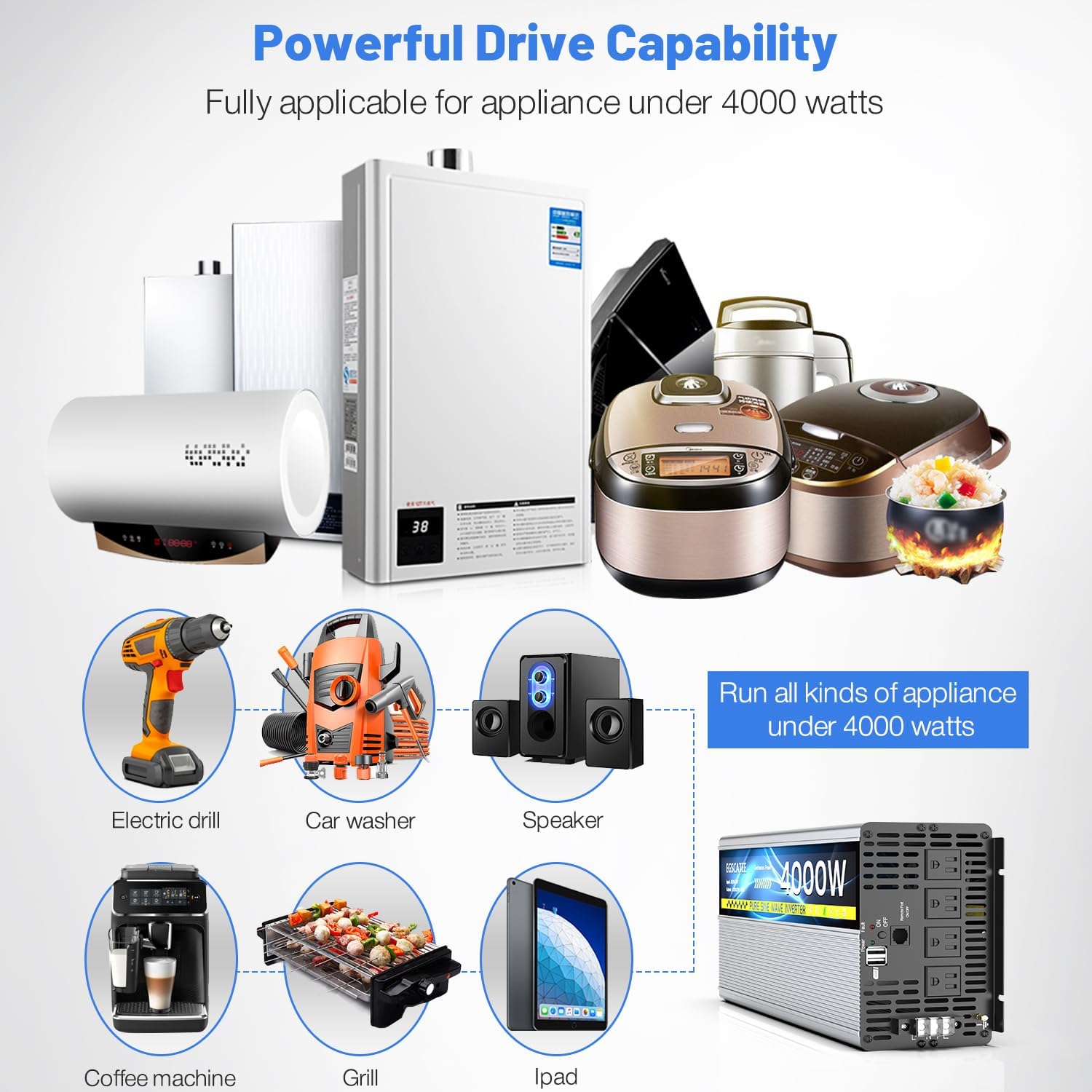
Figure 6: Examples of appliances that can be powered by the 4000W inverter, demonstrating its powerful drive capability.
7. Maintenance
Regular maintenance ensures the longevity and optimal performance of your inverter.
- Cleaning: Periodically clean the exterior of the inverter with a dry, soft cloth. Do not use liquid cleaners or solvents. Ensure vents and fan openings are free from dust and debris.
- Fan Operation: The inverter features smart temperature-controlled silent fans.
- Fans will activate when the internal temperature exceeds 45°C (113°F) or when the machine power efficiency is above 40%.
- Fans will stop when the internal temperature drops below 42°C (107.6°F) or when power efficiency is below 30%.
- Connection Checks: Regularly inspect all cable connections (battery and AC) to ensure they remain tight and free from corrosion. Loose connections can lead to power loss or overheating.
- Storage: If storing the inverter for an extended period, disconnect it from the battery and store it in a cool, dry place.

Figure 7: Internal components of the inverter, highlighting the high-precision circuit board and intelligent cooling fans.
8. Troubleshooting
The remote control's LCD display provides valuable information for diagnosing common issues. Refer to the warnings shown on the display:
| Problem Indication (on LCD) | Possible Cause | Solution |
|---|---|---|
| Low-Voltage Warning (e.g., 16.0 VDC) | Battery voltage is too low. | Recharge or replace the battery. Disconnect loads to prevent deep discharge. |
| Over-Voltage Warning (e.g., 28.0 VDC) | Battery voltage is too high. | Check charging system (e.g., solar charge controller) to ensure it's not overcharging the battery. |
| Over-Load / Short-Circuit Warning (e.g., 13.3 W with warning) | Connected appliances exceed the inverter's capacity or there is a short circuit in the load. | Reduce the total load by unplugging some appliances. Check for short circuits in wiring or appliances. The inverter may automatically shut down to protect itself. |
| No Output / Inverter Not Turning On | Loose battery connections, dead battery, internal fault. | Check all battery cable connections for tightness. Verify battery voltage. If the issue persists, contact customer support. |
| Fans Constantly Running or Not Running | High internal temperature, blocked vents, or fan malfunction. | Ensure adequate ventilation. Clear any obstructions from vents. If fans are not running when they should be (under load or high temp), contact support. |
If you encounter issues not covered here or if troubleshooting steps do not resolve the problem, please contact EGSCATEE customer support for assistance.
9. Warranty and Support
EGSCATEE is committed to providing high-quality products and reliable after-sales service. For any warranty claims, technical support, or service inquiries, please contact the manufacturer directly.
Please refer to the contact information provided with your product packaging or visit the official EGSCATEE website for the most up-to-date support details.
When contacting support, please have your product model number (TH-24V-4000W) and purchase information readily available.