
MOSEWORTH LFB-1210
MOSEWORTH 12V 10Ah LiFePO4 Lithium Iron Phosphate Battery User Manual
Model: LFB-1210
1. Introduction
This manual provides essential information for the safe and efficient operation of your MOSEWORTH 12V 10Ah LiFePO4 Lithium Iron Phosphate Battery. Please read this manual thoroughly before using the battery to ensure proper handling, installation, and maintenance. Retain this manual for future reference.
The MOSEWORTH LiFePO4 battery is designed for various applications, including kids' toys, fish finders, and other outdoor power needs, offering a lightweight design, built-in Battery Management System (BMS), and extended lifespan.
2. Important Safety Instructions
Failure to follow these safety instructions may result in electric shock, fire, serious injury, or death.
- Do not heat the battery above 140°F (60°C).
- Do not disassemble the battery.
- Do not throw the battery into fire or water.
- Do not short circuit the battery terminals.
- Do not reverse connections from charger to battery.
- Keep the battery away from children.
- Use only chargers specifically designed for LiFePO4 batteries.
- Avoid dropping or subjecting the battery to severe impacts.
- If the battery emits an unusual odor, heat, or changes shape, discontinue use immediately and contact support.

3. Product Features
The MOSEWORTH 12V 10Ah LiFePO4 battery offers several advanced features:
- Built-in Battery Management System (BMS): Provides protection against overcharge, over-discharge, overcurrent, short circuit, and low/high temperature.
- Lightweight and Compact Design: Easier to transport and install compared to traditional lead-acid batteries.
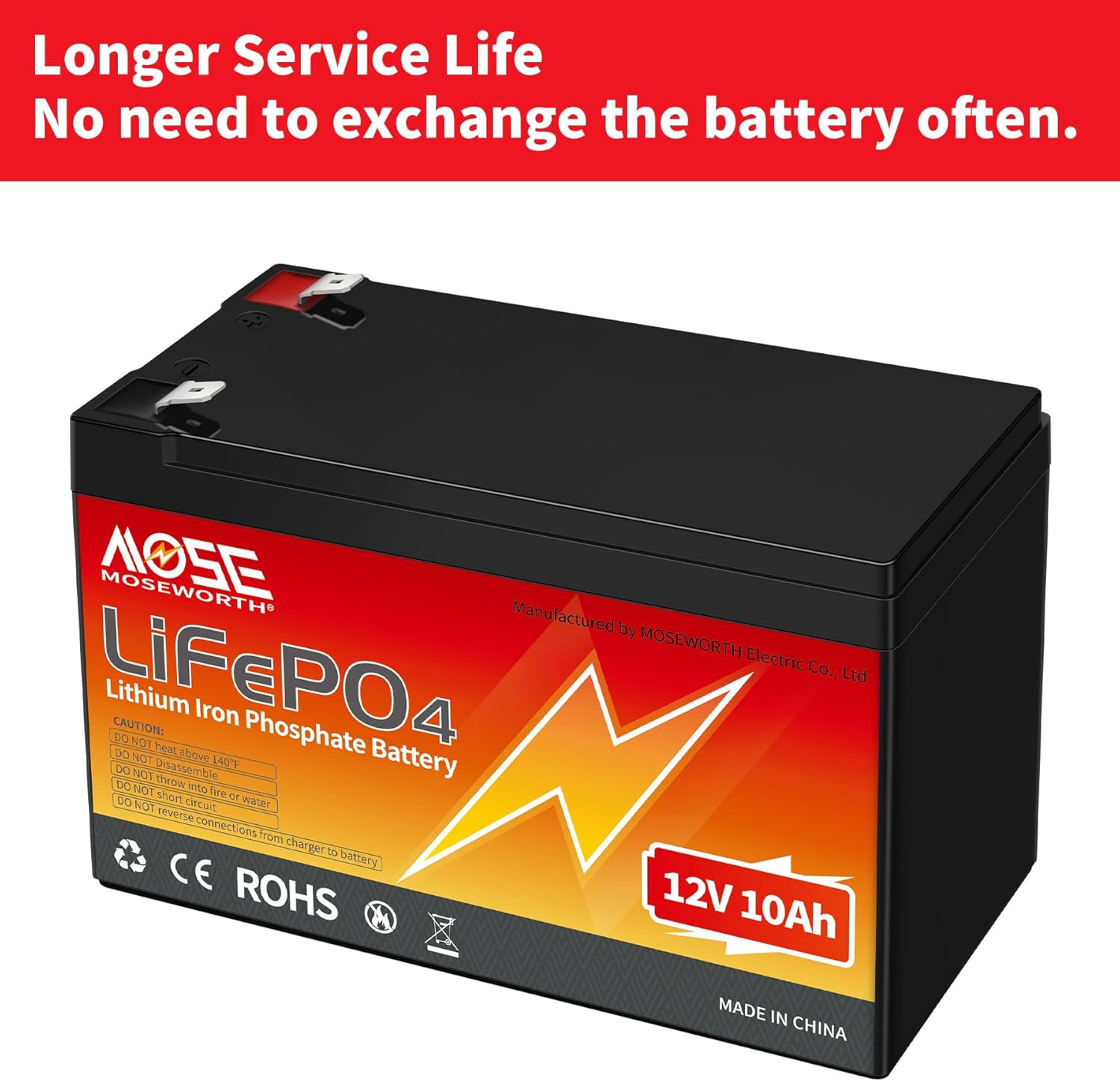
- Longer Lifespan: Offers over 4000 charge cycles, significantly outlasting lead-acid alternatives.
- High Energy Density: Delivers consistent power output.
- Series/Parallel Capability: Can be connected in series for higher voltage (24V, 36V, 48V, 60V) or in parallel for increased capacity.
- High Efficiency in Winter: Maintains nearly 90% efficiency in cold temperatures, outperforming SLA batteries.


4. Specifications
| Parameter | Value |
|---|---|
| Model | LFB-1210 |
| Nominal Voltage | 12V |
| Nominal Capacity | 10Ah |
| Battery Cell Composition | Lithium Iron Phosphate (LiFePO4) |
| Built-in BMS | Yes (Overcharge, Over-discharge, Overcurrent, Short Circuit, Low/High Temperature Protection) |
| Charging Voltage | 14.6V - 15V |
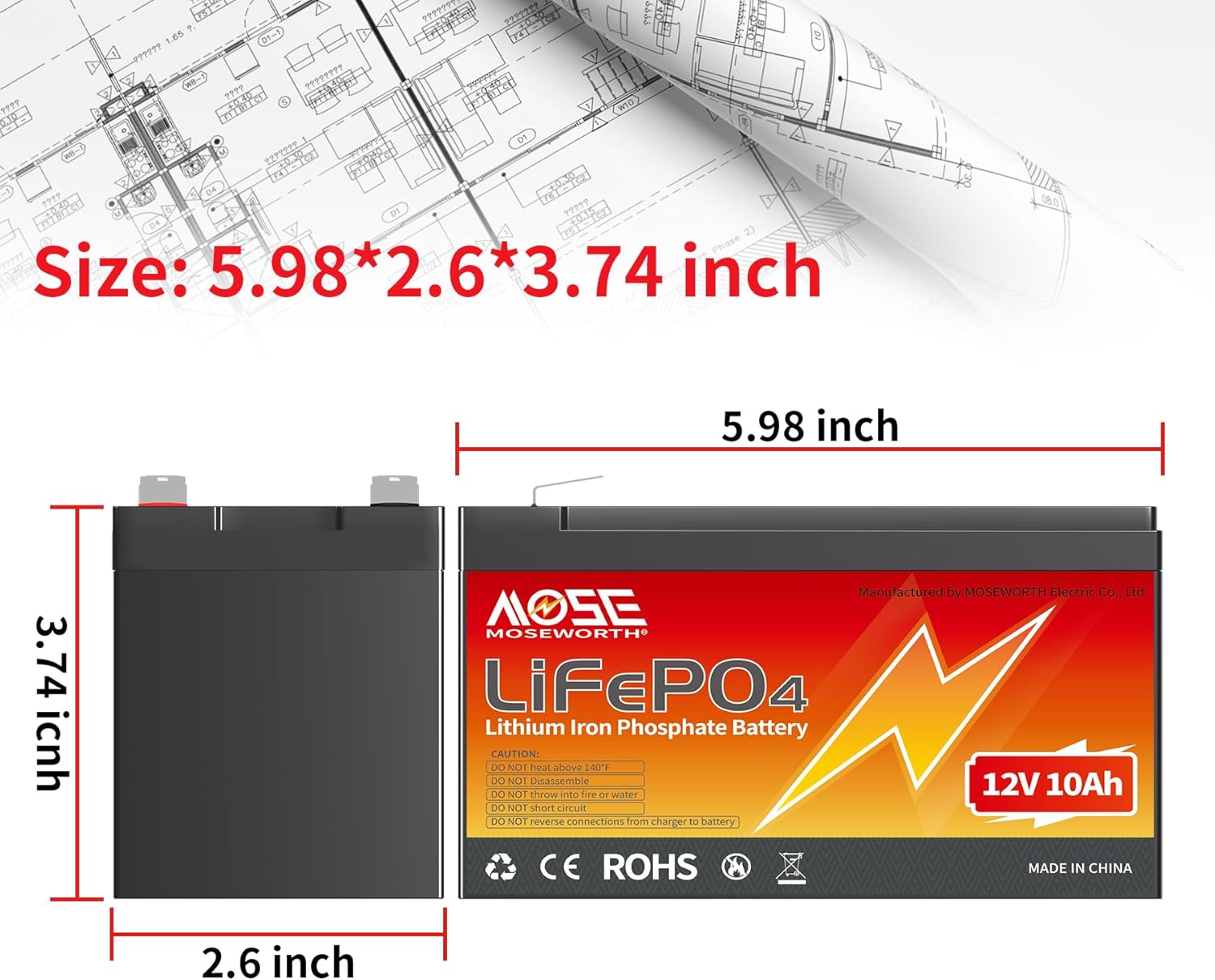
| Item Weight | 3.05 pounds (approx. 1.38 kg) |
| Package Dimensions | 7.32 x 4.96 x 4.49 inches (approx. 18.6 x 12.6 x 11.4 cm) |
| Operating Temperature | Refer to BMS specifications for exact ranges (typically -20°C to 60°C for discharge, 0°C to 45°C for charge) |
| Lifespan | 4000+ cycles |
5. Setup and Installation
5.1 Initial Charge
Upon receiving your MOSEWORTH LiFePO4 battery, it may not be fully charged. It is recommended to fully charge the battery before its first use.
- Connect the battery to a compatible LiFePO4 charger (14.6V-15V).
- Ensure correct polarity: positive (+) to positive, negative (-) to negative.
- Allow the battery to charge until the charger indicates a full charge.
5.2 Connecting the Battery
When connecting the battery to your application, ensure all connections are secure and correct.
- Identify the positive (+) and negative (-) terminals on the battery and your device.
- Use appropriate gauge wiring for your application to prevent overheating.
- Connect the positive terminal of the battery to the positive input of your device.
- Connect the negative terminal of the battery to the negative input of your device.
- Warning: Do not reverse polarity. This can damage the battery and/or your device.
5.3 Series and Parallel Connections
This MOSEWORTH LiFePO4 battery supports both series and parallel connections for increased voltage or capacity. Always consult a qualified technician if you are unsure about complex wiring configurations.
- Parallel Connection (for increased capacity): Connect positive terminals together and negative terminals together. Ensure all batteries are of the same voltage and capacity and are at a similar state of charge before connecting.
- Series Connection (for increased voltage): Connect the positive terminal of one battery to the negative terminal of the next battery. For example, to create a 24V system, connect two 12V batteries in series. Ensure all batteries are of the same voltage and capacity.
- Caution: Exceeding the recommended series/parallel configurations or improper connections can damage the battery and pose safety risks.
6. Operating Instructions
6.1 Charging the Battery
Use only a dedicated LiFePO4 battery charger with a charging voltage between 14.6V and 15V. Using an incompatible charger can damage the battery or reduce its lifespan.
- Connect the charger to the battery terminals, observing correct polarity.
- Plug the charger into a power outlet.
- Monitor the charging process. The BMS will protect against overcharging.
- Disconnect the charger once the battery is fully charged.
6.2 Discharging the Battery
The built-in BMS will protect the battery from over-discharge. When the battery voltage drops below a safe threshold, the BMS will cut off power to prevent damage.
- Connect your application to the battery, ensuring proper polarity.
- The battery will provide power until its charge level is low, at which point the BMS will activate protection.
- Recharge the battery promptly after it has been discharged to prolong its lifespan.
6.3 Optimal Operating Conditions
For best performance and longevity, operate the battery within recommended temperature ranges. While LiFePO4 batteries perform well in cold, extreme temperatures can still affect efficiency and lifespan.
7. Maintenance and Storage
7.1 General Maintenance
- Keep the battery terminals clean and free from corrosion.
- Regularly inspect the battery casing for any signs of damage or swelling.
- Ensure all connections are tight and secure.
7.2 Long-Term Storage
If storing the battery for an extended period, follow these guidelines to preserve its health:
- Charge the battery to approximately 50-70% of its capacity before storage.
- Store the battery in a cool, dry place, away from direct sunlight and extreme temperatures.
- Recharge the battery to 50-70% every 3 months during long-term storage to prevent deep discharge.
- Do not store the battery fully discharged or fully charged for prolonged periods.
8. Troubleshooting
| Problem | Possible Cause | Solution |
|---|---|---|
| Battery not charging |
|
|
| Battery not providing power |
|
|
| Reduced runtime |
|
|
9. Warranty and Support
MOSEWORTH provides a warranty for this LiFePO4 battery against defects in materials and workmanship under normal use. The specific warranty period and terms may vary. Please refer to your purchase documentation or contact MOSEWORTH customer service for detailed warranty information.
Customer Support:
For technical assistance, warranty claims, or any questions regarding your MOSEWORTH LiFePO4 battery, please contact our customer support team. You can typically find contact information on the MOSEWORTH official website or through your purchase platform.
When contacting support, please have your product model (LFB-1210) and purchase date available.
Related Documents - LFB-1210
 |
Super Bright LEDs Landscape Well Light User Manual User manual for Super Bright LEDs LFB-Wxx series landscape well lights, providing installation instructions, safety notes, and recommended accessories. |
 |
D-Link DGS-1210-ME B1 Series Firmware Release Notes This document provides release notes for D-Link DGS-1210-ME B1 Series network switches, detailing firmware versions, upgrade instructions, new features, changes in command line interface, problems fixed, and known issues. |
 |
D-Link DGS-1210 Series Web Smart Switch User Manual Comprehensive user manual for the D-Link DGS-1210 Series Web Smart Switches, covering installation, configuration, management, and technical specifications. |
 |
D-Link DXS-1210 Series B1 Firmware Release Notes Firmware release notes for the D-Link DXS-1210 Series B1 network switches, detailing firmware versions, new features, bug fixes, and known issues. Includes instructions for upgrading firmware via CLI, Web-UI, and D-Link Network Assistant App. |
 |
Bourns 1210 Series Heavy Duty AC Surge Protective Device Overview of the Bourns 1210 Series Heavy Duty AC Surge Protective Device (SPD), designed for high-risk electrical service entrance and branch panels. Details features, electrical and environmental characteristics, and ordering information. |
 |
LED Ready Hardscape Light LFB-H Series User Manual | Super Bright LEDs User manual and installation guide for the Super Bright LEDs LFB-H Series LED Ready Hardscape Light. Includes safety notes, recommended accessories, and step-by-step installation instructions. |