
Introduction
Welcome to the KAUGIC EarCleanMaster 2.0 Electric Ear Cleaner. This device is designed for safe and effective earwax removal at home, featuring innovative technology for a comfortable and hygienic experience. Please read this manual thoroughly before first use to ensure proper operation and safety.
Safety Information
Important Safety Precautions
- Always use warm water (95℉ - 102℉ / 35℃ - 39℃). The device features a smart temperature control system; a green light indicates the ideal temperature, while a red light prevents use if it's too hot.
- Do not use if you have ear infections, perforated eardrums, ear tubes, or any other ear injury. Consult a healthcare professional if unsure.
- Keep out of reach of children.
- Ensure the device is fully charged before use.
- Do not insert the nozzle too deeply into the ear canal.
- If you experience pain, dizziness, or discomfort, stop use immediately and consult a doctor.
What's in the Box
Package Contents
- KAUGIC EarCleanMaster 2.0 Electric Ear Cleaner (Main Unit)
- USB-C Charging Cable
- Multiple Nozzles/Tips
- User Manual (this document)
- Q-tips (for external cleaning)
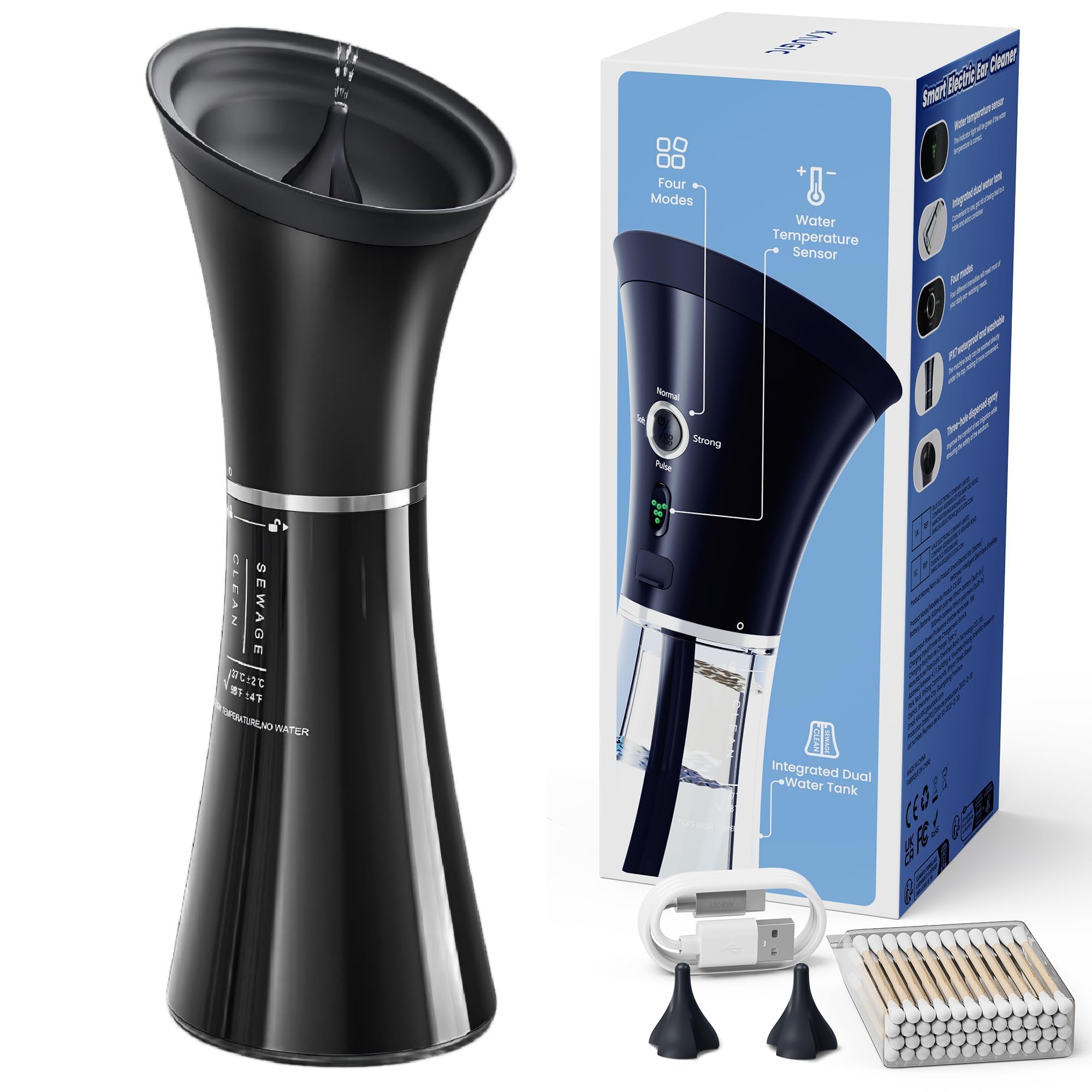
Image: The KAUGIC EarCleanMaster 2.0 device with its included accessories, such as charging cable and nozzle tips.
Product Overview & Key Features
Integrated One-Piece Waste Tank
The innovative design combines clean and waste water tanks into a single unit, allowing for simultaneous dispensing and collection. This ensures a cleaner and more efficient ear cleaning process, preventing messy spills.
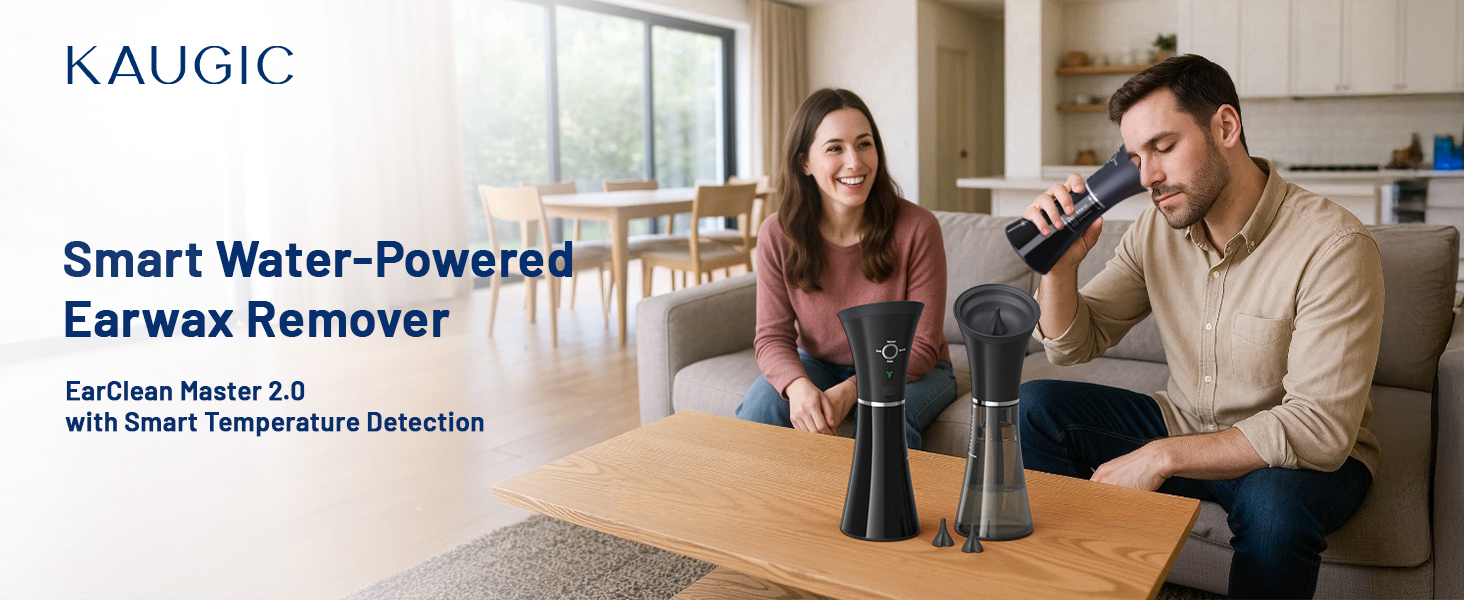
Image: Internal view of the one-piece tank, illustrating the separate channels for clean water and collected waste.
Smart Water Temperature Sensor (TempDetectIQ Tech)
Equipped with intelligent temperature control, the device ensures water is within the safe and comfortable range of 95℉ - 102℉ (35℃ - 39℃). A green indicator light confirms the ideal temperature, while a red light warns against unsafe temperatures.

Image: The device's temperature sensor lights, indicating safe (green), too cold (blue), and too hot (red) water temperatures.
Effective Four Water Pressure Settings (UltraStreamJet Tech)
Choose from four distinct water pressure modes to suit individual needs and ear sensitivity:
- Soft (8-10 PSI): Gentle, ideal for first-time users or sensitive ears.
- Normal (12-15 PSI): Effective for light earwax buildup.
- Pulse (10-15 PSI): Intermittent pressure for sensitive ears, reducing discomfort.
- Strong (15-20 PSI): Deep cleaning, suitable for thick or stubborn earwax.
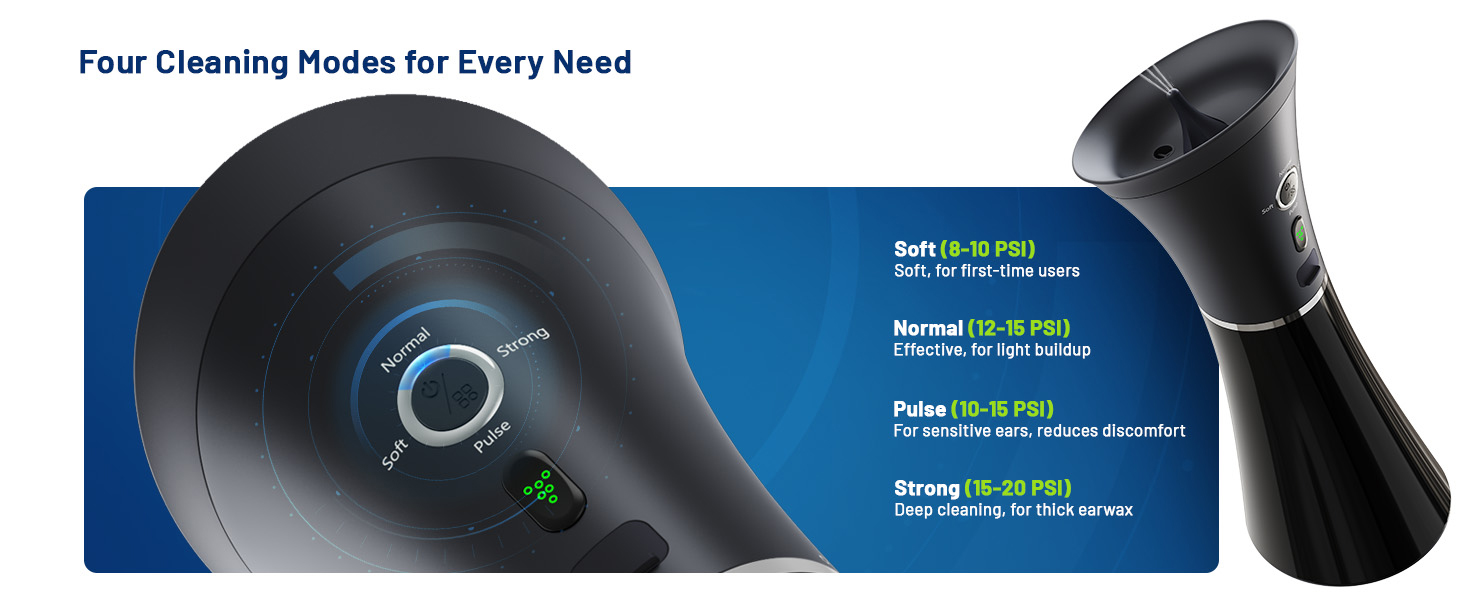
Image: The control panel highlighting the four selectable water pressure modes.
IPX7 Waterproof Design
The entire unit is IPX7 waterproof, allowing for safe use in the shower and easy rinsing under a tap for convenient cleaning and hygiene.

Image: A person using the waterproof ear cleaner in a shower setting.
Setup
Charging the Device
Connect the provided USB-C cable to the charging port on the device and to a suitable USB power adapter. The indicator light will show charging status. Ensure the device is fully charged before first use.
Filling the Water Tank
- Twist the top part of the device counter-clockwise to separate the main unit from the water tank.
- Ensure the long tube is inserted into the "Clean" side of the tank.
- Fill the "Clean" side of the tank with warm water (95℉ - 102℉ / 35℃ - 39℃). Do not overfill.
- Reattach the top part by aligning the 'O' with the unlock symbol and rotating clockwise to lock.
Video: Demonstration of disassembling the device, filling the clean water tank, and reassembling it for use.
Attaching the Nozzle
Select a suitable nozzle tip and firmly attach it to the spray outlet on the top of the device.
Operating Instructions
Performing an Ear Cleaning
- Ensure the water temperature indicator light is green, confirming the water is at a safe temperature.
- Select your desired water pressure mode (Soft, Normal, Pulse, Strong) by pressing the Power/Mode button. Start with "Soft" for first-time use.
- Gently place the ear cup against your ear, ensuring a snug fit to prevent water leakage.
- Tilt your head slightly over a sink or towel to allow for proper drainage.
- Press and hold the water outlet button to begin the irrigation. Move the device slightly to ensure thorough cleaning.
- Continue until the water tank is empty or earwax is sufficiently removed.
- Release the button to stop the water flow.
- Repeat for the other ear if necessary.
Video: A user demonstrating the ear cleaning process, showing how to position the device and activate the water flow.
Maintenance
Cleaning the Device
- After each use, separate the water tank from the main unit.
- Empty the collected wastewater from the "Sewage" side.
- Rinse both the water tank and the ear cup thoroughly with clean water.
- The IPX7 waterproof design allows the entire unit to be rinsed under a tap.
- Allow all components to air dry completely before reassembling and storing.
Storage
Store the device in a cool, dry place away from direct sunlight.
Troubleshooting
Device Not Turning On
- Check battery level. Recharge if necessary.
- Ensure the water tank is securely locked into place.
Water Not Dispensing
- Check if the water tank is filled with water.
- Ensure the long tube is correctly placed in the "Clean" side of the tank.
- Verify the device is powered on and a mode is selected.
Water Temperature Indicator is Red
- The water is too hot. Replace with cooler, warm water within the recommended range.
Water Leaks During Use
- Ensure the ear cup is pressed firmly against the ear to create a good seal.
- Check that the water tank is securely locked.
Specifications
- Model Number: CSJ-001
- Power Source: 1 Lithium Polymer battery (included)
- Waterproof Rating: IPX7
- Recommended Water Temperature: 95℉ - 102℉ (35℃ - 39℃)
- Water Pressure Modes: Soft, Normal, Pulse, Strong
- Dimensions: 11.18 x 4.76 x 4.29 inches
- Weight: 1.08 Pounds
Warranty & Support
Manufacturer Warranty
This product comes with a standard manufacturer's warranty. Please refer to the product packaging or contact KAUGIC customer support for specific warranty details and duration.
Customer Support
For any questions, troubleshooting, or support needs, please contact KAUGIC customer service through the Amazon platform or visit the official KAUGIC store.


