
Sekonda Track Smart Watch B0CY5PWJ46
Sekonda Track Smart Watch User Manual
Model: Track Smart Watch (B0CY5PWJ46)
1. Introduction
Welcome to your new Sekonda Track Smart Watch. This manual provides comprehensive instructions for setting up, operating, and maintaining your device to ensure optimal performance and longevity. Please read this manual thoroughly before using your smart watch.
2. Product Overview
The Sekonda Track Smart Watch is designed to help you monitor your daily activity, track various sports, and stay connected with notifications. It features a 1.47-inch touchscreen display and a comfortable silicone strap.

Image: Front view of the Sekonda Track Smart Watch, showing its display with activity metrics.
2.1. Package Contents
- Sekonda Track Smart Watch (Black plastic case, 1.47-inch touchscreen, black silicone strap)
- Standard USB Connect charging cable with magnetic connection
- User Manual (this document)

Image: Front and back of the Sekonda Track Smart Watch retail packaging, detailing key features.
2.2. Physical Features
- Display: 1.47-inch touchscreen.
- Case: Black plastic.
- Strap: Interchangeable black silicone strap with quick release spring bars. Maximum length 217mm, minimum length 145mm.
- Button: Single side button for navigation and power.
- Sensors: Heart rate and blood oxygen monitoring.

Image: Side view of the watch, highlighting the control button.

Image: Opposite side view of the watch.

Image: Close-up of the watch strap buckle.
3. Setup
3.1. Initial Charging
Before first use, fully charge your Sekonda Track Smart Watch. Connect the magnetic charging cable to the charging points on the back of the watch and plug the USB end into a compatible USB power source (e.g., computer USB port, USB wall adapter).
- Battery life is up to 10 days with low use.
3.2. App Download and Pairing
To unlock the full functionality of your smart watch, download the "Sekonda Smart app" on your smartphone.
- Search for "Sekonda Smart app" in your smartphone's app store (Apple App Store for iOS, Google Play Store for Android).
- Download and install the app.
- Ensure your smartphone's Bluetooth is enabled.
- Open the Sekonda Smart app and follow the on-screen instructions to pair your watch.
The app is compatible with Android version 7.1 and Apple iOS version 12.0 and above.

Image: Screenshot of the Sekonda Smart app download page, showing links for Apple App Store and Google Play.
4. Operating Instructions
4.1. Basic Navigation
- Touchscreen: Swipe left/right, up/down to navigate through menus and features. Tap to select.
- Side Button: Press to wake the screen, return to the home screen, or access the main menu (functionality may vary based on context).
- Gesture Control: Raise your wrist to automatically wake the screen.
4.2. Daily Activity & Sports Functions
Your Sekonda Track Smart Watch is equipped to monitor your daily fitness and various sports activities.
- Activity Tracking: Counts steps, distance, and calories burnt.
- Sports Modes: Select from 8 different sports modes including walking, cycling, running, football, and more to track specific workouts.
- Water Resistance: IP68 rating, suitable for everyday use and light water exposure, but not recommended for swimming or diving.

Image: Various lifestyle shots demonstrating the watch's use during physical activities and health monitoring.
4.3. Notifications and Connectivity
- Message Notifications: Receive alerts for calls, texts, and app messages directly on your watch.
- Music Control: Control music playback on your connected smartphone (play, pause, skip tracks).
- Remote Camera: Use your watch as a remote shutter for your smartphone's camera.
- Find My Watch/Phone: Locate your watch or paired phone using this feature.
4.4. Health Monitoring
- Heart Rate Monitoring: Continuously track your heart rate.
- Blood Oxygen Monitoring: Monitor your blood oxygen levels.
- Sleep Monitor: Track your sleep patterns and quality.
- Hydration Reminders: Set reminders to drink water throughout the day.
- Sedentary Reminders: Receive alerts when you've been inactive for too long.
4.5. Customisation
- Customisable Display: Choose from preset watch face designs available in the app or upload your own image to personalise your watch face.
- Language Settings: Select from 17 different language settings.
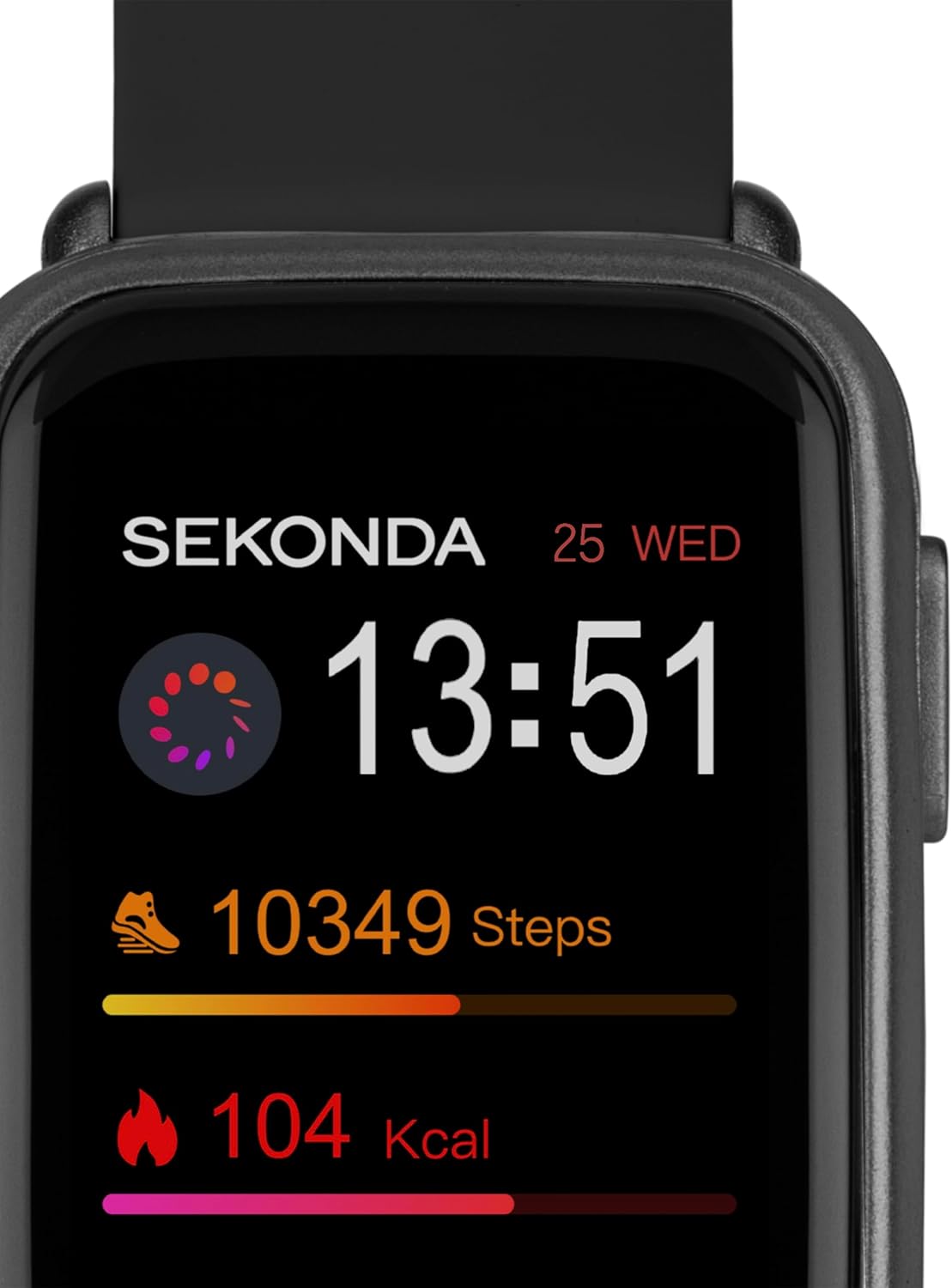
Image: Detailed view of the watch display, showcasing its clear interface for activity tracking.
5. Maintenance
5.1. Cleaning Your Watch
- Wipe the watch screen and strap regularly with a soft, damp cloth.
- Avoid using harsh chemicals or abrasive materials, as these can damage the watch.
- Ensure the charging contacts are clean and dry before charging.
5.2. Strap Care
The silicone strap is durable but can be cleaned with mild soap and water if needed. Ensure the strap is completely dry before reattaching it to the watch or wearing it.
6. Troubleshooting
| Problem | Possible Solution |
|---|---|
| Watch not turning on/responding. | Ensure the watch is fully charged. Press and hold the side button for several seconds to force a restart. |
| Cannot pair with smartphone. |
|
| Inaccurate activity tracking (steps, distance). |
|
| Notifications not appearing. |
|
7. Specifications
- Model: Sekonda Track Smart Watch
- Display: 1.47-inch Touchscreen
- Case Material: Plastic
- Strap Material: Silicone (Interchangeable)
- Water Resistance: IP68
- Battery Life: Up to 10 days (low use)
- Compatibility: Android 7.1 and above, Apple iOS 12.0 and above
- Country of Origin: China
8. Warranty and Support
8.1. Warranty Information
Your Sekonda Track Smart Watch comes with a 2-year guarantee from the date of purchase. This warranty covers manufacturing defects. Please retain your proof of purchase for any warranty claims.
8.2. Customer Support
For a full list of features, detailed instruction guides, or further assistance, please visit the official Sekonda website:
You can also contact Sekonda customer service through the contact information provided on their website or within the Sekonda Smart app.
Ask a question about this manual
Ask about setup, troubleshooting, compatibility, parts, safety, or missing instructions. Manuals+ will review the question and use this page’s manual context to help answer it.