
Introduction
Welcome to the LAOPAO Automatic Foaming Soap Dispenser instruction manual. This document provides detailed guidance for the safe and efficient use of your new device. Please read these instructions thoroughly before operating the dispenser.

Image: The black LAOPAO automatic foaming soap dispenser positioned on a kitchen countertop next to a sink.
Product Overview
The LAOPAO Automatic Foaming Soap Dispenser (Model LP-X8-FB) is a touchless, rechargeable device designed for dispensing foam soap. It features a high-precision infrared sensor for quick activation and offers two foam volume settings. The dispenser is constructed with a durable stainless steel shell and is IPX5 waterproof for daily use. It includes a 1500mAh battery, providing extended use on a single charge, and a self-clean mode for easy maintenance.

Image: A banner highlighting key features of the LAOPAO automatic soap dispenser, including 1500mAh battery, Type-C charging, IPX5 water resistance, matte appearance, clean mode, and two soap amount options.
Setup
1. Charging the Dispenser
- Locate the USB-C charging port, typically on the top or back of the dispenser.
- Connect the provided USB-C cable to the dispenser and a 5V 1A or 5V 2A USB power adapter (not included).
- A full charge takes approximately 2-3 hours. The 1500mAh battery can last for up to 3 months or about 5000 dispenses on a single charge.

Image: The LAOPAO automatic foaming soap dispenser connected to a USB-C charging cable. Icons indicate a 2-3 hour charge time, 3 months battery life, 1500mAh battery, and Type-C cable.
2. Filling with Soap
- Remove the top section of the dispenser to access the soap reservoir.
- You can add foaming soap directly.
- Alternatively, for liquid soap, dilute it by mixing 1 part liquid soap with 4 parts water. Ensure the mixture is thoroughly combined.
- The reservoir capacity is 280ml.

Image: Two methods for filling the dispenser: adding foaming soap directly or diluting 1 part liquid soap with 4 parts water. The reservoir capacity is 280ml.
3. Powering On
- After charging and filling, press and hold the power button on the top of the dispenser for 3 seconds to turn it on.

Image: A finger pressing the power button on the top of the dispenser, with text indicating to hold for 3 seconds to power on.
Operation
1. Dispensing Soap
- Place your hand under the nozzle. The high-precision infrared sensor will detect your hand and dispense foam automatically within 0.25 seconds.

Image: The black LAOPAO automatic foaming soap dispenser dispensing foam into a hand. The base illuminates blue during operation.
2. Adjusting Foam Volume
- The dispenser offers two foam volume settings based on the distance of your hand from the sensor:
- Low Amount (0.6g): Place your hand between 0-3 cm from the sensor.
- High Amount (1g): Place your hand between 3-7 cm from the sensor.

Image: A comparison showing how hand distance (0-3cm for low, 3-6cm for high) from the sensor determines the amount of foam dispensed.
Maintenance
1. Water Resistance
- The dispenser features an IPX5 waterproof rating, making it resistant to splashing water. This allows for worry-free use in bathrooms and kitchens.
- The USB charging port is protected by a rubber plug to prevent humidity damage.
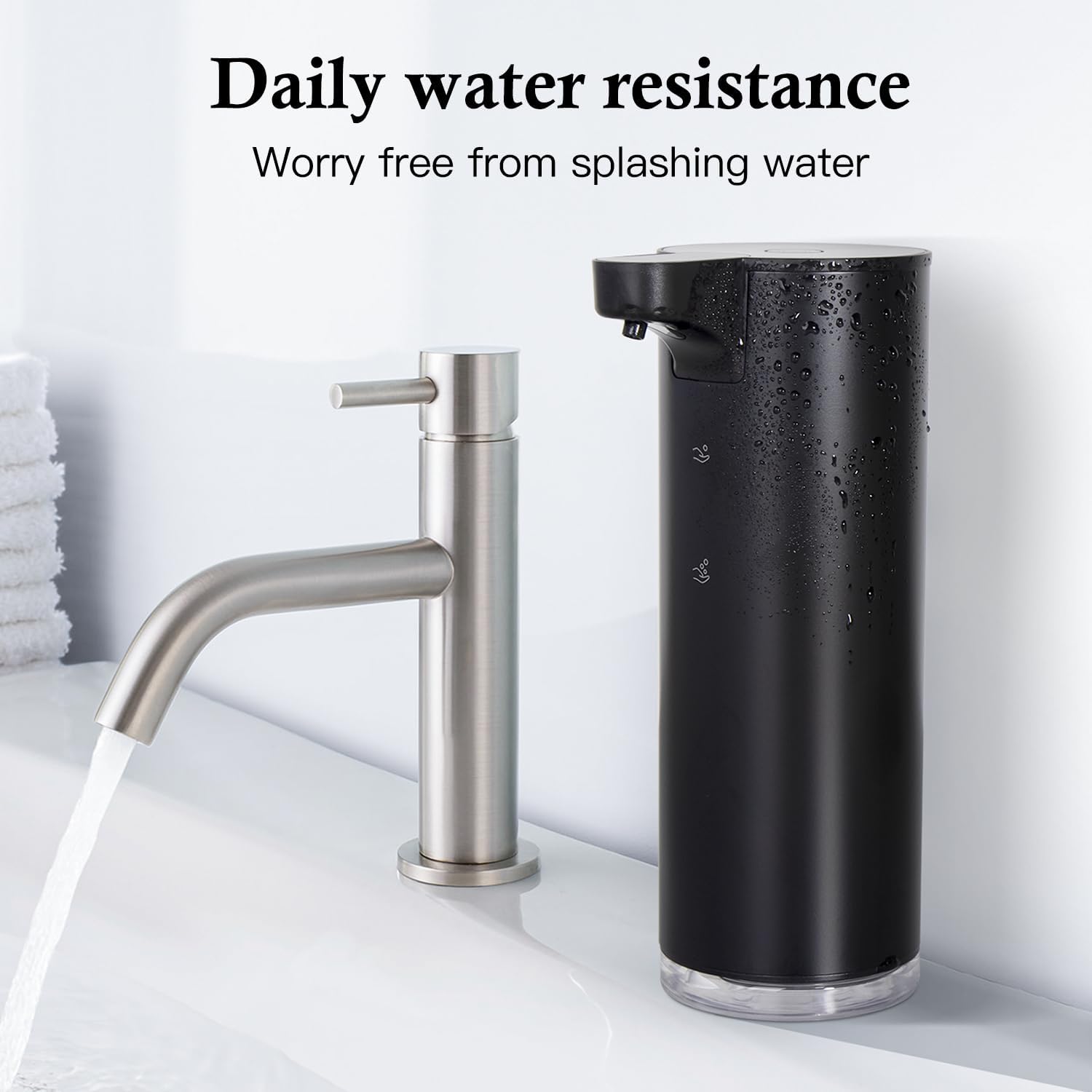
Image: The LAOPAO automatic foaming soap dispenser with water droplets on its surface, positioned next to a running faucet, illustrating its daily water resistance.
2. Self-Clean Mode
- To regularly clean the soap pump and prevent clogging, use the self-clean mode.
- Ensure the dispenser is in standby mode.
- Double-click the power button to activate the self-clean mode. The dispenser will release for 18 seconds.
- Single-click the power button again to exit the self-clean mode.
- For best results, add warm water to the reservoir instead of soap before starting the clean mode.

Image: The LAOPAO automatic foaming soap dispenser in self-clean mode, dispensing foam into a glass. Instructions for activating and using the clean mode are provided.
Troubleshooting

Image: A troubleshooting guide with common issues and solutions for the LAOPAO automatic soap dispenser.
| Issue | Solution |
|---|---|
| The dispenser does not work after charging. | After charging, remove the cable and hold the power switch for 2-3 seconds to turn it on. Single or double clicks will not work for powering on. |
| The motor noise is weak, and the red indicator flashes while releasing soap. | This indicates a low battery. Please charge the soap dispenser. |
| The dispensed soap is bubbly rather than dense foam. | Clean the dispenser using the self-clean mode. Then, add a little more water to your soap mixture and ensure it is fully diluted. |
Specifications
| Feature | Detail |
|---|---|
| Model Number | LP-X8-FB |
| Brand | LAOPAO |
| Color | Black |
| Material | Metal, Plastic (BPA Free, Stainless Steel) |
| Product Dimensions | 4.17"L x 2.87"W x 7.87"H |
| Item Weight | 1.26 pounds |
| Liquid Volume Capacity | 266 Milliliters (approx. 9oz) |
| Battery | 1500mAh Lithium Ion (included) |
| Charging Time | 2-3 hours |
| Battery Life | Up to 3 months or 5000 dispenses per charge |
| Water Resistance | IPX5 |
| UPC | 754552424059 |
Warranty and Support
LAOPAO offers a 12-month warranty for all products. For any questions, technical assistance, or to report an issue, please contact LAOPAO customer support. Refer to the product packaging or the official LAOPAO website for specific contact information.