
Diivoo DI-WT20M-USBK-A303
Diivoo 2-Zone Sprinkler Timer User Manual
Model: DI-WT20M-USBK-A303
1. Introduction
Thank you for choosing the Diivoo 2-Zone Sprinkler Timer. This device is designed to automate your garden and lawn watering, providing efficient and customizable irrigation. With its user-friendly interface and robust features, you can ensure your plants receive optimal hydration while conserving water.
Key features include:
- Two independent watering zones.
- Six independently programmable watering schedules.
- Built-in automatic rain sensor.
- Large, inclined LCD screen for clear visibility.
- Manual watering option.
- Child lock function.
- Durable, IPX5 waterproof construction with brass connectors.
2. Product Overview

Front view of the Diivoo 2-Zone Sprinkler Timer, showing the LCD screen and control buttons.

Dimensions of the Diivoo 2-Zone Sprinkler Timer: 16.51cm (width) x 15.49cm (height) x 8.51cm (depth).

Detailed view highlighting robust brass connections, stepless knob, extra-large LCD screen, and low power consumption battery compartment.

The inclined view screen provides clear readability and operation even in direct sunlight.
3. Setup and Installation
3.1 Battery Installation
- Locate the battery compartment on the back of the timer.
- Open the battery cover.
- Insert two 1.5V 'AA' alkaline batteries, ensuring correct polarity (+/-).
- Close the battery cover securely.
3.2 Connecting the Timer
- Ensure your outdoor faucet is turned off.
- Screw the timer's top connector onto your outdoor faucet. Hand-tighten only. The timer features robust brass connections for durability.
- Connect your garden hoses to the two independent outlets at the bottom of the timer. Ensure a secure connection to prevent leaks.
- Slowly turn on your outdoor faucet. The timer is IPX5 waterproof, designed to withstand water splashes.
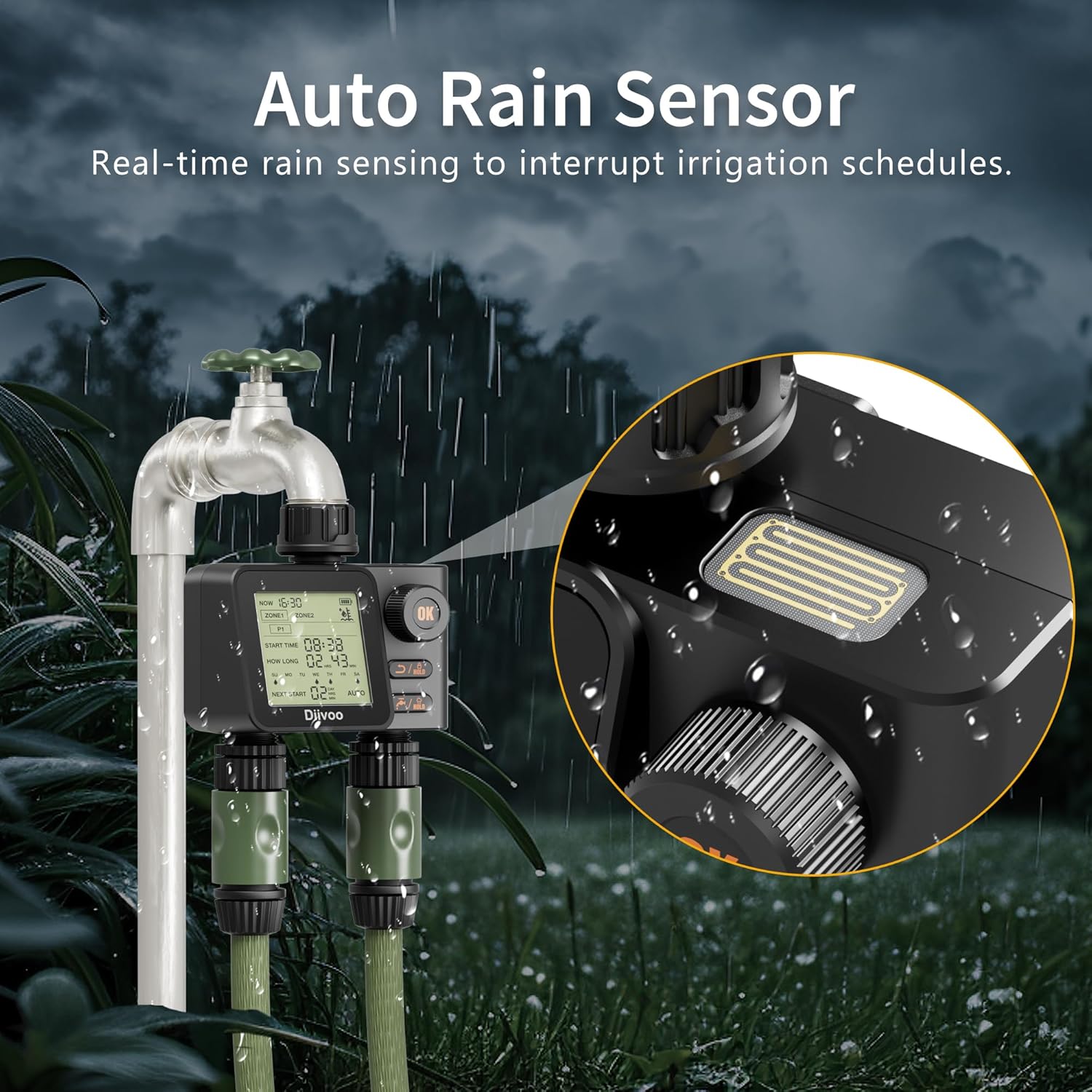
The sprinkler timer connected to an outdoor faucet, showing the integrated rain sensor.
4. Operating Instructions
4.1 Setting Current Time
Upon first use or after battery replacement, the display will prompt you to set the current time. Use the stepless knob to adjust the hour and minute, then press the 'OK' button to confirm each setting.
4.2 Programming Watering Schedules
The timer supports six independent watering programs (P1-P6), with three programs per zone (Zone 1 and Zone 2). Each program allows you to set a start time, watering duration, and specific watering days.
- Rotate the stepless knob to navigate through the programming options (P1, P2, P3 for each zone).
- Press 'OK' to select a program to edit.
- Set the Start Time: Use the knob to adjust the hour and minute, then press 'OK'.
- Set the Watering Duration: Adjust the duration from 1 minute to 7 hours 59 minutes using the knob, then press 'OK'.
- Select Watering Days: Use the knob to select specific days (Mon-Sun) or a daily cycle. Press 'OK' to confirm selected days.
- Repeat for other programs as needed.

Illustration of two independent irrigation zones (Zone 1 and Zone 2) with separate watering plans.

Overview of the 6 customizable watering procedures, allowing for distinct start times and durations for each zone.
4.3 Manual Watering
To initiate watering immediately, independent of programmed schedules:
- Short press the Watering/Hold button (faucet icon).
- Use the stepless knob to set the desired manual watering duration (from 1 minute to 11 hours 59 minutes).
- Press 'OK' to start manual watering.
- To stop manual watering, short press the Watering/Hold button again.

Visual representation of activating the child lock and performing manual watering.
4.4 Automatic Rain Sensor
The built-in rain sensor automatically detects rainfall and temporarily suspends programmed watering schedules to prevent overwatering. Once the sensor dries, the timer will resume its schedule as planned.
The automatic rain sensor on the timer, designed to interrupt irrigation schedules during rain.
4.5 Child Lock Function
To prevent accidental changes to settings, activate the child lock:
- From the main interface, press and hold the Return/Hold button (arrow with lock icon) for 3 seconds.
- The screen will indicate that the child lock is active, disabling all keys.
- To deactivate, press and hold the Return/Hold button again for 3 seconds.
4.6 One-Click Close All Programs
To quickly disable all active watering programs, refer to the manual for specific instructions on this feature, typically involving a long press of a specific button or navigating to a 'disable all' option.
5. Maintenance
5.1 Battery Replacement
When the battery indicator on the LCD screen shows low power, replace the batteries promptly to ensure continuous operation. Follow the steps in Section 3.1.
5.2 Cleaning
Periodically clean the exterior of the timer with a soft, damp cloth. Do not use abrasive cleaners or solvents. Ensure the rain sensor area is free from debris for accurate operation.
5.3 Winterization
Before the first frost, disconnect the timer from the faucet and hoses. Remove the batteries. Store the timer indoors in a dry, frost-free location to prevent damage from freezing water.
6. Troubleshooting
| Problem | Possible Cause | Solution |
|---|---|---|
| Timer not watering | Low batteries; Faucet off; Program not set correctly; Rain sensor active. | Replace batteries; Turn on faucet; Check program settings; Allow rain sensor to dry. |
| LCD screen blank or dim | Dead or low batteries. | Replace batteries. |
| Water leakage from connections | Loose connection; Worn washer. | Ensure connections are hand-tight; Check and replace rubber washers if worn. |
| Rain sensor not responding | Sensor dirty or obstructed. | Clean the rain sensor area on top of the timer. |
| Child lock cannot be deactivated | Button not held long enough. | Ensure you hold the Return/Hold button for at least 3 seconds. |
7. Specifications
| Feature | Specification |
|---|---|
| Brand | Diivoo |
| Model Number | DI-WT20M-USBK-A303 |
| Color | Black |
| Dimensions (L x W x H) | 15.5D x 16.5W x 8.5H Centimetres |
| Item Weight | 520 g |
| Watering Zones | 2 Independent Zones |
| Programmable Programs | 6 (3 per zone) |
| Watering Duration | 1 Min to 7 Hours 59 Min |
| Manual Watering Duration | 1 Min to 11 Hours 59 Seconds |
| Waterproof Rating | IPX5 |
| Connector Material | Brass |
| Power Source | 2 x 1.5V AA Alkaline Batteries (not included) |
8. Official Product Video
Official product video demonstrating the features and operation of the Diivoo Water Hose Timer 2 Outlet.
9. Warranty and Support
Diivoo products are designed for reliability and performance. For warranty information, technical support, or customer service inquiries, please refer to the contact details provided with your product packaging or visit the official Diivoo website. Please retain your proof of purchase for warranty claims.
Ask a question about this manual
Ask about setup, troubleshooting, compatibility, parts, safety, or missing instructions. Manuals+ will review the question and use this page’s manual context to help answer it.