
Yunir Yunirzckgentsrf
Yunir Voice Translator Earbuds Model Yunirzckgentsrf User Manual
Your guide to seamless communication.
1. Introduction
Thank you for choosing the Yunir Voice Translator Earbuds. This device is designed to facilitate real-time, two-way communication across 144 languages, offering both online and offline translation capabilities. This manual provides essential information for setting up, operating, and maintaining your translator earbuds to ensure optimal performance.
2. Package Contents
Please verify that all items are present in your package:
- 2 x Voice Translator Earbuds
- 1 x Charging Case
- 1 x USB Data Cable
- 1 x User Manual (this document)

Image: Contents of the Yunir Voice Translator Earbuds package, including the earbuds, charging case, and USB data cable.
3. Product Overview
The Yunir Voice Translator Earbuds feature an ergonomic in-ear design for comfortable long-term wear. They integrate touch controls for various functions and are housed in a portable charging case.

Image: The Yunir Voice Translator Earbuds resting in their charging case, with a smartphone showing the companion translation application interface.

Image: A user wearing the Yunir Voice Translator Earbuds, highlighting the comfortable and secure fit around the ear.
4. Setup
4.1 Charging the Earbuds and Case
Before first use, fully charge the earbuds and the charging case. Connect the provided USB data cable to the charging case and a compatible USB power source. The charging indicator on the case will show the charging status. A full charge for the case takes approximately 3 hours, providing over 7 hours of earbud usage. Earbuds themselves have a battery life of approximately 2 hours per charge.
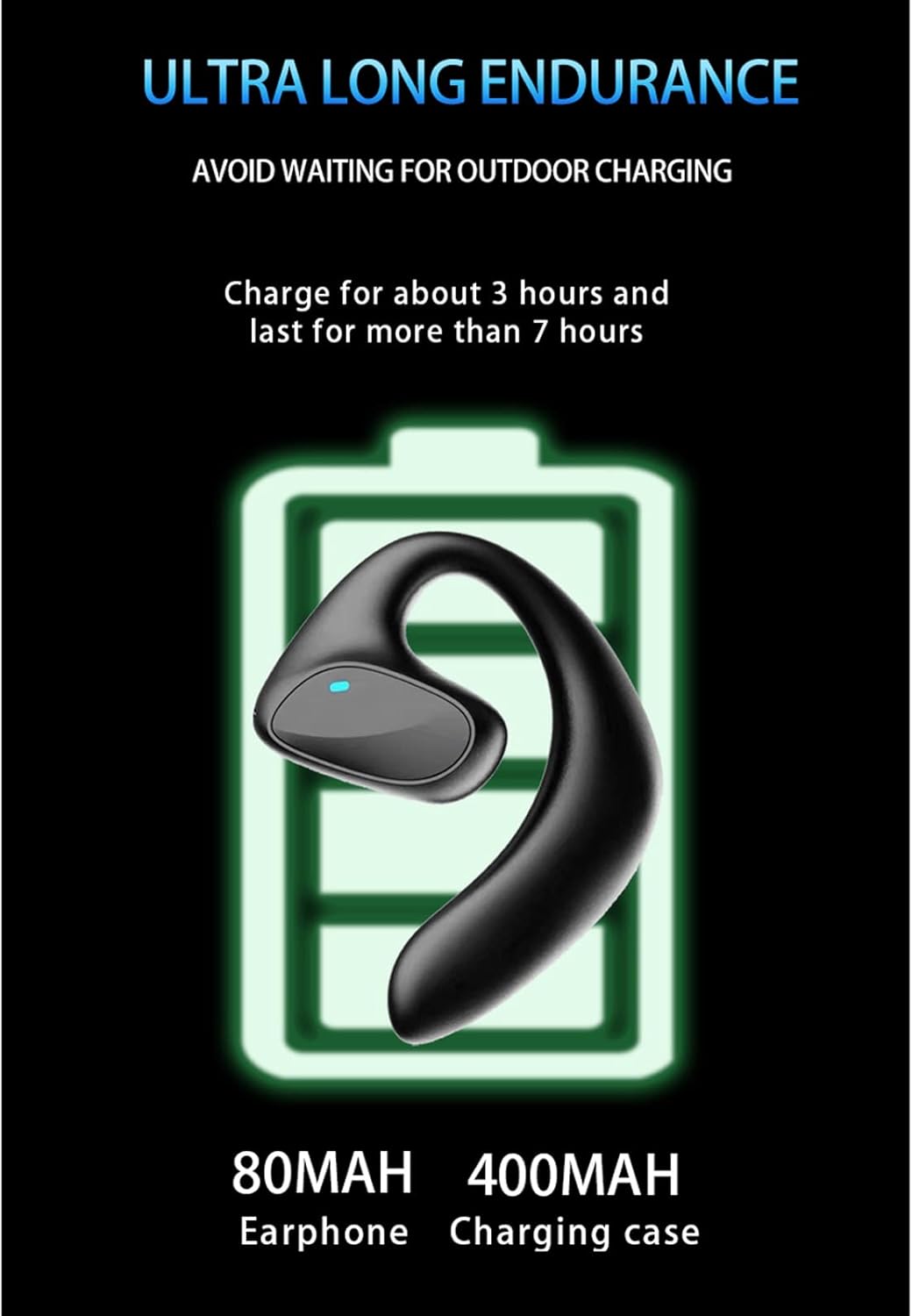
Image: A visual representation of the earbud and charging case battery capacities, emphasizing extended usage time.
4.2 Bluetooth Pairing
- Ensure the earbuds are charged and removed from the charging case.
- Enable Bluetooth on your mobile phone or compatible device.
- Search for available Bluetooth devices. The earbuds should appear as 'Yunir Translator' or a similar name.
- Select the earbuds to pair. A voice prompt will confirm successful connection.
4.3 App Installation
To utilize the translation features, download and install the dedicated translation application on your smartphone. Refer to the instructions provided within the app for specific setup and language selection.
5. Operating Instructions
The Yunir Voice Translator Earbuds offer multiple modes for translation and general audio functions.
5.1 Translation Modes
After connecting the earbuds via Bluetooth and launching the translation app, select your desired translation mode:
- Touch Mode: For two people, each wearing an earbud. Tap the earbud to speak, and the translation will be heard by the other person.
- Speaker Mode: One person wears an earbud, and the translation is played through the phone's speaker for others to hear.
- Free Talk Mode: Allows for continuous, real-time translation in a conversation, releasing users from constant button presses.
- Offline Mode: Supports translation without an internet connection for selected languages. Ensure necessary language packs are downloaded in the app beforehand.
5.2 Music Playback and Call Management
The earbuds feature multi-function touch controls:
- Play/Pause Music: Single tap on either earbud.
- Answer/End Call: Single tap on either earbud during an incoming call.
- Reject Call: Press and hold either earbud for approximately 2 seconds during an incoming call.
- Next Track: Double tap the right earbud.
- Previous Track: Double tap the left earbud.
The earbuds also feature noise reduction for clear audio during calls and translation.
6. Maintenance
- Clean the earbuds and charging case regularly with a soft, dry cloth.
- Avoid exposing the device to extreme temperatures, humidity, or liquids, as it is not water-resistant.
- Store the earbuds in their charging case when not in use to protect them and keep them charged.
- Do not attempt to disassemble or repair the device yourself. Contact customer support for assistance.
7. Troubleshooting
| Problem | Possible Solution |
|---|---|
| Earbuds not pairing | Ensure earbuds are charged. Turn off and on your phone's Bluetooth. Restart the earbuds by placing them back in the case and taking them out. |
| No sound or low volume | Check phone volume. Ensure earbuds are properly seated in your ears. Reconnect Bluetooth. |
| Translation not working | Ensure the translation app is open and correctly configured. Check internet connection for online translation. Verify language packs for offline mode. |
| Earbuds not charging | Check USB cable and power adapter. Ensure earbuds are correctly placed in the charging case. Clean charging contacts if necessary. |
8. Specifications
- Model: Yunirzckgentsrf
- Material: Plastic
- Connectivity: Wireless (Bluetooth)
- Control Type: Touch Control
- Earbud Battery Life: Approx. 2 hours
- Charging Case Battery Life: Provides over 7 hours of earbud usage
- Charging Time: Approx. 2 hours (earbuds), 3 hours (case)
- Water Resistance: Not water-resistant
- Weight: 140 grams (total package)
- Included Components: 2 Voice Translator Earbuds, 1 Charging Case, 1 USB Data Cable, 1 User Manual
9. Safety Information
- Do not use the earbuds at excessively high volumes for prolonged periods to prevent hearing damage.
- Keep the device away from children and pets.
- Dispose of the device and its components responsibly according to local regulations.
- Avoid using the earbuds in situations where awareness of your surroundings is critical (e.g., driving, cycling).
10. Warranty and Support
This product comes with a standard manufacturer's warranty. For detailed warranty information, technical support, or service inquiries, please refer to the warranty card included in your package or contact Yunir customer service through their official website or the retailer where the product was purchased.
Ask a question about this manual
Ask about setup, troubleshooting, compatibility, parts, safety, or missing instructions. Manuals+ will review the question and use this page’s manual context to help answer it.