
1. Introduction
Thank you for choosing the ProTuning KOLSTAN Induction Hob. This manual provides essential information for the safe installation, operation, and maintenance of your appliance. Please read these instructions carefully before using the hob and retain them for future reference.
This induction hob features four cooking zones, including a Bridge Plus Zone, and is designed for efficient and precise cooking. It comes with a 5-year warranty, ensuring long-term reliability.
2. Safety Information
General Safety:
- Ensure the appliance is installed by a qualified technician in accordance with local regulations.
- Do not operate the hob if the glass surface is cracked or broken. Disconnect from power immediately.
- Keep children away from the appliance during operation and cooling.
- Do not store flammable materials on or near the hob.
- Use only induction-compatible cookware.
- Avoid placing metallic objects like knives, forks, spoons, and lids on the hob surface as they can become hot.
- Individuals with pacemakers or similar medical implants should consult their doctor before using an induction hob.
Electrical Safety:
- The appliance must be properly earthed.
- Ensure the voltage and frequency of your electrical supply match the ratings on the appliance's data plate.
- Do not use adapters, multiple sockets, or extension cables.
3. Setup and Installation
Proper installation is crucial for the safe and efficient operation of your induction hob. Refer to the diagrams below for precise measurements and clearances.
3.1 Product and Cut-out Dimensions
- Hob Width: 58 cm
- Hob Depth: 52 cm
- Hob Height: 5.8 cm
- Weight: 8.80 kg
- Cut-out Width: 56 cm
- Cut-out Depth: 49 cm

Figure 3.1: Installation diagram illustrating the hob's overall dimensions (58 cm width, 52 cm depth, 5.8 cm height) and the required countertop cut-out dimensions (56 cm width, 49 cm depth). It also shows minimum clearances to adjacent surfaces and appliances, including a minimum 10 cm clearance at the rear and minimum 2.8 cm clearance below the hob.
3.2 Cooking Zone Dimensions

Figure 3.2: Diagram detailing the dimensions of the four cooking zones. It shows two circular zones, one with a diameter of 20 cm and another with a diameter of 14.5 cm. Additionally, there are two rectangular zones, each measuring 19 cm by 21 cm, which can be combined into a Bridge Plus Zone.
3.3 Electrical Connection
The electrical connection must be performed by a qualified electrician. Ensure the main power supply is disconnected before commencing any electrical work. The appliance requires a dedicated circuit with appropriate fusing.
4. Operating Instructions
This section describes how to use your induction hob effectively and safely.
4.1 Overview of Controls

Figure 4.1: A clear top-down view of the white induction hob, showcasing its four cooking zones and the touch control panel located at the front. The control panel includes power settings (1-9), a boost function, and indicators for the Bridge Plus Zone.

Figure 4.2: A detailed close-up of the hob's touch control panel, highlighting the numerical heat settings (1-9), the boost function, and the dedicated controls for activating and managing the 'Bridge Plus Zone'. The 'Bridge Plus Zone' text is visible on the hob surface.
4.2 Powering On and Selecting a Cooking Zone
- Touch the main power button to turn on the hob.
- Place an induction-compatible pan on the desired cooking zone.
- Select the cooking zone by touching its corresponding sensor.
- Adjust the heat level using the '+' and '-' buttons or by sliding your finger across the numerical scale (1-9).
4.3 Using the Boost Function
The boost function provides maximum power to a selected cooking zone for a short period, ideal for rapidly boiling water or searing food. Activate it by touching the 'Boost' symbol after selecting a zone.
4.4 Bridge Plus Zone
The Bridge Plus Zone allows you to combine two rectangular cooking zones to create a larger cooking area, suitable for oversized pots, griddle pans, or roasting dishes. Activate this function by touching the dedicated Bridge Plus Zone button on the control panel.

Figure 4.3: The induction hob in operation, demonstrating the use of the Bridge Plus Zone with a large rectangular grill pan containing corn on the cob. The hob's white surface and illuminated controls are visible.
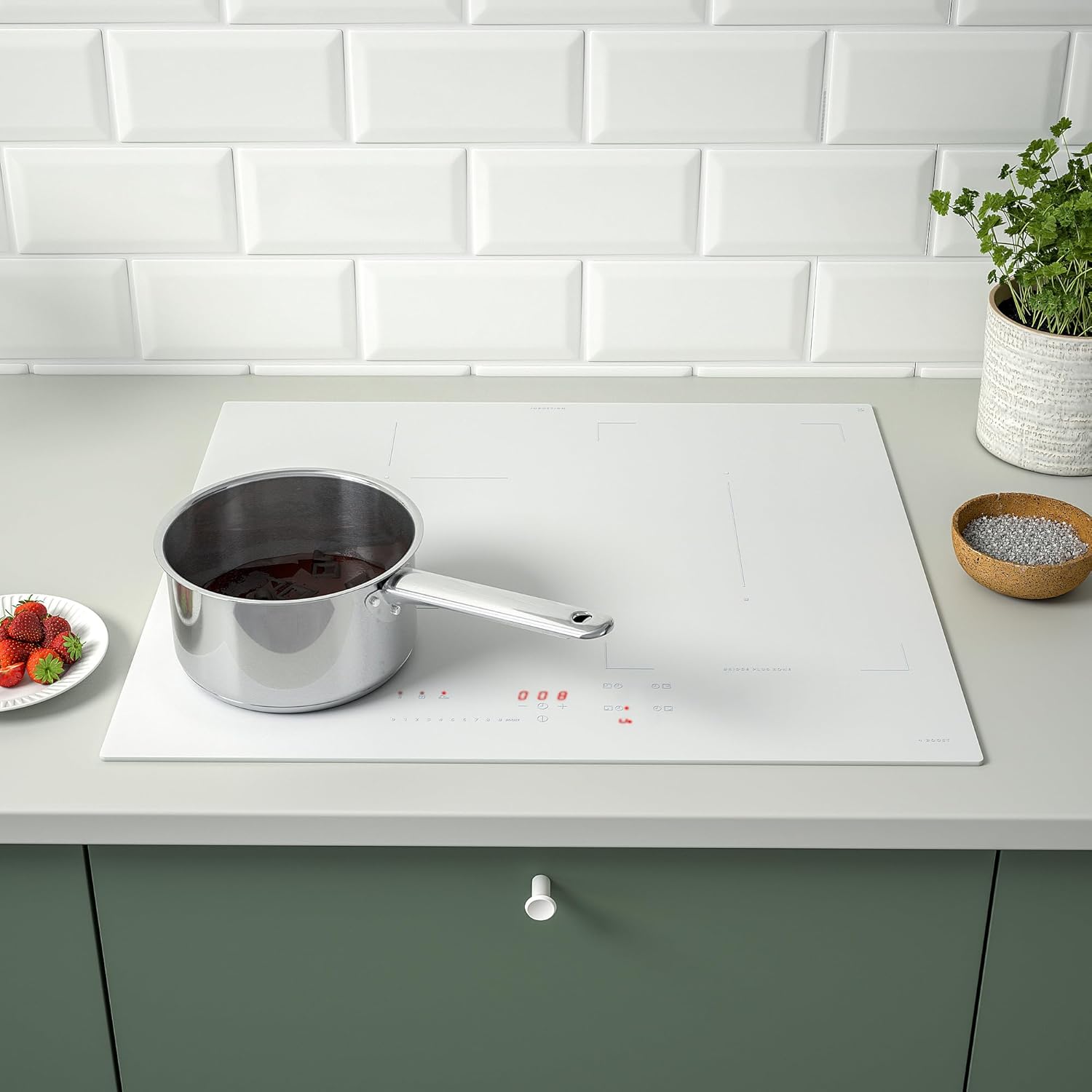
Figure 4.4: The induction hob in use with a single saucepan placed on one of the circular cooking zones. The white ceramic glass surface is clean, and the surrounding kitchen counter is visible.
4.5 Suitable Cookware
Induction hobs require cookware with a magnetic base. To check if your cookware is suitable, hold a magnet to the bottom of the pan. If it sticks, the pan is compatible. Avoid using pans with rough bottoms that could scratch the hob surface.
5. Maintenance and Cleaning
Regular cleaning and maintenance will ensure the longevity and optimal performance of your induction hob.
- Always ensure the hob is cool and disconnected from the power supply before cleaning.
- For light soiling, wipe the ceramic glass surface with a soft cloth and warm soapy water.
- For stubborn stains or burnt-on food, use a specialized ceramic hob cleaner and a scraper designed for glass surfaces.
- Avoid abrasive cleaners, scouring pads, or harsh chemicals, as these can damage the surface.
- Clean the control panel gently with a damp cloth to prevent accidental activation.
6. Troubleshooting
If you encounter issues with your hob, refer to the following common troubleshooting steps:
| Problem | Possible Cause | Solution |
|---|---|---|
| Hob does not turn on | No power supply; control panel locked; faulty connection. | Check circuit breaker; unlock control panel (if applicable); contact a qualified electrician. |
| Cooking zone not heating | Cookware not induction-compatible; pan too small or not centered; error code displayed. | Use suitable cookware; ensure pan covers the zone; refer to error code in full manual (if available). |
| Unusual noises during operation | Normal induction hum; pan material. | Light humming or buzzing is normal for induction. Some cookware materials may produce more noise. |
| Hob turns off unexpectedly | Overheating protection activated; timer expired. | Allow hob to cool down; check if a timer was set. |
If the problem persists after attempting these solutions, please contact customer support.
7. Specifications
- Brand: ProTuning
- Model: IK.105.594.60
- Type: Induction Hob
- Installation Type: Built-in / Autonome
- Number of Cooking Zones: 4
- Color: White
- Material: Glass-ceramic
- Product Dimensions (L x W x H): 52 x 58 x 5.8 cm
- Cut-out Dimensions (W x D): 56 x 49 cm
- Weight: 8.80 kg
- Power Source: Electric (Induction)
- Ignition System Type: Electronic
- Components Included: Hob only
8. Warranty and Support
Warranty:
This ProTuning KOLSTAN Induction Hob comes with a 5-year warranty. Please refer to the warranty brochure provided with your purchase for full terms and conditions. Retain your proof of purchase for warranty claims.
Customer Support:
For technical assistance, spare parts, or warranty claims, please contact your retailer or the ProTuning customer service department. Ensure you have your model number (IK.105.594.60) and proof of purchase ready when contacting support.