
1. Introduction
Thank you for choosing the ProTuning MUTEBO Forced Air Oven with Full Steam. This appliance is designed to provide versatile cooking options, combining forced air convection with advanced steam functions for optimal culinary results. Please read this manual thoroughly before using the oven to ensure safe and efficient operation. Keep this manual for future reference.
Safety Information
- Always ensure the oven is properly installed and grounded by a qualified technician.
- Do not allow children to operate the oven unsupervised.
- Use oven mitts when handling hot dishes or oven components.
- Do not use abrasive cleaners or sharp objects that could damage the oven's surfaces.
- Ensure proper ventilation during operation.
- Disconnect the power supply before cleaning or maintenance.
2. Setup & Installation
Unpacking and Placement
Carefully remove all packaging materials from the oven. Inspect the appliance for any damage incurred during transit. Place the oven in a suitable cabinet opening, ensuring adequate clearance for ventilation.
Dimensions
The oven has the following assembled dimensions:
- Width: 59.5 cm
- Depth: 56.7 cm
- Height: 59.4 cm
- Volume: 70 Liters
- Cord Length: 150.0 cm
- Weight: 35.00 kg

Figure 2.1: Dimensional drawing of the oven, illustrating its width, depth, and height for installation planning.
Initial Setup
Before first use, clean the interior of the oven with a damp cloth. Run the oven empty at a high temperature (e.g., 200°C) for approximately 30 minutes to burn off any manufacturing residues. Ensure the kitchen is well-ventilated during this process.

Figure 2.2: Standard accessories provided with the oven, including baking trays, a perforated steam tray, and a temperature probe.
3. Operating Instructions
Control Panel Overview
The oven features an intuitive control panel with a digital display and rotary knob for selecting functions and setting parameters.
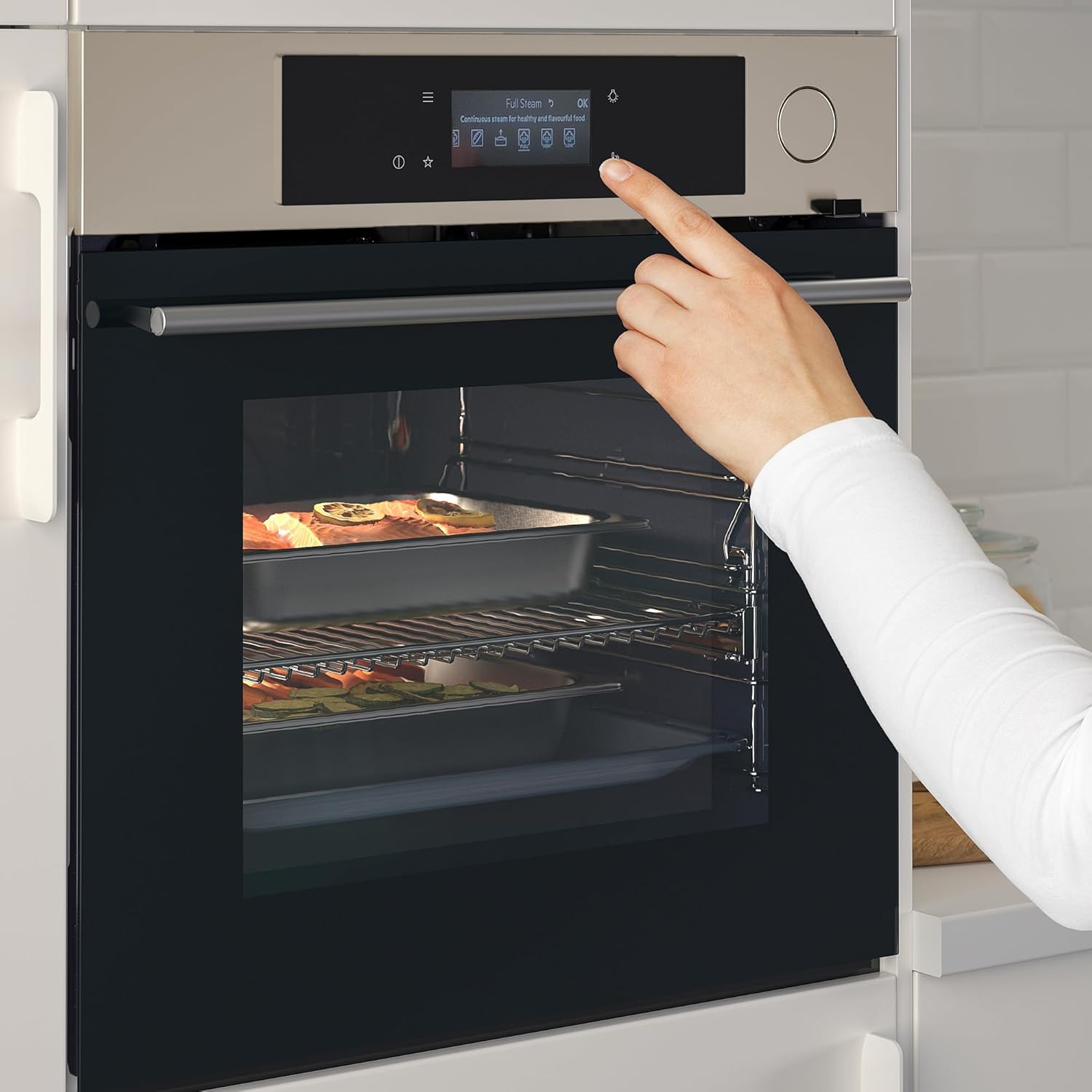
Figure 3.1: The oven's control panel, showing the digital display and selection options.
Cooking Functions
The MUTEBO oven offers a range of cooking functions, including forced air convection and various steam modes.
Full Steam Function
The Full Steam function provides continuous steam for healthy and flavorful cooking. This is ideal for vegetables, fish, and delicate dishes.
Figure 3.2: Activating the Full Steam function for continuous steam cooking.
Steam Regenerating Function
Use the Steam Regenerating function to gently refresh food, maintaining humidity and taste. This is suitable for reheating leftovers or refreshing baked goods.

Figure 3.3: Utilizing the Steam Regenerating function to refresh food.
EasySteam Function
The EasySteam function automatically matches the right amount of steam with your selected cooking program, simplifying steam cooking.
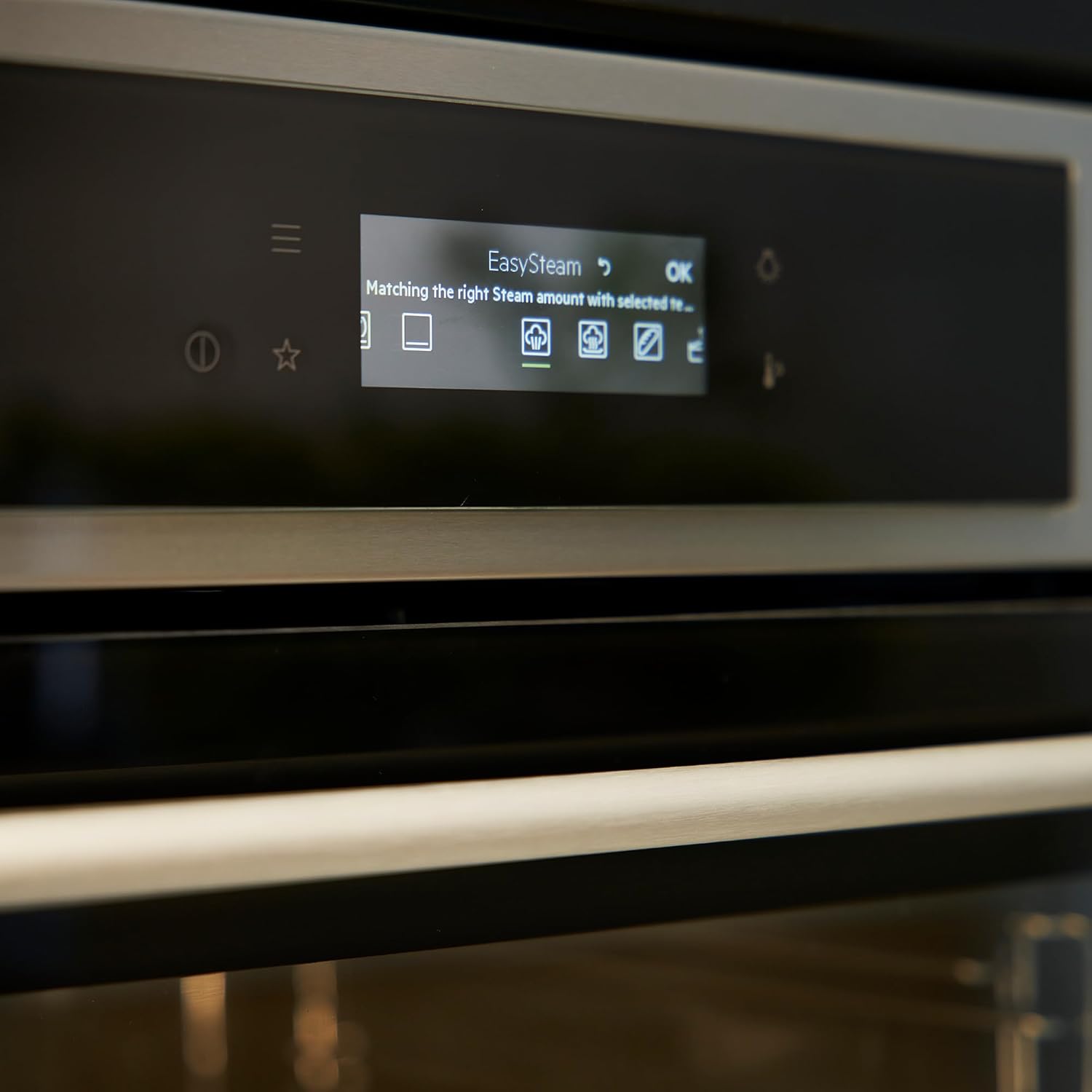
Figure 3.4: The EasySteam function display, indicating automatic steam adjustment.
Using the Temperature Probe
For precise cooking results, especially with meat and poultry, use the integrated temperature probe. Insert the probe into the thickest part of the food, avoiding bones. The oven will cook until the set internal temperature is reached.

Figure 3.5: Inserting the temperature probe into food for accurate cooking.

Figure 3.6: Detailed view of the temperature probe correctly placed in poultry.
4. Maintenance & Cleaning
General Cleaning
Regular cleaning helps maintain the oven's performance and appearance.
- Interior: After each use, wipe the interior with a damp cloth and mild detergent. For stubborn stains, use a specialized oven cleaner, following the product instructions.
- Exterior: Clean the stainless steel exterior with a soft cloth and a non-abrasive stainless steel cleaner.
- Door Glass: Use a glass cleaner on the oven door glass.
- Water Tank (for steam functions): Regularly empty and clean the water tank to prevent limescale buildup. Use distilled water for best results.
Descaling (for steam functions)
Depending on water hardness, the oven's steam system may require descaling. The oven may indicate when descaling is needed. Follow the instructions in the oven's display for the descaling process, typically involving a descaling solution and a specific program.
5. Troubleshooting
Before contacting customer service, please refer to the following common issues and solutions:
| Problem | Possible Cause | Solution |
|---|---|---|
| Oven does not turn on. | No power supply. | Check if the oven is plugged in correctly and if the circuit breaker has tripped. |
| Oven not heating properly. | Incorrect temperature setting or faulty heating element. | Verify temperature settings. If problem persists, contact service. |
| Steam function not working. | Water tank empty or limescale buildup. | Refill water tank. Perform descaling cycle if necessary. |
| Display shows an error code. | System malfunction. | Note the error code and consult the full warranty brochure or contact customer support. |
6. Specifications
| Feature | Detail |
|---|---|
| Brand | ProTuning |
| Model Number | IK.105.570.41 |
| Type | Forced Air Oven with Full Steam |
| Color | Stainless Steel |
| Volume | 70 Liters |
| Width | 59.5 cm |
| Depth | 56.7 cm |
| Height | 59.4 cm |
| Cord Length | 150.0 cm |
| Weight | 35.00 kg |
| Manufacturer | ProTuning |
| First Available Date | December 14, 2023 |
7. Warranty & Support
Warranty Information
This ProTuning MUTEBO oven comes with a 5-year warranty. For detailed terms and conditions, please refer to the separate warranty brochure provided with your purchase. This warranty covers manufacturing defects and ensures reliable operation under normal use.
Customer Support
Should you encounter any issues not covered in the troubleshooting section or require further assistance, please contact ProTuning customer support.
- Website: www.protuning.com (Placeholder, as no actual link is provided)
- Email: support@protuning.com (Placeholder)
- Phone: +1-800-XXX-XXXX (Placeholder)
When contacting support, please have your model number (IK.105.570.41) and purchase date available.